

A router’s advertised wireless speed is only one part of network performance. Coverage, interference, client-device capability, Ethernet ports, firmware support and the number of active devices all affect the experience. For gaming, a router cannot eliminate latency caused by the ISP or distant game server, so identify the actual bottleneck before upgrading.
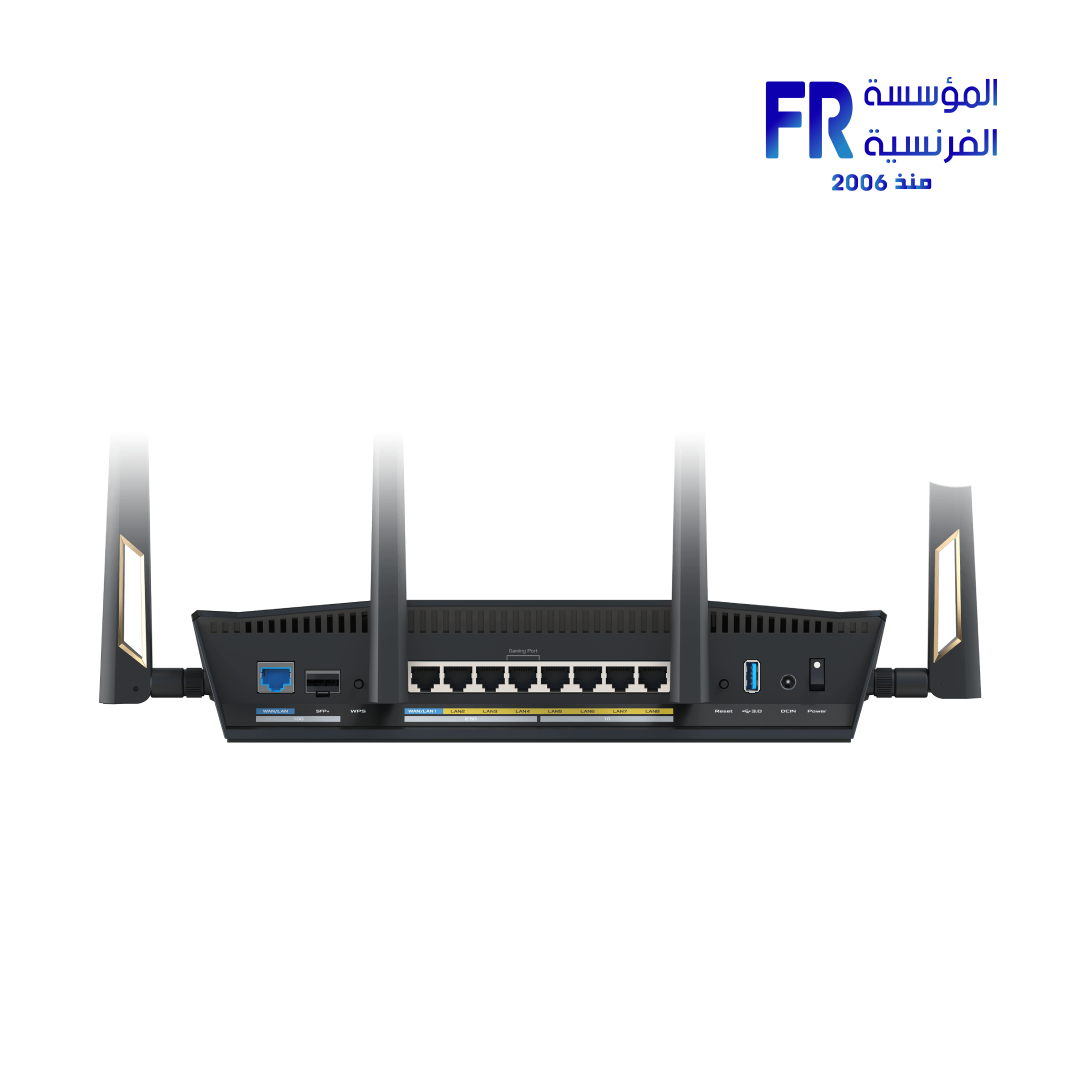
Coverage and placement
Walls, floors, neighbouring networks and router placement affect signal quality. Place the router in a reasonably central, open location where possible. A mesh system or wired access point may help in a large or difficult layout, but extra wireless hops can also affect performance depending on the design.
Ethernet ports and backhaul
Check the speed and number of LAN and WAN ports. A fast Wi-Fi rating does not imply every wired port is equally fast. If you plan to use mesh nodes or access points, consider wired backhaul where practical and verify that the router supports your intended topology.
Standards, device support and security
Wi-Fi 6 and Wi-Fi 7 include different capabilities, but client devices must support the relevant features to benefit. Check the bands and channel options permitted in your region, firmware update history, guest-network support and modern security configuration.
Gaming-specific checks
- Use Ethernet for a baseline test when possible.
- Measure ping and packet loss during the times you normally play.
- Check whether local congestion or ISP routing is the problem.
- Use QoS only when it addresses a measured congestion issue.
- Do not assume a router branded “gaming” automatically lowers latency.
Frequently asked questions
Does a more expensive router always lower ping?
No. Ping depends on the whole network path, not just the router.
Should I buy Wi-Fi 7 if my devices use Wi-Fi 6?
Only if the other benefits, future devices or wired features justify the cost. Older clients cannot use features they do not support.
Sources
Next step: Test your current router’s coverage, wired latency and device support before choosing a replacement.
Explore networking buying guides.
Compare options before you buy
Check the exact model, compatibility, current availability and warranty terms.
alfrensia.com — Alfrensia, French Establishment for Computers
اختار راوتر حسب التغطية وأجهزة البيت ومنافذ Ethernet ودعم التحديثات الأمنية، مش رقم السرعة اللاسلكية فقط.
سرعة Wi-Fi المعلنة جزء واحد من أداء الشبكة. التغطية والتداخل وقدرات الأجهزة ومنافذ Ethernet ودعم Firmware وعدد الأجهزة النشطة كلها عوامل مؤثرة. الراوتر مش هيزيل تأخير ناتجاً عن مزود الإنترنت أو خادم اللعبة البعيد؛ حدد الاختناق الفعلي قبل الترقية.
التغطية ومكان الراوتر
الحوائط والأدوار والشبكات المجاورة ومكان الراوتر بتأثر على جودة الإشارة. لو ممكن، حطه في مكان مفتوح وقريب من مركز البيت. Mesh أو Access Point سلكي ممكن يساعد في المساحات الكبيرة، لكن المرور عبر وصلات لاسلكية إضافية ممكن يؤثر على الأداء حسب التصميم.
منافذ Ethernet والربط
راجع عدد وسرعة منافذ LAN وWAN. تصنيف Wi-Fi سريع مش معناه إن كل منفذ سلكي بنفس السرعة. لو هتستخدم Mesh أو Access Points، فكّر في Wired Backhaul لو مناسب وتأكد إن الراوتر يدعم التوصيل المطلوب.
المعايير ودعم الأجهزة والأمان
Wi-Fi 6 وWi-Fi 7 بيقدموا خصائص مختلفة، لكن الأجهزة المتصلة لازم تدعم الخصائص المطلوبة للاستفادة منها. راجع النطاقات والقنوات المسموحة في منطقتك وسجل تحديثات Firmware ودعم شبكة الضيوف وإعدادات الأمان الحديثة.
نصائح خاصة بالألعاب
- استخدم Ethernet لاختبار مرجعي لو متاح.
- قِس Ping وPacket Loss في الأوقات اللي بتلعب فيها عادةً.
- تحقق هل المشكلة ازدحام محلي أو توجيه مزود الإنترنت.
- استخدم QoS فقط لو بيعالج ازدحاماً تم قياسه.
- ما تفترضش إن وصف Gaming على الراوتر يقلل التأخير تلقائياً.
الأسئلة الشائعة
هل الراوتر الأغلى يقلل Ping دائماً؟
لأ؛ Ping بيعتمد على مسار الشبكة بالكامل، مش الراوتر وحده.
أشتري Wi-Fi 7 لو أجهزتي Wi-Fi 6؟
فقط لو المزايا الأخرى أو الأجهزة المستقبلية أو المنافذ السلكية تبرر التكلفة. الأجهزة القديمة لا تستخدم ميزات لا تدعمها.
المصادر والخطوة التالية
راجع معلومات Wi-Fi Alliance عن Wi-Fi CERTIFIED 7، واختبر تغطية الراوتر الحالي والتأخير السلكي قبل استبداله.
راجع أدلة شراء الشبكات على موقع المؤسسة الفرنسية للكمبيوتر، أو تواصل مع المبيعات على واتساب للاستفسار عن الراوتر المناسب للأجهزة ومساحة التغطية.