



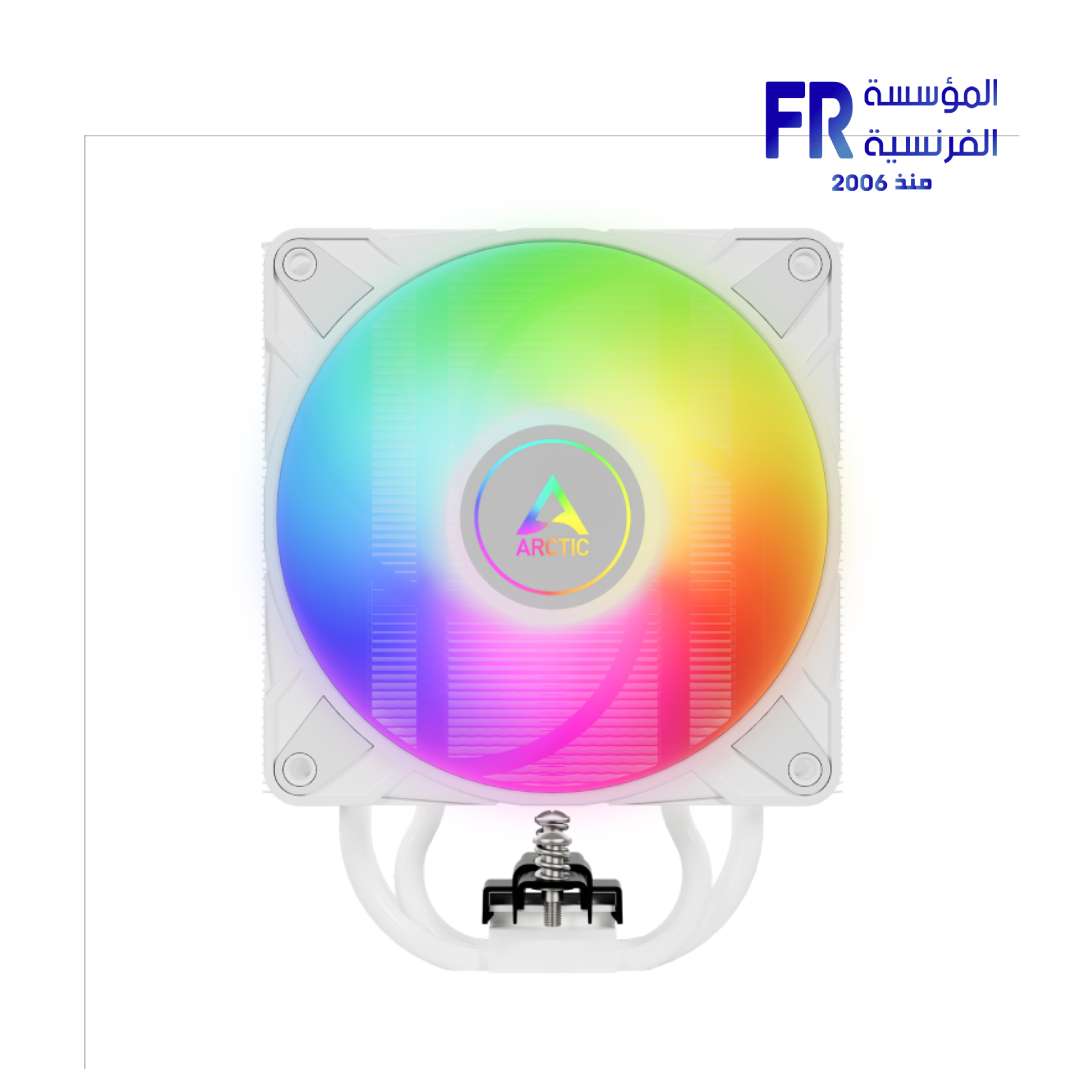
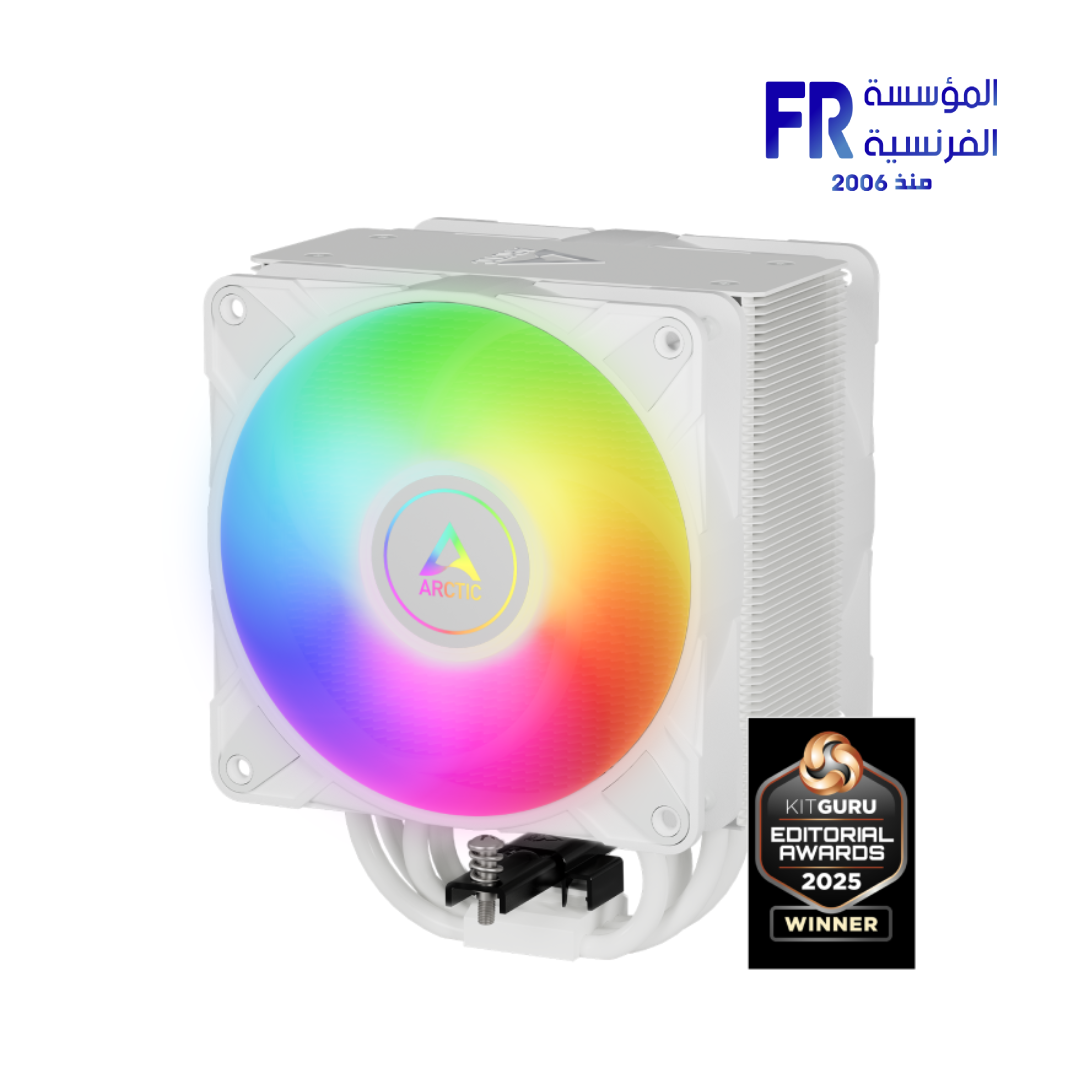
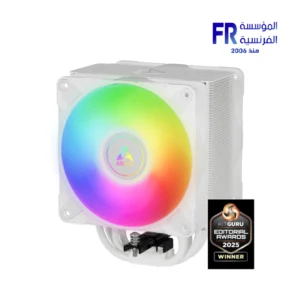
Arctic Freezer 36 ARGB White Tower Air CPU Cooler
2150 EGP
- Model Name: Freezer 36 ARGB White Tower Air CPU Cooler
- Part Number: ACFRE00125A
- Compatibility: LGA1700/LGA1851 & AM5/AM4 (Includes Contact Frame)
- Fan Configuration: Dual P12 ARGB Fans (Push-Pull, 2000 RPM Max)
- Key Feature: Innovative Click-System Fan Mounting & MX-6 Thermal Paste
- Warranty: 1 Years
Arctic Freezer 36 ARGB White Tower Air CPU Cooler
Achieve superior cooling and a stunning aesthetic with the Arctic Freezer 36 ARGB White Tower Air CPU Cooler. Regarded as the Best Value Air Cooler Under 2500 EGP in Egypt, this high-performance cooler features a push-pull fan configuration and future-proof compatibility. With its innovative mounting system, included LGA1700 Contact Frame, and brilliant A-RGB lighting, it offers an unbeatable combination of performance and style.
Overview of the Arctic Freezer 36 A-RGB
The Arctic Freezer 36 A-RGB not only impresses with its efficient cooling but also with its design. The high-class finish with an aluminum top plate conceals the heatpipe ends, allowing it to blend seamlessly into any PC build. Furthermore, its innovative click-system fan mounting eliminates the need for clips, making installation effortless. The included Contact Frame for Intel sockets minimizes mechanical stress on the CPU, ensuring consistent performance. Finally, the two proven P-fans with A-RGB illumination and high static pressure deliver powerful and colorful cooling, all backed by a 6-year warranty you can rely on.
Arctic Freezer 36 A-RGB: Key Features
- Future-Proof Compatibility: Multi-compatible with Intel LGA1700/LGA1851 and AMD AM5/AM4 sockets.
- LGA1700/LGA1851 Contact Frame: Reduces mechanical stress on the CPU to ensure consistent contact and cooling performance.
- Improved Fan Mounting: Innovative click system allows for effortless installation of the two P12 PWM PST A-RGB fans.
- High-Performance P-Fans: Optimized for high static pressure, ideal for heatsinks, and feature 12 independently controllable A-RGB LEDs.
Technical Specifications
Frequently Asked Questions
How does the side-flow heatsink design work?
The fins of the Freezer 36’s heatsink are open at the sides. This design allows the “pull” fan (the fan at the rear of the tower) to draw additional cool air from the side, through the heatsink, improving overall ventilation and cooling efficiency.
Can I control the RGB lighting on the fans?
Yes, the 12 A-RGB LEDs on each fan can be controlled independently. They are compatible with the common A-RGB standards from major motherboard manufacturers, allowing you to sync the lighting with your other components via your motherboard’s software.
What is a push-pull fan configuration?
A push-pull configuration uses two fans on a single heatsink tower. The “push” fan at the front blows cool air through the fins, while the “pull” fan at the back helps to draw that air out, creating a strong and efficient airflow channel to cool the CPU.
💡 Pro Tip:
For the cleanest installation, especially with the included Intel Contact Frame, mount the CPU cooler onto the motherboard before installing the motherboard into your PC case. The innovative clip system makes attaching the fans after the heatsink is secured incredibly simple.
Important Notice: All information, specifications, and images provided herein are for reference and illustrative purposes only. Visual representations may not be perfectly accurate. Product specifications, features, and appearance can vary by model and country, and are subject to change without notice by the manufacturer. While we strive to present the most precise and comprehensive information, errors in typography or photography may occur.
For the most accurate and up-to-date details, we strongly recommend referring to the official manufacturer’s website. All trademarks and copyrights are the property of their respective owners.
If you have suggestions, or if you notice an error or incorrect information in this draft, please help us improve by reporting it directly via our feedback form: Alfrensia.com – Website Feedback & Report Form.
Copyright © 2025 alfrensia.com. All rights reserved.
| MODEL | |
|---|---|
| Radiator Size | |
| Tubing Length | |
| TUBE Material | |
| Fan Quantity | |
| Material | |
| Fan Speed | |
| Fan Profiles | |
| Fan Noise Level | |
| Fan Airflow | |
| Fan Voltage | |
| Bearing Type | |
| CPU Socket | |
| Software | |
| Color | |
| Part Number | |
| Warranty |
يسمح فقط للزبائن مسجلي الدخول الذين قاموا بشراء هذا المنتج ترك مراجعة.
منتجات ذات صلة





المراجعات
لا توجد مراجعات بعد.