


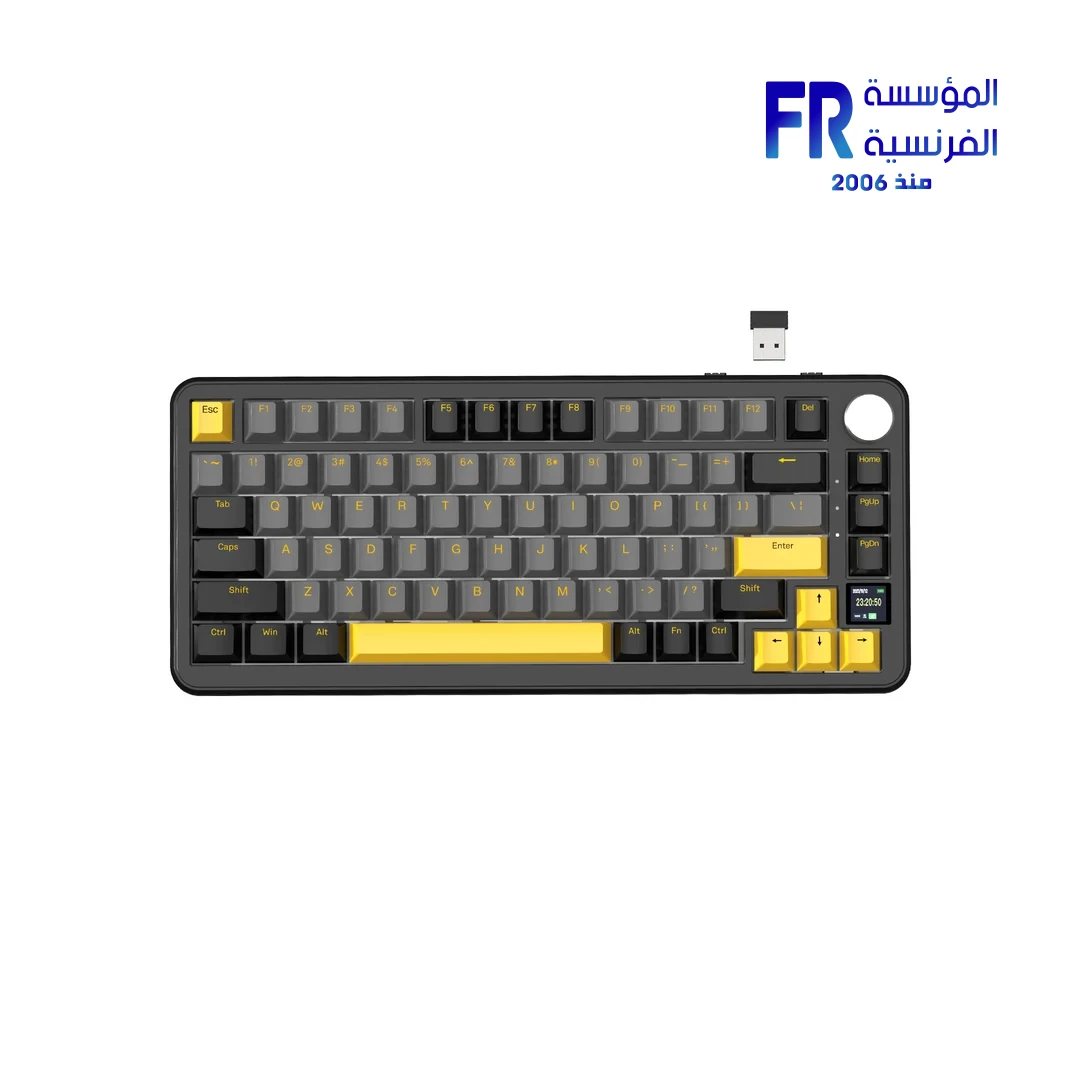


Attack Shark X85 Pro Tri Mode RGB Star Black Gaming Keyboard
3224 جنيه
- رقم القطعة: KB-03-36
- Switches & Layout: Linear Blueberry Switches (Pre-Lubed) | 75% ANSI (81 Keys + 1 Knob) | Hot-Swappable (3/5-Pin) | Upgraded Gasket Mount
- الاتصال: Tri-Mode (Bluetooth 5.0 / 2.4GHz / USB-C Wired) | Win/Mac Compatible | 4000mAh Battery
- Features: 0.85″ TFT Smart Display | CNC Knob | 5-Layer Sound Dampening | ENIG PCB | QMK Support | PBT OEM Keycaps
- Lighting: Programmable RGB (20 Modes) | South-Facing LED
- الضمان: 1 Year
المتوفر في المخزون 2 فقط
ضمان مطابقة السعر✅ Authorized Attack Shark Partner in Egypt | Official Warranty Coverage | Expert PC Building Consultation Available
Attack Shark X85 Pro Tri Mode RGB Star Black Gaming Keyboard
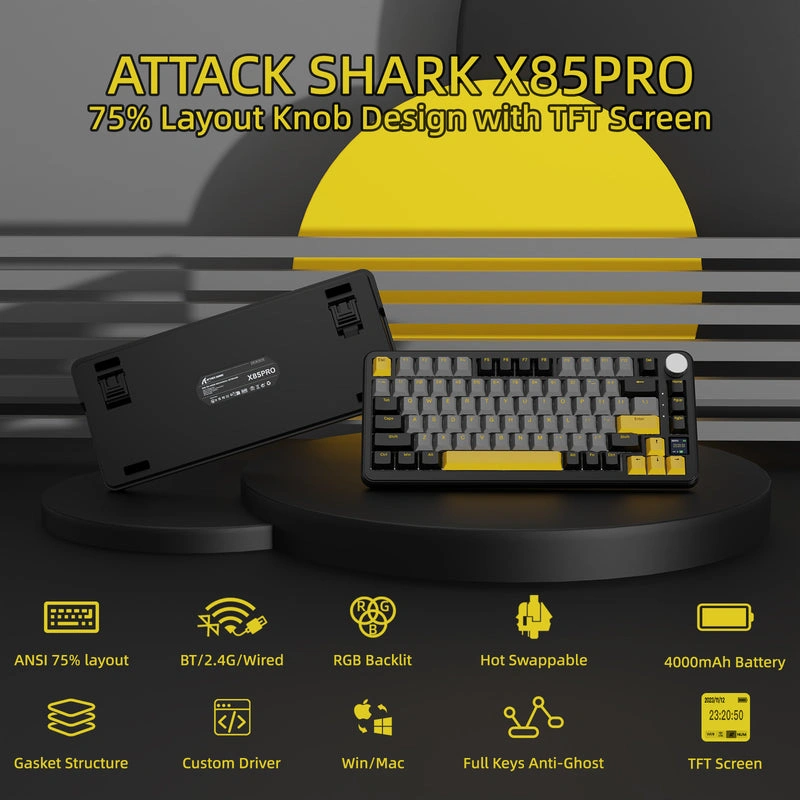
Attack Shark X85 Pro is a tri-mode 75% ANSI mechanical keyboard with a 0.85-inch TFT smart display, CNC knob, and an upgraded gasket mount with 5-layer sound dampening. It features hot-swappable 3/5-pin sockets, pre-lubed linear Blueberry switches, PBT keycaps, south-facing RGB, and a 4000mAh battery. Connectivity covers Bluetooth 5.1, 2.4GHz wireless, and USB-C wired, with QMK support. Starry Black colorway. Available at Alfrensia for 3,099 EGP.
⚡ Engineering Highlights at a Glance:
- Tri-Mode Connectivity: Bluetooth 5.1, 2.4GHz wireless, and USB-C wired with quick switching between modes.
- 0.85″ TFT Smart Display: Shows connection mode, WIN/MAC status, battery level, lighting, and volume; supports custom GIF uploads.
- CNC Knob: Controls volume, connection mode switching, and screen navigation with a push-button function.
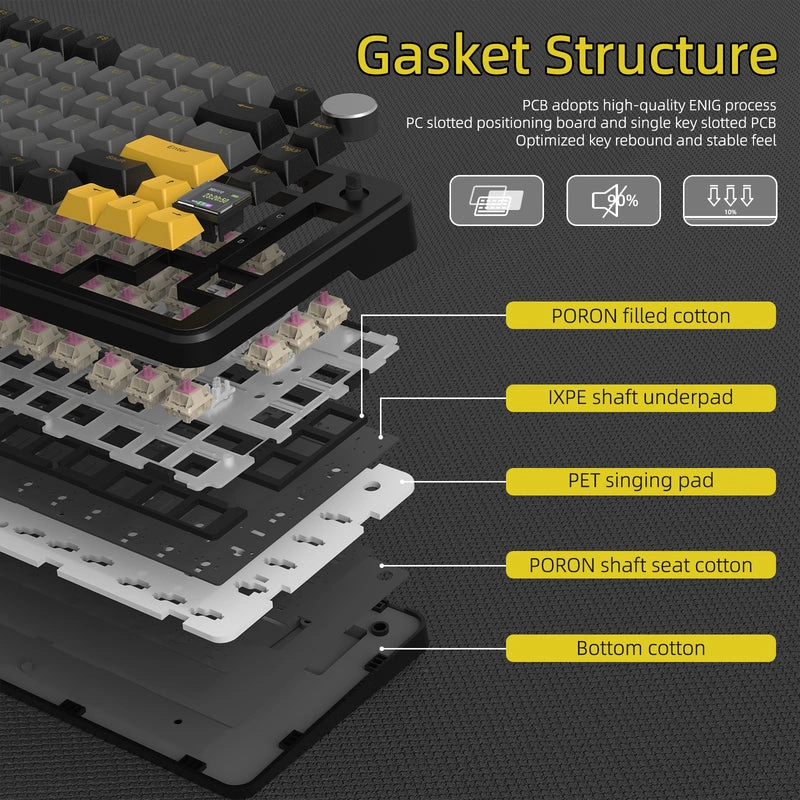
- Upgraded Gasket Mount: Five-layer padding (PORON sandwich cotton, 8x IXPE switch pad, PET foam, sponge case foam, bottom silicone) for reduced noise and soft typing feel.
- Hot-Swap Sockets: Supports 3-pin and 5-pin switches with pre-lubed linear Blueberry switches installed from the factory.
- 1.2mm Slotted PCB with ENIG: Single-key slotted design with gold-immersion surface treatment for stable input and reduced mistouches.
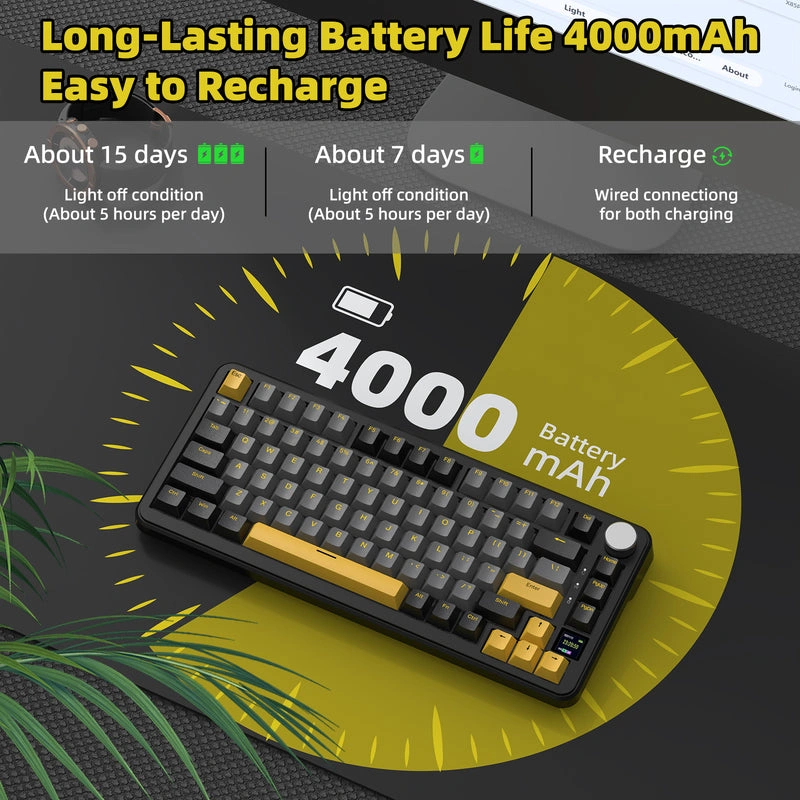
- 4000mAh Battery: Long battery life with smart power saving; rechargeable via USB-C.
75% ANSI Layout with Gasket Mount
The 75% ANSI layout uses 81 keys plus a knob, retaining arrow keys and the function row while saving desk space compared to a full-size keyboard. The upgraded gasket mount isolates the PCB from the case using silicone gaskets, which reduces vibration and produces a softer, more consistent typing feel. Five layers of internal foam further reduce cavity noise and resonance.
TFT Smart Display and CNC Knob
The 0.85-inch TFT color display shows real-time keyboard status: connection mode, Windows/Mac selection, battery level, lighting effects, and volume. Using the Attack Shark driver or QMK web driver, you can upload custom GIF images to personalize the screen. The CNC knob handles volume adjustment, mode switching, and screen control; press the knob while holding FN to cycle through its functions.
Hot-Swap, PCB, and Switches
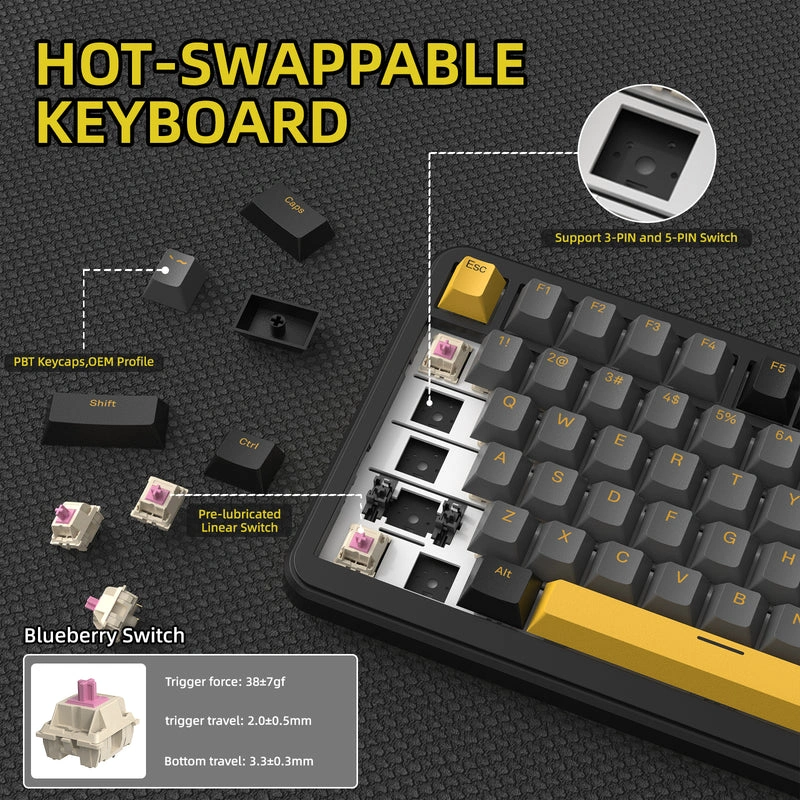
The 1.2mm PCB uses single-key slotted design with ENIG (Electroless Nickel Immersion Gold) surface treatment, which improves key stability and reduces mistouches. Hot-swap sockets accept both 3-pin and 5-pin switches, so you can swap to a different switch type without soldering. The included Blueberry switches are linear and pre-lubed from the factory, providing a smooth keystroke without the scratchy feel of unlubricated switches.
RGB Lighting and Connectivity
The RGB lighting uses south-facing LEDs, which direct light through the keycap legends more evenly than north-facing LEDs and reduce glare on the top surface. The two-color injection PBT keycaps in OEM profile resist shine and wear better than ABS. Twenty default lighting modes can be cycled with FN+|. For custom effects, use the X85 Pro driver software or the QMK web driver. The keyboard switches between Bluetooth 5.1, 2.4GHz wireless, and USB-C wired via a switch on the top edge or the knob menu.
Who is the Attack Shark X85 Pro For?
Expert Advice & Build Considerations
Display Customization Requires Driver
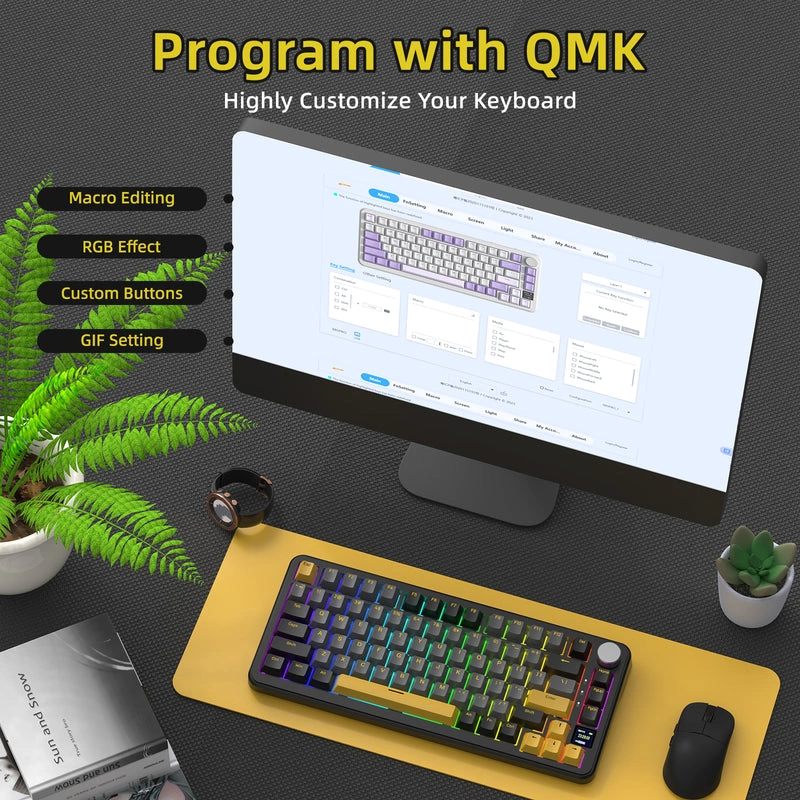
Custom GIF images, macro programming, and detailed RGB effects require the Attack Shark X85 Pro driver or the QMK web driver. Basic functions such as volume control, lighting mode cycling (FN+|), and connection switching work without software. Connect via USB-C to access the driver. Note that the clock on the TFT display may require driver software to update.
Knob Functions and Layer Switching
By default, the knob controls volume. Press and hold FN while pressing the knob to cycle through the knob’s other functions, including lighting adjustment, language, and mode switching. The knob acts as a push-button as well as a rotary dial.
📐 Layout and Desk Setup
The 75% ANSI layout uses standard keycap sizes for most keys, so aftermarket keycap sets for 75% layouts are compatible. The keyboard measures 327 x 136 x 40 mm and weighs 1.05 kg. A wrist rest is recommended for extended typing sessions. The keyboard sits at a fixed angle; there is no adjustable feet on this model.
المواصفات الفنية
| الموديل | Attack Shark X85 Pro |
| العلامات التجارية | Attack Shark |
| SKU / MPN | KB-03-36 |
| EAN / UPC | 6972792470368 |
| Layout | 75% ANSI (81 Keys + 1 Knob) |
| Connectivity | Bluetooth 5.1 / 2.4GHz Wireless / USB-C Wired |
| Switch Type | Pre-Lubed Linear Blueberry |
| Hot-Swap | Yes, 3-pin / 5-pin compatible |
| Keycaps | PBT, OEM Profile, Two-Color Injection Molded |
| Display | 0.85-inch TFT Smart Display |
| Knob | CNC Metal, Push-Button Function |
| Mount Type | Upgraded Gasket Mount |
| Sound Dampening | 5 Layers: PORON Sandwich Cotton, 8x IXPE Switch Pad, PET Foam, Sponge Case Foam, Bottom Silicone Pad |
| PCB | 1.2mm Single-Key Slotted, ENIG Surface Treatment |
| Backlight | 1.6M Color RGB, South-Facing LED |
| Lighting Modes | 20 Default Modes (Cycled via FN+|) |
| Battery | 4000mAh Rechargeable Lithium |
| Driver Support | Attack Shark X85 Pro Driver / QMK Web Driver |
| Compatible Systems | Windows, macOS |
| Dimensions | 327 x 136 x 40 mm |
| Weight | 1.05 kg |
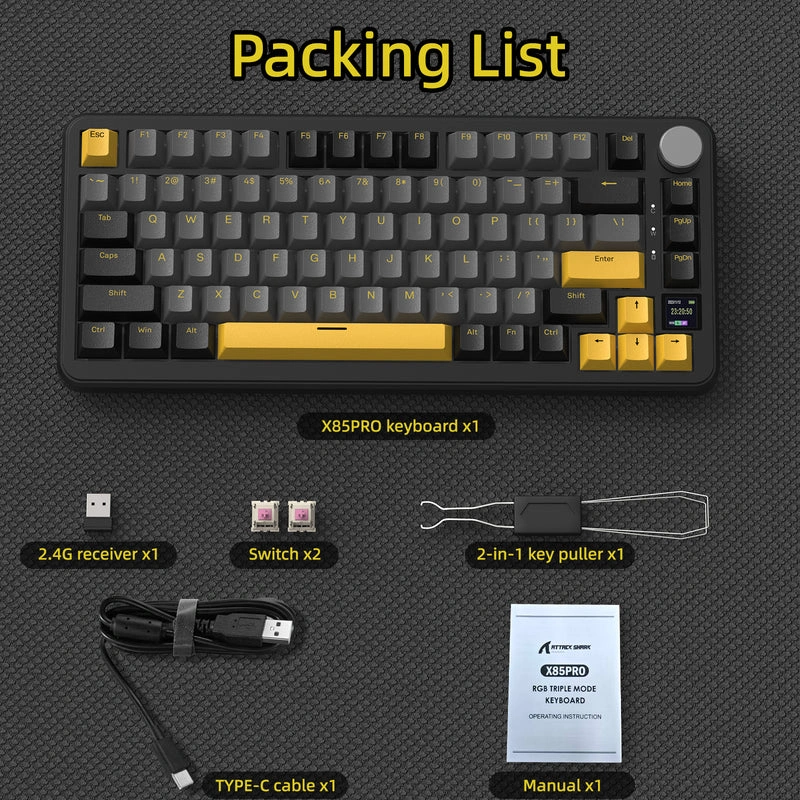
| Included Accessories | Keyboard, 2-in-1 Keycap/Switch Puller, USB-C Cable, 2.4GHz Receiver, Manual |
Expert Recommendation: Getting the Most from Your X85 Pro
Start by connecting via USB-C and downloading the Attack Shark X85 Pro driver or opening the QMK web driver to configure your preferred settings. This is required to update the TFT display with custom GIFs, program macros, and adjust the clock. For gaming, switch to 2.4GHz wireless mode using the included receiver for the lowest latency. Use Bluetooth 5.1 when connecting to tablets or phones, and expect longer battery life in Bluetooth mode than in 2.4GHz mode. The knob defaults to volume control; press FN + knob to cycle through its other functions including lighting adjustment and connection mode switching. If you want to change switches, the hot-swap sockets accept both 3-pin and 5-pin types. Because the keyboard does not include adjustable feet, add a wrist rest if you type for extended periods.
Frequently Asked Questions
How do I customize the TFT display on the X85 Pro?
Connect the keyboard via USB-C and use the Attack Shark X85 Pro driver or the QMK web driver to upload custom GIF images. Basic status information like connection mode, battery, and volume display without software, but custom images require the driver.
What switches does the X85 Pro use, and can I swap them?
The keyboard comes with pre-lubed linear Blueberry switches. The hot-swap sockets accept both 3-pin and 5-pin switches, so you can change to a different switch type without soldering.
What is the battery life of the 4000mAh battery?
The X85 Pro has a 4000mAh battery with smart power-saving. Actual battery life depends on connectivity mode and lighting settings. Bluetooth mode typically lasts longer than 2.4GHz wireless mode with the same lighting configuration.
What does the CNC knob control?
By default, the knob controls volume. Press and hold FN while pressing the knob to cycle through other functions including lighting adjustment, language, and connection mode switching. The knob also acts as a push-button for menu navigation on the TFT display.
Is the X85 Pro compatible with Mac?
Yes. The keyboard supports both Windows and Mac modes, switchable via the keyboard controls or the driver software. It also works with Bluetooth-enabled smartphones and tablets.
| MODEL | |
|---|---|
| Connection | |
| Switch Type | |
| Mechanical Switch Type | Blueberry, Hot Swappable Blueberry Linear, Hot-swappable, Linear |
| Keyboard Size | |
| Lighting | |
| Wrist rest | |
| Cable Length | |
| Software | |
| Color | |
| Part Number | |
| الضمان |
يسمح فقط للزبائن مسجلي الدخول الذين قاموا بشراء هذا المنتج ترك مراجعة.

المراجعات
لا توجد مراجعات بعد.