


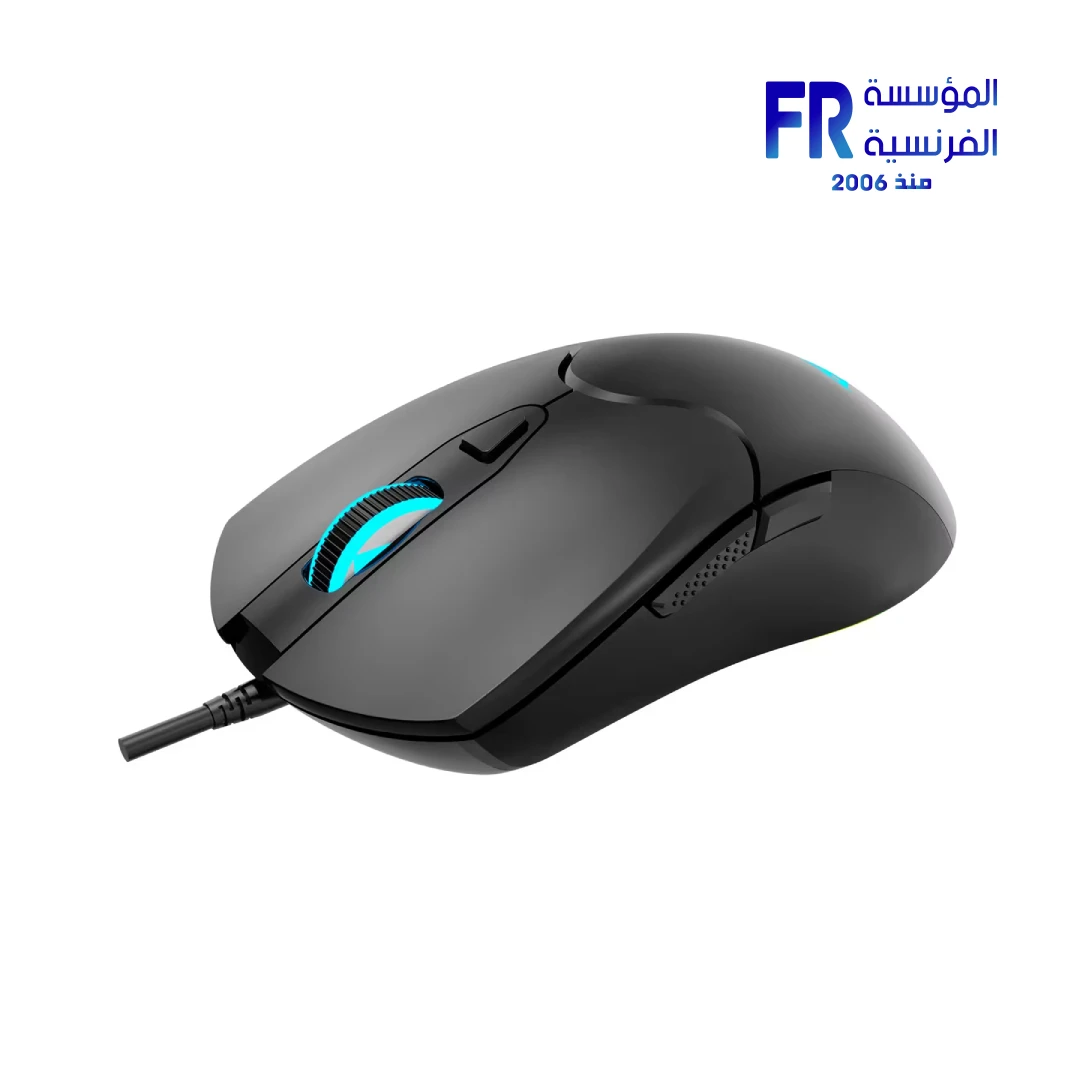


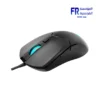
Aula S13 Wired Gaming Mouse
249 جنيه
- رقم القطعة: MO-09-10
- Sensor & Performance: Optical Sensor | Up to 3600 DPI (Adjustable)
- Design & Buttons: Ergonomic Shape | Side Buttons | Wired USB Connectivity
- Lighting: Rainbow LED Backlight
- الضمان: 1 Year
متوفر في المخزون
ضمان مطابقة السعر✅ Authorized AULA Partner in Egypt | Official Warranty Coverage | Expert PC Building Consultation Available
Aula S13 Wired Gaming Mouse
Aula S13 is a wired gaming mouse with a 3600 DPI adjustable optical sensor, six buttons, and rainbow RGB backlighting. It uses a 1.5-meter USB cable and a right-handed ergonomic shape measuring 113 x 65 x 34 mm at 110 g. Available at Alfrensia for 249 EGP.

⚡ Engineering Highlights at a Glance:
- 3600 DPI Optical Sensor: Adjustable sensitivity across four levels for precision aiming in different game types.
- 4-Level DPI Switching: Toggle between 1200, 1800, 2400, and 3600 DPI with a dedicated top button.
- 6 Buttons: Includes left, right, scroll wheel, DPI button, and two side navigation buttons.
- Rainbow RGB Backlight: Colorful lighting effects that adjust with a short press of the DPI button.
- Ergonomic Right-Handed Design: Shaped for natural grip comfort during extended gaming or work sessions.
- Plug-and-Play Wired USB: No software required; connects directly via USB Type-A for immediate use.
Who is the Aula S13 For?
Expert Advice & Build Considerations
125Hz Polling Rate — Know What You Are Getting
The S13 uses a 125Hz polling rate, which reports mouse position to the PC every 8 milliseconds. This is standard for office mice but lower than the 500Hz or 1000Hz rates found on competitive gaming mice. For casual gaming and general use, 125Hz is sufficient. For fast-paced competitive titles where split-second precision matters, a higher polling rate mouse is worth considering.
110g Weight — Heavy by Gaming Standards
At 110 grams, the S13 is heavier than many modern gaming mice, which often sit between 60g and 80g. The weight provides stability for users who prefer a planted feel, but it requires more effort for rapid flick movements. If you are used to a lightweight mouse, expect an adjustment period.
📐 Cable and Connectivity
The 1.5-meter PVC cable uses a standard USB Type-A connector. There is no wireless mode and no Type-C port on this model. The cable is fixed, not detachable. Ensure your desk layout allows the cable to reach from your PC to your mouse position without tension. If you need a longer reach, a USB extension cable may be required.
المواصفات الفنية
| الموديل | Aula S13 |
| العلامات التجارية | AULA |
| SKU / MPN | MO-09-10 |
| EAN / UPC | 6948391214535 |
| Connectivity | Wired USB Type-A |
| Sensor Type | Optical |
| Max Resolution | 3600 DPI |
| DPI Levels | 1200 / 1800 / 2400 / 3600 DPI |
| Number of Buttons | 6 |
| Lighting | Rainbow RGB Backlight |
| Polling Rate | 125 Hz |
| Cable Length | 1.5 m (PVC) |
| Dimensions | 113 x 65 x 34 mm |
| Weight | 110 g |
| Color | Black |
| Material | ABS |
| Software Required | No (Plug and Play) |
| Compatibility | Windows XP / Vista / 7 / 8 / 10 / 11, Mac |
Expert Recommendation: Getting the Most from Your S13
Set your DPI to match your workflow. For general desktop use, 1200 DPI is comfortable for most users on a standard 1080p screen. For gaming, try 1800 or 2400 DPI for faster cursor movement without losing control. Use the side buttons for browser back/forward navigation or assign them in-game if the title supports mouse button mapping. The mouse is plug-and-play, so no driver installation is needed. Keep the sensor surface clean; dust or debris under the mouse can cause tracking inconsistencies. If the cable feels stiff during use, route it through a mouse bungee or allow a gentle curve to reduce drag. The 125Hz polling rate is fine for casual play, but competitive players should consider a higher polling rate model.
Frequently Asked Questions
Does the Aula S13 require software to use?
No. The Aula S13 is plug-and-play. It works immediately when connected to a USB port without installing any drivers or software. DPI and lighting are controlled via the top button on the mouse.
How do I change the DPI on the Aula S13?
Press the DPI button on top of the mouse to cycle through the four sensitivity levels: 1200, 1800, 2400, and 3600 DPI. A short press also changes the RGB lighting effect.
What is the polling rate of the Aula S13?
The Aula S13 has a 125Hz polling rate. This is standard for office and casual gaming mice. It reports position data to the PC every 8 milliseconds.
Is the Aula S13 suitable for competitive gaming?
The S13 is a budget-oriented mouse with a 125Hz polling rate and 110g weight. It works for casual and intermediate gaming, but competitive players typically prefer higher polling rates (500Hz–1000Hz) and lighter weights (60–80g) for faster response and movement.
What operating systems does the Aula S13 support?
The Aula S13 is compatible with Windows XP, Vista, 7, 8, 10, and 11, as well as Mac. It uses a standard USB Type-A connection and requires no additional drivers.
يسمح فقط للزبائن مسجلي الدخول الذين قاموا بشراء هذا المنتج ترك مراجعة.
المراجعات
لا توجد مراجعات بعد.