


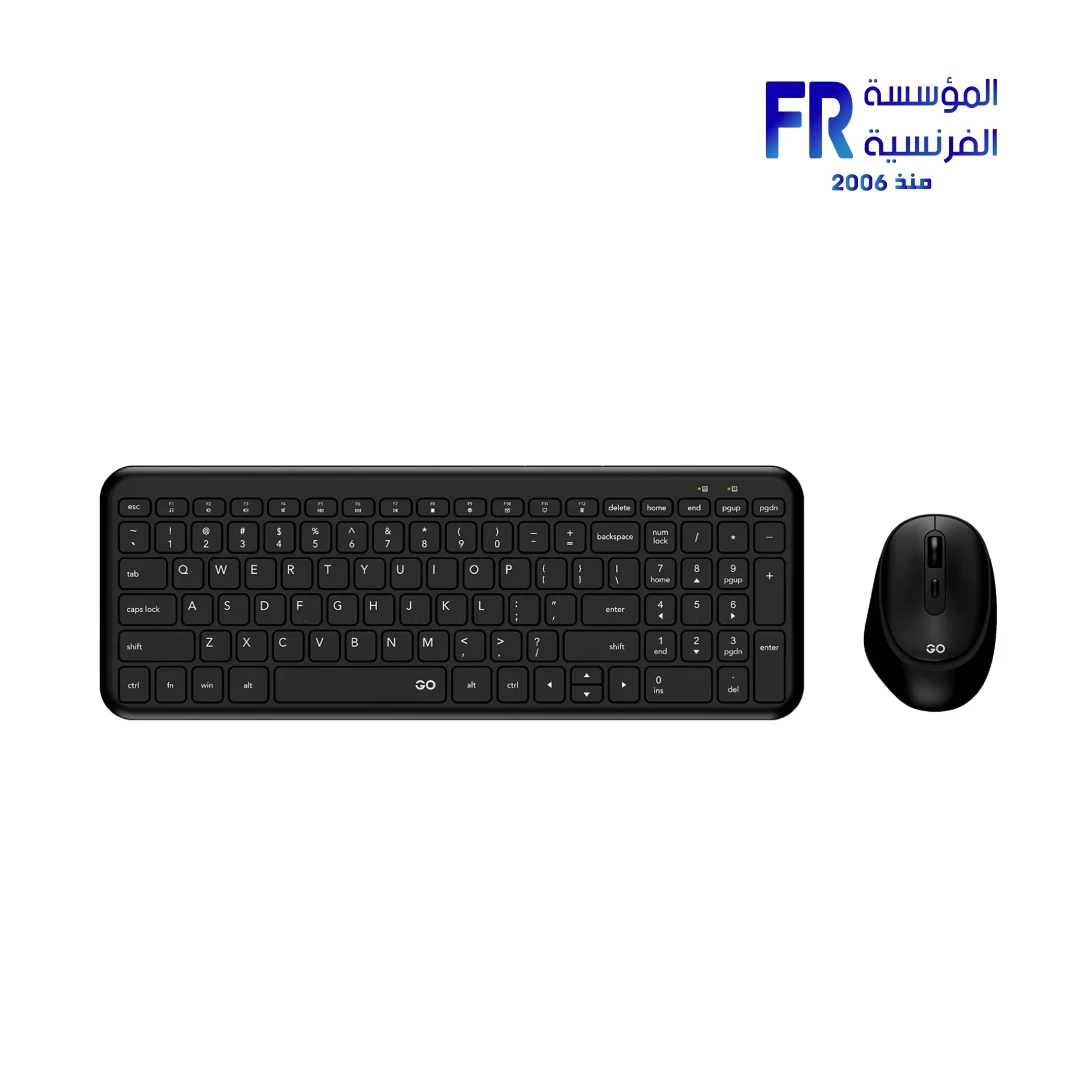
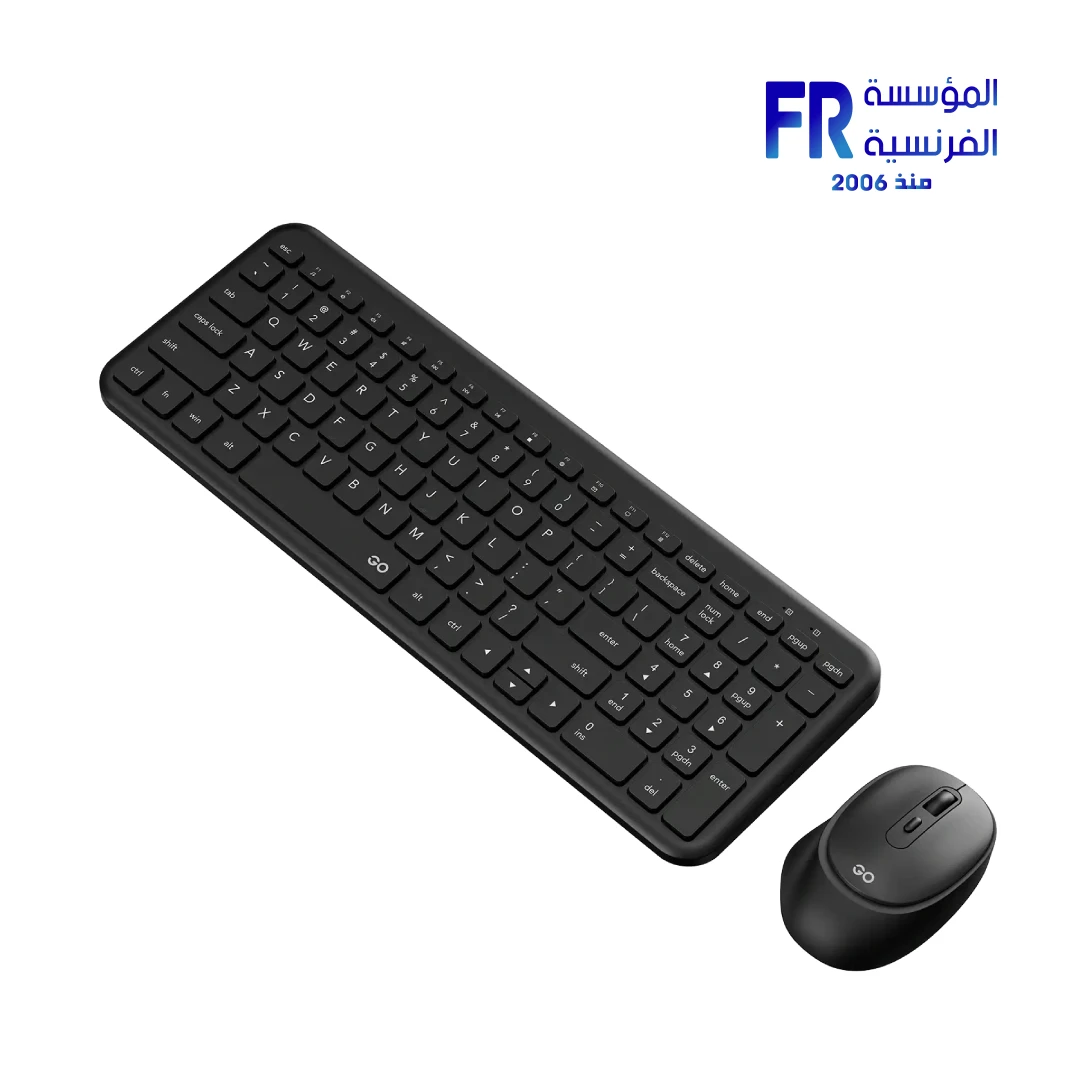
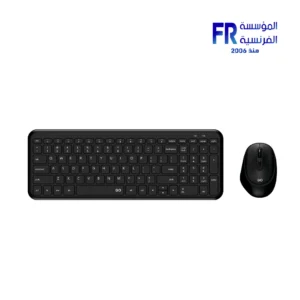
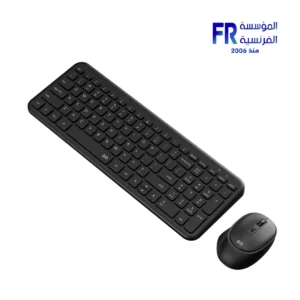


Fantech Go WK901 99 Keys 1600 DPI Blue 2.4GHz Wireless Keyboard And Mouse Combo
884 جنيه
- Model: Fantech Go WK901 Wireless Keyboard & Mouse Combo (Blue)
- Keyboard Layout: 99 Keys — compact full-function layout designed to save desk space while retaining essential keys
- Mouse Sensor: 1600 DPI optical tracking for smooth, responsive everyday use
- الاتصال: Reliable 2.4GHz wireless connection with plug-and-play setup
- Design: Ergonomic keyboard and mouse combo for comfortable daily typing and navigation
- Power: Long battery life for uninterrupted productivity (exact battery type/capacity not specified on the page)
- Best For: Home office, study, general productivity, and compact workspace setups
- الضمان: 1 year
متوفر في المخزون
ضمان مطابقة السعر✅ Authorized Fantech Partner in Egypt | Official Warranty Coverage | Expert PC Building Consultation Available
Fantech Go WK901 99 Keys 1600 DPI Blue 2.4GHz Wireless Keyboard And Mouse Combo
Fantech Go WK901 Blue is a wireless office keyboard and mouse combo featuring a 99-key compact keyboard with numeric keypad, a 1600 DPI adjustable optical mouse, 2.4GHz wireless connectivity via a single shared USB receiver, silent membrane keys, and up to 10 meters of wireless range. It is designed for everyday office tasks, browsing, and general home computing.
⚡ Engineering Highlights at a Glance:
- 99-Key Compact Keyboard: Retains a dedicated numeric keypad while taking up less desk space than a standard 104-key board.
- Silent Membrane Keys: Soft, quiet typing experience suitable for shared office environments.
- Ultra-Thin Profile: The keyboard measures just 16.5mm thick for a modern, low-profile look.
- Adjustable DPI Mouse: 1600 DPI max with selectable levels of 800, 1200, and 1600 DPI for precise cursor control.
- Single USB Nano Receiver: One receiver connects both the keyboard and mouse, reducing the number of occupied USB ports.
- Up to 10 Meters Wireless Range: Reliable 2.4GHz connection for smooth performance across the room.
- Long Battery Life: Energy-efficient design with sleep mode for extended use between battery changes.
Who is the Fantech Go WK901 For?
Expert Advice & Setup Considerations
Wireless Setup and Connectivity
The WK901 connects via a single 2.4GHz USB nano receiver that handles both the keyboard and mouse. Insert the batteries (2x AAA for keyboard, 1x AA for mouse), plug the receiver into an available USB port, and the devices should connect automatically. The wireless range extends up to 10 meters in unobstructed environments. For best signal stability, keep the receiver in a USB port with clear line-of-sight to the keyboard and mouse.
🔋 Battery Life and Power Management
The keyboard consumes approximately 8mA at 1.5V, while the mouse draws about 15mA at 1.5V. Both devices feature energy-efficient sleep mode that activates during inactivity to extend battery life. To maximize battery longevity, switch off the devices when not in use for extended periods and use quality alkaline batteries.
🖱️ DPI Settings and Comfort
The WK901 mouse supports three DPI levels: 800, 1200 (default), and 1600 DPI. Use the DPI button on the mouse to cycle between levels. Lower DPI settings are better for precision tasks, while higher settings suit large displays or fast navigation. The keyboard features a 99-key compact layout with silent silicone membrane switches for quiet, comfortable typing. The keyboard measures 368.4 x 133.6 x 16.5mm and weighs 433g; the mouse measures 104 x 69.5 x 34mm and weighs 49g.
المواصفات الفنية
| Model Name | Fantech Go WK901 |
| العلامات التجارية | Fantech |
| SKU / MPN | WK901 |
| EAN / UPC | 6977052255969 |
| Color | Blue |
| Connectivity | 2.4GHz Wireless (Single USB Nano Receiver) |
| Wireless Range | Up to 10 Meters |
| Keyboard Switch Type | Silicone Membrane (Silent) |
| Keyboard Layout | 99 Keys (Compact with Numpad) |
| Keyboard Keycap Type | ABS |
| Keyboard Battery | 2x AAA Batteries |
| Keyboard Power Rating | 1.5V 8mA |
| Keyboard Dimensions | 368.4 x 133.6 x 16.5 mm |
| Keyboard Weight | 433 ± 5g |
| Mouse Sensor | High-Precision Optical |
| Mouse DPI | 1600 DPI (800/1200/1600 Selectable) |
| Mouse Buttons | 4 Buttons |
| Mouse Switch Lifetime | 3 Million Clicks |
| Mouse Battery | 1x AA Battery |
| Mouse Power Rating | 1.5V 15mA |
| Mouse Dimensions | 104 x 69.5 x 34 mm |
| Mouse Weight | 49 ± 2g |
| Compatibility | Windows 7 or Later, macOS 10.11 or Later, ChromeOS, Linux |
| Included in Box | GO WK901 Keyboard, GO WK901 Mouse, USB Receiver, 2x AAA Batteries, 1x AA Battery, Quick Start Guide |
Expert Recommendation: Getting the Most from Your WK901 Combo
Insert the included batteries into the keyboard (2x AAA) and mouse (1x AA), then plug the USB nano receiver into an available port. The devices should connect automatically. For best battery life, switch off both devices when not in use for extended periods, and use quality alkaline batteries. Use the DPI button on the mouse to cycle between 800, 1200, and 1600 DPI settings—lower values suit precision tasks, higher values suit large displays. The 99-key compact keyboard with numeric keypad is ideal for data entry and spreadsheets while saving desk space compared to a full-size board. Clean the keycaps and mouse surface periodically with a soft, dry cloth to maintain appearance and hygiene. The ultra-thin 16.5mm keyboard profile and lightweight 49g mouse make this combo easy to transport for mobile use.
Frequently Asked Questions
What type of connectivity does the Fantech Go WK901 use?
The WK901 uses 2.4GHz wireless connectivity via a single shared USB nano receiver that handles both the keyboard and mouse. The wireless range extends up to 10 meters.
What batteries does the WK901 require?
The keyboard requires 2x AAA batteries and the mouse requires 1x AA battery. Both batteries are included in the box.
What are the DPI levels of the WK901 mouse?
The WK901 mouse supports three DPI levels: 800, 1200 (default), and 1600 DPI. Use the DPI button on the mouse to cycle between levels.
What is the layout and dimensions of the WK901 keyboard?
The WK901 features a 99-key compact layout with a numeric keypad. It measures 368.4 x 133.6 x 16.5mm and weighs 433 ± 5g, with an ultra-thin 16.5mm profile.
What is included in the box with the WK901?
The box includes the GO WK901 Keyboard, GO WK901 Mouse, USB Receiver, 2x AAA Batteries, 1x AA Battery, and a Quick Start Guide.
يسمح فقط للزبائن مسجلي الدخول الذين قاموا بشراء هذا المنتج ترك مراجعة.
المراجعات
لا توجد مراجعات بعد.