




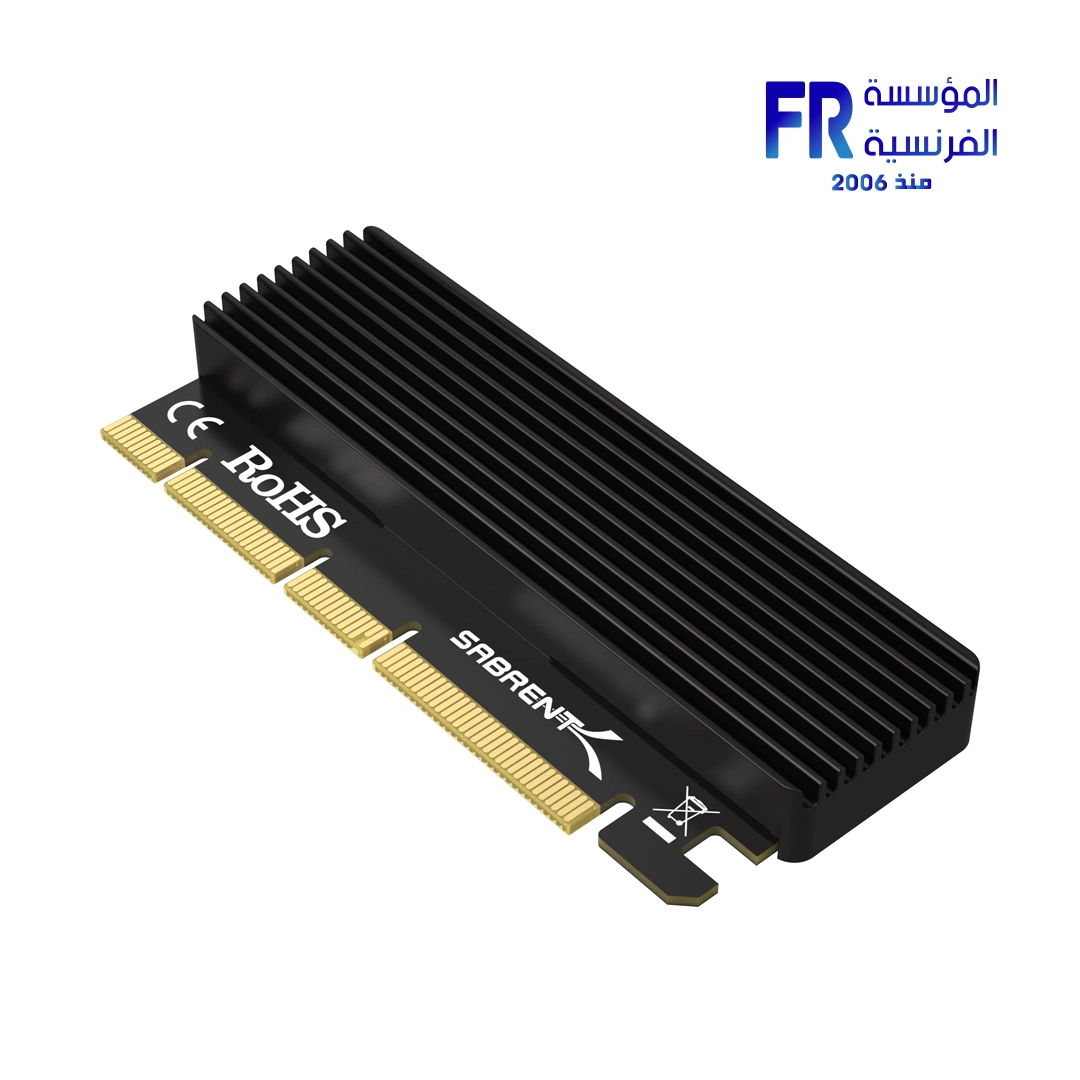
sabrent EC PCIE NVMe M.2 SSD to PCIe X16 X8 X4 Card with aluminum heatsink
910 EGP
SKU 5413071010
Interface PCIe 3.0 (x4, x8, x16)
Drive Support 1 x NVMe M.2 SSD
Cooling Aluminum Heatsink
Form Factor Expansion Card
Sabrent EC PCIE NVMe Adapter Card
Upgrade your PC’s storage with the Sabrent EC PCIE NVMe M.2 SSD to PCIe Card. This adapter gives you a simple way to add a high-speed NVMe M.2 SSD to your system. What makes this card stand out is its included aluminum heatsink. This heatsink keeps your M.2 SSD running at a cool temperature, which helps maintain its top performance and extends its life. This is a big advantage, as many high-speed drives can get hot under heavy use. **In addition**, this card fits into a wide range of PCIe slots—x4, x8, or x16—giving you more flexibility when you install it. **Therefore**, this is a perfect solution for anyone who wants to add a fast SSD to their computer while also protecting their investment from heat.
Key Features at a Glance:
Efficient Cooling: The aluminum heatsink keeps your SSD from getting too hot.
Broad Compatibility: Fits into PCIe x4, x8, and x16 slots.
Easy Installation: Simply plug and play to get your SSD running.
Improved Performance: A cooler SSD maintains higher speeds during heavy use.
Why a Heatsink Matters for Your SSD:
High-speed NVMe SSDs can get very hot, especially during large file transfers or intense gaming. When an SSD gets too hot, it may slow down to protect itself—this is called thermal throttling. The aluminum heatsink on this card helps prevent that. It pulls heat away from the SSD, so it can run at its full speed all the time. **As a result**, you get consistent, fast performance for all your tasks. **Furthermore**, this card has a simple, low-profile design that makes it easy to install in almost any desktop computer. **Ultimately**, this single card solves two common problems: a lack of M.2 slots and the issue of thermal throttling. It helps you get the most out of your high-speed storage in a simple and effective way.
**Disclaimer:** Please note that while we strive for accuracy, specifications may contain errors. We recommend checking with the manufacturer for the most up-to-date information.
Technical Specifications:
| Component | Details |
|---|---|
| Model Name | EC PCIE |
| SKU | 5413071010 |
| Interface | PCIe 3.0 (x4, x8, x16) |
| Drive Support | 1 x NVMe M.2 SSD |
| Cooling | Aluminum Heatsink |
| Form Factor | Expansion Card |
💡 Pro Tip:
For the best results, install the SSD and heatsink together before putting the card into your PC. This ensures proper contact and maximum cooling from the start.
يسمح فقط للزبائن مسجلي الدخول الذين قاموا بشراء هذا المنتج ترك مراجعة.
منتجات ذات صلة




المراجعات
لا توجد مراجعات بعد.