


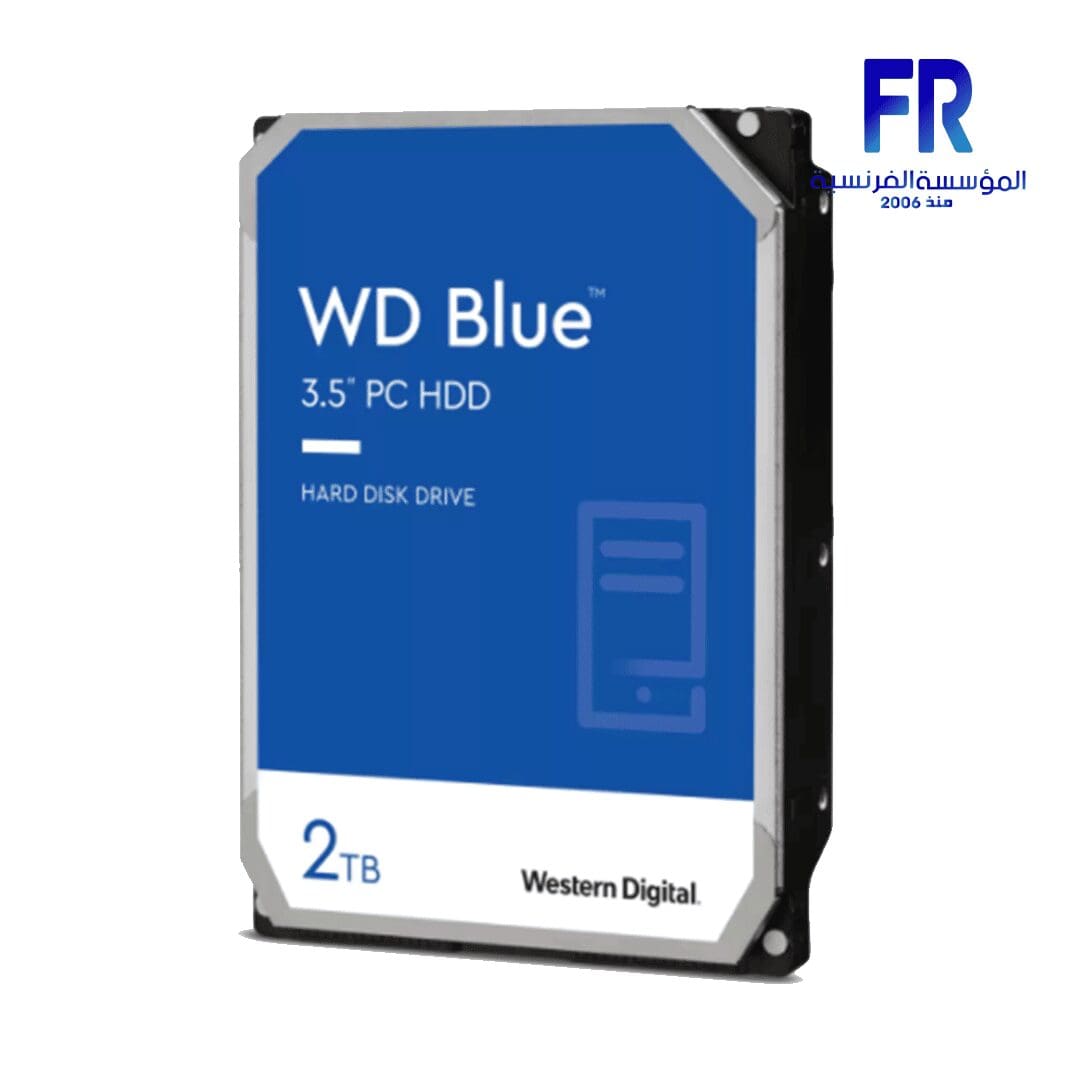

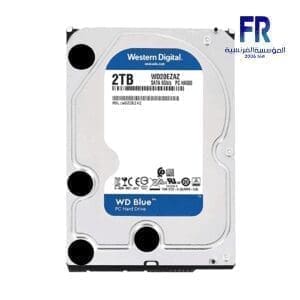


Wd Blue 2Tb Wd20Ezbx 7200Rpm Internal Desktop Hard Drive
5249 جنيه
- رقم القطعة: WD20EZBX
- Capacity & Form Factor: 2TB | 3.5-Inch Internal Desktop HDD | SATA 6Gb/s
- Performance: 7200 RPM | 256MB Cache | Up to 215MB/s Transfer Rate | SMR Recording
- Features: NoTouch Ramp Load Technology | Free Acronis True Image WD Edition Cloning Software
- الضمان: 2 Years Limited
هل تريد أن يتم إخطارك عندما يتوافر هذا المنتج في المخزون مجددًا؟
✅ Authorized Western Digital Partner in Egypt | Official Warranty Coverage | Expert PC Building Consultation Available
Wd Blue 2Tb Wd20Ezbx 7200Rpm Internal Desktop Hard Drive
WD Blue 2TB WD20EZBX is a 3.5-inch internal desktop hard drive with 7200 RPM speed, 256MB cache, and a SATA 6Gb/s interface. It delivers up to 215MB/s transfer rate and uses SMR recording technology. Because it balances capacity, speed, and cost, it suits everyday computing, office applications, and secondary storage for games and media. Available at Alfrensia for 5,249 EGP.
⚡ Engineering Highlights at a Glance:
- 2TB Capacity: Enough space for large game libraries, media collections, and project archives.
- 7200 RPM Speed: Faster than 5400 RPM drives, which reduces load times for games and large applications.
- 256MB Cache: Large cache buffer improves read and write performance for frequently accessed data.
- SATA 6Gb/s Interface: Standard connector compatible with virtually all desktop motherboards and enclosures.
- Up to 215MB/s Transfer Rate: Sustained sequential read and write speeds for large file transfers.
- NoTouch Ramp Load Technology: The recording head never touches the disk media, which reduces wear and improves drive protection in transit.
- Free Acronis True Image WD Edition: Clone your existing drive to the new WD Blue without reinstalling Windows or applications.
Reliable Everyday Computing
WD Blue drives are designed for reliable office and web applications. They work well as primary drives in desktop PCs, as secondary storage for games and media, or as external enclosures for backup. The 2TB capacity provides ample room for large files without requiring a NAS or cloud subscription. Because the drive uses a standard 3.5-inch form factor and SATA interface, it fits most desktop cases and drive bays.
Performance and Cache
The 7200 RPM spindle speed and 256MB cache make this drive faster than entry-level 5400 RPM models. Because the cache buffers frequently accessed data, the drive feels more responsive during everyday tasks. Sequential transfers reach up to 215MB/s, which is adequate for moving large files such as video projects or game installations. The SMR recording technology allows higher capacity per platter at a lower cost, though sustained write performance can drop during very large continuous writes.
Acronis True Image WD Edition Included
WD includes a free download of Acronis True Image WD Edition, which lets you clone your existing drive to the new WD Blue without reinstalling the operating system or applications. The software supports both automatic and manual cloning modes. For data drives, you can clone directly in Windows. For boot drives, you need to create Acronis Rescue Media on a USB flash drive and boot from it to perform the clone safely. The software is available from the Western Digital support site.
Who is the WD Blue 2TB For?
Expert Advice & Build Considerations
SMR vs. CMR Recording Technology
The WD20EZBX uses SMR (Shingled Magnetic Recording) technology. SMR drives are suitable for typical desktop use, including storing games, media, and documents. However, sustained write performance can drop during very large continuous writes because the drive must rewrite adjacent tracks. For workloads that involve frequent large writes, such as RAID arrays or surveillance recording, a CMR (Conventional Magnetic Recording) drive is a better choice.
Cloning Your Existing Drive
If you plan to clone your existing drive, download Acronis True Image WD Edition from the Western Digital support site. For data drives, connect the new WD Blue to a spare SATA port or a SATA-to-USB adapter and clone directly in Windows. For boot drives, create Acronis Rescue Media on a USB flash drive, boot from it, and clone your old drive to the new WD Blue. Note that cloning a RAID array to a single drive is not supported.
📐 Installation and Handling
Hard drives are sensitive to physical shock. Handle the drive by its edges and avoid dropping it. Mount the drive in a 3.5-inch bay with the screws provided by your case. Connect the SATA data cable to a motherboard port and the SATA power cable from your PSU. Because the drive uses a standard SATA interface, no drivers are required; Windows recognizes it automatically. For best performance, install the drive in a bay with adequate airflow to keep operating temperatures within the 0°C to 60°C range.
المواصفات الفنية
| الموديل | WD20EZBX |
| العلامات التجارية | Western Digital |
| السعة | 2TB |
| Form Factor | 3.5-Inch |
| Interface | SATA 6Gb/s |
| Disk Speed (RPM) | 7200 RPM |
| Cache Size | 256MB |
| Transfer Rate | Up to 215MB/s |
| Recording Technology | SMR |
| Dimensions (L x W x H) | 5.79″ x 4″ x 1.03″ |
| Weight | 450 g |
| Operating Temperature | 0°C to 60°C |
| الضمان | 2-Year Limited Warranty |
Expert Recommendation: Getting the Most from Your WD Blue
Use the WD Blue as a secondary drive for games, media, and archives rather than as your primary boot drive. Because SSDs offer much faster boot times and application loading, pairing a small SSD for the operating system with this 2TB drive for bulk storage gives the best balance of speed and capacity. If you are upgrading from an older drive, use Acronis True Image WD Edition to clone your data. For data drives, cloning works directly in Windows. For boot drives, create Acronis Rescue Media and clone from the USB environment. Keep the drive in a bay with airflow to maintain operating temperatures below 60°C. Avoid dropping or jarring the drive, as hard drives are sensitive to physical shock. Back up important data regularly, since no storage device is immune to failure.
Frequently Asked Questions
Is this drive compatible with my desktop PC?
Yes, as long as your PC has a free 3.5-inch drive bay and a SATA data port. The drive uses a standard SATA 6Gb/s interface and works with Windows 10 and Windows 11. No additional drivers are required.
What is the difference between SMR and CMR?
SMR (Shingled Magnetic Recording) allows higher capacity per platter at a lower cost, but sustained write performance can drop during very large continuous writes. CMR (Conventional Magnetic Recording) maintains consistent write performance but costs more per terabyte. For typical desktop use, SMR is suitable.
How do I clone my old drive to this new WD Blue?
Download Acronis True Image WD Edition from the Western Digital support site. For data drives, connect the new drive and clone directly in Windows. For boot drives, create Acronis Rescue Media on a USB flash drive, boot from it, and clone your old drive to the new WD Blue.
What is the transfer speed of this drive?
The WD20EZBX delivers up to 215MB/s sequential transfer rate. Actual speeds vary depending on the file size, system configuration, and whether the data is already cached.
What warranty does this drive come with?
The WD Blue WD20EZBX includes a 2-year limited warranty from Western Digital. Keep your purchase invoice for warranty claims, as it is required for service.
يسمح فقط للزبائن مسجلي الدخول الذين قاموا بشراء هذا المنتج ترك مراجعة.
المراجعات
لا توجد مراجعات بعد.