


Compare 4-pin PWM and 3-pin DC fan control, motherboard header settings, speed range and noise considerations.

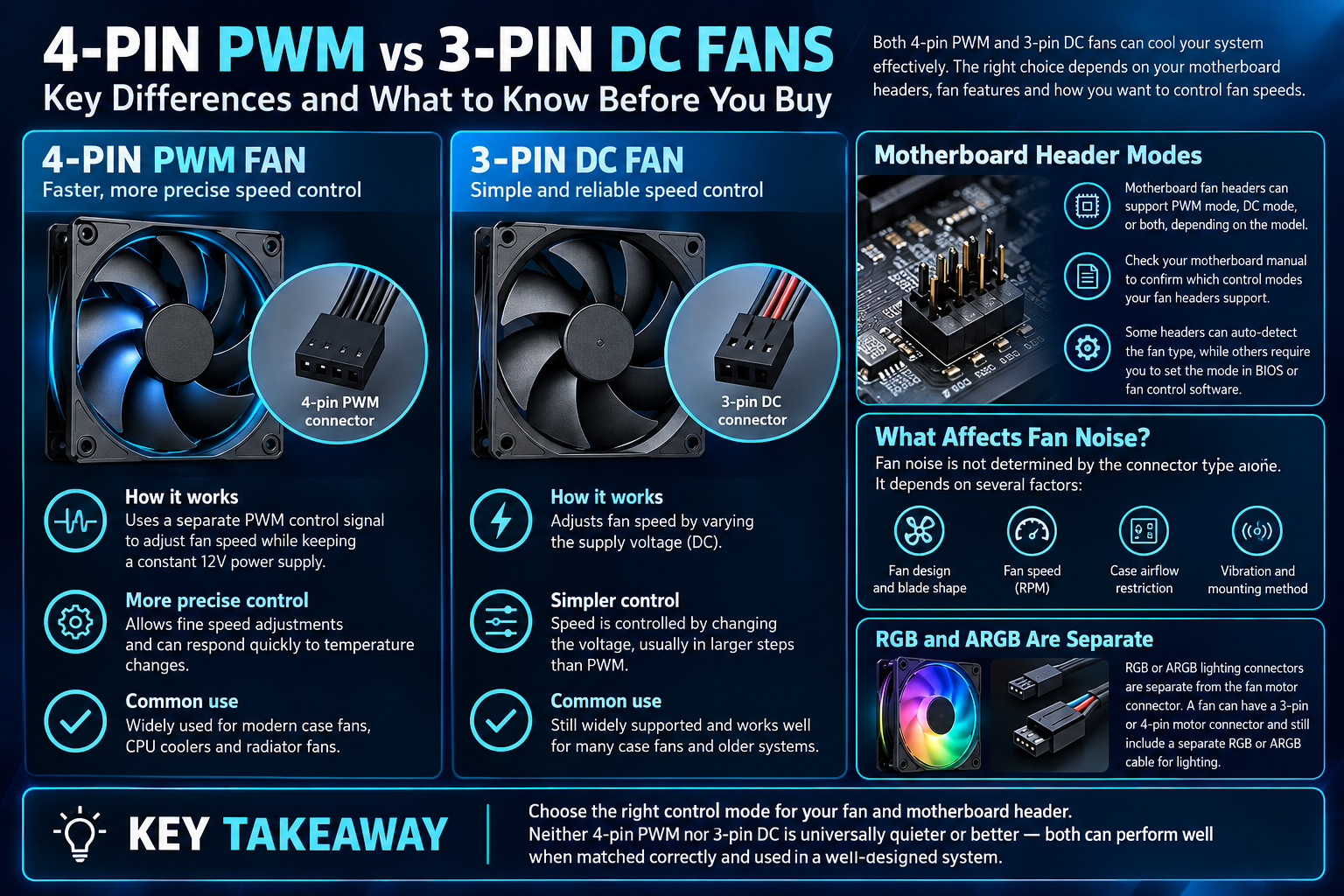
PWM and DC describe common ways a motherboard controls fan speed. A 4-pin PWM fan uses a dedicated control signal, while a 3-pin DC fan is commonly controlled by varying voltage. The fan connector, motherboard header and BIOS mode need to match the fan’s capabilities for reliable control.
How PWM fans work
PWM fans commonly use a 4-pin connector with a control signal that lets the motherboard adjust speed while the fan receives its supply voltage. Their low-speed behaviour depends on the specific fan design and controller.
How DC fans work
DC fans commonly use a 3-pin connector, and speed is controlled by changing the supply voltage when the motherboard header supports DC mode. Some fans may not start reliably below a particular voltage, so check the fan specifications and minimum speed.
Match the motherboard header and mode
Consult the motherboard manual to identify fan headers and supported control modes. Many headers can switch between PWM and DC, but not all are configured identically. Do not confuse fan motor connectors with RGB or ARGB lighting connectors; they perform different functions.
Set a sensible fan curve
A fan curve balances temperature and noise. Start with a stable default, check idle and load behaviour, and adjust gradually. Ensure the fans start reliably at low temperatures and respond to sustained load. Fan speed alone does not tell you the cooling result; compare temperatures and noise under repeatable conditions.
| Feature | 4-pin PWM | 3-pin DC |
|---|---|---|
| Speed control | Dedicated PWM control signal | Supply-voltage adjustment when supported |
| Connector pins | Ground, supply, tachometer, PWM | Ground, supply, tachometer |
| Low-speed behaviour | Depends on fan/controller design | Depends on minimum operating voltage and fan design |
| Noise | Depends on fan design and RPM | Depends on fan design and RPM |
Do not confuse fan power and lighting connectors
The fan motor connector controls rotation and speed. RGB and ARGB connectors power and control lighting and use different headers. Before connecting anything, check the motherboard manual and the fan/controller documentation; never force a connector into a header that does not match its type or voltage.
Frequently asked questions
Is PWM always quieter?
No. Noise depends on fan design, bearing, speed, case restrictions and vibration as well as control method.
Can a 3-pin fan connect to a 4-pin header?
Physical compatibility is common, but the control mode must be configured correctly and confirmed in the motherboard manual.
Sources
- ASUS Support: motherboard fan control documentation
- MSI Support: motherboard manuals
- Alfrensia cooling buying guides
Next step: Check your fan connector and motherboard header documentation before changing BIOS fan-control settings.
Explore cooling buying guides.