


1440p vs 4K Gaming: Which Resolution Makes Sense for Your PC?1440p مقابل 4K للألعاب: أي دقة تناسب جهازك؟
ALFRENSIA GAMING GUIDE · 7 MIN READ
1440p and 4K both offer sharp gaming, but 4K renders 2.25 times as many pixels as 1440p. That affects the graphics workload and the frame rate you can sustain, so choose resolution alongside your GPU, games, display size and budget.
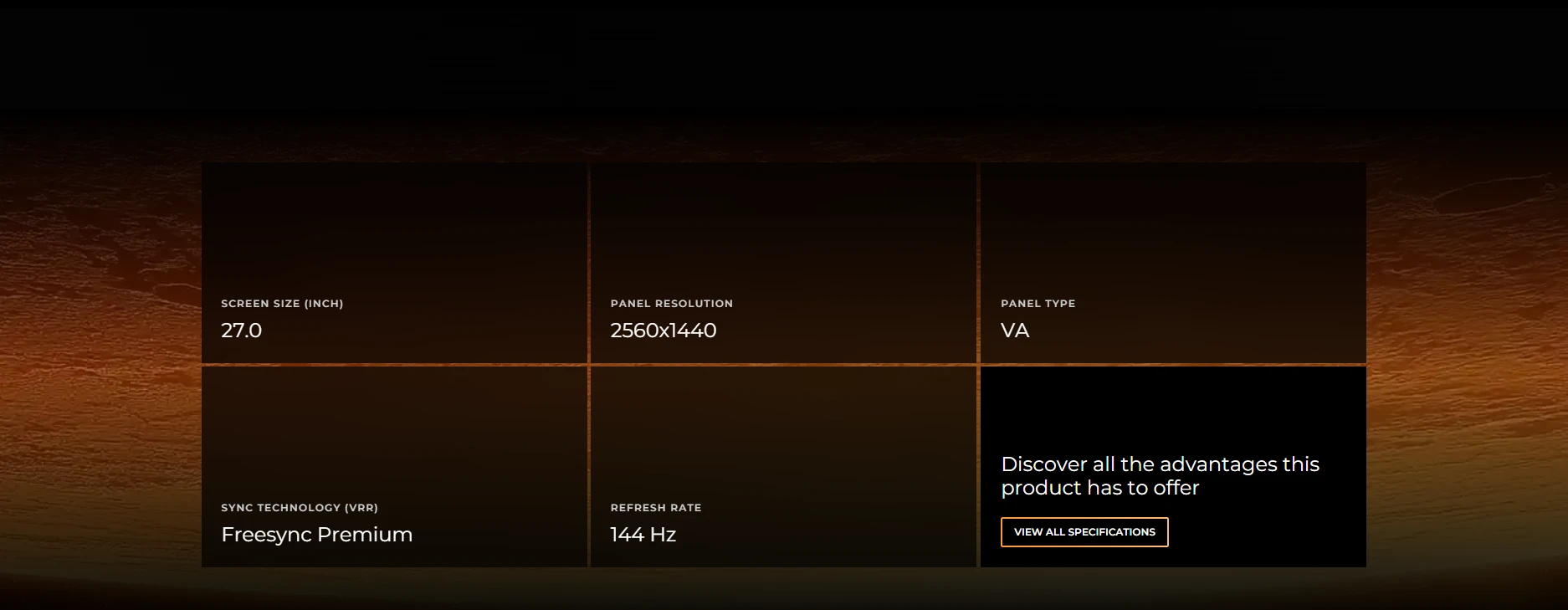
What is the difference between 1440p and 4K?
| Feature | 1440p (QHD) | 4K (UHD) |
|---|---|---|
| Common resolution | 2560 × 1440 | 3840 × 2160 |
| Total pixels per frame | 3.69 million | 8.29 million |
| Relative pixel count | 1× | 2.25× |
| GPU workload | Generally lower | Generally higher |
| Typical priority | Balance of clarity and performance | Higher detail and image sharpness |
4K contains 2.25 times as many pixels as 1440p. That does not mean every game needs exactly 2.25 times the GPU performance: rendering pipelines, effects, CPU limits, upscaling, and game engines all affect performance. It does explain why moving to 4K can significantly increase graphics workload.
When does 1440p make more sense?
1440p is worth considering if you want a clear image while keeping more GPU headroom for higher settings or faster refresh rates. It can be especially attractive for competitive gaming, mixed-use setups, and buyers who would rather balance the monitor budget with the rest of the PC.
- Competitive games: prioritise the refresh rate, response behaviour, and frame rates you can sustain. The CPU can also become a limit at high frame rates.
- Single-player games: 1440p can leave more room for high-quality effects and ray tracing before you need to lower settings or use upscaling.
- Mixed productivity and gaming: consider workspace, text clarity, scaling, and the applications you use alongside gaming.
When is 4K worth considering?
4K can provide a visibly detailed image on a suitable display, and the extra resolution may be especially appealing on larger screens or for users who also work with high-resolution media. But a 4K monitor is not a complete upgrade by itself. Your GPU, connection standard, game settings, and desired refresh rate all matter.
If your PC cannot maintain your target performance at 4K, you may need to reduce settings, use a supported upscaling mode, or choose a lower output resolution. These options have trade-offs in image quality and performance, so evaluate them in the games you play.
Refresh rate matters too
Resolution is only one part of a monitor decision. A 144Hz, 180Hz, 240Hz, or higher-refresh display can feel different from a 60Hz screen, but the system must produce frames quickly enough to make use of that refresh rate. The benefit depends on the game, the frame rate, latency, and the player’s preferences.
Do not choose a high-resolution monitor solely because it has more pixels, or a high-refresh monitor solely because the number is bigger. Check the complete specification: resolution, refresh rate, response-time measurement method, panel type, variable refresh support, ports, and warranty.
Before moving to 4K, compare your expected game performance and the monitor’s refresh rate. For context, browse available gaming monitors and compare QHD high-refresh options with 4K displays. They represent different priorities: higher refresh at QHD resolution versus greater pixel detail at 4K.
How your graphics card changes the decision
There is no single GPU tier that is best for every 1440p or 4K game. Performance depends on the title, visual settings, ray tracing, memory use, and whether you use native rendering or upscaling. Look for independent benchmarks of the exact GPU at your target resolution and settings. Our RTX 5070 vs 5070 Ti vs 5090 guide explains how the tiers differ by workload.
For a useful comparison, check average frame rates and frame-time consistency, not only a single peak number. Make sure benchmark results use comparable settings. If one result uses frame generation and another does not, they are not a direct apples-to-apples comparison.
For a concrete comparison point, review a Palit GeForce RTX 5060 Ti 16GB or a PNY GeForce RTX 5070 Ti 16GB, then compare independent results for your games. Neither product guarantees a particular resolution or frame rate; check the exact product and current availability before ordering. You can also compare available graphics cards by model and specifications.
Monitor size, distance, and panel quality
A higher resolution is not the only route to a better viewing experience. Screen size, viewing distance, contrast, brightness, motion clarity, text scaling, uniformity, and panel characteristics also matter. A well-chosen 1440p monitor may suit your desk better than a 4K display that forces you to compromise on refresh rate or other features.
OLED, IPS, and VA panels have different strengths and trade-offs. Compare the specific model’s measured performance and warranty terms rather than assuming every monitor with the same panel label behaves identically.
Do not forget the connection
To use a monitor’s maximum resolution and refresh rate, confirm that the graphics card output, monitor input, cable, and display mode support the combination. The available refresh rate can vary with colour format, bit depth, compression, and the exact port standard. Use the monitor and GPU manuals to verify the supported modes.
A simple decision guide
- Choose 1440p as a starting point if you want a balance between image detail, refresh rate, and GPU workload.
- Consider 4K if image detail is a priority and you are comfortable investing in a GPU and settings that meet your target performance.
- For esports, compare sustained frame rate, input latency, and refresh rate before prioritising resolution.
- For mixed work and gaming, also compare desktop space, text clarity, scaling, and the applications you use.
- For a limited budget, compare the total cost of the monitor and any PC upgrades it may require—not the monitor price alone.
Frequently asked questions
Is 4K always sharper than 1440p?
4K has more pixels at the same display size, but perceived sharpness also depends on screen size, viewing distance, scaling, and the content.
Does 4K require 2.25 times the GPU performance?
No. It has 2.25 times the pixel count, but the actual performance difference varies by game, rendering workload, settings, and upscaling.
Is 1440p better for high-refresh gaming?
It can be easier to reach high frame rates at 1440p than at 4K on the same GPU, but results depend on the game and system.
Should I upgrade my GPU before buying a 4K monitor?
Check independent benchmarks for your current GPU at your target settings first. That will help you decide whether a GPU upgrade is needed or whether a different monitor resolution better fits your budget.
Sources and further reading
Performance statements in this guide are general principles, not a guarantee for a specific PC. Verify independent benchmarks for your exact game, GPU, settings, and monitor mode.
دليل دقة الألعاب من المؤسسة الفرنسية للكمبيوتر
اختيار 1440p أو 4K مش متعلق بالدقة وحدها؛ لازم توازن بين كارت الشاشة والألعاب ومعدل التحديث وحجم الشاشة والميزانية. دقة 4K بتعرض 2.25 ضعف عدد البكسلات مقارنةً بـ1440p، وده ممكن يزود الحمل على الـGPU.
إيه الفرق بين 1440p و4K؟
دقة 1440p عادةً بتكون 2560×1440، بينما 4K UHD بتكون 3840×2160. الدقة الأعلى بتوفر تفاصيل أكتر، لكنها بتحتاج معالجة عدد أكبر من البكسلات وقد تقلل معدل الإطارات مع نفس إعدادات الرسوميات.
إمتى 1440p يكون اختيار أنسب؟
اختار 1440p لو عايز توازن بين وضوح الصورة ومعدل إطارات مرتفع، خصوصاً في الألعاب التنافسية أو لو كارت الشاشة والميزانية مش موجهين لتجربة 4K.
إمتى 4K يستاهل؟
فكّر في 4K لو الأولوية للتفاصيل واللعب على شاشة كبيرة، وعندك GPU مناسب للألعاب والإعدادات المستهدفة. راجع اختبارات الأداء لنفس الألعاب قبل الشراء.
معدل التحديث مهم برضه
الشاشة عالية الـHz تحتاج الجهاز يقدر يقدّم إطارات كفاية للاستفادة منها. اختار الدقة ومعدل التحديث مع بعض، مش كل مواصفة لوحدها.
تأثير كارت الشاشة
قدرة الـGPU والألعاب المستخدمة وإعدادات الجودة وتقنيات upscaling كلها بتأثر على الأداء. ما تفترضش إن كل كارت هيشغّل كل لعبة على 4K بنفس المعدل. راجع دليل مقارنة RTX 5070 و5070 Ti و5090 لفهم اختلاف الفئات حسب الاستخدام.
حجم الشاشة والمسافة وجودة اللوحة
فرق الدقة اللي هتلاحظه بيعتمد على حجم الشاشة ومسافة المشاهدة وجودة اللوحة. راجع كمان السطوع والألوان وزوايا الرؤية، مش الدقة فقط.
ما تنساش التوصيل
تأكد من قدرات مخارج كارت الشاشة والشاشة والكابل بالنسبة للدقة ومعدل التحديث وميزات VRR المطلوبة.
دليل قرار سريع
- 1440p: توازن عملي بين التفاصيل والأداء.
- 4K: تفاصيل أعلى مع متطلبات رسومية أكبر.
- قارن اختبارات الألعاب الفعلية وتأكد من التوافق قبل شراء الشاشة أو ترقية الـGPU.
الأسئلة الشائعة
هل 4K أوضح دائماً؟
عدد البكسلات أعلى، لكن النتيجة الملحوظة بتعتمد على حجم الشاشة والمسافة وجودة المحتوى.
هل 4K يحتاج 2.25 ضعف أداء GPU؟
عدد البكسلات 2.25 ضعف 1440p، لكن الأداء الفعلي مش بيتناسب بشكل ثابت مع عدد البكسلات في كل لعبة.
هل 1440p أفضل للألعاب عالية التحديث؟
قد يكون أسهل لتحقيق FPS مرتفع، حسب اللعبة وكارت الشاشة والإعدادات.
أرقّي كارت الشاشة قبل شراء شاشة 4K؟
قارن أداء جهازك في ألعابك المستهدفة، وبعدها قرر إذا كانت ترقية GPU ضرورية.
مصادر رسمية وقراءة إضافية
- NVIDIA GeForce لمواصفات كروت الشاشة.
- VESA DisplayPort لمعلومات واجهة DisplayPort.
- HDMI Licensing Administrator لمواصفات HDMI.
قارن اختبارات الألعاب الفعلية وتأكد من دعم الشاشة وGPU والكابل للدقة ومعدل التحديث المطلوبين.
قارن الشاشات وكروت الشاشة
قارن الشاشات المتاحة من خلال قسم الشاشات في المؤسسة الفرنسية للكمبيوتر، وقارن كروت الشاشة من قسم كروت الشاشة، أو تواصل مع المبيعات على واتساب للاستفسار عن التوافق والتوفر الحالي.