


NVMe vs SATA SSD: What Is the Difference in Real Use?NVMe مقابل SATA SSD: ما الفرق في الاستخدام الفعلي؟
ALFRENSIA STORAGE GUIDE · 7 MIN READ
NVMe and SATA SSDs both use flash storage, but they differ in interface and potential throughput. For everyday use, game loading and file transfers, the best choice depends on your motherboard, capacity needs, workload and price—not only the largest speed number.
NVMe and SATA are not the same kind of term
SATA is an interface commonly used by 2.5-inch SSDs. NVMe is a storage protocol designed for non-volatile memory devices, commonly connected through PCIe. Many NVMe SSDs use the M.2 form factor, but M.2 describes a physical form factor rather than automatically meaning NVMe. M.2 devices can use different interfaces, so check the exact drive and motherboard specifications.
At a glance
| Feature | SATA SSD | NVMe PCIe SSD |
|---|---|---|
| Common physical form | 2.5-inch SATA; some M.2 SATA drives | M.2 card is common |
| Connection | SATA interface | PCIe lanes |
| Protocol | Typically AHCI | NVMe |
| Maximum throughput | Limited by SATA interface | Depends on PCIe generation, lane count, drive, and workload |
| Compatibility check | SATA port, cable, and power for 2.5-inch drives | M.2 socket support, keying, length, PCIe generation, and lane configuration |
How much faster is NVMe?
NVMe drives can reach much higher sequential read and write speeds than SATA SSDs. The actual result depends on the PCIe generation, number of lanes, controller, NAND, firmware, drive capacity, temperature, and workload. Advertised peak speeds are measured under particular conditions and do not describe every everyday task.
For activities such as opening applications, booting Windows, or launching many games, both SATA SSDs and NVMe SSDs can feel responsive compared with a mechanical hard drive. Some file transfers, large project workloads, and storage-intensive tasks can benefit more noticeably from a faster NVMe drive. Results depend on the workload and whether the rest of the system is limiting performance.
PCIe Gen 3, Gen 4, and Gen 5
NVMe SSDs are available across different PCIe generations. A newer generation can provide more interface bandwidth, but the drive and motherboard must support the relevant connection for it to be used. A drive can also operate at a lower compatible speed if the platform limits it.
Do not buy a Gen 5 drive solely because its advertised speed is higher. Consider whether your applications benefit from the extra throughput, the drive’s sustained performance, cooling requirements, capacity, endurance rating, warranty, and price. A good Gen 4 drive may be a more balanced choice for many systems.
Compatibility: check the exact M.2 socket
Before ordering an M.2 SSD, consult the motherboard manual. Check which sockets support PCIe NVMe, which support SATA, the supported drive lengths, and whether installing an M.2 device disables particular SATA ports or expansion connections. Socket capabilities can differ even on the same motherboard.
For laptops, verify the exact model’s service documentation and physical clearance. Some systems support only particular drive lengths or interfaces, and available upgrade options can vary by configuration.
Capacity matters more than peak speed in some builds
A larger drive can be more practical than a faster but cramped drive if your game library, video files, project assets, or applications take up substantial space. Compare the real price per usable capacity, warranty, endurance rating, and performance under sustained writes.
For an operating-system drive, consider capacity for Windows, applications, updates, and free space. For a secondary drive, consider whether it will hold games, media, project files, backups, or temporary work data. The best choice depends on how you use it.
What about SSD endurance and reliability?
Check the manufacturer’s endurance rating (often expressed in TBW), warranty terms, and exact model specifications. Endurance ratings are not a guarantee that a drive will fail at a specific point; they are part of the product’s rated specifications. Maintain backups of important files regardless of whether you choose SATA or NVMe.
Also consider thermal behaviour. Some fast NVMe drives can reduce performance under sustained heavy workloads if they become too hot. Use the drive maker’s installation guidance and the motherboard’s M.2 heatsink instructions where applicable.
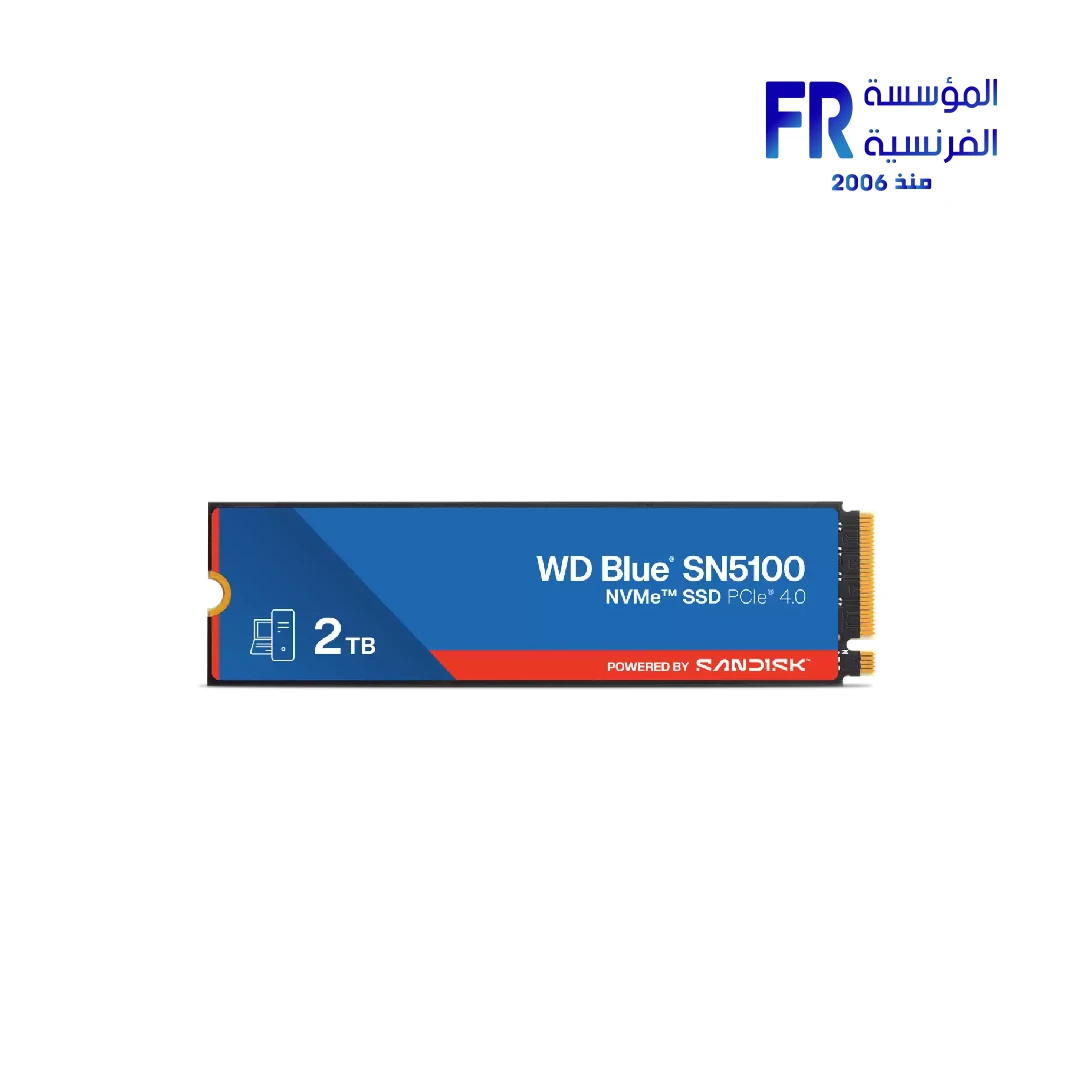
When choosing an upgrade, check the exact drive interface, supported M.2 socket, capacity and warranty. Compare the WD Blue SN5100 2TB NVMe SSD with your motherboard support and workload, then confirm the current specifications before purchasing.
Which should you choose?
- Choose NVMe when your system supports it, you want a compact M.2 installation, or your workload benefits from higher throughput and low-latency storage access.
- Choose SATA SSD when you need compatible secondary storage, have available SATA connections, or the price and capacity make more sense for your workload.
- Choose by capacity and total cost if your applications do not benefit meaningfully from the fastest interface.
- Check your current system first if the goal is to fix stuttering or slow boot times; startup software, memory, system health, and other factors may also be involved.
For another verified storage example, compare the WD Blue SN5100 2TB NVMe SSD with your motherboard support, required capacity, warranty and workload.
Frequently asked questions
Is M.2 always NVMe?
No. M.2 is a physical form factor. Check whether the specific drive and motherboard socket support SATA, PCIe NVMe, or both.
Will NVMe make every game load instantly?
No. Storage is only one part of game loading. Results depend on the game engine, assets, CPU, memory, and system configuration.
Can I install a Gen 4 SSD in a Gen 3 system?
Often a compatible NVMe drive can operate at a lower supported PCIe generation, but verify the motherboard and drive specifications. Performance will be limited by the connection and drive implementation.
Should I replace a working SATA SSD with NVMe?
Only if the additional speed, capacity, form factor, or other benefits justify the cost for your workload. A SATA SSD can remain suitable for many everyday uses.
Sources
Drive specifications and motherboard socket capabilities vary by model. Verify the official product documentation before buying.
دليل NVMe مقابل SATA SSD
الاتنين وحدات تخزين SSD، لكن SATA وNVMe بيشيروا لواجهات وتقنيات مختلفة. الاختيار الأفضل بيعتمد على اللوحة الأم والسعة وحجم الملفات وطبيعة استخدامك، مش أعلى رقم سرعة فقط.
NVMe وSATA مش نفس نوع المصطلح
SATA واجهة اتصال، بينما NVMe بروتوكول تخزين بيستخدم غالباً PCIe. وM.2 هو شكل/مقاس للقطعة، ومش كل SSD بمقاس M.2 بيكون NVMe.
مقارنة سريعة
وحدات NVMe تقدر توفر سرعات نقل أعلى من SATA في أحمال مناسبة، لكن الفارق اليومي بيختلف حسب المهمة ونوع الوحدة.
NVMe أسرع قد إيه؟
السرعة القصوى بتظهر أهميتها في نقل ملفات كبيرة وأحمال معينة. فتح البرامج والألعاب ممكن ما يتحسنش بنفس نسبة أرقام القراءة التسلسلية.
PCIe Gen 3 وGen 4 وGen 5
كل جيل بيوفر نطاق نقل مختلف، لكن الاستفادة تحتاج توافق اللوحة والـCPU والـM.2 slot والوحدة نفسها. راجع المواصفات الدقيقة قبل الشراء.
التوافق: افحص منفذ M.2 المحدد
راجع دليل اللوحة لمعرفة دعم NVMe أو SATA في المنفذ، والجيل المدعوم، ومشاركة المسارات مع منافذ أخرى. وجود منفذ M.2 وحده مش ضمان لتوافق كل وحدة.
السعة أهم من السرعة القصوى في بعض التجميعات
لو مساحة التخزين عندك غير كافية، سعة أكبر قد تكون أنفع من شراء وحدة أسرع صغيرة. احسب احتياجات نظام التشغيل والألعاب والمشروعات والنسخ الاحتياطية.
التحمل والاعتمادية
راجع الضمان وTBW ومواصفات الشركة وطبيعة الحمل. احتفظ بنسخ احتياطية؛ أي SSD ممكن يتعطل مهما كانت واجهته.
تختار أنهي واحد؟
- اختار NVMe لو المنصة تدعمه والسعر والسعة مناسبين لاستخدامك.
- قد يظل SATA SSD مناسباً لترقية جهاز قديم أو لتخزين إضافي بتكلفة مناسبة.
- راجع توافق المنفذ والسعة والتكلفة قبل الاستبدال.
الأسئلة الشائعة
هل كل M.2 هو NVMe؟
لأ؛ M.2 شكل اتصال، وقد تدعم الوحدة SATA أو NVMe حسب الموديل.
هل NVMe هيخلّي كل لعبة تفتح فوراً؟
لأ؛ وقت التحميل بيعتمد على اللعبة والنظام ومكونات أخرى، ومش كل حمل يستفيد بنفس الدرجة.
هل أقدر أركب Gen 4 على نظام Gen 3؟
قد تعمل الوحدة بسرعات الجيل الذي تدعمه المنصة إذا كان التوافق متحققاً؛ راجع دليل اللوحة والوحدة.
هل أستبدل SATA SSD شغال بـNVMe؟
قارن التحسن المتوقع في استخدامك بالسعر والسعة. مش كل استخدام يستفيد بما يبرر الاستبدال.
المصادر الرسمية
راجع دليل اللوحة ومواصفات وحدة التخزين للموديل المحدد قبل الشراء.
قبل شراء SSD
حدد السعة المطلوبة وتأكد من دعم المنفذ والجيل والواجهة. لو محتاج مساعدة في الاختيار، تواصل مع المؤسسة الفرنسية للكمبيوتر.
راجع أدلة شراء SSD على موقع المؤسسة الفرنسية للكمبيوتر، أو تواصل مع المبيعات على واتساب للاستفسار عن الواجهة والسعة والتوافق والتوفر الحالي.
Compare available NVMe and SATA SSDs by capacity, interface, form factor and price, then verify compatibility with your motherboard.
قارن وحدات NVMe وSATA المتاحة حسب السعة والواجهة والمقاس والسعر، وتأكد من توافقها مع اللوحة الأم قبل الشراء.