

-
×
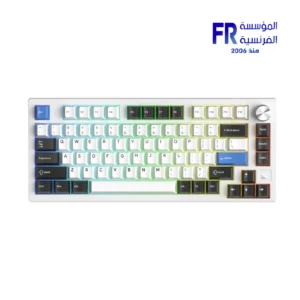 Dareu EK75 RT Magnetic Switch 75% Compact Gasket Mount With Volume Knob RGB White Wired Mechanical Gaming Keyboard
1 × 3950 جنية
Dareu EK75 RT Magnetic Switch 75% Compact Gasket Mount With Volume Knob RGB White Wired Mechanical Gaming Keyboard
1 × 3950 جنية -
×
 Redragon Fizz Pro K616-RGB Red Switch RGB 60 Percent Compact Gray And White 3 Modes Wireless Bluetooth Mechanical Gaming Keyboard
2 × 2450 جنية
Redragon Fizz Pro K616-RGB Red Switch RGB 60 Percent Compact Gray And White 3 Modes Wireless Bluetooth Mechanical Gaming Keyboard
2 × 2450 جنية -
×
Redragon Dark Avenger K568R-2 Blue Switch Rainbow Wired Mechanical Gaming Keyboard
2 × 1250 جنية
-
×
Western Digital Black SN8100 4TB M.2 2280 PCIe Gen 5 NVMe Without Heatsink Internal Solid State Drive SSD
1 × 31200 جنية
-
×
Msi G321Q 32 Inch 170Hz 1Ms WQHD IPS Esports Gaming Monitor
1 × 15749 جنية
-
×
MSI X870E Gaming Plus WIFI Motherboard
1 × 15499 جنية
-
×
AMD Ryzen 5 8400F Mpk Tray with Fan Processor
1 × 5900 جنية
-
×
Montech HS01 PRO ARGB Back-Connect Ready Mid Tower Case
1 × 6599 جنية
-
×
MSI Vigor GK30 Plunger Switch RGB Arabic Wired Mechanical Feel Gaming Keyboard
1 × 1499 جنية
-
×
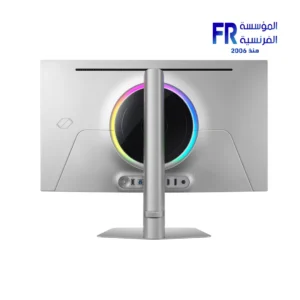
Samsung Odyssey OLED G8 G81SF 32 Inch 240Hz 0.03Ms 4K UHD QD OLED Glare Free FreeSync Premium Pro Silver Gaming Monitor
1 × 48999 جنية
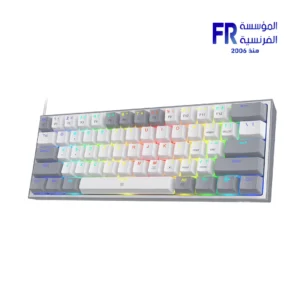 Redragon Fizz Pro K616-RGB Red Switch RGB 60 Percent Compact Gray And White 3 Modes Wireless Bluetooth Mechanical Gaming Keyboard
 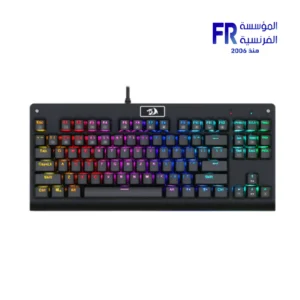 Redragon Dark Avenger K568R-2 Blue Switch Rainbow Wired Mechanical Gaming Keyboard
 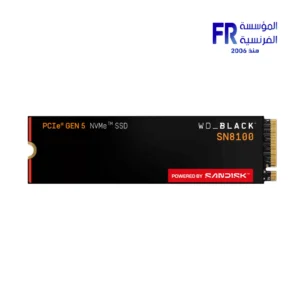 Western Digital Black SN8100 4TB M.2 2280 PCIe Gen 5 NVMe Without Heatsink Internal Solid State Drive SSD
 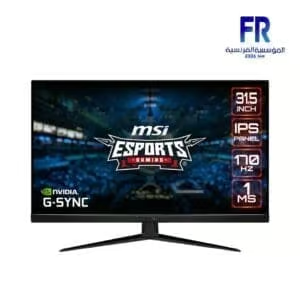 Msi G321Q 32 Inch 170Hz 1Ms WQHD IPS Esports Gaming Monitor
 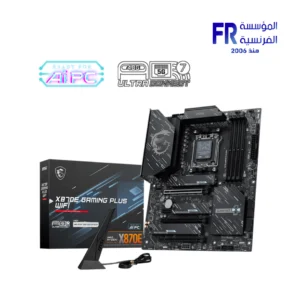 MSI X870E Gaming Plus WIFI Motherboard
  AMD Ryzen 5 8400F Mpk Tray with Fan Processor
 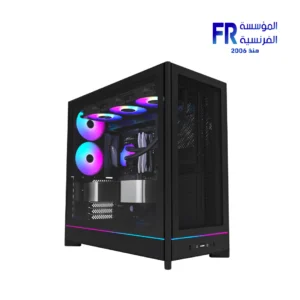 Montech HS01 PRO ARGB Back-Connect Ready Mid Tower Case
 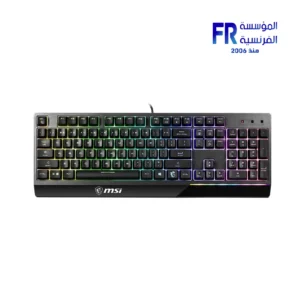 MSI Vigor GK30 Plunger Switch RGB Arabic Wired Mechanical Feel Gaming Keyboard
 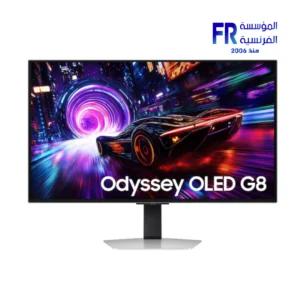 Samsung Odyssey OLED G8 G81SF 32 Inch 240Hz 0.03Ms 4K UHD QD OLED Glare Free FreeSync Premium Pro Silver Gaming Monitor
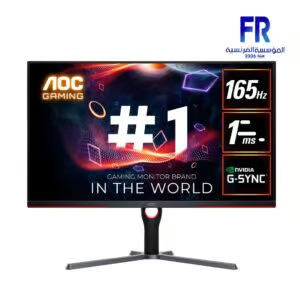
**NVIDIA G-SYNC** is an advanced technology from NVIDIA that aims to improve the gaming experience by synchronizing the display refresh rate with the frame rate produced by the graphics card (GPU). G-SYNC eliminates tearing and stuttering in the image, providing a smoother and faster gaming experience.
### **NVIDIA G-SYNC** Features:
1. **Tearing Reduction**: G-SYNC technology prevents tearing that may occur when the frame rate produced by the graphics card is faster or slower than the display refresh rate, enhancing image smoothness.
2. **Stuttering Reduction**: Reduces sudden image stoppages when there are gaps in the frame rate, helping to improve game responsiveness and increase motion stability.
3. **Dynamic Refresh Rate Support**: G-SYNC allows the display refresh rate to be dynamically adjusted to match the frame rate produced by the graphics card, contributing to improved display smoothness.
4. **Smooth and Fast Performance**: With G-SYNC, performance remains smooth even when the frame rate drops to low levels, making games more responsive without stuttering or lag.
5. **Advanced Gaming Experience**: Gamers can enjoy a more immersive gaming experience when using G-SYNC, as the technology provides high performance in fast-moving games and complex graphics.
### How does G-SYNC work?
G-SYNC technology works by synchronizing the display’s refresh rate with the frame rate produced by the NVIDIA graphics card. On traditional monitors, gamers experience tearing when the refresh rate does not match the frame rate, but with G-SYNC, the display refreshes at the same moment the graphics card produces the frames, ensuring a smooth display.
### **NVIDIA G-SYNC** Requirements:
– **G-SYNC Compatible Monitor**: You need a G-SYNC-capable monitor, which is usually an LCD monitor with G-SYNC Built-in or G-SYNC Ultimate.
– **NVIDIA graphics card**: The graphics card must be from NVIDIA that supports G-SYNC, usually from the GTX 10 series and later, as well as modern cards from the RTX series.
### The difference between G-SYNC and FreeSync:
– **G-SYNC** requires special components inside the monitor (such as the integrated G-SYNC module), which increases the cost compared to **AMD FreeSync** which relies more on software support.
– **FreeSync** can be a more economical option because it does not require special components in the monitor, while **G-SYNC** offers superior performance in most cases.
Overall, **NVIDIA G-SYNC** is an ideal technology for gamers looking to enhance their gaming experience professionally, with smooth, graphical movement free of stuttering or lag.
غير متوفر في المخزون

غير متوفر في المخزون
غير متوفر في المخزون

غير متوفر في المخزون
غير متوفر في المخزون

غير متوفر في المخزون


غير متوفر في المخزون

غير متوفر في المخزون


غير متوفر في المخزون

غير متوفر في المخزون

غير متوفر في المخزون

غير متوفر في المخزون
غير متوفر في المخزون


غير متوفر في المخزون



غير متوفر في المخزون


غير متوفر في المخزون

غير متوفر في المخزون
غير متوفر في المخزون

غير متوفر في المخزون

غير متوفر في المخزون

غير متوفر في المخزون


غير متوفر في المخزون


غير متوفر في المخزون
غير متوفر في المخزون

غير متوفر في المخزون

غير متوفر في المخزون

غير متوفر في المخزون

غير متوفر في المخزون


غير متوفر في المخزون

غير متوفر في المخزون
غير متوفر في المخزون