

ALFRENSIA COOLING GUIDE · 7 MIN READ
Air cooler vs AIO liquid cooler is a practical choice that depends on the processor, case and workload. Both types can work well when matched correctly. Compare cooling needs, clearance, noise, installation, maintenance and warranty for the exact models instead of assuming liquid cooling is always better.
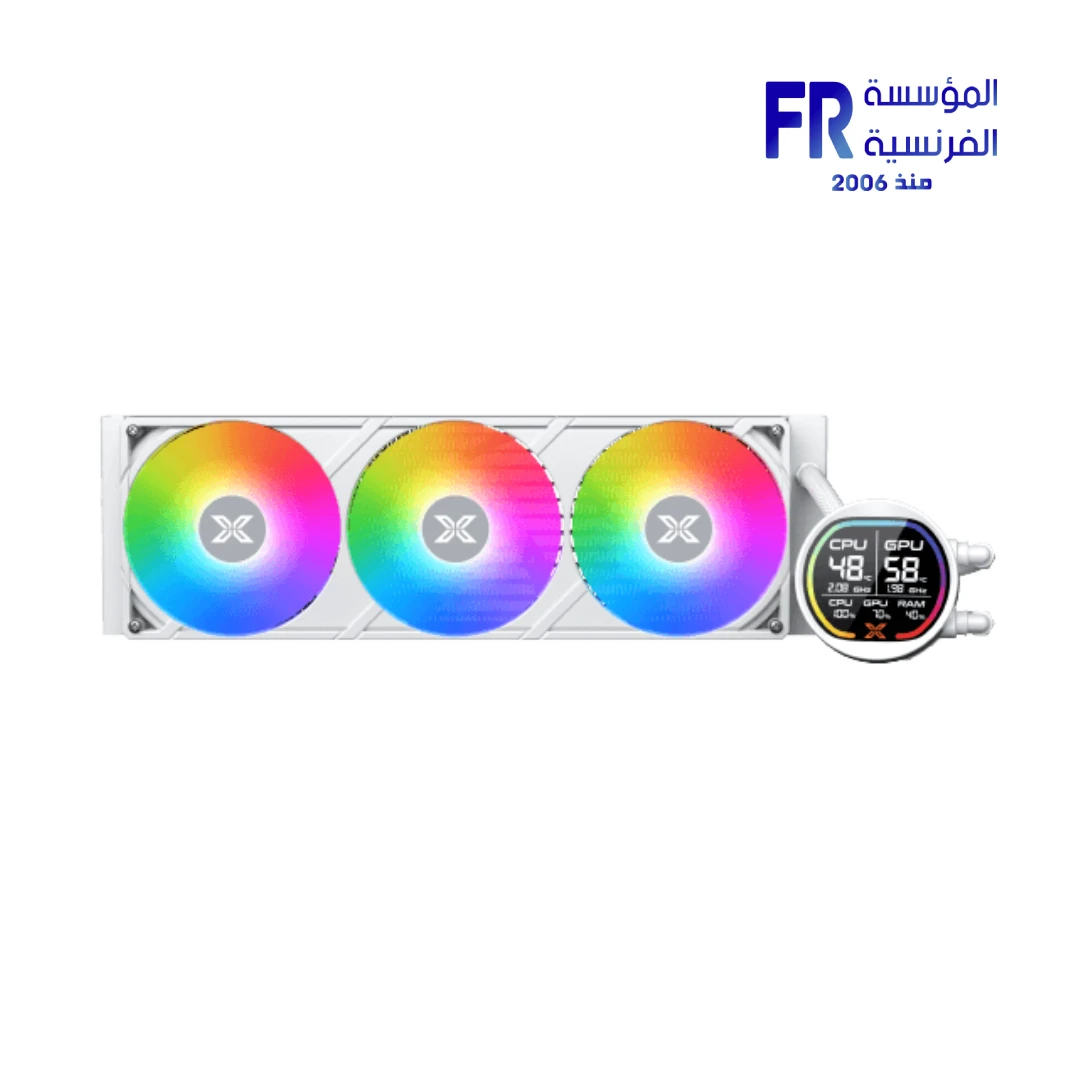
How the two cooling types work
An air cooler transfers heat from the CPU through a cold plate and heat pipes into a heatsink, where fans move air across the fins. An all-in-one (AIO) liquid cooler transfers heat through a cold plate and circulating coolant to a radiator, where fans release the heat into the case airflow.
Both types ultimately rely on airflow to move heat out of the system. A liquid loop does not eliminate heat; it changes how the heat is transferred and where it is released.
Air cooler vs AIO at a glance
| Factor | Air cooler | AIO liquid cooler |
|---|---|---|
| Installation | Usually simpler; check socket kit and height | More components; check radiator and tube routing |
| Case clearance | CPU cooler height, RAM, and motherboard clearance | Radiator size, thickness, fans, tubes, and mounting position |
| Noise | Depends on fan quality, speed, and workload | Depends on fans, pump, radiator, and workload |
| Maintenance | Keep heatsink and fans clean; inspect mounting | Keep radiator clean; follow manufacturer care guidance |
| Failure points | Primarily fans and mounting-related issues | Fans and pump, plus the sealed liquid loop and fittings |
| Appearance | Large heatsink can be visually prominent | Radiator and pump block offer different layout options |
Cooling performance depends on the exact model
There is no universal rule that an AIO always cools better than an air cooler. Results depend on the CPU’s power draw, sustained workload, cooler design, radiator or heatsink size, fan curves, case airflow, ambient temperature, mounting, and test methodology.
When comparing independent reviews, look for the same CPU, power limits, ambient conditions, case airflow, and noise level. A result achieved with louder fans is not directly comparable to a quieter test unless noise is accounted for. Also check whether the review tested a short burst or a sustained workload.
Which cooler is better for gaming?
Many gaming workloads do not keep every CPU core at maximum power continuously. A suitable air cooler may therefore be enough for a gaming system, but the answer depends on the processor, motherboard settings, case, and games. Do not buy a large liquid cooler just because the PC is marketed as a gaming build.
If you run long rendering jobs, compile large projects, stream while gaming, or use other sustained CPU-heavy workloads, compare thermal behaviour under those conditions. A larger radiator may help some high-power CPUs sustain performance, but verify it using testing of the exact cooler and processor combination.
Check case compatibility before buying
Physical fit is one of the most important practical differences. For an air cooler, confirm maximum CPU cooler height, RAM clearance, motherboard heatsink clearance, and side-panel space. For an AIO, check supported radiator sizes and positions, radiator plus fan thickness, tube reach, motherboard and memory clearance, and interference with the GPU or other components.
A case may list support for a 360mm radiator but still have restrictions depending on whether it is mounted at the top or front, the thickness of the radiator and fans, and the components installed. Consult the case and cooler manuals rather than assuming that the nominal size guarantees a fit.
Noise: compare the whole cooling system
An air cooler can be quiet when its fans run slowly, while an AIO can introduce pump noise in addition to fan noise. But a well-designed AIO may also be quiet, and a small air cooler working hard can be audible. Look for independent acoustic testing at comparable temperatures and workloads.
Fan curves, case airflow, dust, mounting, and ambient temperature also affect noise. A cooler that performs well in an open test bench may behave differently inside a restricted case.
Reliability and maintenance
Air coolers have a relatively straightforward design, though fans can wear and mounting should be checked. AIOs add a pump and sealed liquid loop, so there are more potential failure points. Product warranties vary by manufacturer and model; check the exact warranty terms instead of assuming a standard coverage period.
For either type, keep fans and heatsinks or radiators clear of dust, use the manufacturer’s mounting instructions, and monitor temperatures for unusual changes. If you see unexpected temperature spikes or pump/fan warnings, troubleshoot the mounting, airflow, fan connections, and cooler instructions rather than assuming a replacement is immediately required.
Installation checklist
- Confirm CPU socket compatibility and included mounting hardware.
- Verify the cooler’s rated support and performance for your processor and intended workload.
- Check case height or radiator clearance and component interference.
- Confirm fan, pump, and RGB headers or controller requirements.
- Follow the manufacturer’s thermal-paste and mounting instructions.
- Plan radiator placement and airflow direction if using an AIO.
- After installation, confirm fan/pump operation and check temperatures under a repeatable workload.
Compare compatible models only after checking processor requirements, cooler height or radiator support and case clearance. A concrete example to inspect is the ID-COOLING SL360 V2 AIO cooler; verify its specifications against your exact CPU and case.
Which should you choose?
Consider an air cooler if you want a straightforward solution, it fits your case and RAM, and independent testing shows it can handle your CPU at acceptable noise levels.
Consider an AIO if its tested cooling performance, radiator layout, case fit, or design benefits match your needs and budget. Make sure the case supports the intended radiator position and that the warranty meets your expectations.
For either option, avoid choosing based only on fan count, radiator size, RGB, or the words “gaming” and “premium.” Compare actual performance, noise, dimensions, warranty, and installation requirements for the exact model.
Frequently asked questions
Does an AIO always run cooler than an air cooler?
No. The exact models, CPU power, workload, airflow, ambient temperature, and fan settings determine the result.
Is a 360mm AIO necessary for gaming?
Not for every gaming CPU. Choose cooling based on the processor’s requirements, measured cooler performance, case compatibility, and your noise preferences.
Are air coolers maintenance-free?
No. Keep fans and heatsinks clean and inspect mounting and fan operation periodically.
How long does an AIO last?
Service life varies by model and conditions. Check the manufacturer’s warranty and support information; do not assume all AIOs have the same lifespan or coverage.
Sources and further reading
- Tom’s Hardware — CPU cooler testing and recommendations
- ARCTIC — official cooler support and installation guidance
Cooler compatibility, warranty, and performance vary by model. Verify the manufacturer’s current documentation before purchasing.
دليل اختيار تبريد المعالج: Air Cooler أم AIO؟
مبردات الهواء ومبردات السائل المغلقة AIO ممكن يقدّموا أداء جيداً لو اتختاروا حسب المعالج والكيسة. قارن الموديل الفعلي والمساحة والضوضاء والتركيب والصيانة والضمان بدل افتراض إن التبريد السائل أفضل دائماً.
إزاي النوعين بيشتغلوا؟
مبرد الهواء بينقل الحرارة لزعانف معدنية بمساعدة heat pipes ومراوح. الـAIO بينقل الحرارة بسائل داخل دائرة مغلقة إلى رادياتير ومراوح.
مقارنة سريعة
مبرد الهواء غالباً أبسط في التركيب ومفيهوش مضخة، بينما الـAIO قد يوفر مرونة في توزيع المكونات ومظهر مختلف، لكنه يحتاج مساحة للرادياتير ومضخة وتوصيلات إضافية.
الأداء يعتمد على الموديل
الحجم وحده مش ضمان للأداء. قارن اختبارات موثوقة للمعالج نفسه، مع مراعاة حدود الطاقة ودرجة الحرارة المحيطة وسرعة المراوح.
أنهي أفضل للألعاب؟
الاختيار بيعتمد على استهلاك المعالج وإعداداته والكيسة والميزانية. مبرد هواء جيد قد يكون كافياً، بينما بعض المعالجات والأحمال الطويلة تستفيد من تبريد أقوى.
راجع توافق الكيسة
تحقق من أقصى ارتفاع لمبرد الهواء أو أحجام الرادياتير المدعومة ومكان تركيبه وسُمك الرادياتير والمراوح وارتفاع الرام.
الضوضاء
صوت النظام بيتأثر بالمراوح والمضخة وسرعة التشغيل وتصميم الكيسة. قارن النظام بالكامل، مش عدد المراوح فقط.
الاعتمادية والصيانة
مبرد الهواء فيه أجزاء أقل عادةً، أما الـAIO ففيه مضخة وسائل وعمر تشغيلي يعتمد على التصميم والاستخدام والضمان. اتبع تعليمات الشركة المصنعة.
قائمة تركيب
- تأكد من socket ودعم المعالج.
- راجع الخلوص داخل الكيسة.
- ثبت قواعد التثبيت حسب التعليمات.
- وصل المراوح والمضخة في المنافذ الصحيحة.
- تحقق من الحرارة بعد التشغيل.
تختار إيه؟
اختار بناءً على حرارة المعالج الفعلية والضوضاء والمساحة والميزانية والضمان، مش الشكل فقط.
الأسئلة الشائعة
هل AIO أبرد دائماً؟
لأ؛ الأداء بيختلف حسب الموديل والمعالج وطريقة التركيب.
هل 360mm AIO ضروري للألعاب؟
مش بالضرورة. احتياج التبريد بيعتمد على المعالج والطاقة والحمل.
هل مبرد الهواء مفيهوش صيانة؟
يحتاج تنظيف الغبار ومراجعة المراوح والتثبيت من وقت للتاني.
الـAIO بيعيش قد إيه؟
العمر بيختلف حسب المنتج والاستخدام؛ راجع الضمان وتعليمات الشركة.
مصادر رسمية وقراءة إضافية
- Intel Support لمراجعة مواصفات المعالج.
- AMD Support لمواصفات المعالجات ودعمها.
- ARCTIC Support كمثال على وثائق الشركة المصنعة للتوافق والتركيب.
راجع دليل المبرد والكيسة والمعالج الفعليين؛ دعم socket أو مقاس الرادياتير وحده لا يضمن التوافق الكامل.
محتاج تختار مبرد مناسب؟
راجع خيارات التبريد ومكونات الكمبيوتر على موقع المؤسسة الفرنسية للكمبيوتر، أو تواصل مع المبيعات على واتساب للاستفسار عن التوافق والتوفر الحالي.