


By Mahmoud Kawashty – محمود قوشتي
Updated: October 24, 2026
AMD’s Adrenalin Edition 26.10.1 release notes, updated October 20, 2026, list support for AMD FSR Upscaling 4.1 on Radeon RX 6000 Series graphics products. That is useful news for owners of older Radeon cards, but the important detail is the word “Upscaling”: it should not be read as a promise that every FSR feature, including Frame Generation, is available on these GPUs.
Quick takeaway: check the official driver notes, confirm that your game supports the relevant FSR upscaling option, and test image quality and performance in your own settings. Results vary by game, resolution, preset and system configuration.
What did AMD announce?
AMD’s Adrenalin Edition 26.10.1 release notes list AMD FSR Upscaling 4.1 support for Radeon RX 6000 Series products. The release notes are the primary source for the driver-specific compatibility claim.
AMD describes FidelityFX Super Resolution as a collection of technologies intended to improve gaming performance and/or image quality. The exact feature available depends on the game and the specific FSR technology implemented. See AMD’s FSR technology overview and supported-games list.
What does upscaling do?
Upscaling starts with a game image rendered at a lower internal resolution and reconstructs it for a higher-resolution output. Depending on the game and settings, this can help improve performance while keeping the image looking detailed. It is not a guaranteed FPS boost, and visual results can differ from one title to another.
Does this mean RX 6000 gets every FSR 4 feature?
No—do not assume that. Upscaling and Frame Generation are different technologies. The 26.10.1 release note specifically identifies FSR Upscaling 4.1 support for Radeon RX 6000 Series. It does not, by itself, establish support for every feature in AMD’s broader FSR technology family on those cards. Always check the exact feature and GPU compatibility notes for your game and driver.
How to check whether it works on your PC
- Confirm the exact Radeon graphics card model in Windows or AMD Software: Adrenalin Edition.
- Read the official 26.10.1 release notes and use AMD’s official driver download page to find the appropriate driver for your card and operating system.
- Check the game’s graphics settings and AMD’s supported-games information to see which FSR version and features that title implements.
- Test a consistent scene at your usual resolution. Compare image quality and performance with the feature enabled and disabled rather than relying on a universal FPS claim.
- If you use a laptop or a system supplied by an OEM, check the manufacturer’s support guidance before changing drivers.
Important: this article explains the release-note update; it is not a benchmark. We have not measured FPS gains across individual games or configurations, so no specific performance increase is claimed here.
What should Radeon RX 6000 owners do?
If your game exposes the relevant FSR Upscaling 4.1 option and your driver supports it, it is worth testing. If the option does not appear, check the game version, in-game implementation, driver installation and GPU-specific support information. Do not assume that installing a driver alone adds the same features to every game.
Sources
تحديث AMD FSR Upscaling 4.1 يصل إلى كروت Radeon RX 6000: إيه اللي محتاج تعرفه؟
بقلم: Mahmoud Kawashty – محمود قوشتي
بتوضح ملاحظات إصدار AMD Adrenalin Edition 26.10.1، والمحدّثة يوم 20 أكتوبر 2026، إضافة دعم AMD FSR Upscaling 4.1 لكروت Radeon RX 6000 Series. الخبر مهم لملاك الكروت دي، لكن لازم نركز على كلمة Upscaling: ده مش معناه تلقائيًا إن كل تقنيات FSR، ومنها Frame Generation، بقت مدعومة على نفس الكروت.
الخلاصة: راجع ملاحظات التعريف الرسمية، واتأكد إن اللعبة نفسها بتدعم خيار FSR المطلوب. النتيجة في الأداء وجودة الصورة بتختلف حسب اللعبة والدقة والإعدادات ومكونات الجهاز.
إيه اللي AMD أعلنته؟
ملاحظات إصدار Adrenalin 26.10.1 الرسمية بتذكر دعم FSR Upscaling 4.1 لكروت Radeon RX 6000 Series. ودي أهم مرجعية للتأكد من توافق الميزة مع التعريف.
تقنيات FidelityFX Super Resolution هدفها تحسين الأداء و/أو جودة الصورة، لكن الميزة المتاحة بتعتمد على اللعبة والتقنية اللي مطبقاها. تقدر تراجع شرح AMD لتقنيات FSR وقائمة الألعاب المدعومة.
يعني إيه Upscaling؟
الفكرة إن اللعبة بترندر الصورة بدقة داخلية أقل، وبعدها التقنية بتعيد بناء الصورة علشان تعرضها بدقة أعلى. حسب اللعبة والإعدادات، ده ممكن يساعد في تحسين الأداء مع الحفاظ على تفاصيل الصورة بشكل جيد. لكن مفيش زيادة FPS مضمونة، والنتائج بتختلف من لعبة للتانية.
هل ده معناه إن كل مزايا FSR 4 بقت متاحة على RX 6000؟
لأ، ماينفعش نفترض كده. الـ Upscaling وFrame Generation تقنيتين مختلفتين. ملاحظات إصدار 26.10.1 بتذكر تحديدًا دعم FSR Upscaling 4.1 لكروت Radeon RX 6000، لكنها مش دليل لوحدها على دعم كل مزايا عائلة FSR على الكروت دي. راجع توافق الميزة المحددة مع كارتك واللعبة والتعريف.
إزاي تتأكد إنها شغالة عندك؟
- اتأكد من موديل كارت Radeon الموجود في جهازك من Windows أو AMD Software: Adrenalin Edition.
- راجع ملاحظات إصدار 26.10.1 الرسمية، ونزّل التعريف المناسب من موقع AMD الرسمي لنوع الكارت ونظام التشغيل.
- راجع إعدادات الجرافيكس داخل اللعبة وقائمة الألعاب المدعومة لمعرفة إصدار FSR والمزايا اللي اللعبة بتطبقها فعلًا.
- جرّب نفس المشهد وبنفس الدقة، وقارن جودة الصورة والأداء مع الميزة مفعّلة ومقفولة بدل الاعتماد على رقم FPS عام.
- لو بتستخدم لابتوب أو جهاز من شركة مصنّعة، راجع تعليمات الدعم الخاصة بالشركة قبل تغيير التعريف.
مهم: المقال بيشرح تحديث ملاحظات الإصدار، مش اختبار أداء. ماعملناش قياسات FPS لكل لعبة أو تجميعة، وبالتالي مش بنوعد بنسبة زيادة محددة.
إيه الأفضل لملاك RX 6000؟
لو اللعبة بتوفر خيار FSR Upscaling 4.1 والتعريف بيدعمه، جرّبه وقارن النتيجة بنفسك. لو الخيار مش ظاهر، راجع إصدار اللعبة وطريقة تطبيقها للتقنية والتعريف وتوافق الكارت. تثبيت التعريف لوحده مش معناه إن نفس المزايا هتظهر في كل الألعاب.
المصادر الرسمية
- ملاحظات إصدار AMD Adrenalin 26.10.1 — محدّثة 20 أكتوبر 2026
- نظرة عامة على تقنية AMD FSR
- قائمة الألعاب المدعومة
- صفحة تعريفات AMD الرسمية
Official AMD FSR image-quality examples
AMD GPUOpen publishes visual examples comparing FSR 3.1 with AMD FSR Upscaling. These images help illustrate the kind of image-reconstruction differences the technology targets; they are not an Alfrensia benchmark and do not represent a measured RX 6000 / FSR Upscaling 4.1 result.
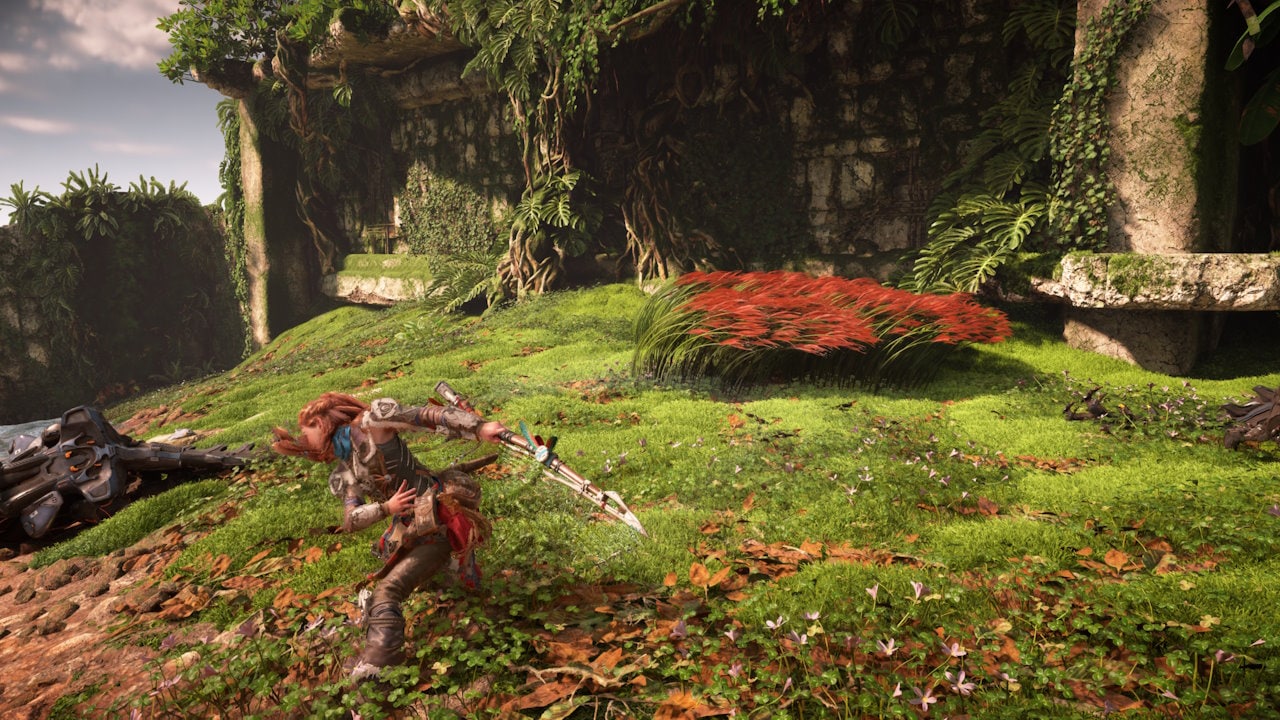
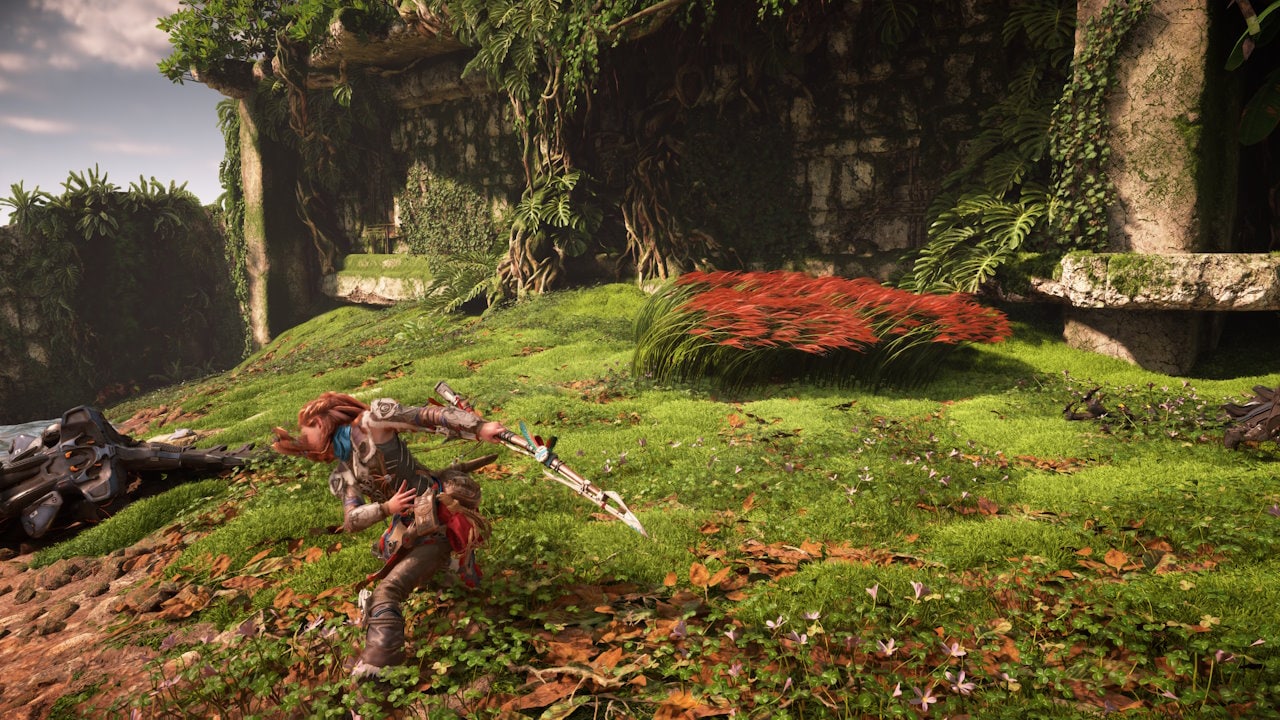
Image source and technology descriptions: AMD GPUOpen — AMD FSR Upscaling. Compatibility and available features still depend on the driver, GPU, game implementation and settings.