

Buying a used graphics card can be good value, but a low price does not tell you how the card was treated or whether it will remain stable under load. Before paying, confirm the exact model, inspect the physical condition, test it where possible and understand the seller’s return terms.
Verify the exact graphics card model
Ask for the full manufacturer and model name, memory capacity, part number and clear photos of the actual card. A GPU family name alone is not enough: board-partner versions can differ in dimensions, cooling, power connectors, factory settings and warranty conditions. Compare the label and physical design with the manufacturer’s product information.
If the seller provides software screenshots, make sure the displayed model and memory information match the physical card. Screenshots are useful evidence, but they are not proof by themselves; test the card directly where practical and avoid relying on cropped or inconsistent images.
Physical inspection before purchase
- PCB and cooler: look for cracks, bent brackets, missing screws, severe corrosion or signs of impact.
- Fans: check for damaged blades, unusual wobble or grinding noises. Some cards stop their fans at low temperatures, so a stationary fan at idle is not automatically a fault.
- Power connectors: inspect for discoloration, melting, deformation or damaged pins. Do not use a card with visibly damaged power connectors.
- Display outputs: inspect ports for bent or damaged connectors and test each output you expect to use.
- Accessories: confirm whether the original box, support bracket, adapters or documentation are included if you need them.
Dust alone is not proof of misuse, and a clean exterior does not prove good internal condition. Avoid disassembling the card unless you are qualified, have permission and understand that opening it may affect warranty coverage.
Test stability, not just a single benchmark score
When possible, test the card in a known-good system with an adequate power supply and proper airflow. Check that it is detected correctly, produces an image, and can run a repeatable game or graphics workload without crashes, visual artifacts, driver resets or unexpected black screens.
Monitor GPU temperature, hotspot temperature if exposed by the software, fan behaviour, clock speeds and power draw during a sustained workload. Interpret these readings in context: cooler design, ambient temperature, fan curve and case airflow all affect results. A short test can miss intermittent problems, and temperatures vary between models, so compare with credible data for the exact card rather than using one universal temperature cutoff.
Run more than one type of test if possible, including a game or application you expect to use. Check all required display outputs and verify that the driver installs normally. Do not treat a benchmark score alone as proof that every function is working.
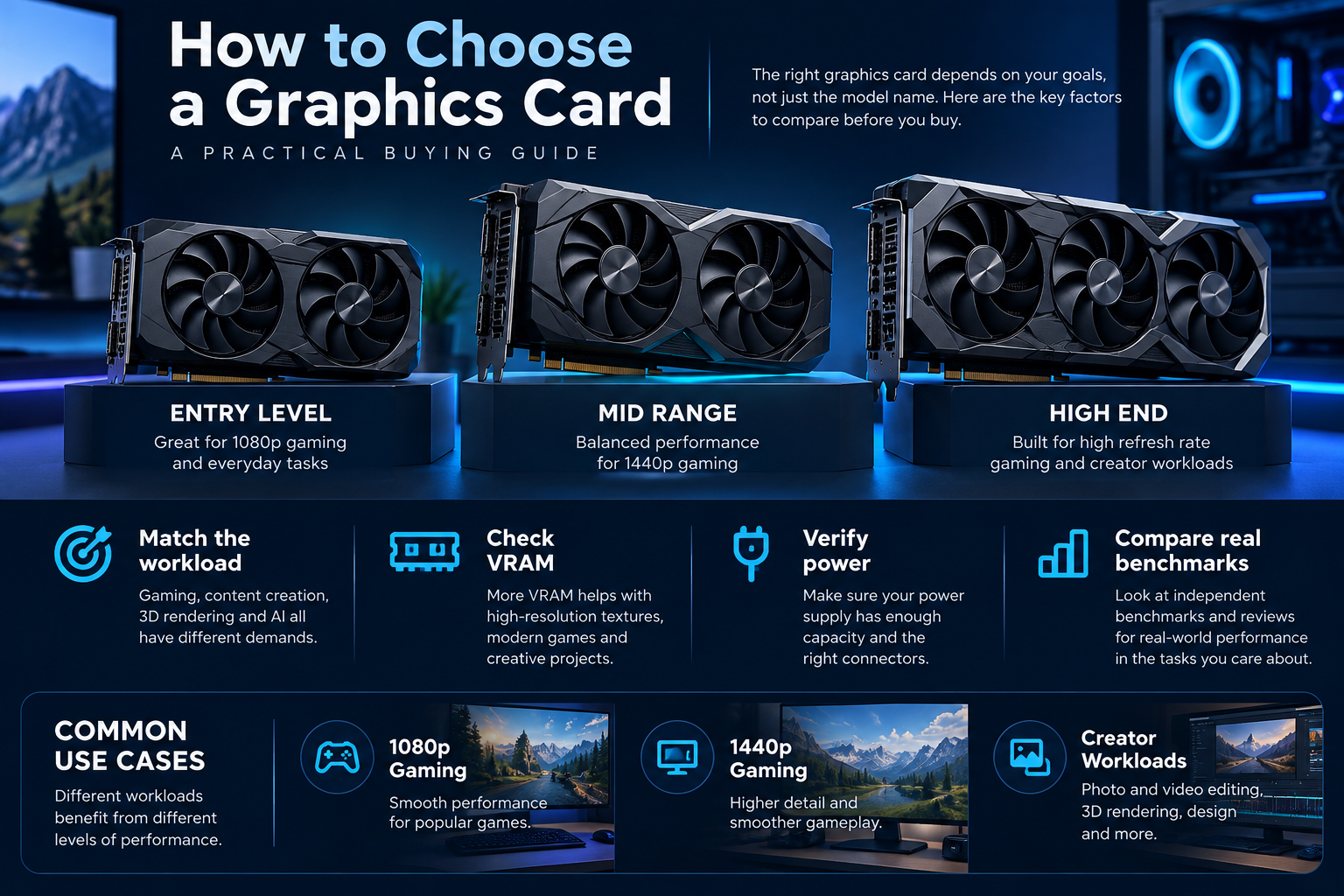
Check whether it suits your current PC
- Measure the available GPU length, thickness and clearance around nearby components.
- Verify the power supply’s quality, capacity, age and required connectors for the exact card.
- Check whether the card’s power cable can be routed without excessive strain and follow the manufacturer’s connection guidance.
- Confirm the monitor’s required output and resolution support.
- Consider whether your CPU, case airflow and target games make the upgrade worthwhile.
Seller, warranty and return terms
Ask for the purchase date, proof of purchase if available, repair history and any known faults. Verify whether the manufacturer’s warranty transfers to a second owner and whether the card’s serial number is eligible; warranty rules differ by brand and region. Do not assume a remaining warranty exists simply because the card is relatively new.
Agree on a written description of the card’s condition, included accessories, price and return conditions. If you cannot test the card, treat that uncertainty as a real risk rather than assuming the card is fully functional. Be cautious of pressure to pay before you can verify the model or terms.
Frequently asked questions
Is a card used for mining automatically bad?
Not automatically. Usage history alone cannot establish the card’s current condition. Testing, physical inspection, maintenance history and seller transparency are more useful, although unknown history adds uncertainty.
Can a GPU pass a benchmark and still be faulty?
Yes. A short test may not reveal intermittent crashes, failing outputs, memory errors or problems that appear only after the card heats up. Test multiple functions where practical.
Should I buy a used GPU without testing it?
That is a higher-risk purchase. If testing is not possible, verify the seller’s reputation, return policy, model identity and warranty status before deciding whether the discount compensates for the uncertainty.
Sources
If you are comparing used and new options, check the exact specifications, warranty and current availability. Browse graphics cards at Alfrensia for available models and compare the total value before buying.
Compare options before you buy
Check exact specifications, current availability and warranty terms.
alfrensia.com — Alfrensia, French Establishment for Computers
قائمة فحص كارت الشاشة المستعمل
كارت الشاشة المستعمل ممكن يكون قيمة كويسة، لكن السعر المنخفض لوحده مش دليل على الحالة. افحص هوية الكارت وحالته، واختبره في جهاز كامل لو تقدر، واتفق على شروط الإرجاع قبل الدفع.
قبل المعاينة
- اطلب اسم الموديل الكامل ورقم الجزء وصور حقيقية للكارت.
- قارن المواصفات بالصفحة الرسمية، وتأكد إن الاسم والذاكرة والمنافذ متطابقة.
- اسأل عن الفاتورة والضمان المتبقي وتاريخ الشراء وسبب البيع.
- اتفق كتابةً على حق التجربة والإرجاع لو ظهر عطل غير معلن.
الفحص الخارجي
- افحص آثار الصدمات أو الصدأ أو تلف الموصلات.
- تأكد من سلامة المراوح وعدم وجود صوت احتكاك غير طبيعي.
- افحص مخارج الشاشة والموصلات ومسامير التثبيت.
- راجع أي آثار تعديل أو إصلاح، واطلب توضيحاً إن وجدت.
اختبار آمن قبل الدفع
- شغّل الجهاز وتأكد من تعرف النظام على الموديل الصحيح.
- اختبر كل منفذ شاشة متاح بكابل وشاشة متوافقين.
- شغّل لعبة أو اختبار رسومي موثوق لفترة مناسبة وراقب الاستقرار.
- راقب درجات الحرارة وسرعة المراوح واستهلاك الطاقة باستخدام أدوات موثوقة.
- انتبه للانهيارات أو artifacts أو انقطاع الصورة أو إعادة تشغيل الجهاز.
أوقف الاختبار لو ظهرت علامات مشكلة واضحة. نتيجة اختبار واحد ناجح لا تضمن أن الكارت خالٍ من العيوب أو أنه سيستمر في العمل.
التوافق والتكلفة الحقيقية
راجع أبعاد الكارت ومزود الطاقة والتوصيلات ومساحة الكيسة وتوافق الجهاز. قارن سعر المستعمل بسعر الجديد والضمان وخدمة ما بعد البيع؛ فرق السعر الصغير قد لا يبرر مخاطر الضمان المحدود.
الأسئلة الشائعة
هل الاستخدام السابق في التعدين يعني إن الكارت تالف؟
مش بالضرورة؛ تاريخ الاستخدام وحده لا يثبت الحالة. الأهم الفحص والاختبار وشفافية البائع وشروط الإرجاع.
هل أقدر أضمن عمر الكارت من درجات الحرارة؟
لأ؛ درجات الحرارة مؤشر واحد فقط، ومش بتكشف كل الأعطال أو تاريخ الاستخدام.
أشتري لو البائع رافض التجربة؟
ده بيزود المخاطرة. قيّم البدائل وشروط الحماية المتاحة قبل اتخاذ القرار.
مصادر رسمية قبل اتخاذ القرار
- NVIDIA GeForce لمراجعة مواصفات أجيال وموديلات GPU.
- AMD Radeon Graphics لمواصفات كروت الشاشة.
اختبار الكارت المستعمل لا يضمن خلوه من كل عيب مستقبلي؛ راجع شروط البائع والإرجاع والضمان المتاح للموديل الفعلي.
قارن بالموديلات الجديدة
راجع المواصفات والسعر والضمان والتوافر الحالي على موقع المؤسسة الفرنسية للكمبيوتر، أو تواصل مع المبيعات على واتساب للاستفسار عن الخيارات الجديدة والتوافق.