

When comparing G-SYNC vs FreeSync, remember that a monitor’s refresh rate is only part of the gaming experience. Variable refresh rate (VRR) lets a compatible display adjust its refresh timing to better match the frames delivered by a graphics card, helping reduce visible tearing and uneven motion in supported conditions.
What variable refresh rate does
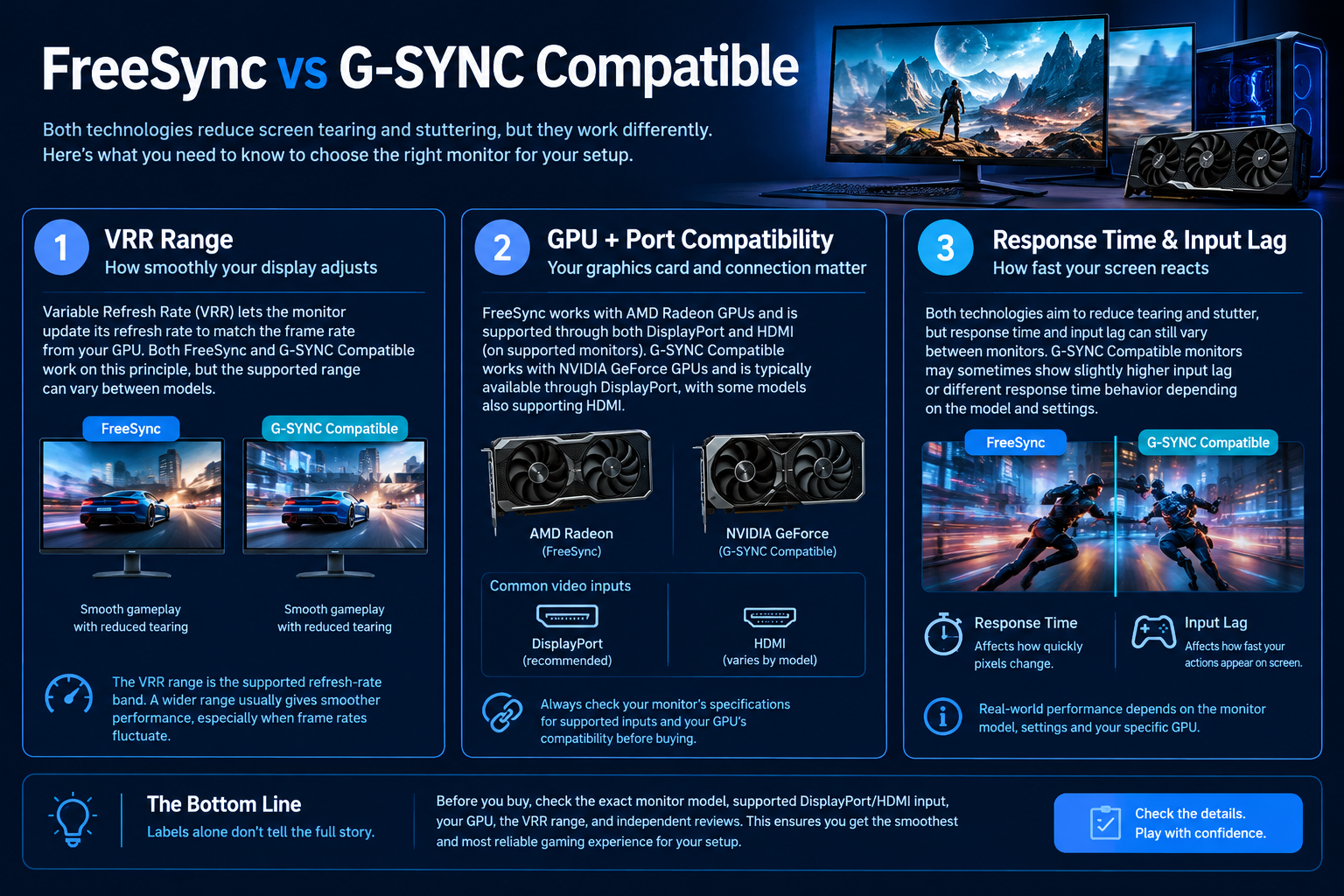
A fixed-refresh display updates on a regular schedule, such as 144 or 180 times per second. A game’s frame delivery is rarely perfectly even, however. When the display and GPU are out of sync, players may notice tearing or uneven motion. VRR allows a supported monitor to vary its refresh timing within a specified range to follow the GPU’s frame delivery more closely.
VRR does not guarantee a higher frame rate and cannot remove every cause of stutter. CPU bottlenecks, shader compilation, background tasks, unstable frame pacing and game-engine behaviour can still affect smoothness. It is best understood as one part of a balanced display and PC setup.
G-SYNC vs FreeSync vs Adaptive-Sync
- NVIDIA G-SYNC: NVIDIA’s display technology and certification ecosystem. The exact capabilities depend on the monitor model and its certification or compatibility status.
- AMD FreeSync: AMD’s VRR technology and certification ecosystem, available across a range of displays. FreeSync branding alone does not mean every model has identical performance or features.
- VESA Adaptive-Sync: A display feature standard associated with variable refresh rate over supported display connections. Some monitors use Adaptive-Sync as part of a broader G-SYNC Compatible or FreeSync implementation.
These terms overlap, but they are not interchangeable guarantees. A monitor can support a VRR mode without offering every feature or certification level associated with another label. Check the manufacturer’s specification page for the exact model and consult the GPU vendor’s compatibility information when necessary.
What to check before buying
- Graphics card: identify your exact GPU and the VRR modes supported by its driver and output connection.
- Monitor model: search the full model code, not only the product family name. Variants can differ by region or revision.
- Connection: confirm the required DisplayPort or HDMI version and whether VRR is supported at your intended resolution and refresh rate over that port.
- VRR range: check the supported minimum and maximum refresh rates. A high maximum refresh rate does not describe the whole VRR range.
- Other features: look separately at HDR capability, response behaviour, overdrive settings, input lag and resolution.
- Setup: use a supported cable and enable the relevant setting in the monitor menu and graphics driver when required.
Limits and common misunderstandings
VRR is not the same as response time. Refresh rate describes how frequently the display can refresh; response time describes how quickly pixels change between states. Input lag measures a different part of the interaction path. These values should be evaluated separately.
VRR does not make every frame rate identical. Performance can still vary, and the experience outside a monitor’s supported range depends on the display and settings. Some systems use Low Framerate Compensation when supported, but implementations differ.
Certification labels are useful, not a substitute for reviews. Independent testing can reveal overshoot, flicker in particular scenarios, limited VRR ranges or other behaviour not obvious from a short marketing specification.
Which should you choose?
Start with the GPU and monitor you plan to use together. If you already own a display, check its exact compatibility and update drivers before troubleshooting. If buying new, prioritize the resolution, refresh rate, panel behaviour and VRR range you need, then verify the model’s compatibility with your graphics card.
Frequently asked questions
Does FreeSync only work with AMD graphics cards?
Not necessarily. Some FreeSync displays can also operate with compatible NVIDIA GPUs through supported connection modes, but compatibility is model- and setup-dependent. Check the monitor and GPU documentation.
Is G-SYNC automatically better than FreeSync?
Not automatically. Compare the exact monitor’s measured response behaviour, VRR range, flicker behaviour, image quality, warranty and price rather than assuming one label guarantees a better experience.
Do I need VRR for competitive gaming?
It can improve smoothness in supported conditions, but competitive performance also depends on frame rate, latency, settings and player preference. Evaluate the full monitor and system, not one feature in isolation.
Sources
Explore monitors at Alfrensia and confirm the exact model’s VRR compatibility before ordering.
Compare before you buy
Check the exact model, compatibility, current availability and warranty before ordering.
alfrensia.com — Alfrensia, French Establishment for Computers
يعني إيه Variable Refresh Rate (VRR)؟
تقنية VRR بتخلي الشاشة تغيّر توقيت تحديث الصورة بما يتوافق مع الإطارات اللي كارت الشاشة بيطلعها، وده ممكن يقلل tearing وعدم انتظام الحركة في الظروف المدعومة.
الفرق بين G-SYNC وFreeSync وAdaptive-Sync
- Adaptive-Sync: معيار للشاشة ضمن منظومة DisplayPort المتوافقة.
- AMD FreeSync: مجموعة تقنيات واعتمادات VRR من AMD.
- NVIDIA G-SYNC: منظومة NVIDIA، ومنها شاشات G-SYNC Compatible اللي بتدعم VRR وفق شروط التوافق.
الأسماء مش ضمان إن كل المميزات هتشتغل مع أي جهاز؛ لازم تتأكد من الموديل الدقيق والتوصيلة المستخدمة.
إيه اللي تراجعه قبل الشراء؟
- موديل الشاشة بالضبط واعتماد VRR المذكور في صفحة الشركة.
- كارت الشاشة ونوع المنفذ: DisplayPort أو HDMI.
- نطاق التردد اللي بتدعم فيه الشاشة VRR، مش أقصى Refresh Rate فقط.
- هل فيه قيود على الدقة أو HDR أو بعض أوضاع التشغيل.
- اختبارات مستقلة عن flicker وovershoot وتجربة VRR في معدلات إطارات مختلفة.
الأسئلة الشائعة
هل FreeSync بيشتغل مع كل كروت NVIDIA؟
مش بشكل مضمون لكل شاشة أو منفذ. راجع قائمة التوافق والموديل والتوصيلة المحددة.
هل G-SYNC معناه إن الشاشة أسرع؟
مش بالضرورة؛ VRR ميزة مختلفة عن زمن الاستجابة وجودة اللوحة وinput lag.
هل لازم أشتري شاشة بنفس علامة كارت الشاشة؟
مش دايماً. اتأكد من التوافق الفعلي والمميزات اللي محتاجها قبل دفع فرق السعر.
مصادر رسمية للتأكد من التوافق
- NVIDIA G-SYNC Monitors لمراجعة الشاشات والتوافق.
- AMD FreeSync لمعرفة التقنية والشروط المدعومة.
- VESA DisplayPort لمعلومات معيار DisplayPort.
راجع صفحة موديل الشاشة ومواصفات GPU والمنفذ المستخدم؛ أسماء التقنيات وحدها لا تضمن كل المميزات في كل إعداد.
قارن الشاشة مع جهازك
راجع خيارات الشاشات على موقع المؤسسة الفرنسية للكمبيوتر، أو تواصل مع المبيعات على واتساب للاستفسار عن التوافق والتوفر الحالي في مصر.