

This PCIe lanes explained guide covers why a motherboard’s long slots and M.2 sockets do not tell you how many lanes each device actually receives. Understanding PCIe lane allocation helps you plan a graphics card, NVMe SSDs and expansion cards without paying for features your build cannot use.
What is a PCIe lane?
PCI Express (PCIe) is a high-speed connection used by devices such as graphics cards, NVMe SSDs, network adapters and capture cards. A lane is a full-duplex data path between a device and the platform. Devices can use one or more lanes, commonly described as x1, x4, x8 or x16.
More lanes provide more potential bandwidth, but actual performance also depends on the PCIe generation, the device controller, workload and other system limits. A device that does not generate enough traffic to saturate its connection may see little benefit from additional bandwidth.
Lane count and PCIe generation are different
Lane count describes how many lanes are available; generation describes the signaling capability of those lanes. Newer generations can provide more bandwidth per lane than earlier ones. However, the device and the platform negotiate a mutually supported mode, so a newer-generation SSD or graphics card can operate at an older generation when installed in a compatible slot.
For practical purchasing, look at both pieces of information. A PCIe Gen 5 SSD in a Gen 4-capable M.2 slot can work at the supported lower generation, but it will not deliver the slot’s unavailable Gen 5 bandwidth. Conversely, a high-end motherboard does not make a device faster than its own interface and controller allow.
A long slot is not always x16 electrically
Motherboards often use a full-length physical slot for mechanical compatibility, even when it is wired for x4 or another lane count. The motherboard manual or detailed specification should identify the electrical mode and the source of the lanes.
The primary graphics-card slot is often connected to CPU-provided PCIe lanes, while some additional slots and M.2 sockets are connected through the chipset. The exact layout depends on the CPU platform and motherboard design. Do not assume every slot works at its maximum advertised physical size at the same time.
Lane sharing and M.2 sockets
Some motherboards share connections. Installing an SSD in a particular M.2 socket may disable a SATA port, reduce the lane width of an expansion slot, or change how another socket operates. Other boards provide independent connections. These are design-specific rules, not universal PCIe behaviour.
Before buying several SSDs or expansion cards, check the storage and expansion section of the motherboard manual. Look for footnotes such as “when M.2_2 is occupied,” “shares bandwidth with,” or “slot operates at x8 when.” Those notes can be more important than the headline number of sockets.
PCIe compatibility checklist
- Identify the exact motherboard revision and CPU model.
- Confirm which slots are connected to the CPU and which to the chipset.
- Check the physical slot length and electrical lane width separately.
- Confirm the PCIe generation supported by both the device and slot.
- Read M.2 and SATA sharing notes before filling every socket.
- Check GPU dimensions, cooler thickness and case clearance in addition to electrical compatibility.
- For a performance concern, compare a relevant real-world benchmark instead of assuming a theoretical bandwidth difference will be visible.
Does a GPU need PCIe x16 to work?
A graphics card can often operate in a compatible slot with fewer lanes, but available bandwidth and the specific platform can affect performance. Whether the difference matters depends on the card, interface generation, game or application and workload. Use the motherboard manual and independent testing for the exact configuration rather than applying a single rule to every build.
Frequently asked questions
Can a PCIe Gen 4 device work in a Gen 5 slot?
PCIe is designed for backward and forward interoperability within supported configurations. The connection operates at a mutually supported generation, so a Gen 4 device does not become a Gen 5 device when installed in a Gen 5 slot.
Does every M.2 slot support NVMe?
No. M.2 describes a form factor and connector family, not one universal storage protocol. Check whether the specific socket supports PCIe/NVMe, SATA, or both, and which drive lengths it accepts.
Will adding an SSD slow down my graphics card?
Not automatically. It depends on the motherboard’s lane allocation and sharing rules. Read the exact manual to determine whether using a particular socket changes the graphics slot mode.
Sources
Before buying a motherboard, graphics card or SSD, verify the exact model’s supported connections and lane-sharing notes. Browse motherboards, graphics cards and SSDs at Alfrensia.
Compare before you buy
Check the exact model, compatibility, current availability and warranty before ordering.
alfrensia.com — Alfrensia, French Establishment for Computers
يعني إيه PCIe Lanes؟
مسارات PCIe هي قنوات الاتصال بين المعالج أو الـchipset وبين كروت التوسعة وأجهزة التخزين. عدد المسارات والجيل المدعوم وطريقة توصيل كل slot بتحدد الاتصال المتاح فعلياً.
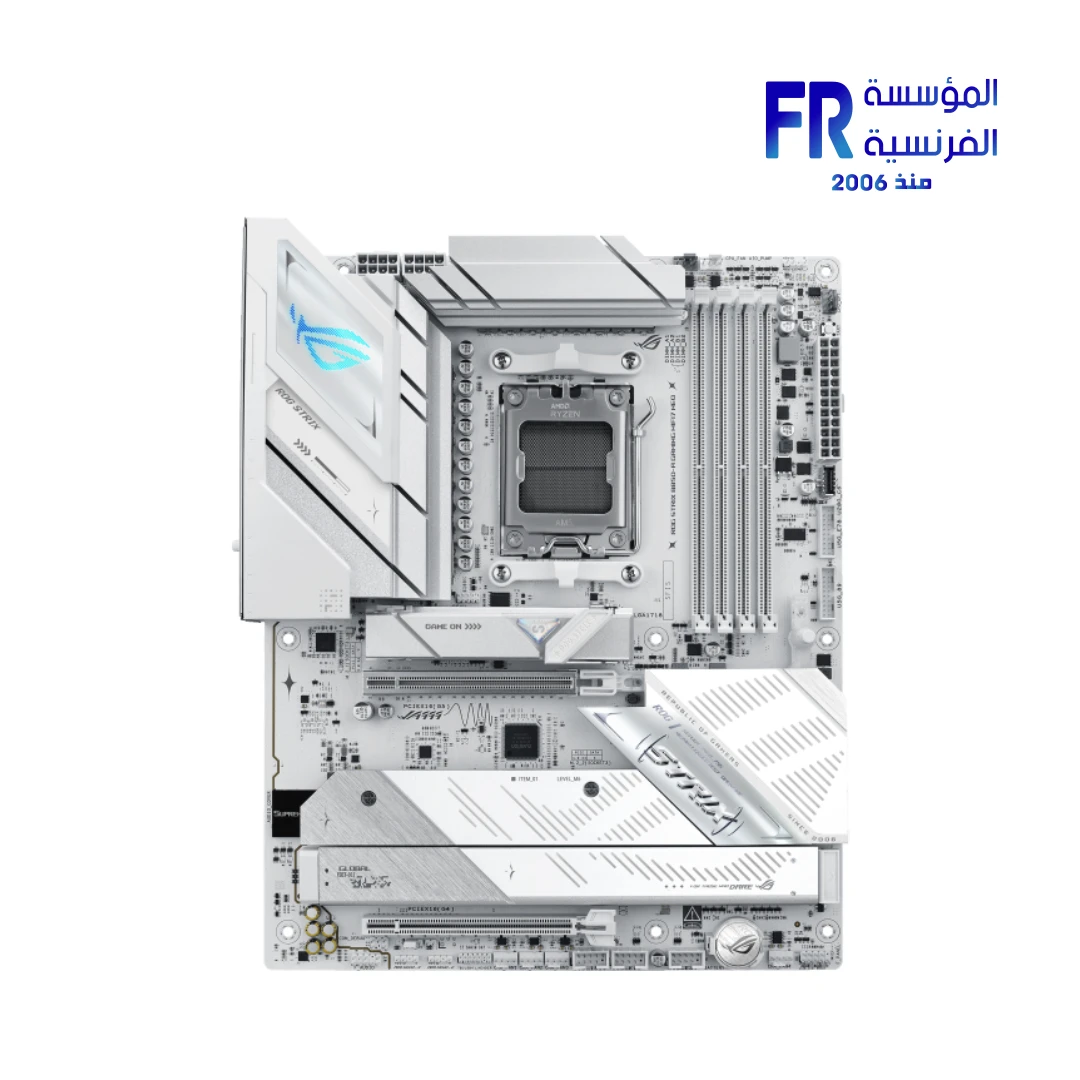
الفتحة الطويلة مش شرط تكون x16 كهربائياً
ممكن فتحة PCIe تكون بطول x16 لكن متوصلة بعدد مسارات أقل. كمان الجيل المدعوم للفتحة والجهاز مهم، وبعض اللوحات بتشارك المسارات بين منافذ أو بتعطّل منفذاً عند استخدام M.2 معين.
إزاي تقرأ مواصفات اللوحة؟
- راجع دليل اللوحة الأم، مش شكل الفتحة فقط.
- حدد الجيل وعرض الاتصال لكل PCIe slot.
- راجع عدد منافذ M.2 وأي مشاركة في المسارات أو منافذ SATA.
- تأكد من مصدر المسارات: المعالج أو الـchipset.
- افحص إعدادات BIOS ومتطلبات الجهاز لو لاحظت سرعة أقل من المتوقع.
هل زيادة المسارات معناها أداء أعلى؟
مش بالضرورة. تأثير عرض الاتصال بيتوقف على الجهاز والجيل وحجم نقل البيانات وطبيعة الحمل. قارن الاختبارات في نفس الظروف بدل الاعتماد على رقم lanes فقط.
الأسئلة الشائعة
هل تركيب SSD في M.2 ممكن يأثر على كارت الشاشة؟
في بعض اللوحات ممكن مشاركة المسارات أو إعدادات التوصيل تغيّر وضع بعض المنافذ؛ راجع دليل الموديل نفسه.
هل PCIe 5.0 لازم لكل كارت شاشة؟
مش كشرط عام؛ التوافق والأداء الفعلي بيعتمدوا على الكارت واللوحة والحمل.
أعرف منين الـslot شغال x16 ولا x8؟
راجع مواصفات اللوحة ودليلها، وبعدها تحقق من حالة الاتصال بأداة موثوقة أثناء تركيب الجهاز.
مصادر رسمية وقراءة إضافية
- PCI-SIG لمعلومات معيار PCI Express.
- Intel Support لمراجعة مواصفات المعالج والمنصة.
- AMD Support لمواصفات ودعم المعالجات.
عدد المسارات وسرعة كل منفذ يعتمدان على الموديل الفعلي وتوصيل اللوحة؛ دليل اللوحة الأم هو المرجع الأساسي قبل الشراء.
خطط للتجميعة قبل الشراء
راجع توافق اللوحة والمعالج وكارت الشاشة وM.2، ثم قارن السعر والضمان. شوف خيارات المكونات على موقع المؤسسة الفرنسية للكمبيوتر، أو تواصل مع المبيعات على واتساب للاستفسار عن التوافق والتوفر الحالي.