

PC PERFORMANCE • COOLING GUIDE
Why Does Your Gaming PC Slow Down in Summer?
Hotter room conditions can make cooling harder. Here is how to tell the difference between normal temperature changes and thermal throttling—and what to check before replacing hardware.
أداء الكمبيوتر • دليل التبريد
ليه أداء الكمبيوتر ممكن يقل في الصيف؟
ارتفاع حرارة الغرفة بيخلّي التبريد أصعب. اعرف إزاي تفرّق بين ارتفاع الحرارة الطبيعي والـ Thermal Throttling، وإيه اللي تراجعه قبل ما تغيّر أي قطعة.
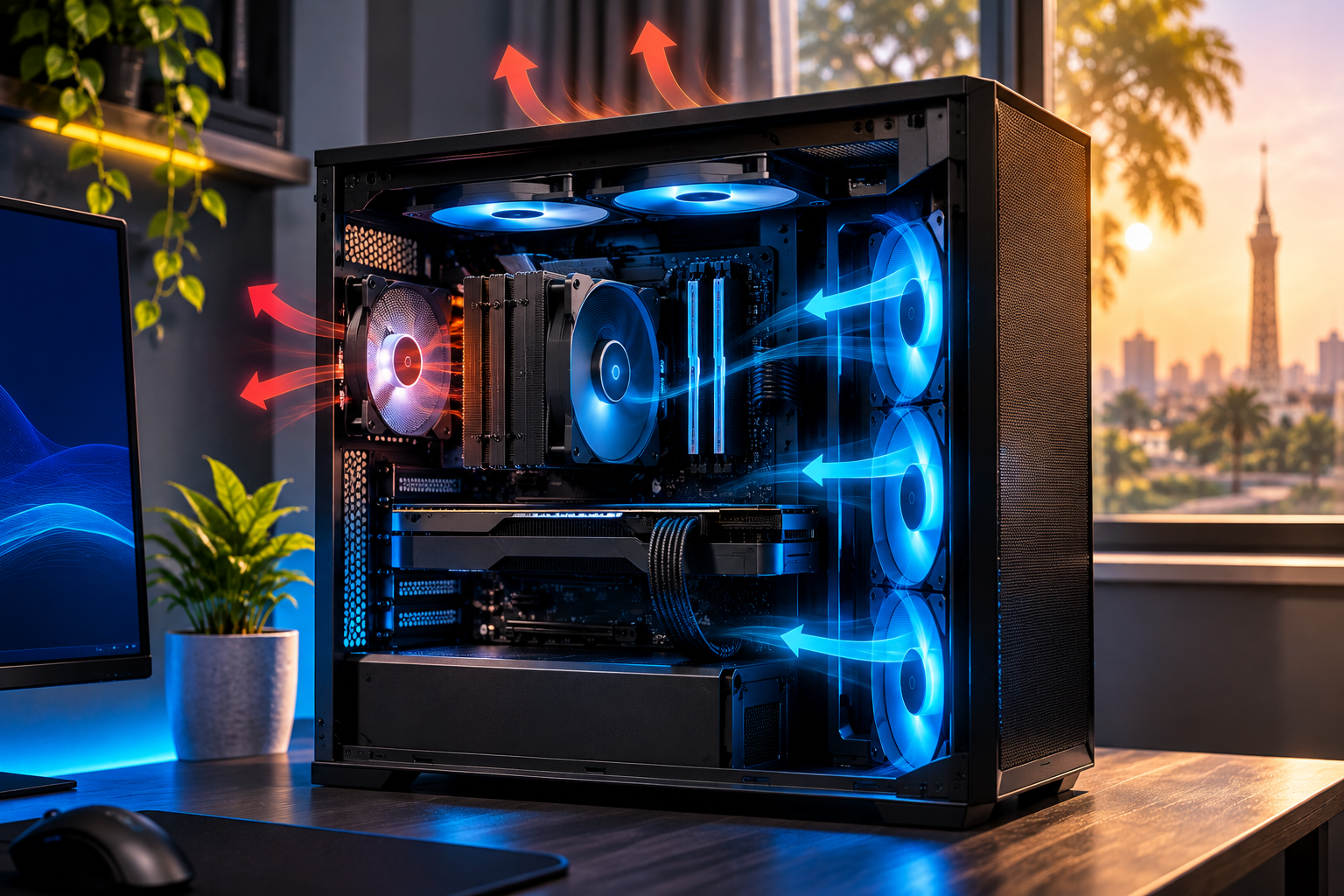
Summer does not automatically make a gaming PC slower. But when the air entering the case is warmer, the cooling system has less temperature difference to work with. Under the same gaming workload, CPU or GPU temperatures may rise, fans may run faster, and a system already close to its thermal limits may reduce performance to protect itself.
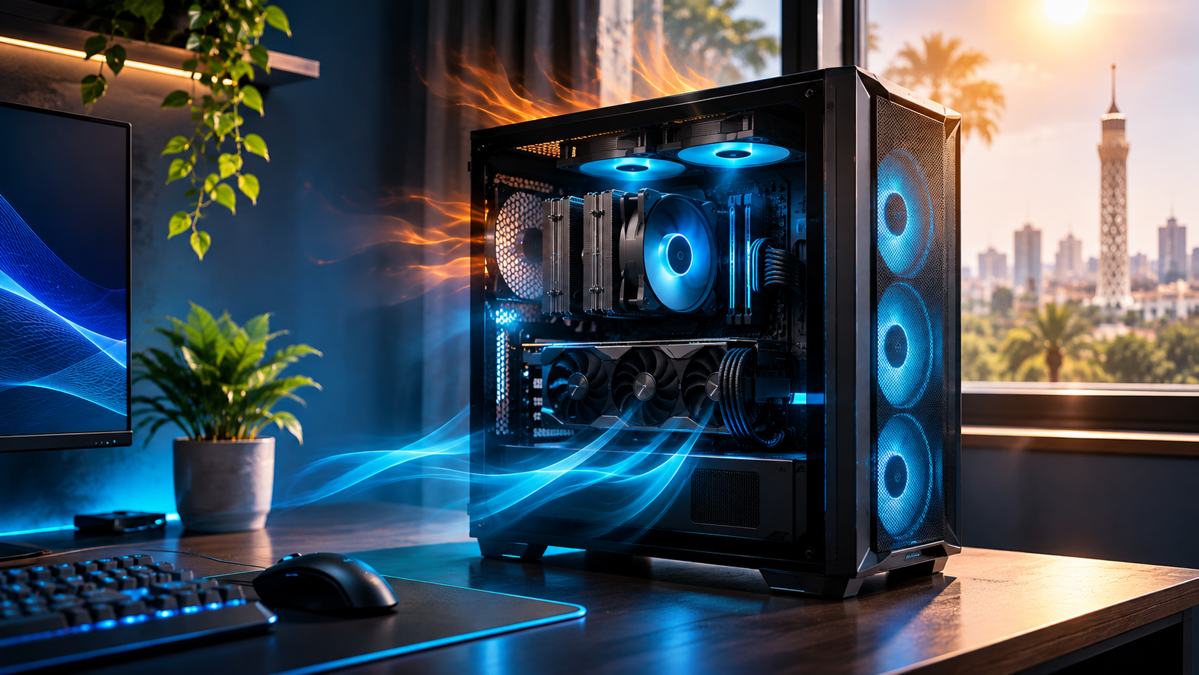
What is thermal throttling?
Thermal throttling is a protective control: when a processor approaches its defined thermal limit, it can reduce power and operating frequency to control heat. Intel explains that throttling can reduce CPU speed and cause stuttering; the exact limits are specific to the processor and system design.
Warmer ambient air
Warm air entering the case reduces the cooling system’s temperature headroom.
Higher component temperature
CPU and GPU temperatures may rise under the same workload, depending on airflow, cooler capacity and fan behaviour.
Protective control
If a component reaches its own thermal control point, it may reduce power or clocks.
Possible performance impact
In a sustained workload, reduced clocks can contribute to lower frame rates or less consistent frame delivery.
How to check whether heat is actually the cause
Compare the same game or repeatable workload in similar conditions. Monitor the CPU and GPU temperature, effective clock speeds, power draw, fan behaviour, and any thermal-limit indicators exposed by the hardware monitoring software. Compare average FPS and frame-time consistency rather than relying on one temperature number.
| What you observe | What it may indicate | What to check next |
|---|---|---|
| Temperature rises but clocks and performance stay stable | Normal temperature variation may be occurring | Keep monitoring under a repeatable workload |
| Temperature approaches the model’s thermal limit and clocks fall | Thermal throttling may be active | Check cooling installation, fans, airflow and model-specific limits |
| Performance falls while temperatures remain moderate | Another limit or background process may be involved | Check power limits, GPU utilisation, memory use and background tasks |
Practical checks before buying new parts
- Make sure the PC has clear intake and exhaust paths; avoid blocking vents.
- Check that case fans and the CPU cooler fan operate as expected.
- Inspect accessible dust filters and clean them according to the case manufacturer’s guidance. Shut down and disconnect the PC before routine external cleaning.
- If using liquid cooling, check the manufacturer’s guidance for pump operation and warning signs.
- Review fan curves and confirm the cooler is suitable for the exact CPU.
- On a laptop or prebuilt system, follow the system manufacturer’s maintenance guidance.
Related Alfrensia guides
- How to choose a PC case: clearance and airflow
- PC bottleneck diagnosis guide
- Air and liquid cooling products
Technical references
- Intel: What Is Throttling and How Can It Be Resolved?
- Intel: Information about Temperature for Intel Processors
- Intel: Overheating Symptoms and Troubleshooting
Planning a cooler, more balanced PC build?
Explore cooling options and compatible components at Alfrensia.
الصيف مش معناه إن الكمبيوتر لازم يبقى أبطأ. لكن لما الهوا اللي داخل الكيسة يكون أسخن، نظام التبريد بيكون عنده فرق حرارة أقل يساعده يشتت الحرارة. مع نفس اللعبة ونفس الحمل، حرارة المعالج أو كارت الشاشة ممكن تزيد، والمراوح تشتغل أسرع، ولو الجهاز قريب بالفعل من حدوده الحرارية ممكن يقلل الأداء لحماية نفسه.
يعني إيه Thermal Throttling؟
دي آلية حماية بتقلل الطاقة أو تردد التشغيل لما المعالج يقرب من الحد الحراري المحدد له، بهدف التحكم في الحرارة. إنتل بتوضح إن ده ممكن يقلل سرعة المعالج ويسبب تقطيع، لكن الحدود بتختلف حسب موديل المعالج وتصميم الجهاز.
هواء الغرفة أسخن
الهوا الدافي اللي داخل الكيسة بيقلل المساحة المتاحة للتبريد.
حرارة أعلى للمكونات
حرارة المعالج وكارت الشاشة ممكن تزيد مع نفس الاستخدام حسب التهوية وقدرة المشتت وسرعة المراوح.
نظام الحماية يتدخل
لو المكوّن وصل لنقطة التحكم الحراري الخاصة بيه، ممكن يقلل الطاقة أو التردد.
تأثير محتمل على الأداء
انخفاض التردد أثناء الضغط المستمر ممكن يقلل الفريمات أو يخلي ثباتها أقل.
إزاي تتأكد إن الحرارة هي السبب؟
اختبر نفس اللعبة أو نفس الحمل في ظروف متقاربة. تابع حرارة المعالج وكارت الشاشة، وتردد التشغيل الفعلي، واستهلاك الطاقة، وسلوك المراوح، وأي مؤشرات للحد الحراري بتظهرها برامج المراقبة. قارن متوسط FPS وثبات الـ Frame Time، ومتكتفيش برقم حرارة واحد.
| الملاحظة | ممكن معناها | تراجع إيه؟ |
|---|---|---|
| الحرارة زادت لكن التردد والأداء ثابتين | ممكن يكون تغير طبيعي في الحرارة | تابع الأداء في اختبار متكرر |
| الحرارة قربت من الحد الخاص بالموديل والتردد قل | ممكن يكون فيه Thermal Throttling | راجع تركيب التبريد والمراوح والتهوية وحدود الموديل |
| الأداء قل والحرارة متوسطة | ممكن يكون فيه حد طاقة أو برنامج بالخلفية | راجع استهلاك الطاقة واستخدام كارت الشاشة والرام والبرامج المفتوحة |
خطوات عملية قبل شراء قطع جديدة
- اتأكد إن مسارات دخول وخروج الهوا مفتوحة ومفيش حاجة سادة الفتحات.
- راجع إن مراوح الكيسة ومروحة المشتت شغالة بشكل طبيعي.
- راجع فلاتر التراب اللي تقدر توصل لها ونضفها حسب تعليمات الشركة. اقفل الكمبيوتر وافصل الكهرباء قبل التنظيف الخارجي المعتاد.
- لو عندك تبريد مائي، اتبع تعليمات الشركة بخصوص المضخة وأي علامات غير طبيعية.
- راجع منحنى المراوح وتأكد إن المشتت مناسب لموديل المعالج بالضبط.
- في اللابتوب أو الأجهزة الجاهزة، اتبع تعليمات الصيانة الخاصة بالشركة المصنعة.
أدلة مرتبطة من المؤسسة الفرنسية للكمبيوتر
المصادر التقنية
- إنتل: شرح الـ Throttling وطرق التعامل معاه
- إنتل: معلومات درجات حرارة المعالجات
- إنتل: أعراض السخونة وخطوات الفحص
بتجهز تجميعة متوازنة وتبريد مناسب؟
استكشف حلول التبريد والمكونات المتوافقة من المؤسسة الفرنسية للكمبيوتر.