

PC BASICS • MEMORY GUIDE
One RAM Stick or Two? Why Dual-Channel Memory Matters
Choosing 16GB or 32GB is only part of the decision. How your memory is installed can affect available bandwidth—and the correct slots depend on your motherboard.
أساسيات الكمبيوتر • دليل الرامات
رام واحدة ولا قطعتين؟ ليه الـ Dual Channel مهم؟
اختيار 16GB أو 32GB مش كل الحكاية. طريقة تركيب الرام ممكن تأثر على عرض النطاق المتاح، وأماكن التركيب الصحيحة بتختلف حسب الماذربورد.
Two PCs can have the same total RAM capacity and still use memory differently. A single module on a typical dual-channel desktop platform may leave one memory channel unused. Two suitably matched modules installed in the correct slots can enable dual-channel operation, increasing the theoretical memory bandwidth available to the CPU.
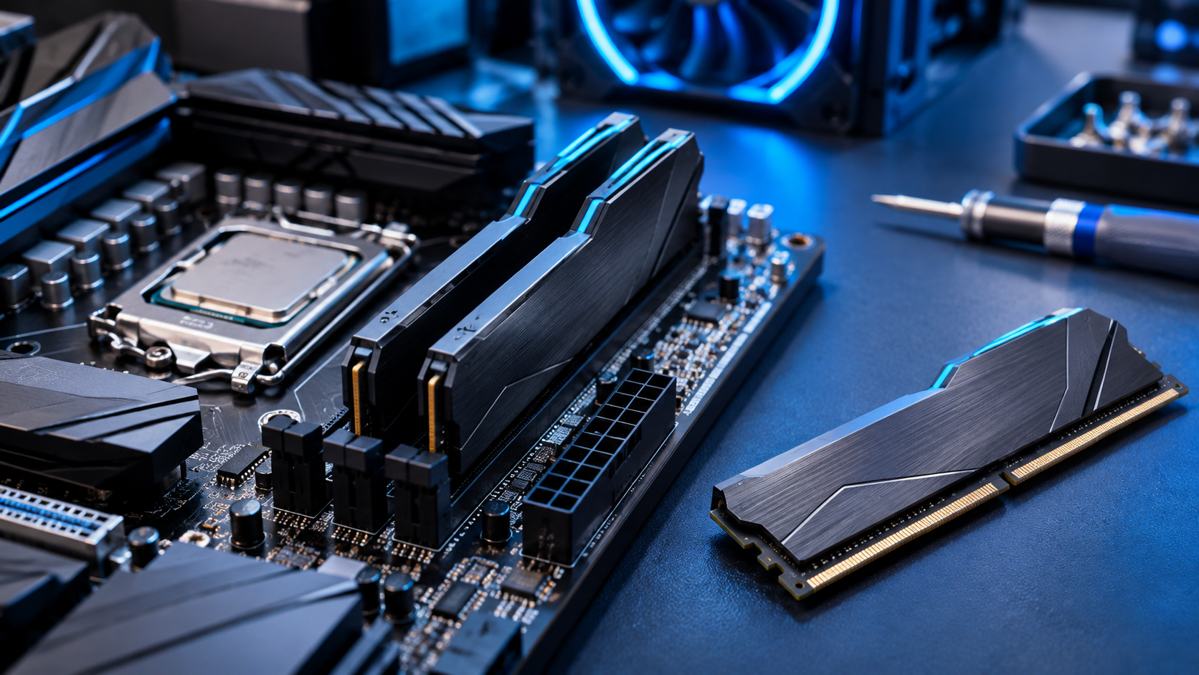
What is a memory channel?
A memory channel is a data pathway between the processor’s memory controller and system RAM. In a common dual-channel desktop platform, the controller can use two channels. When both channels are populated in a supported, balanced configuration, data transfers can be interleaved across them to provide more bandwidth.
One module
On a typical dual-channel desktop board, one stick is commonly a single-channel configuration. It may still provide enough capacity, but the available memory bandwidth can be lower.
Two modules
Two compatible modules installed across the correct channels can enable dual-channel mode. This can be especially relevant when integrated graphics uses system memory.
How should you install two sticks?
Do not assume that adjacent slots are the correct pair. On many four-slot motherboards, the recommended pair is A2 and B2, often the second and fourth slots from the CPU—but this is not universal. Follow the motherboard manual’s memory installation diagram.
*A2 and B2 are common recommendations, not a universal rule. Follow the exact motherboard manual.
| Configuration | Typical result | What to remember |
|---|---|---|
| One stick in one channel | Usually single-channel | Capacity may be sufficient, but bandwidth is limited to one channel |
| Two matched sticks across both channels | Usually dual-channel | Use the motherboard’s recommended slots |
| Different capacities across channels | May use a flex/asymmetric mode | Some address ranges can operate differently; check platform documentation |
| Mixed speeds or timings | May run at a common supported setting | Check CPU and motherboard compatibility before mixing kits |
Does dual-channel matter for gaming?
It can, but the size of the difference varies. Systems using integrated graphics can be more sensitive because the graphics processor shares system memory bandwidth. With a discrete graphics card, the effect depends more heavily on the game and whether the CPU is constrained by memory bandwidth. Do not treat a guaranteed FPS uplift as a buying promise.
Before you buy or upgrade
- Check the motherboard manual for supported slot combinations.
- Confirm the memory generation supported by your motherboard and processor.
- For the simplest configuration, choose a matched kit with the capacity and speed you need.
- After installation, check that the full capacity is detected and that the system reports the expected memory mode and speed.
- Enable memory profiles only when supported by your platform and memory kit, and use the motherboard manufacturer’s instructions.
Technical references
- Intel: How to Choose RAM for a Gaming PC
- Intel: DDR4/DDR5 Memory Module Installation on Supported 600-Series Motherboards
- Intel: Why Memory Speed May Not Reach the Maximum Rated Speed
Planning a RAM upgrade?
Check compatibility with your processor and motherboard before choosing a memory kit.
ممكن تلاقي جهازين بنفس سعة الرام لكن طريقة تشغيل الذاكرة مختلفة. في أغلب منصات الكمبيوتر المكتبي اللي بتدعم Dual Channel، تركيب قطعة واحدة ممكن يسيب قناة ذاكرة من غير استخدام. قطعتين متوافقتين ومتركبين في الشقوق الصحيحة ممكن يشغّلوا القناتين، وده يزود عرض النطاق النظري المتاح للمعالج.
يعني إيه Memory Channel؟
قناة الذاكرة هي مسار نقل البيانات بين متحكم الذاكرة داخل المعالج والرام. في منصات الديسكتوب الشائعة اللي بتدعم قناتين، تركيب الرام بشكل متوازن ومتوافق على القناتين بيسمح بنقل البيانات بينهم بالتبادل، وده يوفر Bandwidth أعلى.
قطعة رام واحدة
في أغلب الماذربوردات المكتبية اللي بتدعم قناتين، قطعة واحدة غالباً بتشتغل Single Channel. السعة ممكن تكون كافية، لكن عرض النطاق بيكون أقل.
قطعتين رام
قطعتين متوافقتين ومتركبين على القناتين الصح ممكن يشغّلوا Dual Channel. وده مهم بشكل خاص لو كارت الشاشة مدمج وبيستخدم رام الجهاز.
أركّب القطعتين في أنهي شقوق؟
متفترضش إن الشقوق اللي جنب بعض هي الاختيار الصح. في ماذربوردات كتير بأربع شقوق، الزوج الموصى بيه بيكون A2 وB2، وغالباً الشق التاني والرابع من ناحية المعالج، لكن ده مش قانون ثابت. ارجع لرسم تركيب الرام في كتالوج الماذربورد.
*الشقّان A2 وB2 اختيار شائع، لكنه مش قاعدة لكل الماذربوردات. اتبع دليل موديلك بالتحديد.
| التكوين | النتيجة المعتادة | خلي بالك من إيه؟ |
|---|---|---|
| قطعة واحدة على قناة واحدة | غالباً Single Channel | السعة ممكن تكون كافية لكن الـ Bandwidth أقل |
| قطعتين متوافقتين على القناتين | غالباً Dual Channel | استخدم الشقوق الموصى بيها في دليل الماذربورد |
| سعات مختلفة على القناتين | ممكن Flex أو Asymmetric Mode | بعض أجزاء الذاكرة ممكن تشتغل بطريقة مختلفة حسب المنصة |
| سرعات أو Timings مختلفة | ممكن تشتغل على إعداد مشترك مدعوم | راجع توافق المعالج والماذربورد قبل خلط أطقم مختلفة |
هل الـ Dual Channel مهم للألعاب؟
ممكن يكون مهم، لكن حجم الفرق بيختلف. الأجهزة اللي بتستخدم كارت شاشة مدمج بتكون أكثر حساسية لأن المعالج الرسومي بيشارك الرام. مع كارت شاشة منفصل، التأثير بيعتمد بدرجة أكبر على اللعبة وهل المعالج محدود بعرض نطاق الذاكرة. متعتبرش زيادة FPS مضمونة في كل الحالات.
قبل ما تشتري أو تطوّر الرام
- راجع كتالوج الماذربورد لمعرفة الشقوق المدعومة.
- اتأكد من جيل الرام اللي الماذربورد والمعالج بيدعموه.
- لأبسط تكوين، اختار Kit متطابق بالسعة والسرعة اللي محتاجها.
- بعد التركيب، اتأكد إن الجهاز شايف السعة كاملة وإن وضع الذاكرة والسرعة ظاهرين بشكل صحيح.
- فعّل Memory Profiles فقط لو المنصة والرام بيدعموها، واتبع تعليمات الشركة المصنعة للماذربورد.
المصادر التقنية
- إنتل: اختيار الرام المناسبة للألعاب
- إنتل: تركيب DDR4 وDDR5 على ماذربوردات مدعومة
- إنتل: ليه سرعة الرام ممكن تكون أقل من الحد المعلن؟
بتخطط لترقية الرام؟
راجع التوافق مع المعالج والماذربورد قبل اختيار طقم الذاكرة.