


GPU memory—usually called VRAM—stores data the graphics processor needs quickly, including textures, frame buffers and other workload resources. The right amount depends on resolution, game settings, applications and project size. A graphics card with more VRAM is not automatically faster, but running out of available memory can limit settings or performance in some workloads.
What does VRAM do?
VRAM is the graphics card’s dedicated memory. It holds resources the GPU needs during rendering and computation. The amount required varies with the workload: texture quality, output resolution, scene complexity, project assets, model size and software features can all change memory use.
VRAM is different from system RAM. System RAM supports the operating system and running applications, while VRAM is local to the graphics processor. Some workloads can use system memory when GPU memory is under pressure, but this is not equivalent to having enough local VRAM for the task.
When does VRAM capacity matter?
Capacity becomes important when the workload’s active resources approach or exceed the memory available to the GPU. Symptoms can include stuttering, reduced performance, texture-quality compromises, out-of-memory errors or an inability to use certain project settings. These symptoms can also have other causes, so measure usage and check the application’s own requirements before blaming VRAM.
Gaming: resolution and settings change memory use
Higher resolutions require larger frame buffers, and demanding texture settings can increase memory use. Large game worlds, high-resolution assets, mods and ray-tracing features may also affect the workload. However, VRAM requirements differ by game and engine, so a single capacity recommendation cannot guarantee smooth performance across every title.
Compare benchmarks that use the same game, resolution, graphics settings and test conditions. Look at frame-time consistency and observed performance—not only average FPS or the memory number printed on the box.
Creative applications and local AI
Video editing, 3D rendering, visualisation and local AI workloads can have very different memory needs. Large timelines, high-resolution effects, complex scenes or larger AI models may require more GPU memory. Check the software vendor’s hardware guidance and the specific model or project requirements before choosing a card.
For AI workloads, memory capacity can determine which model sizes or settings are practical, but compatibility, compute performance, software support, quantisation and system RAM matter too. A card with more VRAM is not automatically the best value for every task.
How to compare graphics cards fairly
| Factor | What to verify |
|---|---|
| Exact model | Board-partner SKU, memory type and capacity |
| Workload | Games, applications, projects and supported features |
| Resolution/settings | Target resolution, textures, effects and output quality |
| Performance | Independent benchmarks with matching test conditions |
| System fit | Power supply, connectors, case clearance and cooling |
| Total value | Current local price, warranty and performance for your use |
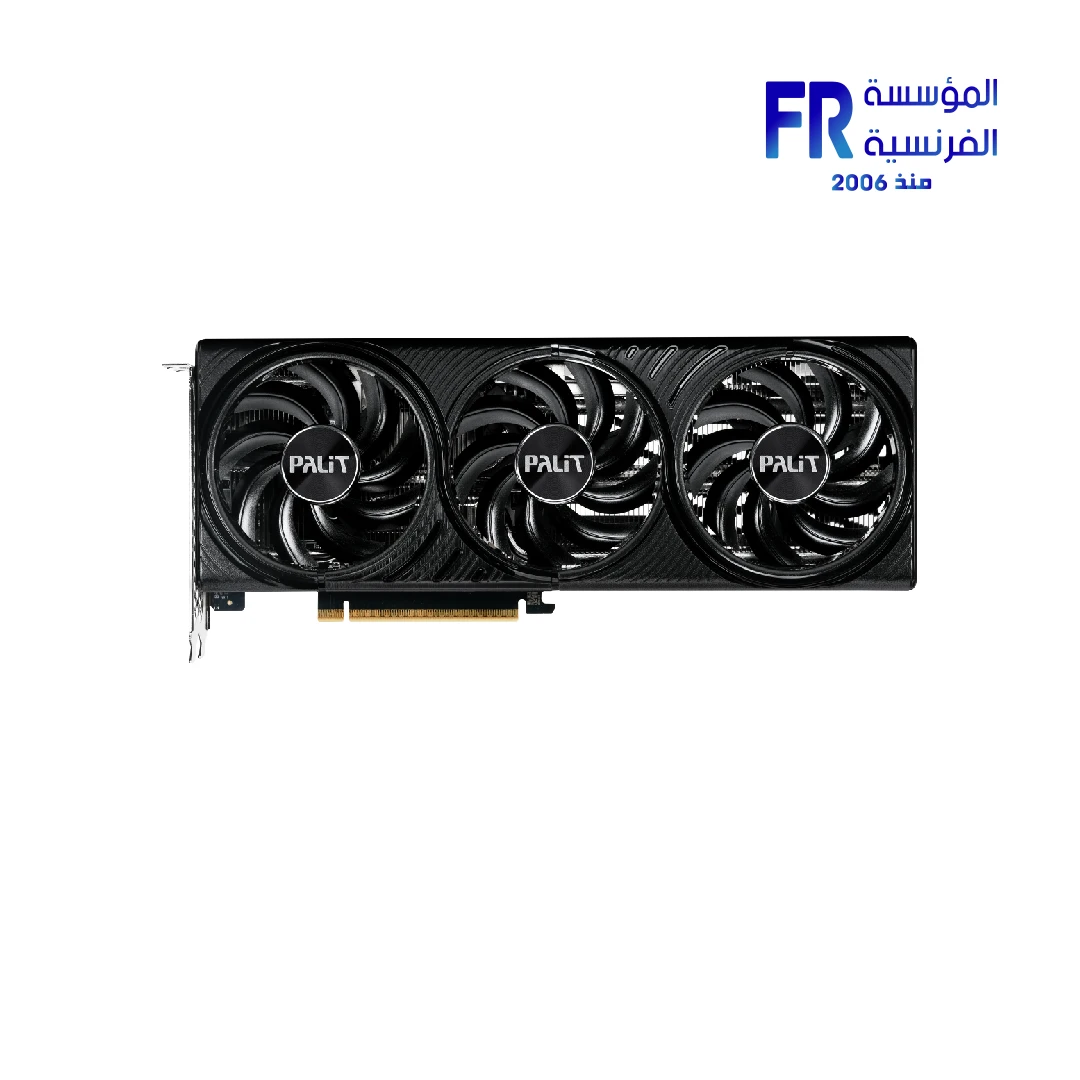
For a concrete example, review the Palit GeForce RTX 5060 Ti Infinity 3 OC 16GB GDDR7 product listing. The 16GB figure describes its memory capacity; it is not, by itself, a promise of a particular frame rate or application performance.
If you are comparing higher GPU tiers, the PNY GeForce RTX 5070 Ti 16GB GDDR7 is another product example to compare by its full specifications, benchmarks and price.
Frequently asked questions
Does more VRAM always mean a faster GPU?
No. GPU architecture, compute performance, memory bandwidth, cooling, power limits and software all affect speed. More capacity helps only when the workload can benefit from it.
Can VRAM replace system RAM?
No. They serve different roles. Check both memory requirements for the applications you use.
How can I tell if a game needs more VRAM?
Check official requirements, monitor GPU memory use during the game, and compare repeatable tests at the settings you actually use. Memory usage alone is not proof of a bottleneck.
Sources
- NVIDIA GeForce graphics cards: official product and specification information
- Alfrensia product listing: Palit GeForce RTX 5060 Ti 16GB
- Alfrensia product listing: PNY GeForce RTX 5070 Ti 16GB
Next step: Write down your target games or applications and settings, then compare exact GPU models using matching benchmarks and verified specifications.
Choose a GPU for your workload
Compare exact specifications, memory capacity, current price and warranty before ordering.
View Palit RTX 5060 Ti 16GB · View PNY RTX 5070 Ti 16GB
alfrensia.com — Alfrensia, French Establishment for Computers
يعني إيه VRAM؟
VRAM هي الذاكرة المخصصة لكارت الشاشة وبتخزن بيانات يحتاجها الـGPU أثناء الرسم والمعالجة. السعة المناسبة بتختلف حسب الدقة والإعدادات وحجم المشروع ونوع التطبيق، وهي مختلفة عن RAM الجهاز.
إمتى سعة VRAM تفرق؟
السعة بتفرق لما الموارد المطلوبة تقرب من المتاح أو تتجاوزه. ممكن تلاحظ تقطيع أو انخفاض أداء، لكن الأعراض دي لها أسباب أخرى؛ راقب الاستخدام وراجع متطلبات البرنامج قبل الحكم.
الألعاب والتصميم والـAI
الدقة العالية والخامات الثقيلة ومشروعات المونتاج والرندر ونماذج AI الكبيرة ممكن تحتاج ذاكرة أكثر. الاحتياج بيختلف من لعبة أو برنامج للتاني، والسعة الأكبر مش معناها تلقائياً أداء أسرع.
إزاي تقارن؟
- راجع الموديل الدقيق ونوع وسعة الذاكرة.
- حدد الألعاب أو البرامج والإعدادات المستهدفة.
- قارن اختبارات مستقلة بظروف متشابهة.
- راجع مزود الطاقة والتوصيلات ومساحة الكيسة والتبريد.
- قارن السعر الحالي والضمان والأداء مقابل استخدامك.
الأسئلة الشائعة
هل VRAM الأكبر معناها GPU أسرع دائماً؟
لأ؛ المعمارية وقوة المعالجة وعرض نطاق الذاكرة والتبريد والطاقة كلها بتأثر.
هل VRAM تعوّض RAM الجهاز؟
لأ، لكل واحدة وظيفة مختلفة.
قارن قبل ما تشتري
راجع المواصفات والسعر والتوافر الحالي والضمان قبل الطلب.
Palit RTX 5060 Ti 16GB · موقع المؤسسة الفرنسية للكمبيوتر
للاستفسار عن سعة VRAM المناسبة لاستخدامك والموديلات المتاحة، تواصل مع المبيعات على واتساب.