


Ethernet vs Wi-Fi for Gaming: Ping, Stability, and Packet LossEthernet مقابل Wi-Fi للألعاب: البنغ والاستقرار وفقدان الحزم
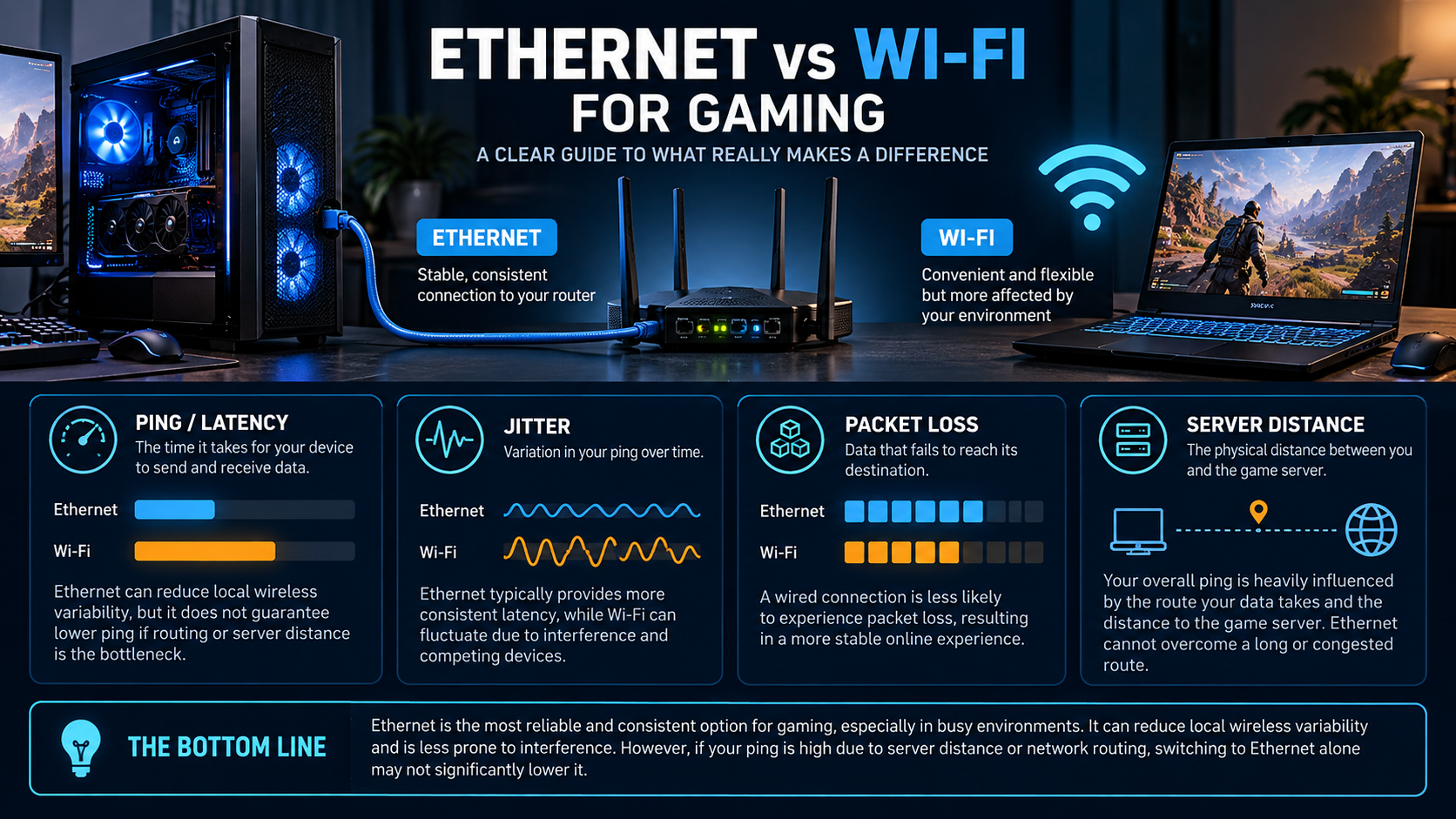
A fast internet package does not guarantee low ping or a stable game connection. For gaming, latency, jitter and packet loss can matter as much as download speed. Ethernet is often the best first test for reducing local wireless variability, but it cannot fix every cause of high ping—especially congestion or a distant game server.
Ping, latency, jitter and packet loss
Latency is the time data takes to travel to a destination and back. Ping is commonly used for the measured round-trip time, usually reported in milliseconds. Jitter describes variation in latency over time, while packet loss means some packets fail to reach their destination. These problems can cause different symptoms, so a single speed-test result is not enough to diagnose gaming lag.
When Ethernet helps
A wired Ethernet link avoids local Wi-Fi radio interference and fluctuating wireless signal quality. That can improve consistency, particularly when the PC is far from the router, separated by walls, or competing with many wireless devices. It does not automatically lower ping to every game server, and it cannot remove delays caused by ISP routing, server load or congestion elsewhere.
Use a sound cable and a working router port. A Cat 5e or Cat 6 cable can be suitable for common home gigabit connections when the equipment and cable run support it. The cable category alone does not guarantee internet speed or low latency.
When Wi-Fi can work well
Modern Wi-Fi can provide a good gaming connection when signal strength is strong, the access point is well placed, and local congestion is low. Performance may be less consistent when the signal passes through several walls, the band is crowded, or many devices compete for airtime.
- Place the router in an open, central location when practical.
- Reduce unnecessary distance and obstacles between the PC and access point.
- Use a suitable Wi-Fi band supported by both the router and adapter, then test rather than assuming one band is always better.
- Update network-adapter and router firmware using the manufacturers’ supported releases.
A fair connection test
- Use the same game server and similar time of day for each test.
- Record in-game ping, jitter if shown, and packet loss—not just download speed.
- Test over Ethernet if available, then repeat over Wi-Fi from the normal playing location.
- Repeat the test more than once; one short sample can be misleading.
- Compare results while other household devices are quiet and again during typical household use.
If Ethernet improves the result substantially, the local Wi-Fi link may be part of the problem. If both connections show similar high ping, investigate the game server region, ISP route, router load and broader congestion before buying new networking hardware.
Troubleshooting checklist
| Symptom | First checks |
|---|---|
| High ping but no packet loss | Check server region, route, and whether latency rises at busy times. |
| Ping spikes on Wi-Fi | Test Ethernet, improve signal, reduce interference and compare bands. |
| Packet loss on Ethernet | Try a known-good cable and another router port; check router and ISP status. |
| Lag when others stream or download | Check household congestion and router traffic-management features. |
| Both wired and wireless are unstable | Compare another device and destination; contact the ISP if evidence points beyond the local network. |
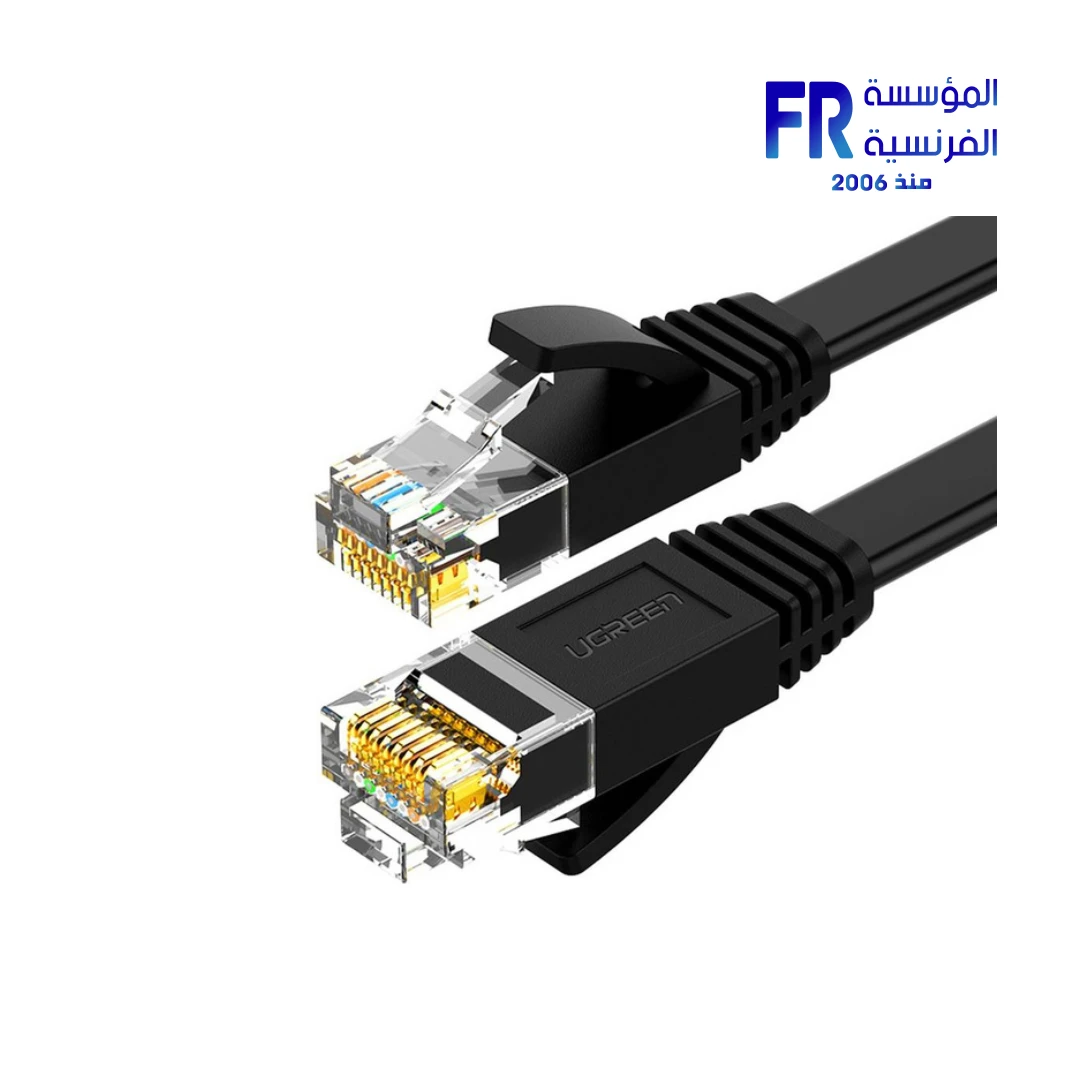
For a real cable example, review the UGREEN Cat6 Ethernet cable. It is an example of a wired connection option, not a guarantee of lower ping for every setup.
Frequently asked questions
Will Ethernet always lower my ping?
No. It can make the local link more consistent, but server distance, ISP routing and congestion can still determine most of the latency.
Does a faster internet plan always reduce lag?
No. Higher bandwidth helps when throughput is the bottleneck, but latency, jitter, packet loss and congestion are separate factors.
Should I buy a gaming router to fix ping?
Not before testing. Identify whether the problem is Wi-Fi signal, local congestion, router load or the external route; hardware upgrades only help when they address the actual cause.
Sources
- Intel: What to know about wired or wireless internet for gaming
- Intel: How to troubleshoot packet loss
Next step: Compare repeated results over Ethernet and Wi-Fi before spending money on a new router, adapter or internet plan.
Compare options before you buy
Check the exact model, compatibility, current availability and warranty terms.
alfrensia.com — Alfrensia, French Establishment for Computers
Ethernet ولا Wi-Fi للألعاب؟
الاتصال السلكي غالباً بيقدم ثباتاً أعلى وتذبذباً أقل في ظروف البيت المعتادة، بينما Wi-Fi بيدي مرونة ومناسب لو تمديد الكابل صعب. النتيجة الفعلية بتعتمد على الراوتر والتداخل والمسافة والازدحام ومزود الإنترنت.
افهم Ping وJitter وPacket Loss
- Ping: زمن وصول البيانات للوجهة والعودة، وغالباً بيتقاس بالمللي ثانية.
- Jitter: مقدار تغير زمن الاستجابة من لحظة للتانية.
- Packet loss: نسبة الحزم اللي ما بتوصلش؛ حتى النسبة الصغيرة ممكن تأثر على اللعب.
إزاي تحسن الاتصال؟
- جرّب Ethernet بكابل سليم لو متاح.
- لو Wi-Fi ضروري، قرّب الجهاز من الراوتر وقلل العوائق والتداخل.
- استخدم نطاق التردد والقناة المناسبة حسب البيئة وقدرات الجهاز.
- وقف التنزيلات والنسخ السحابي الكثيف وقت اللعب أو استخدم QoS لو الراوتر بيدعمه بشكل صحيح.
- اختبر ping وpacket loss للراوتر ولوجهة خارجية، وقارن أوقات مختلفة.
- لو المشكلة مستمرة، افحص ازدحام الشبكة ومشاكل مزود الخدمة قبل شراء جهاز جديد.
هل Wi-Fi 7 يضمن Ping أقل؟
لأ؛ المعيار الأحدث ممكن يحسن السعة والكفاءة في ظروف مناسبة، لكنه مش بيزيل تأخير الإنترنت أو ازدحام الشبكة تلقائياً.
الأسئلة الشائعة
هل تغيير DNS يقلل Ping في الألعاب؟
عادةً DNS بيأثر على تحويل اسم الخادم إلى عنوان، مش على زمن كل حزمة أثناء اللعب بعد الاتصال.
هل سرعة الإنترنت الأعلى تعني Ping أقل؟
مش بالضرورة؛ السرعة وعوامل التأخير والازدحام مقاييس مختلفة.
أعمل إيه لو الـPing كويس لكن فيه تقطيع؟
افحص jitter وpacket loss واستقرار Wi-Fi وحمل الشبكة، وسجل النتائج أثناء حدوث المشكلة.
راجع تجهيزات الشبكة
قارن منفذ الشبكة والراوتر والكابل والتوافق قبل شراء أي ترقية. راجع موقع المؤسسة الفرنسية للكمبيوتر، أو تواصل مع المبيعات على واتساب للاستفسار عن خيارات الشبكات المتاحة.