


ALFRENSIA PC BUILD GUIDE · 7 MIN READ
Choosing a PSU starts with the exact graphics card and the rest of the system. Wattage, power quality, connector compatibility, transient-load support, case fit and warranty all matter; the biggest number on the label is not a guarantee of suitability.
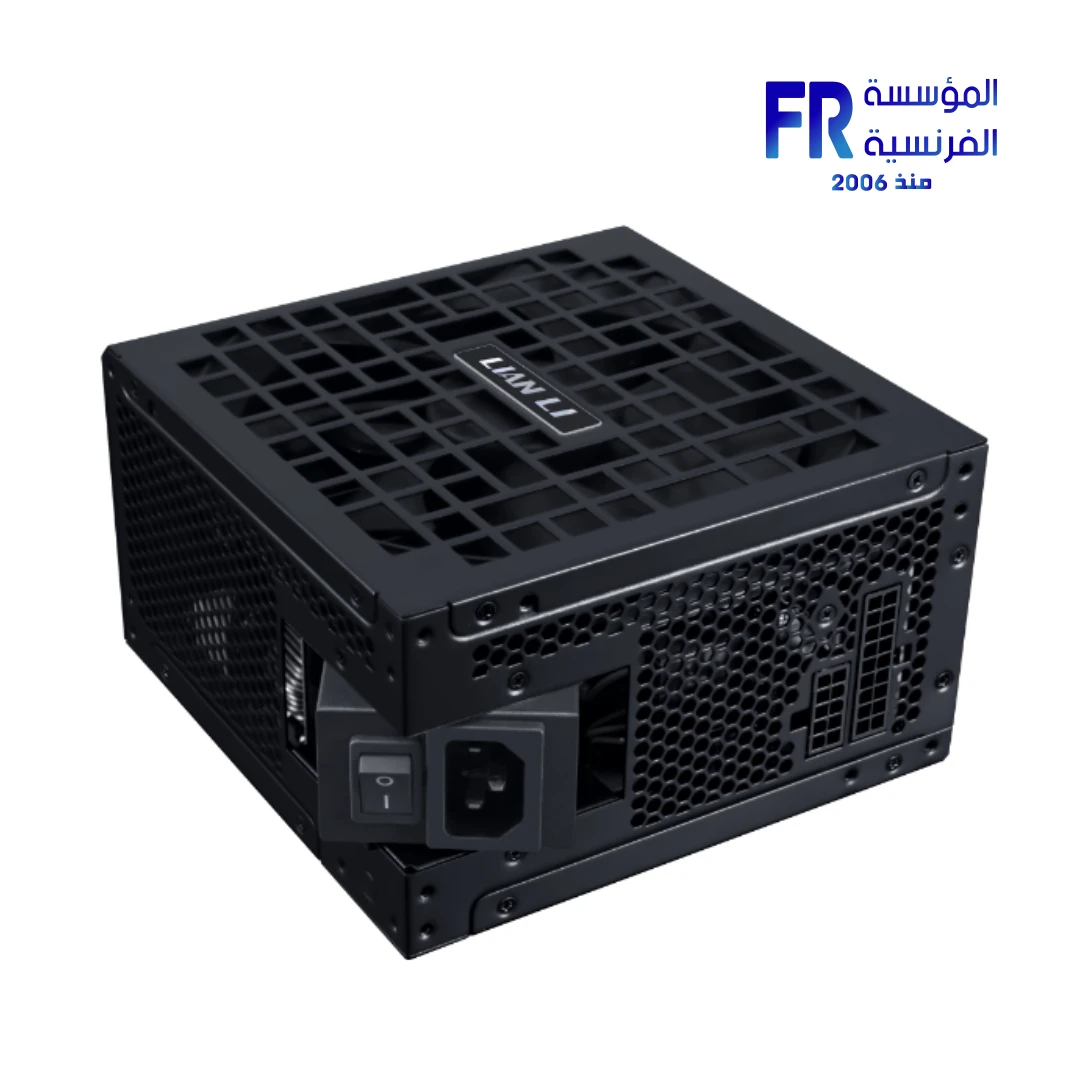
This guide explains how to select a PSU for a gaming or creator PC without relying on a one-size-fits-all wattage calculator or assuming every graphics card with the same GPU name uses identical power.
1. Start with the exact graphics card model
Look up the precise model you intend to buy—not only the GPU family. Board-partner cards can use different power limits, connectors, cooling designs, and dimensions. Check the manufacturer’s product page and installation guide for the card’s power requirement and connector arrangement.
As an example, NVIDIA’s reference guidance lists required system power of 550W for the RTX 5060, 600W for the RTX 5060 Ti, 650W for the RTX 5070, 750W for the RTX 5070 Ti, and 1000W for the RTX 5090. These figures are reference guidance, not a promise that every model or every complete PC should use exactly that wattage. Confirm the recommendation for the exact retail card and account for the rest of the system.
Official reference: NVIDIA GeForce graphics-card specifications and power guidance.
2. Account for the whole PC
The graphics card is often a major power consumer, but it is not the only one. The CPU, motherboard, memory, drives, cooling pumps, fans, USB-powered devices, and expansion cards all contribute to the system’s requirements.
A system with a high-power CPU, several drives, many fans, or plans for a future GPU upgrade may need a different PSU choice from a basic build using the same graphics card. Use the GPU maker’s recommendation as a starting point, then check the CPU and complete configuration.
3. Check the connectors before buying
Do not assume that a PSU is compatible because its wattage is sufficient. Check the exact GPU’s power input and the PSU’s included cables.
- PCIe 6+2-pin connectors: some cards use conventional PCIe power connectors. Confirm the number required and follow the GPU maker’s cable guidance.
- 12V-2×6 or other high-power GPU connection: some newer cards use a dedicated high-power connector or a manufacturer-supplied adapter. Verify the exact PSU cable and card instructions.
- Native cable versus adapter: use only a compatible cable intended for that PSU model. Modular PSU cables are not universally interchangeable—even when the plugs fit.
- Separate cable runs: if the GPU or PSU manufacturer specifies separate cables for an adapter or multiple connectors, follow that instruction rather than improvising.
Never force a connector. Follow the component manuals, fully seat the connector, and ensure the cable is routed without excessive strain at the plug.
4. PSU quality matters as much as the number on the label
Wattage describes a rated output capability; it does not by itself tell you how well the unit handles heat, electrical load changes, voltage regulation, noise, or long-term use. Compare reputable independent reviews of the exact PSU model and revision when available.
Check the manufacturer’s warranty, protections, operating temperature rating, noise behaviour, and whether the unit has the cables your build needs. An efficiency certification can help describe efficiency under specified test conditions, but it is not a complete quality rating.
5. What do ATX 3.x and PCIe 5.x mean?
Newer power-supply standards and native high-power GPU cables can make a build simpler when the PSU, cable, and graphics card are all designed for the same connection. But the label alone does not prove that every PSU is the right choice for every GPU. Confirm the required connector, power capability, cable compatibility, and instructions from the actual manufacturers.
6. Leave sensible room for your system
A PSU should not be selected so tightly that normal load changes or a planned upgrade make the system unsuitable. At the same time, buying an unnecessarily large unit does not automatically improve performance or stability. Choose an appropriate, well-reviewed model for the actual build and upgrade plan.
Before finalising your choice, write down the CPU model, GPU model, motherboard, number of drives, cooling equipment, and any planned upgrades. Then compare the complete requirements with the PSU manufacturer’s specifications.
Use the graphics card maker’s guidance and verify the exact PSU connectors and cable requirements.A product example such as the Lian Li RS1000G 1000W ATX 3.1 PSU is a reference for checking the full specifications—not a wattage recommendation for every PC.
PSU selection checklist
- Exact graphics-card model and its recommended system power checked.
- CPU and other system components accounted for.
- Correct GPU power connectors and sufficient compatible cables available.
- PSU model and revision reviewed—not just its brand and wattage.
- Modular cables confirmed to belong to the exact PSU model.
- Physical PSU dimensions and case clearance verified.
- Warranty, protections, and independent testing considered.
- Future upgrade plans considered without overspending on unused capacity.
Common mistakes to avoid
- Buying by wattage alone without checking connector requirements.
- Assuming two cards with the same GPU use identical power.
- Reusing modular cables from a different PSU model.
- Treating an efficiency badge as proof of overall quality.
- Choosing a PSU before deciding on the CPU and GPU combination.
- Assuming a higher-wattage unit will fix unrelated stability or thermal problems.
Frequently asked questions
Is a higher-wattage PSU always better?
No. The PSU should meet the complete system’s requirements and come from a suitable, well-reviewed design. Extra wattage beyond the build’s needs is not automatically an improvement.
Can I use my old PSU with a new GPU?
Possibly. Check the exact GPU recommendation, PSU model and condition, available connectors, cable compatibility, and the full system load before reusing it.
Can I use any modular cable that fits?
No. Modular cable pinouts can differ between PSU models. Use only cables approved for the exact unit.
Should I buy a PSU for a future GPU?
It can make sense if the upgrade plan is realistic. Check the likely future card’s power, connector, and case requirements, then compare the cost of buying suitable capacity now versus later.
Sources
- NVIDIA — GeForce graphics-card specifications and system-power guidance
- NVIDIA — RTX 5070 family power and connector specifications
Always verify the exact card and PSU documentation before purchasing. Specifications and included cables vary by model.
دليل تجميع الكمبيوتر من المؤسسة الفرنسية للكمبيوتر · 7 دقائق
اختيار مزود الطاقة PSU بيبدأ من موديل كارت الشاشة بالضبط وباقي مكونات الجهاز. القدرة بالواط، جودة التصميم، توافق الموصلات والكابلات، التعامل مع تغيرات الحمل، المقاس والضمان كلها عوامل مهمة. أكبر رقم على الملصق مش ضمان إن المزود مناسب.
الدليل ده بيساعدك تختار PSU لجهاز Gaming أو Creator من غير الاعتماد على رقم ثابت يناسب كل التجميعات، ومن غير افتراض إن كل كروت الشاشة اللي بتستخدم نفس اسم الـGPU لها نفس استهلاك الطاقة.
1. ابدأ بموديل كارت الشاشة بالضبط
ابحث عن رقم الموديل الكامل للكارت اللي هتشتريه، مش اسم عائلة الـGPU بس. الكروت من الشركات المختلفة ممكن تختلف في حدود الطاقة والموصلات والتبريد والأبعاد. راجع صفحة المنتج ودليل التركيب لمعرفة توصية الطاقة وتوزيع الموصلات.
كتوجيه مرجعي، بتذكر NVIDIA احتياج طاقة نظام قدره 550W لـRTX 5060 و600W لـRTX 5060 Ti و650W لـRTX 5070 و750W لـRTX 5070 Ti و1000W لـRTX 5090. دي أرقام مرجعية وليست قاعدة مضمونة لكل موديل أو كل جهاز. تأكد من توصية الكارت التجاري المحدد واحسب بقية المكونات.
المصدر الرسمي: مقارنة مواصفات كروت NVIDIA وتوصيات الطاقة.
2. احسب احتياج الكمبيوتر بالكامل
كارت الشاشة ممكن يكون من أكبر مستهلكي الطاقة، لكنه مش الوحيد. المعالج واللوحة والرام وأقراص التخزين والمراوح ومضخة التبريد وأجهزة USB وكروت التوسعة كلها بتضيف للحمل.
جهاز بمعالج عالي الاستهلاك أو أقراص ومراوح كثيرة أو خطة لترقية GPU مستقبلاً ممكن يحتاج PSU مختلفاً عن تجميعة بسيطة بنفس كارت الشاشة. استخدم توصية الشركة للكارت كنقطة بداية، وبعدها راجع المعالج والتكوين بالكامل.
3. راجع الموصلات قبل الشراء
ما تفترضش إن المزود متوافق لمجرد إن قدرته بالواط كافية. طابق مدخل الطاقة في الكارت مع الكابلات المرفقة مع مزود الطاقة.
- موصلات PCIe 6+2-pin: بعض الكروت بتستخدم الموصلات التقليدية؛ تحقق من العدد المطلوب وتعليمات الشركة.
- 12V-2×6 أو موصل طاقة عالي: بعض الكروت الحديثة تستخدم موصلاً مخصصاً أو محولاً مرفقاً؛ راجع تعليمات الكارت والـPSU بالضبط.
- كابل أصلي أو محول: استخدم كابلاً معتمداً ومتوافقاً مع موديل مزود الطاقة نفسه. كابلات الـModular مش قابلة للتبادل بشكل عام حتى لو القابس ركب.
- توصيلات منفصلة: لو الشركة طلبت مسارات كابلات منفصلة للمحول أو الموصلات المتعددة، التزم بالتعليمات بدل الاجتهاد.
ما تجبرش الموصل على الدخول. اتبع كتيبات المكونات، وتأكد من إدخاله بالكامل وتوجيه الكابل من غير شد زائد عند القابس.
4. جودة PSU مهمة زي رقم الواط
الواط بيعبّر عن قدرة خرج مصنفة، لكنه لوحده ما يوضحش جودة التعامل مع الحرارة وتغيرات الحمل وتنظيم الجهد والضوضاء والعمر التشغيلي. لو متاح، قارن مراجعات مستقلة موثوقة لنفس موديل مزود الطاقة ومراجعته.
راجع الضمان ودوائر الحماية ودرجة حرارة التشغيل وسلوك الضوضاء وتوفر الكابلات المطلوبة. شهادة الكفاءة بتوضح الكفاءة تحت ظروف اختبار محددة، لكنها مش تقييماً شاملاً لجودة الوحدة.
5. إيه معنى ATX 3.x وPCIe 5.x؟
معايير مزودات الطاقة الأحدث والكابلات الأصلية لموصلات GPU عالية القدرة ممكن تسهّل التجميعة لما يكون الـPSU والكابل وكارت الشاشة مصممين للتوصيل نفسه. لكن وجود اسم المعيار على العلبة مش معناه إن كل مزود مناسب لكل كارت. تحقق من الموصل والقدرة وتوافق الكابل وتعليمات الشركات الفعلية.
6. اترك هامشاً مناسباً للجهاز
ما تختارش مزوداً على الحافة بحيث تغيرات الحمل الطبيعية أو ترقية مخطط لها تخلي النظام غير مناسب. وفي المقابل، شراء قدرة ضخمة بدون احتياج لا يحسن الأداء أو الاستقرار تلقائياً. اختار موديل مناسباً ومراجعته جيدة للتجميعة وخطة الترقية.
قبل ما تحسم الاختيار، دوّن موديل CPU وGPU واللوحة وعدد الأقراص ومعدات التبريد والترقيات المتوقعة، وبعدها قارن احتياج النظام الكامل بمواصفات مزود الطاقة.
مثال منتج للمقارنة: Lian Li RS1000G 1000W ATX 3.1. المثال مش توصية بقدرة 1000W لكل تجميعة.
قائمة مراجعة اختيار مزود الطاقة
- التأكد من موديل كارت الشاشة وتوصية الطاقة الخاصة به.
- حساب المعالج وباقي مكونات النظام.
- توفر موصلات GPU الصحيحة وكابلات متوافقة كفاية.
- مراجعة موديل PSU وإصداره، مش العلامة والواط فقط.
- التأكد إن كابلات الـModular مخصصة لنفس الموديل.
- التحقق من أبعاد المزود والمساحة داخل الكيسة.
- مراجعة الضمان والحمايات والاختبارات المستقلة.
- حساب الترقية المستقبلية بشكل منطقي من غير دفع تكلفة قدرة غير لازمة.
أخطاء شائعة تجنبها
- شراء PSU بالواط فقط من غير فحص الموصلات.
- افتراض إن كارتين بنفس اسم الـGPU لهما استهلاك متطابق.
- استخدام كابلات Modular من مزود طاقة مختلف.
- اعتبار شهادة الكفاءة ضماناً لجودة كل جوانب الوحدة.
- اختيار مزود الطاقة قبل تحديد المعالج والكارت معاً.
- افتراض إن قدرة أعلى هتحل مشاكل استقرار أو حرارة غير مرتبطة بالـPSU.
الأسئلة الشائعة
هل PSU بقدرة أعلى أفضل دائماً؟
لأ. المطلوب مزود مناسب لاحتياجات الجهاز بالكامل وبتصميم موثوق. القدرة الزائدة عن احتياجك مش ميزة تلقائية.
هل أقدر أستخدم مزود الطاقة القديم مع كارت جديد؟
ممكن، لكن لازم تراجع توصية الكارت وموديل المزود وحالته والموصلات وتوافق الكابلات وحمل الجهاز بالكامل قبل إعادة استخدامه.
هل ينفع أستخدم أي كابل Modular طالما بيركب؟
لأ. ترتيب الأرجل ممكن يختلف بين موديلات مزودات الطاقة. استخدم الكابلات المعتمدة للموديل المحدد فقط.
هل أشتري PSU محسوباً لكارت مستقبلي؟
ممكن لو خطة الترقية واقعية. راجع استهلاك الكارت المستقبلي وموصلاته وأبعاد الكيسة، وقارن تكلفة شراء مزود مناسب الآن بالترقية لاحقاً.
المصادر
راجع دائماً وثائق كارت الشاشة ومزود الطاقة للموديلين بالضبط قبل الشراء؛ المواصفات والكابلات المرفقة بتختلف حسب الموديل.
تقدر تستكشف أدلة شراء مزودات الطاقة من المؤسسة الفرنسية للكمبيوتر، وتراجع الموديل المتوافق مع تجميعتك.
قبل ما تختار مزود الطاقة
جهّز موديل المعالج وكارت الشاشة وباقي القطع، وطابق القدرة والموصلات والضمان مع مواصفات الشركات.
راجع خيارات مزودات الطاقة على موقع المؤسسة الفرنسية للكمبيوتر، أو تواصل مع المبيعات على واتساب للاستفسار عن القدرة والموصلات والتوافق مع تجميعتك.