


A UPS (uninterruptible power supply) can keep a PC and selected devices running briefly during a power interruption, giving you time to save work and shut down safely. Choosing one by its VA number alone can lead to a poor match: you need to check both its watt output and the actual load connected to it.
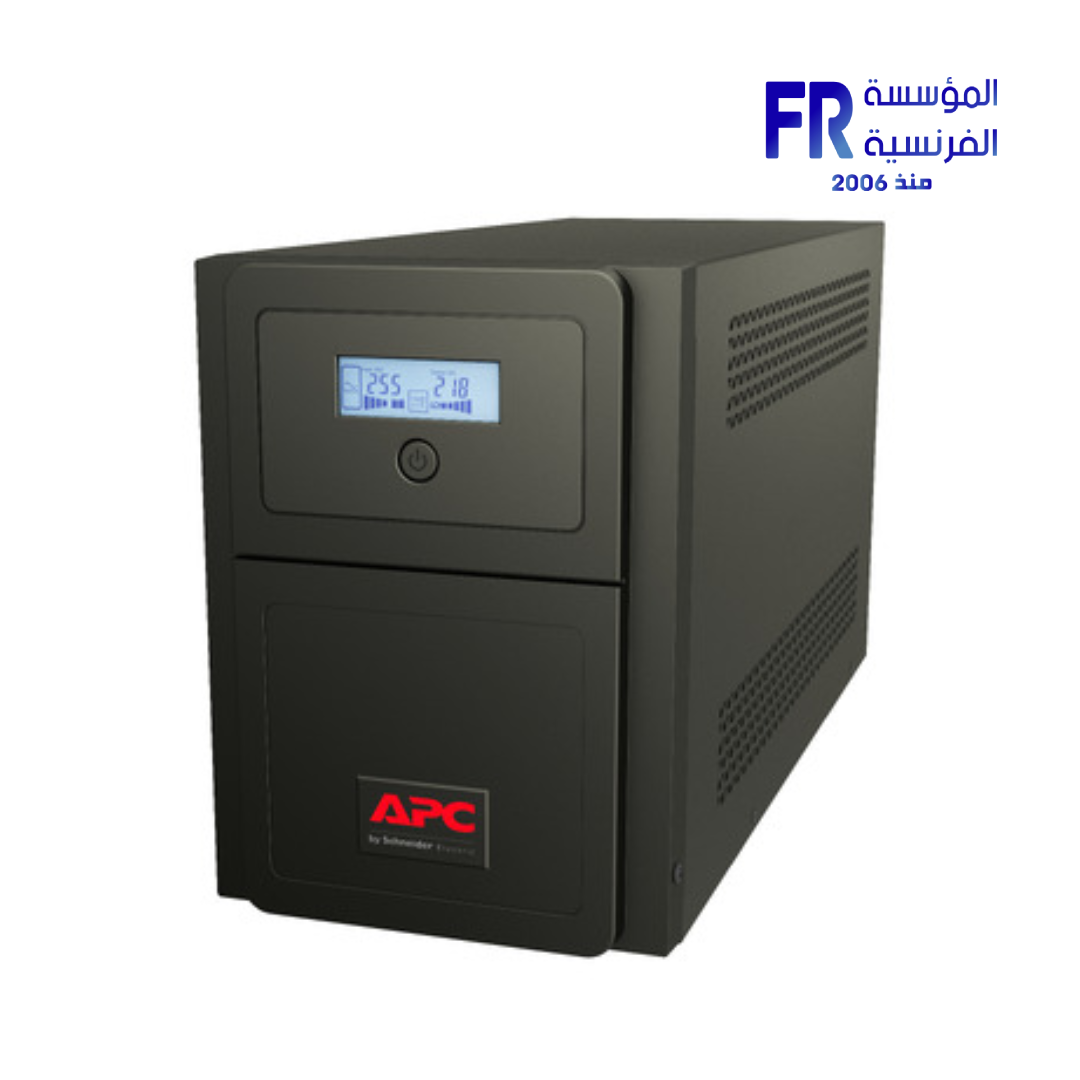
1. What does a UPS do?
A UPS provides temporary battery power when incoming electricity fails and may also provide voltage regulation and surge protection, depending on the model. For a gaming PC, the goal is usually to avoid an abrupt shutdown, save open work and close applications safely—not to continue gaming for a long time during an outage.
A UPS is not a replacement for a properly installed electrical supply or a substitute for safe wiring. If your home has recurring electrical problems, consult a qualified electrician rather than relying on a larger UPS to fix the underlying issue.
2. Understand watts and VA
Watts (W) describe real power consumed or delivered. Volt-amperes (VA) describe apparent power. The two ratings are related by power factor, and neither the UPS watt limit nor its VA limit should be exceeded.
Check the model’s official specification sheet for both ratings. Do not assume a 1500VA unit can supply 1500W; its supported watt output may be considerably lower. Schneider Electric explains this distinction in its UPS buying guide.
3. Estimate the devices you will connect
Estimate the real load of the PC, monitor, router and any other devices you intend to back up. Use reliable measured consumption where possible or the manufacturers’ power specifications as a starting point. A GPU’s board power or a PSU’s maximum output rating is not necessarily the PC’s actual wall draw during typical use.
Leave appropriate headroom for changes in load and avoid choosing a UPS that operates at its limits. Do not include devices that should not be connected to the battery-backed outlets; follow the UPS manufacturer’s instructions for outlet use and load limits.
4. Decide how much battery runtime you need
Runtime depends on the UPS model, battery condition and capacity, and the load connected to it. More connected equipment generally reduces available runtime. Use the manufacturer’s runtime chart or selector with a realistic watt load rather than assuming the VA rating tells you how many minutes the system will run.
For many home gaming setups, the practical goal is enough time to save files and shut down cleanly. If you need longer runtime for a specific reason, verify it against the manufacturer’s published data and consider the battery maintenance requirements.
5. Features worth comparing
| Feature | Why it matters |
|---|---|
| Watt output | Must safely support the connected equipment’s load |
| VA rating | Must also meet the UPS and load requirements |
| Runtime chart | Shows estimated battery time at different loads |
| AVR / voltage regulation | May help manage supported voltage fluctuations |
| Output waveform | Check compatibility guidance for your PSU and equipment |
| Battery replacement | Confirm availability, replacement procedure and cost |
| Alerts and shutdown software | Can help signal an outage and support safe shutdown where compatible |
6. Set up the UPS safely
- Follow the UPS manual for placement, ventilation, wiring and first use.
- Connect only equipment allowed by the manufacturer’s instructions and stay within both watt and VA limits.
- Keep vents unobstructed and keep liquids away from the unit.
- Do not open the UPS enclosure or handle internal electrical parts.
- Replace batteries only according to the manufacturer’s procedure and with compatible parts.
Frequently asked questions
Can I choose a UPS using only the VA rating?
No. Check both VA and watt output, plus runtime at your expected load.
Should the monitor be connected to the UPS?
If you want the display to remain available while saving work and shutting down, include its watt draw in the total load and confirm the UPS has suitable battery-backed outlets.
Will a UPS let me keep gaming during an outage?
It depends on the unit, load and battery condition. Do not assume long gaming runtime. Plan for a safe shutdown and use the manufacturer’s runtime data.
Sources
- Schneider Electric: UPS buying guide and sizing
- Schneider Electric: UPS selector
- Schneider Electric Egypt: critical power and UPS products
Next step: Record the devices you need to protect, estimate their combined watt load and use the manufacturer’s UPS selector to verify the watt rating and runtime before purchasing.
Compare options before you buy
Check the exact model, compatibility, current availability and warranty terms.
alfrensia.com — Alfrensia, French Establishment for Computers
جهاز UPS (مزود طاقة غير منقطع) ممكن يشغّل الكمبيوتر وأجهزة محددة لفترة قصيرة أثناء انقطاع الكهرباء، ويديك وقت تحفظ شغلك وتقفل الجهاز بأمان. اختيار UPS بناءً على رقم VA فقط ممكن يسبب عدم توافق؛ لازم تراجع قدرة الواط والحمل الفعلي للأجهزة.
إيه وظيفة UPS؟
يوفر UPS طاقة من البطارية مؤقتاً عند انقطاع الكهرباء، وقد يوفر تنظيم الجهد والحماية من الارتفاعات حسب الموديل. في كمبيوتر الألعاب، الهدف غالباً تجنب الإيقاف المفاجئ وحفظ الملفات والإغلاق الآمن، مش مواصلة اللعب لفترة طويلة أثناء الانقطاع.
UPS مش بديل عن توصيل كهربائي سليم أو تمديدات آمنة. لو عندك مشاكل كهرباء متكررة، استعن بكهربائي مؤهل بدل الاعتماد على UPS أكبر لعلاج السبب الأساسي.
افهم الفرق بين Watts وVA
Watts (W) بتعبّر عن القدرة الفعلية، بينما Volt-amperes (VA) بتعبّر عن القدرة الظاهرية. الرقمين مرتبطين بمعامل القدرة، وما ينفعش تتجاوز حد الواط أو حد VA الخاص بالـUPS.
راجع ورقة مواصفات الموديل للرقمين. ما تفترضش إن وحدة 1500VA بتوفر 1500W؛ قدرة الواط المدعومة ممكن تكون أقل بكثير. راجع دليل Schneider Electric لاختيار UPS.
قدّر الحمل اللي هتوصله
قدّر الحمل الفعلي للكمبيوتر والشاشة والراوتر والأجهزة الأخرى اللي هتوصّلها. استخدم قياس استهلاك موثوق لو متاح أو مواصفات الشركات كبداية. قدرة GPU أو أقصى خرج PSU مش بالضرورة استهلاك الكمبيوتر الفعلي من الحائط أثناء الاستخدام المعتاد.
اترك هامشاً مناسباً لتغير الحمل، وما تختارش UPS يعمل عند حدوده. تجنب توصيل أجهزة لا ينبغي توصيلها بمخارج البطارية، واتبع تعليمات الشركة بخصوص المخارج والحدود.
حدد زمن التشغيل المطلوب
الزمن بيعتمد على موديل UPS وحالة البطارية وسعتها والحمل المتصل. كلما زاد الحمل، غالباً يقل زمن التشغيل. استخدم جدول الشركة أو أداة الاختيار مع حمل واقعي بالواط بدل استنتاج الدقائق من رقم VA.
في كثير من تجميعات البيت، الهدف العملي هو وقت كافٍ لحفظ الملفات والإغلاق الآمن. لو محتاج وقتاً أطول لسبب محدد، تحقق من بيانات الشركة ومتطلبات صيانة البطارية.
ميزات تقارن بينها
- خرج الواط: لازم يتحمل حمل الأجهزة بأمان.
- تصنيف VA: لازم يحقق متطلبات UPS والحمل أيضاً.
- جدول التشغيل: يوضح زمن البطارية التقديري عند أحمال مختلفة.
- AVR: قد يساعد في التعامل مع تقلبات جهد مدعومة.
- شكل موجة الخرج: راجع توافق PSU والأجهزة.
- استبدال البطارية: تحقق من التوفر وطريقة الاستبدال والتكلفة.
الأسئلة الشائعة
هل 1500VA معناها 1500W؟
لأ. راجع خرج الواط الفعلي في مواصفات الموديل.
هل UPS يشغّل الكمبيوتر للألعاب وقت طويل؟
غالباً الهدف الأساسي هو الاستمرار لفترة قصيرة لحفظ الشغل والإغلاق الآمن. زمن التشغيل يعتمد على الحمل والبطارية والموديل.
هل أقدر أوصل أي جهاز في UPS؟
اتبع تعليمات الشركة وحدود المخارج، وتجنب الأجهزة التي لا تسمح الشركة بتوصيلها.
المصادر والخطوة التالية
راجع مواصفات الواط وVA وجدول التشغيل للموديل الدقيق، واحسب حمل أجهزتك قبل الشراء. أدلة شراء مزودات الطاقة وUPS المتاحة من خلال المؤسسة الفرنسية للكمبيوتر.
راجع خيارات الطاقة والمكونات على موقع المؤسسة الفرنسية للكمبيوتر، أو تواصل مع المبيعات على واتساب للاستفسار عن توافق UPS مع حمل جهازك والتوفر الحالي.