


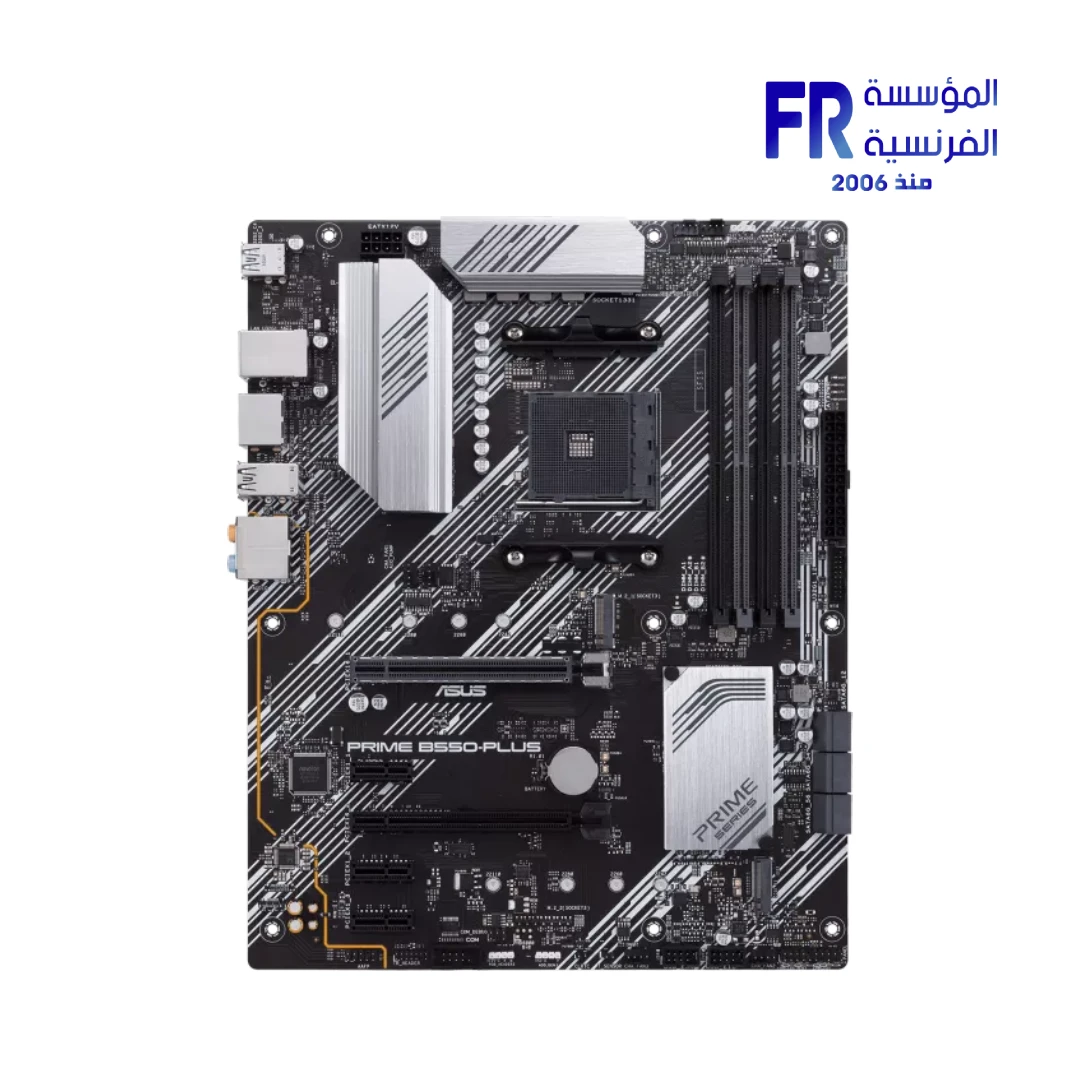
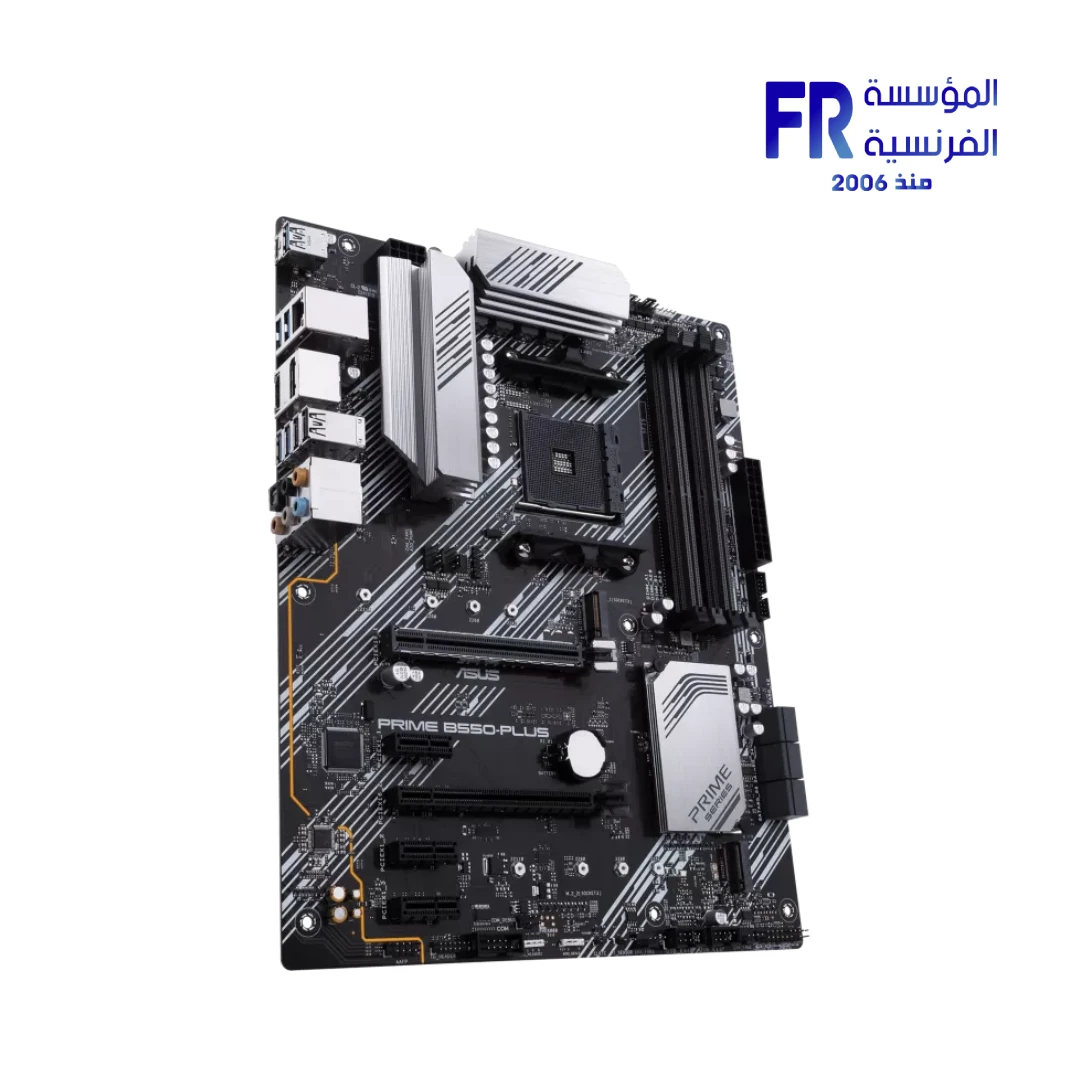
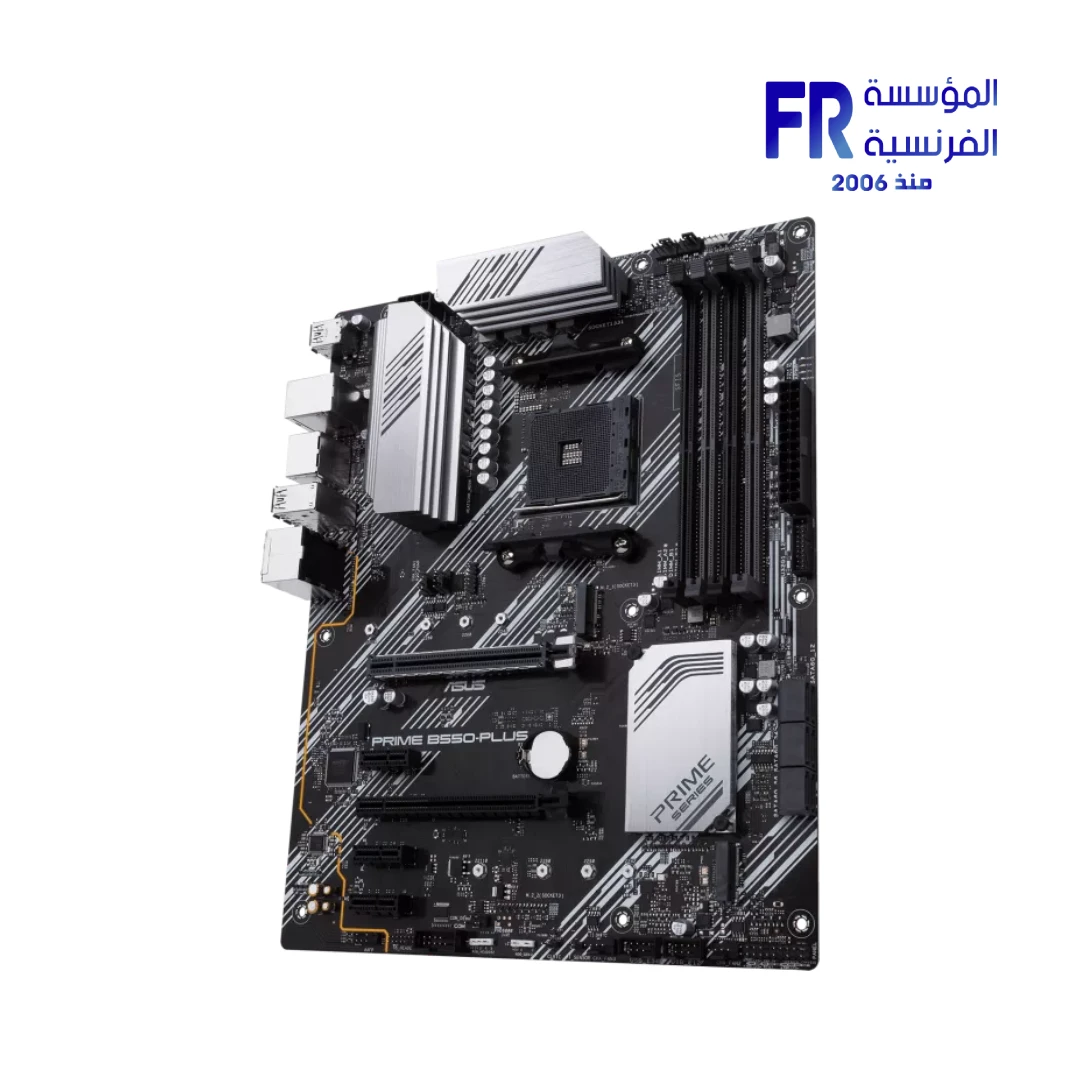
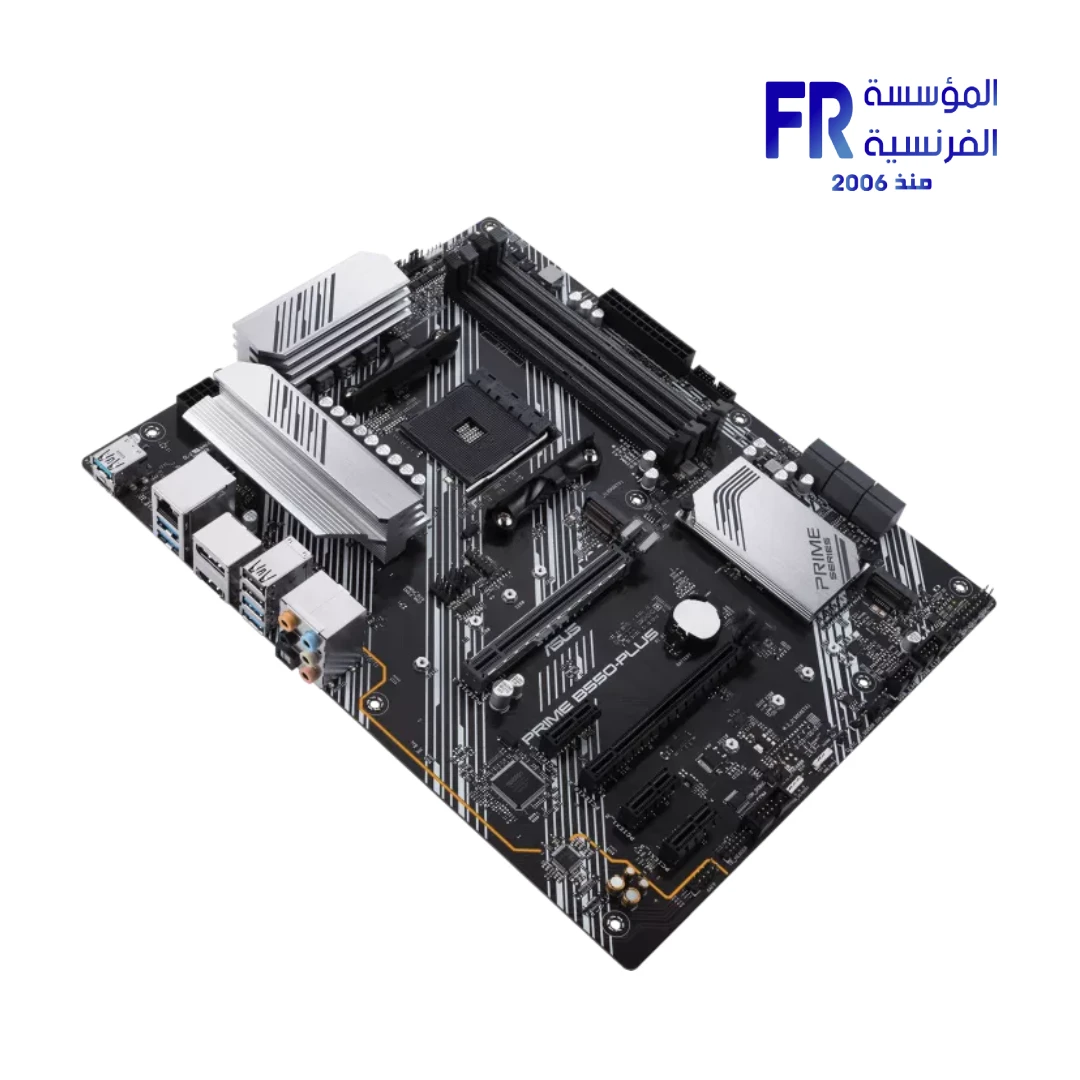
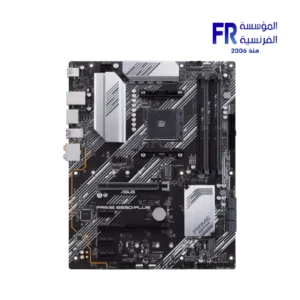
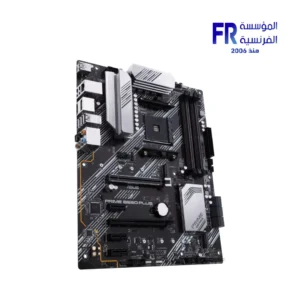
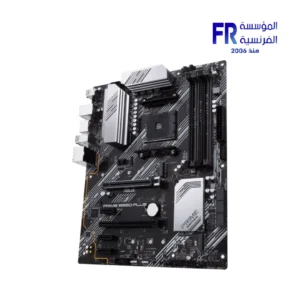
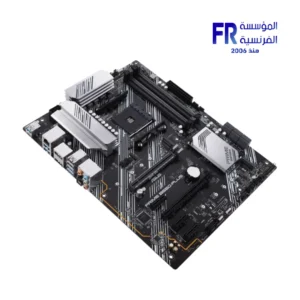
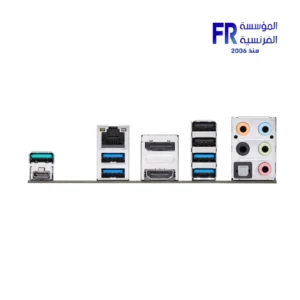


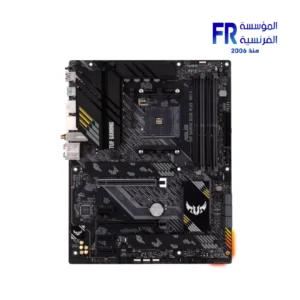
ASUS Prime B550-Plus Socket AM4 DDR4 ATX Motherboard
5749 جنيه
- Model Name: ASUS Prime B550-Plus
- AMD B550 chipset and AM4 socket
- ATX form factor (30.5 × 24.4 cm)
- DDR4 memory with four DIMM slots, up to 128GB per manufacturer specifications
- Dual M.2 storage; PCIe 4.0 support
- CPU support depends on the exact processor and BIOS version
- الضمان: 3 years, subject to Alfrensia invoice terms
متوفر في المخزون
ضمان أفضل سعر✅ Authorized ASUS Partner in Egypt | Official 3-Year Warranty | Expert PC Building Consultation Available
ASUS Prime B550-Plus Socket AM4 DDR4 ATX Motherboard
ASUS Prime B550-Plus is an ATX motherboard built on the AMD B550 chipset with an AM4 socket. It supports AMD Ryzen 5000, 4000 G-Series, and 3000 Series processors, has four DDR4 DIMM slots with up to 128GB capacity, and offers PCIe 4.0 x16 for Ryzen 5000/3000 chips. Available at Alfrensia for 5,999 EGP.
⚡ Engineering Highlights at a Glance:
- AMD AM4 Socket: Works with Ryzen 5000 Series, 4000 G-Series, and 3000 Series desktop processors.
- PCIe 4.0 x16: The main graphics slot runs PCIe 4.0 on Ryzen 5000/3000 chips, doubling bandwidth over PCIe 3.0.
- 4 x DDR4 DIMM Slots: Supports up to 128GB dual-channel memory with speeds up to 4600 MHz (OC).
- Dual M.2 Slots: One PCIe 4.0 x4 M.2 slot and one PCIe 3.0 x4 M.2 slot, with an aluminum heatsink.
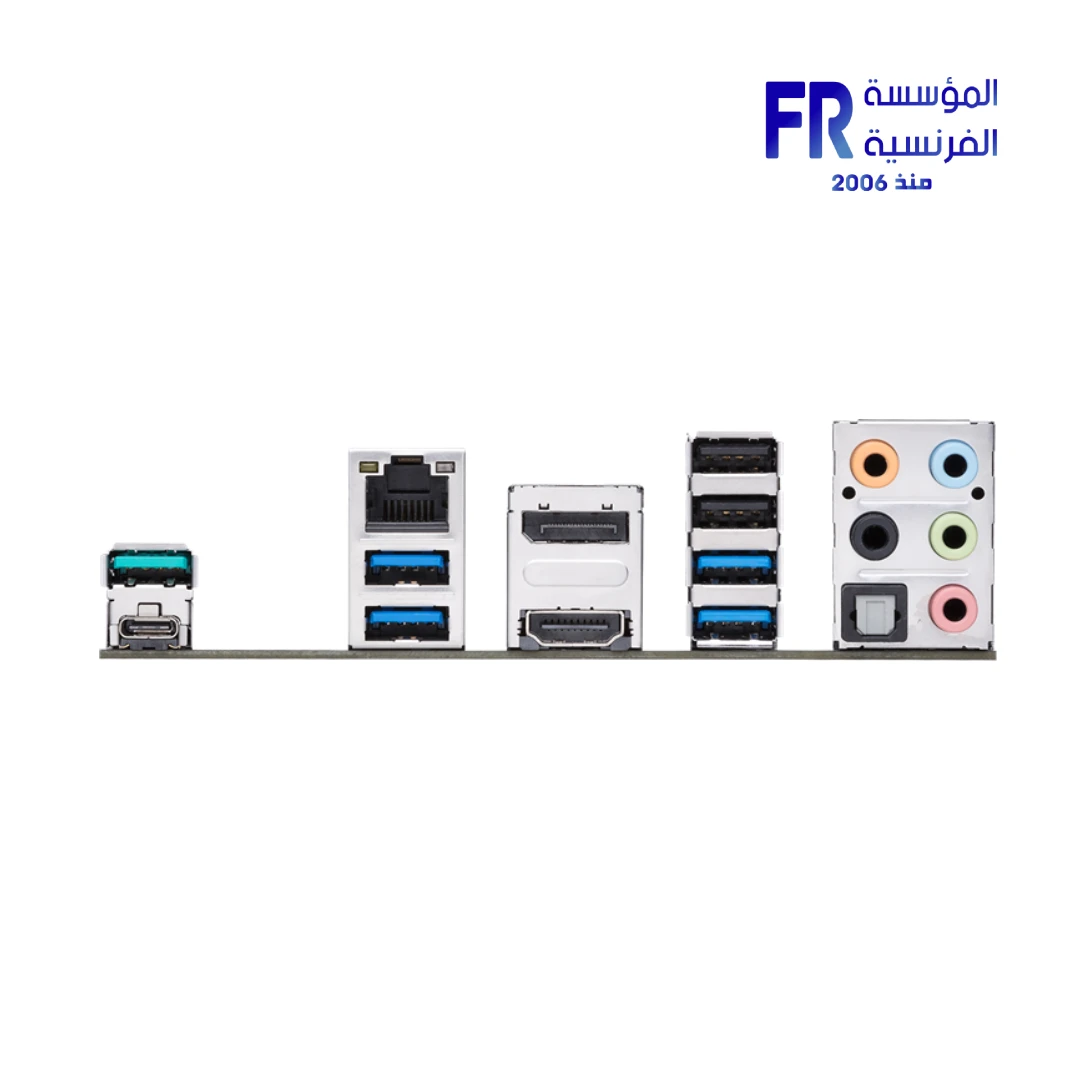
- USB 3.2 Gen 2 Type-C: Rear I/O includes one Type-A and one Type-C USB 3.2 Gen 2 port, plus four USB 3.2 Gen 1 ports.
- Realtek ALC887 Audio: 7.1-channel codec with audio shielding, dedicated PCB layers, and premium Japanese capacitors.
- Aura Sync and Q-LED: Two Aura RGB headers, one addressable Gen 2 header, and Q-LED indicators for faster troubleshooting.
Who is the Prime B550-Plus For?
Expert Advice & Build Considerations
CPU Compatibility and PCIe Generation
The B550 chipset supports AMD Ryzen 5000, 4000 G-Series, and 3000 Series processors on the AM4 socket; Ryzen 1000 and 2000 Series are not compatible. PCIe 4.0 x16 on the main slot and PCIe 4.0 x4 on the M.2_1 slot only work with Ryzen 5000/3000 (non-G) processors. With Ryzen 4000 G-Series APUs, the main PCIe slot and M.2_1 run at PCIe 3.0 speeds instead. Verify your CPU choice against the ASUS CPU support list before purchase.
Memory and M.2 Population
Install memory in slots A2 and B2 first for dual-channel operation. The board supports up to 128GB across four DIMM slots. The M.2_1 slot (PCIe 4.0 x4) sits near the CPU; the M.2_2 slot (PCIe 3.0 x4) sits lower. When you populate M.2_2, SATA ports 5 and 6 become unavailable. Additionally, PCIe 3.0 x16 slot 2 runs at x2 mode when PCIe x1_2 or x1_3 slots are populated. Check the manual before populating all storage and expansion at once.
Networking, BIOS, and Expansion
The board uses a 24-pin EATX main connector plus an 8-pin ATX 12V CPU connector. The rear I/O provides two USB 3.2 Gen 2 ports (one Type-A and one Type-C), four USB 3.2 Gen 1, and two USB 2.0. Internal headers add two USB 3.2 Gen 1 and four USB 2.0 ports, plus a Thunderbolt header for a compatible add-in card. The board includes Realtek Gigabit Ethernet but no built-in Wi-Fi; add a PCIe Wi-Fi card if you need wireless. Check the BIOS version before installing a Ryzen 5000 chip, and update via the BIOS FlashBack method if available or through the standard USB flashback process.
المواصفات الفنية
| Model Name | PRIME B550-PLUS |
| العلامات التجارية | ASUS |
| SKU / MPN | 90MB14U0-M0EAY0 |
| EAN / UPC | 192876782347 |
| Socket | AMD AM4 |
| Chipset | AMD B550 |
| Form Factor | ATX (30.5 x 24.4 cm) |
| CPU Support | AMD Ryzen 5000 / 4000 G-Series / 3000 Series |
| Memory | 4 x DDR4 DIMM, Max 128GB, Dual Channel, up to 4600 MHz (OC), ECC and non-ECC Un-buffered |
| Graphics Outputs | 1 x HDMI 2.1 (4K@60Hz) | 1 x DisplayPort 1.2 |
| Expansion Slots | 1 x PCIe 4.0 x16 (Ryzen 5000/3000) | 1 x PCIe 3.0 x16 (x4 mode) | 3 x PCIe 3.0 x1 |
| Multi-GPU Support | AMD 2-Way CrossFireX |
| وحدات التخزين | 1 x M.2 (PCIe 4.0 x4 & SATA, 2242-22110) | 1 x M.2 (PCIe 3.0 x4 & SATA, 2242-22110) | 6 x SATA 6Gb/s | RAID 0, 1, 10 |
| Ethernet | Realtek RTL8111H Gigabit Ethernet with ASUS LANGuard |
| USB Ports (Rear) | 2 x USB 3.2 Gen 2 (1 x Type-A, 1 x Type-C) | 4 x USB 3.2 Gen 1 Type-A | 2 x USB 2.0 |
| USB Headers (Internal) | 1 x USB 3.2 Gen 1 (2 ports) | 2 x USB 2.0 (4 ports) |
| Audio | Realtek ALC887 7.1-Channel HD Audio, audio shielding, premium Japanese capacitors, optical S/PDIF out |
| RGB Headers | 2 x Aura RGB | 1 x Addressable Gen 2 |
| Fan Headers | 1 x CPU Fan | 1 x CPU_OPT | 3 x Chassis Fan | 1 x AIO_PUMP |
| Special Features | ASUS 5X Protection III | Q-LED | Q-DIMM | Q-Slot | SafeSlot Core | Pre-mounted I/O shield | Aluminum M.2 heatsink | Thunderbolt header |
| Included Accessories | 2 x SATA cables | I/O shield | M.2 SSD screw package | Supporting DVD | User manual |
| الضمان | 3 Years Local Alfrensia Warranty |
Expert Recommendation: Building with the Prime B550-Plus
Pair this board with a Ryzen 5 5600, Ryzen 7 5700X, or Ryzen 7 5800X3D for the best balance of PCIe 4.0 support and gaming performance. Because PCIe 4.0 only works on Ryzen 5000/3000 (non-G) chips, choose a non-APU processor if you plan to use a PCIe 4.0 NVMe SSD.
Install memory in slots A2 and B2 first for dual-channel operation. For a 3600 MHz kit, enable DOCP in the BIOS to run the rated speed; without DOCP, memory defaults to 2133 MHz. Because M.2_2 and SATA ports 5 and 6 share bandwidth, plan your storage layout before you install drives.
Connect the 8-pin ATX 12V CPU power cable for stable power delivery on high-core Ryzen chips. Use the AIO_PUMP header for liquid cooler pumps and the CPU_FAN and CPU_OPT headers for a dual-fan tower cooler or AIO radiator fans. Enable Aura Sync in Armoury Crate to sync the two RGB headers and one addressable Gen 2 header with your other ASUS peripherals.
Because the board has no built-in Wi-Fi, plan for a PCIe Wi-Fi card or Ethernet connection if you need wireless. Q-LED indicators show which component is blocking POST, so check the color of the LED if the system does not boot. The Prime B550-Plus prioritizes stability over gaming branding, which makes it a solid foundation for workstation or general-purpose builds.
Frequently Asked Questions
Which AMD processors are compatible with the Prime B550-Plus?
It supports AMD Ryzen 5000 Series, 4000 G-Series, and 3000 Series desktop processors on the AM4 socket. Older Ryzen 1000 and 2000 Series processors are not compatible with the B550 chipset. Verify your specific CPU against the ASUS CPU support list before purchase.
Does the board support PCIe 4.0 on both M.2 slots?
No. Only the M.2_1 slot runs PCIe 4.0 x4, and only when paired with a Ryzen 5000 or 3000 Series (non-G) processor. The M.2_2 slot runs PCIe 3.0 x4 on all supported CPUs. With Ryzen 4000 G-Series APUs, both M.2 slots run at PCIe 3.0 speeds.
How many M.2 and SATA drives can I use at once?
The board has two M.2 slots and six SATA 6Gb/s ports. However, the M.2_2 slot shares bandwidth with SATA ports 5 and 6. Therefore, if you populate M.2_2, those two SATA ports become unavailable. Additionally, PCIe 3.0 x16 slot 2 runs at x2 mode when PCIe x1_2 or x1_3 slots are populated.
Does the board have built-in Wi-Fi or Bluetooth?
No. The Prime B550-Plus does not include built-in Wi-Fi or Bluetooth. It features Realtek RTL8111H Gigabit Ethernet with ASUS LANGuard for wired networking. For wireless connectivity, add a PCIe Wi-Fi card or a USB Wi-Fi adapter.
What is included in the box?
The retail package includes the motherboard, two SATA 6Gb/s cables, an I/O shield, an M.2 SSD screw package, a supporting DVD, and a user manual. Note that the box includes an I/O shield rather than a pre-mounted one, so plan for that during installation.
| MODEL | |
|---|---|
| سوكت المعالج | |
| شريحة اللوحة الأم | |
| Motherboard Type | |
| Max Memory Size | |
| Memory Slot | |
| PCI-E Slots (M.2) | |
| SATAIII | |
| الضمان |
| RAM TYPE | |
|---|---|
| LAN Ports | 1 x 1Gb Ethernet |
يسمح فقط للزبائن مسجلي الدخول الذين قاموا بشراء هذا المنتج ترك مراجعة.
الضمان وشروط الشراء
- مدة الضمان للمنتج ده: 3 Years (ضمان الوكيل). التفاصيل
- استبدال فوري بجديد: لو ظهر عيب صناعة في أي وقت خلال فترة الضمان، المنتج بيتغير بجديد من غير صيانة أو تصليح (ما عدا المنتجات اللي محتاجة شغل سوفت وير). ولو البديل مش متوفر، بنرجعلك المبلغ كامل من غير خصم. التفاصيل
- الاسترجاع: لو مش محتاج المنتج، تقدر ترجّعه خلال 30 يوم من تاريخ الشراء، بشرط يكون متبرشم ومتفتحش وبكل مشتملاته. التفاصيل
- فحص الشحنة: قبل ما تستلم، بص على التغليف الخارجي للشحنة. لو الكرتونة متبهدلة (مقطوعة أو مبلولة أو مضغوطة أو اللاصق مفتوح) وباين إن فيه تلف، ارفض الشحنة مع المندوب وكلمنا فورًا على 01021625421. ومتفتحش علبة المنتج قبل ما تستلم. التفاصيل
- بعد الاستلام: لو فتحت ولقيت تلف أو نقص جوه، كلمنا خلال 48 ساعة على 01021625421، واحتفظ بالكرتونة وصور أو فيديو الفتح. التفاصيل
- الضمان لا يشمل: سوء الاستخدام (حرق – كسر – خدش – إزالة ستيكر الضمان)، وأنظمة التشغيل والبرامج والإكسسوارات الـ Generic. التفاصيل
- مهم: حافظ على ستيكر ضمان المؤسسة الفرنسية وعلى كل مشتملات العلبة علشان تستفيد من ضمان الوكيل. التفاصيل
- الدفع والتوصيل: كاش عند الاستلام. القاهرة والجيزة والإسكندرية خلال 2–3 أيام عمل، وباقي المحافظات خلال 3–5 أيام عمل من تأكيد الطلب. التفاصيل
- رد المبلغ: فلوسك ترجعلك خلال يومين عمل من استلامنا للمنتج، على إنستاباي أو محفظتك أو حسابك البنكي. التفاصيل
- حقوقك القانونية: كل حقوقك بقانون حماية المستهلك رقم 181 لسنة 2018 محفوظة، والمميزات اللي فوق إضافة عليها. التفاصيل






المراجعات
لا توجد مراجعات بعد.