


- Model Name: ASUS ROG Strix XG27WCMS 27-Inch Curved Gaming Monitor
- Display & Panel: 27″ Fast VA | 1500R Curvature | QHD (2560 x 1440) | 16:9 | Anti-Glare | 400 cd/m² Brightness | 3000:1 Contrast
- Performance: 280Hz Refresh Rate | 1ms (GTG) Response Time | 95% DCI-P3 / 125% sRGB | HDR10 | VESA DisplayHDR 400
- Gaming Features: AMD FreeSync Premium | Adaptive-Sync | ELMB Sync | Extreme Low Motion Blur | GameFast Input | Shadow Boost | GamePlus / GameVisual
- Connectivity & Ergonomics: 1x DisplayPort 1.4 (HBR3) | 1x HDMI 2.1 | 1x USB-C (DP Alt Mode, 15W PD) | 3.5mm Audio Out | Height/Tilt/Swivel Adjustable | VESA 100x100mm | 1/4″ Tripod Socket
- الضمان: 3 Years

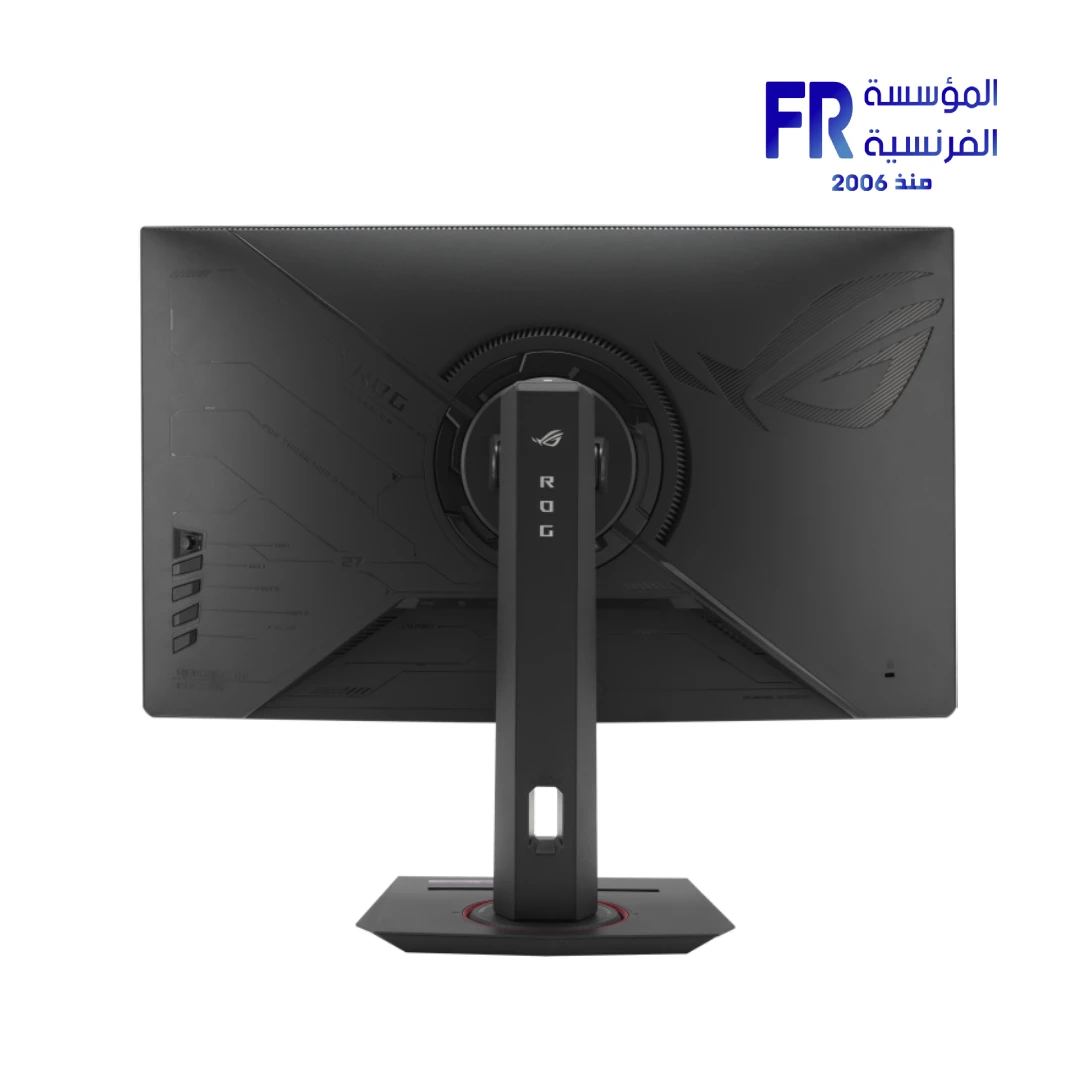
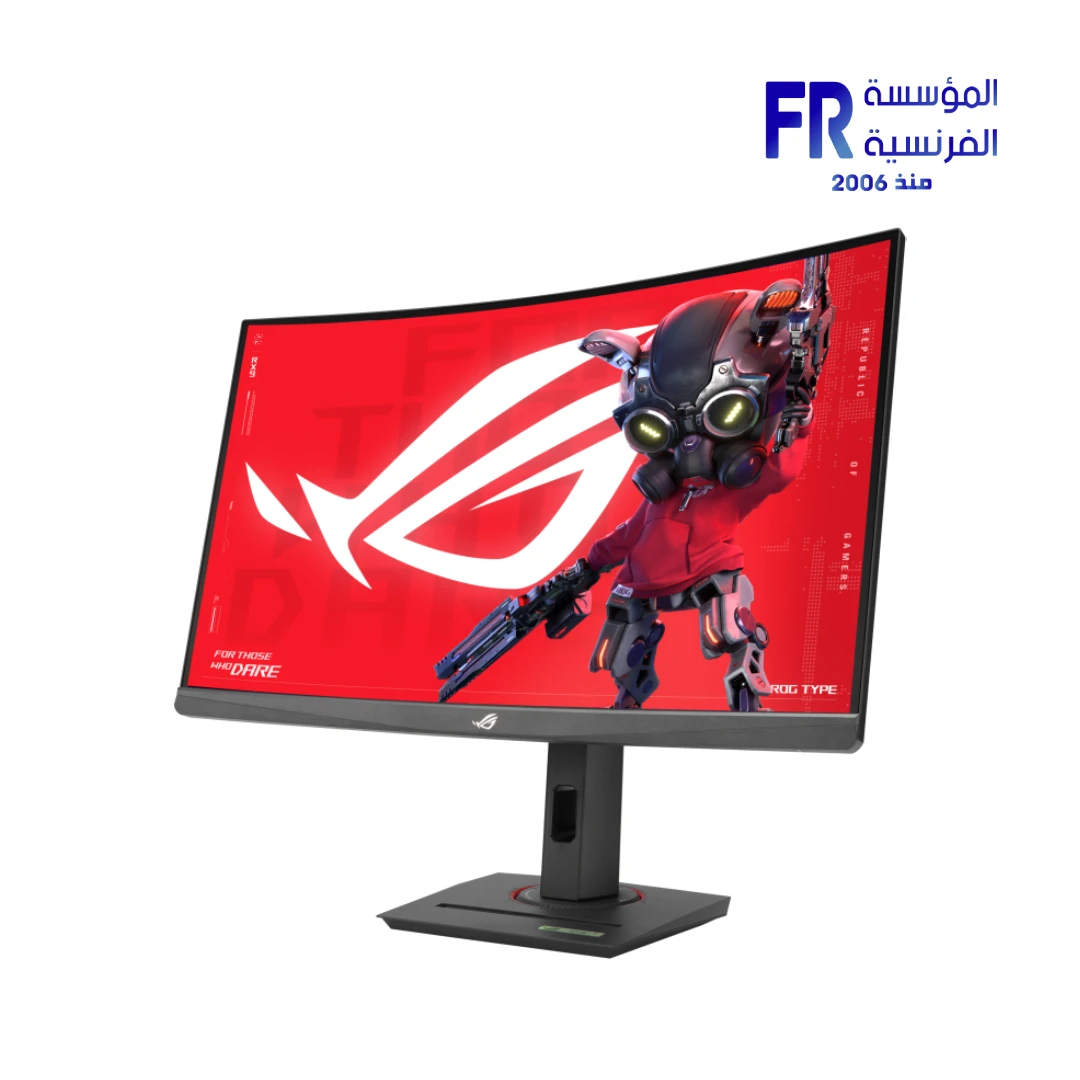
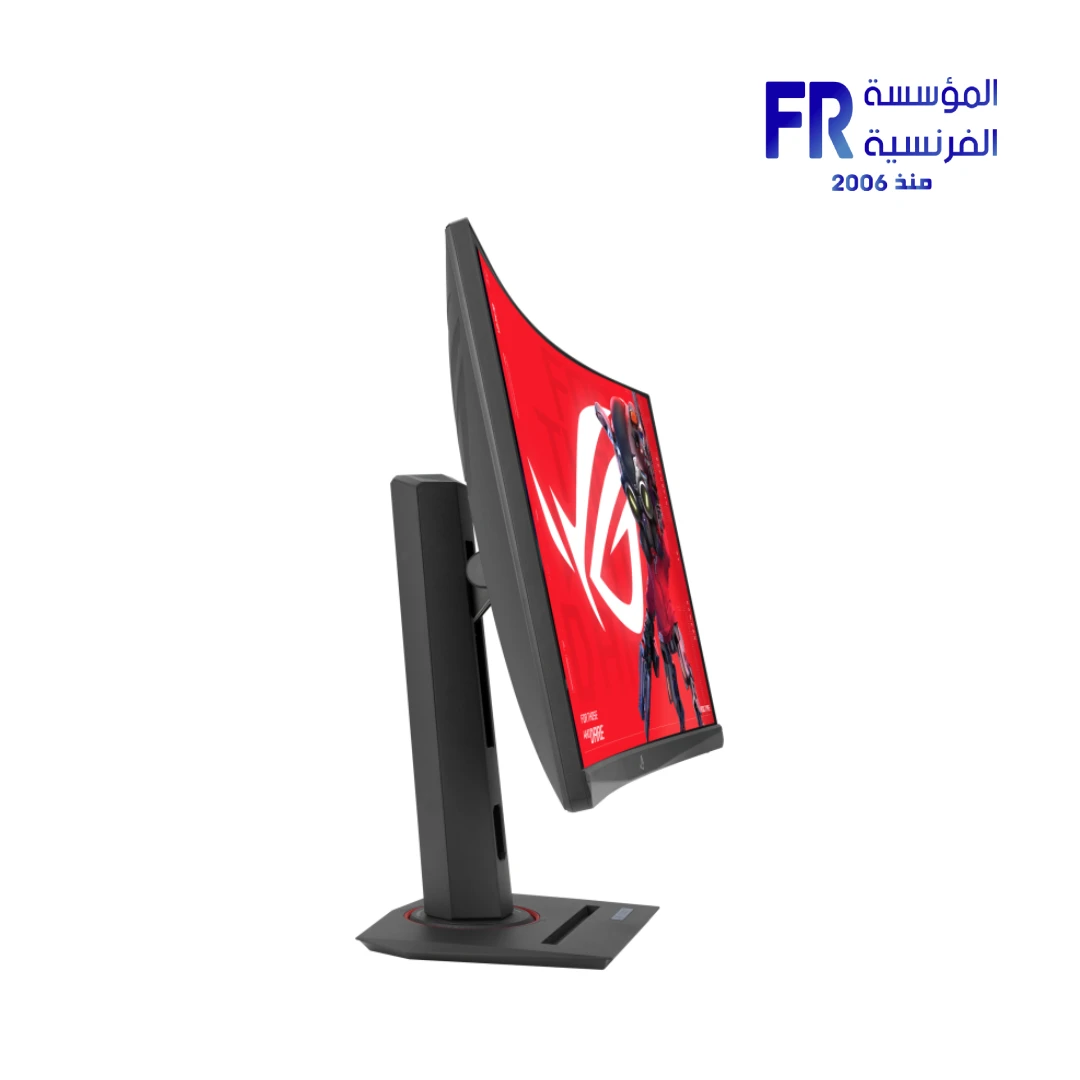
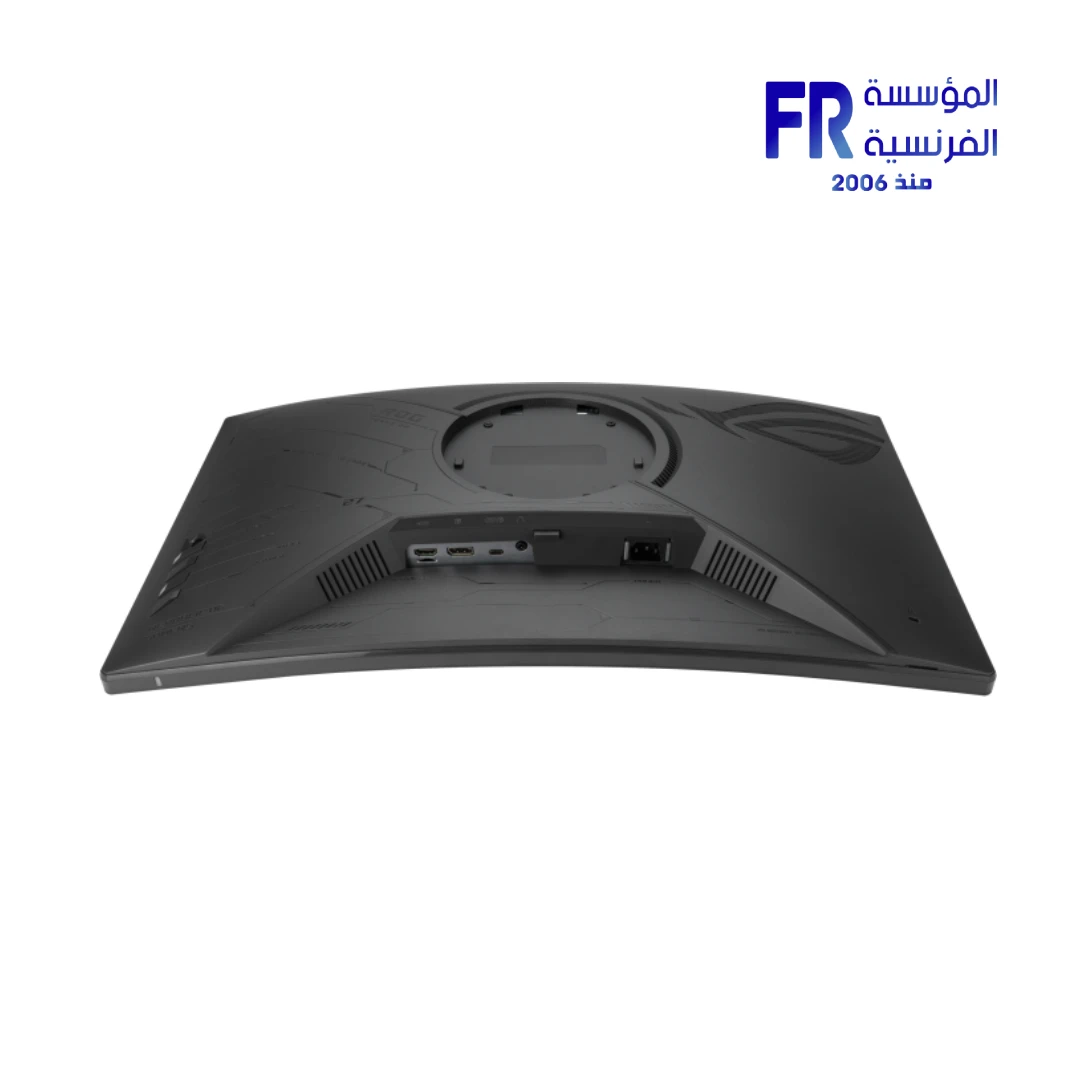

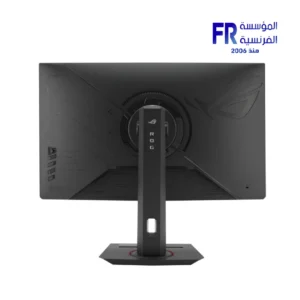
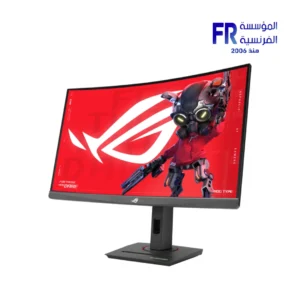
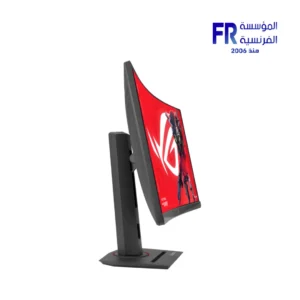
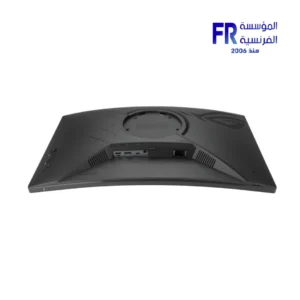


Asus ROG Strix XG27WCMS 27 Inch 280Hz 1ms 2560×1440 Fast VA Curved Gaming Monitor
17499 جنيه
المتوفر في المخزون 2 فقط
ضمان أفضل سعرتوصيل لحد البيت
القاهرة والجيزة والإسكندرية
خلال 2–3 أيام عمل
باقي المحافظات
خلال 3–5 أيام عمل
يتجهز
يخرج للشحن
أيام عمل من تأكيد الطلب.
أو
استلم من فرعنامجاناً
اطلب دلوقتي واستلم النهارده، بعد ما نأكد طلبك.
الطلبات دلوقتي بتبقى جاهزة للاستلام من بكرة، بعد ما نأكد طلبك.
✅ Authorized ASUS Partner in Egypt | Official 3-Year Warranty | Expert PC Building Consultation Available
Asus ROG Strix XG27WCMS 27 Inch 280Hz 1ms 2560×1440 Fast VA Curved Gaming Monitor
ASUS ROG Strix XG27WCMS is a 27-inch curved gaming monitor with a 2560 x 1440 Fast VA panel and 1500R curvature. It runs a 280Hz refresh rate with a 1ms GTG response time and a 3000:1 contrast ratio. It covers 95% DCI-P3 with HDR10 support and includes USB-C with 15W Power Delivery, DisplayPort 1.4, and HDMI 2.1. Available at Alfrensia for 17,499 EGP.
⚡ Engineering Highlights at a Glance:
- 27″ QHD Fast VA Panel: 2560 x 1440 resolution with a 1500R curve and anti-glare coating.
- 280Hz Refresh Rate: Higher than standard 240Hz panels, for smoother motion in fast-paced titles.
- 1ms GTG Response: Fast VA pixel transitions with Extreme Low Motion Blur and ELMB Sync to reduce ghosting.
- 3000:1 Contrast Ratio: Deeper blacks than typical IPS panels, with VESA DisplayHDR 400 support.
- 95% DCI-P3 / 125% sRGB: Wide color coverage for games and video.
- USB-C with 15W PD: DP Alt Mode for video and data, with 15W Power Delivery for lightweight laptops.
- Extensive Connectivity: DisplayPort 1.4 (HBR3), HDMI 2.1 (FRL), USB-C (DP Alt Mode), and a 3.5mm earphone jack.
Who is the ROG Strix XG27WCMS For?
🎮 Competitive FPS PlayersYou want high refresh and a curved panel. The 280Hz refresh, 1ms GTG response, and ELMB Sync deliver the responsiveness needed for shooters, with a 27-inch QHD panel for detail.
🎬 AAA & Cinema EnthusiastsYou want deep blacks for cinematic titles. The 3000:1 contrast ratio on the Fast VA panel and the 1500R curve draw you into single-player games and video content.
💻 Laptop and Mini-PC UsersYou want one cable for display and data. The USB-C port with DP Alt Mode carries video and data, and 15W Power Delivery can top up lightweight laptops between sessions.
Expert Advice & Build Considerations
GPU and Cable Requirements for 280Hz
To reach 280Hz at 2560 x 1440, the monitor requires DisplayPort 1.4 (HBR3) or HDMI 2.1 (FRL) from a compatible graphics card. USB-C with DP Alt Mode also supports 280Hz. Older GPUs without HBR3 or HDMI 2.1 will cap at lower refresh rates. Use the included DisplayPort cable for the full 280Hz refresh rate; check your GPU’s output capabilities before purchase if you plan to use the full refresh rate. The USB-C port is limited to 15W Power Delivery, so it is intended for display and data rather than as a laptop charging dock.
Curved Panel and Desk Placement
The 1500R curvature wraps toward the viewer, which brings the screen edges closer for an immersive feel. Plan about 60–70cm of viewing distance for the 27-inch curve to feel natural. The stand measures 61.1 x 39.0 x 21.9cm with stand and weighs 7.2 kg. The stand supports tilt (-5° to +20°), swivel (±35°), and 120mm height adjustment, plus a 100x100mm VESA mount and a 1/4″ tripod socket.
Panel Characteristics and Setup
This is a Fast VA panel with a 3000:1 contrast ratio, which gives deeper blacks than typical IPS panels. VA panels can exhibit black smearing in fast transitions, but the 1ms GTG response and ELMB Sync reduce this effect. Use DisplayWidget Center to adjust brightness, contrast, and gaming presets with a mouse instead of the OSD. The monitor has no built-in speakers; use headphones or external speakers via the 3.5mm jack.
المواصفات الفنية
| Model Name | ROG Strix XG27WCMS |
| العلامات التجارية | ASUS |
| SKU / MPN | 90LM09Y1-B01370 |
| EAN / UPC | 197105530140 |
| Panel Size | 27 inch |
| نوع البانل | Fast VA (Anti-Glare) |
| Curvature | 1500R |
| Aspect Ratio | 16:9 |
| دقة الشاشة | 2560 x 1440 (QHD) |
| Viewing Area | 597.736 x 335.664 mm |
| Pixel Pitch | 0.233 mm |
| Brightness (Typical / HDR Peak) | 400 cd/m² / 400 cd/m² |
| Contrast Ratio (Typical) | 3000:1 |
| Color Space | 95% DCI-P3 | 125% sRGB |
| Color Depth | 16.7M (8-bit) |
| معدل التحديث | 280Hz |
| زمن الاستجابة | 1ms (GTG) |
| Viewing Angle | 178° / 178° |
| HDR Support | VESA DisplayHDR 400 | HDR10 |
| VRR Technology | AMD FreeSync Premium | Adaptive-Sync |
| Motion Blur Reduction | Extreme Low Motion Blur Sync (ELMB Sync) |
| I/O Ports | 1 x DisplayPort 1.4 (HBR3) | 1 x HDMI 2.1 (FRL) | 1 x USB-C (DP Alt Mode, 15W PD) | 1 x Earphone Jack |
| Speakers | No built-in speakers |
| Power Consumption | <31.4 W (typical) | <0.5 W (standby) | <0.3 W (off) |
| Stand Adjustment | Tilt +20° to -5° | Swivel ±35° | Height 0-120 mm |
| VESA Mounting | 100 x 100 mm | 1/4″ tripod socket |
| Dimensions with Stand | 611 x 390 x 219 mm |
| Dimensions without Stand | 611 x 370 x 92 mm |
| Net Weight | 7.2 kg (with stand) | 4.5 kg (without stand) |
| Certifications | TÜV Flicker-free | TÜV Low Blue Light | VESA DisplayHDR 400 | AMD FreeSync Premium | FSC MIX |
| Included Accessories | DisplayPort cable | Power cord | ROG pouch | ROG sticker | Quick start guide | Warranty card |
| الضمان | 3 Years Local Alfrensia Warranty |
Expert Recommendation: Configuring the XG27WCMS
Connect the monitor via the included DisplayPort cable to reach 280Hz at 2560 x 1440. HDMI 2.1 and USB-C with DP Alt Mode also support the full refresh rate. Enable Adaptive-Sync in your GPU driver and turn off any in-game frame rate caps below 280Hz to benefit from VRR.
Adjust brightness to 100-150 cd/m² for comfortable desktop use, then raise it for HDR content in games and video. Use DisplayWidget Center to switch between GameVisual presets and enable ELMB Sync for fast-paced shooters when you want motion clarity alongside VRR.
Because the monitor has no built-in speakers, plan to use headphones or external speakers via the 3.5mm jack. Use the USB-C port for laptops and mini-PCs; note that 15W Power Delivery is not enough to charge most gaming laptops, but it is enough for lightweight models.
The Fast VA panel delivers deeper blacks than typical IPS panels but can show slight black smearing in fast transitions. Use ELMB Sync and enable overdrive at moderate levels to reduce this effect. For color-critical work, the panel covers 95% DCI-P3 and 125% sRGB; for Adobe RGB coverage, a professional monitor would be more appropriate. The 3-year Alfrensia warranty covers manufacturing defects.
Frequently Asked Questions
Can the XG27WCMS reach 280Hz over HDMI?
Yes. The monitor supports 280Hz over HDMI 2.1 with FRL signaling, over DisplayPort 1.4 with HBR3, and over USB-C with DP Alt Mode. Use the included DisplayPort cable for the simplest setup. Your GPU must also support the corresponding connection type to reach the full refresh rate.
Does the USB-C port charge a laptop?
The USB-C port supports DisplayPort Alt Mode and up to 15W Power Delivery. This is enough to charge lightweight laptops and mini-PCs, but not gaming laptops with higher power draw. The USB-C connection is intended for video input and data rather than as a full docking power source.
What is ELMB Sync and how does it help?
Extreme Low Motion Blur Sync (ELMB Sync) combines ASUS ELMB backlight strobing with variable refresh rate support. This reduces ghosting and motion blur without tearing, which improves clarity in fast-moving content. Unlike earlier ELMB versions that required a fixed refresh rate, ELMB Sync works alongside Adaptive-Sync for smoother visuals.
Is the curved VA panel suitable for professional color work?
The panel covers 95% DCI-P3 and 125% sRGB, supports HDR10, and delivers 400 cd/m² brightness. These specs suit gaming, streaming, and content consumption. For critical print workflows that require Adobe RGB, a professional monitor with wider gamut coverage and factory calibration would be more appropriate.
Does the monitor have built-in speakers?
No. The ROG Strix XG27WCMS does not include built-in speakers. Audio is available through the 3.5mm earphone jack on the monitor, or directly from your PC or console through separate speakers or headphones. Plan for external audio if you need sound.
الشاشات
| MODEL | |
|---|---|
| نوع الشاشة | |
| SCREEN SIZE | |
| نوع البانل | |
| RESOLUTION | |
| RESPONSE TIME | |
| REFRESH RATE | |
| ADAPTIVE SYNC | |
| Backlight Technology | |
| Brightness | |
| sRGB | |
| Flicker Free | |
| I/O Ports | 1 x Earphone Jack, 1 x DisplayPort 1.4a, 1 x HDMI 2.1, 1 x USB-C |
| Included Speaker | |
| Color | |
| Part Number | |
| الضمان |
يسمح فقط للزبائن مسجلي الدخول الذين قاموا بشراء هذا المنتج ترك مراجعة.
الضمان وشروط الشراء
- مدة الضمان للمنتج ده: 3 Years (ضمان الوكيل). التفاصيل
- استبدال فوري بجديد: لو ظهر عيب صناعة في أي وقت خلال فترة الضمان، المنتج بيتغير بجديد من غير صيانة أو تصليح (ما عدا المنتجات اللي محتاجة شغل سوفت وير). ولو البديل مش متوفر، بنرجعلك المبلغ كامل من غير خصم. التفاصيل
- الاسترجاع: لو مش محتاج المنتج، تقدر ترجّعه خلال 30 يوم من تاريخ الشراء، بشرط يكون متبرشم ومتفتحش وبكل مشتملاته. التفاصيل
- فحص الشحنة: قبل ما تستلم، بص على التغليف الخارجي للشحنة. لو الكرتونة متبهدلة (مقطوعة أو مبلولة أو مضغوطة أو اللاصق مفتوح) وباين إن فيه تلف، ارفض الشحنة مع المندوب وكلمنا فورًا على 01021625421. ومتفتحش علبة المنتج قبل ما تستلم. التفاصيل
- بعد الاستلام: لو فتحت ولقيت تلف أو نقص جوه، كلمنا خلال 48 ساعة على 01021625421، واحتفظ بالكرتونة وصور أو فيديو الفتح. التفاصيل
- الضمان لا يشمل: سوء الاستخدام (حرق – كسر – خدش – إزالة ستيكر الضمان)، وأنظمة التشغيل والبرامج والإكسسوارات الـ Generic. التفاصيل
- مهم: حافظ على ستيكر ضمان المؤسسة الفرنسية وعلى كل مشتملات العلبة علشان تستفيد من ضمان الوكيل. التفاصيل
- الدفع والتوصيل: كاش عند الاستلام. القاهرة والجيزة والإسكندرية خلال 2–3 أيام عمل، وباقي المحافظات خلال 3–5 أيام عمل من تأكيد الطلب. التفاصيل
- رد المبلغ: فلوسك ترجعلك خلال يومين عمل من استلامنا للمنتج، على إنستاباي أو محفظتك أو حسابك البنكي. التفاصيل
- حقوقك القانونية: كل حقوقك بقانون حماية المستهلك رقم 181 لسنة 2018 محفوظة، والمميزات اللي فوق إضافة عليها. التفاصيل
منتجات مشابهة متوفرة
-15%


السعر الأصلي هو: 32799 EGP.27999 جنيهالسعر الحالي هو: 27999 EGP.




المراجعات
لا توجد مراجعات بعد.