


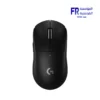
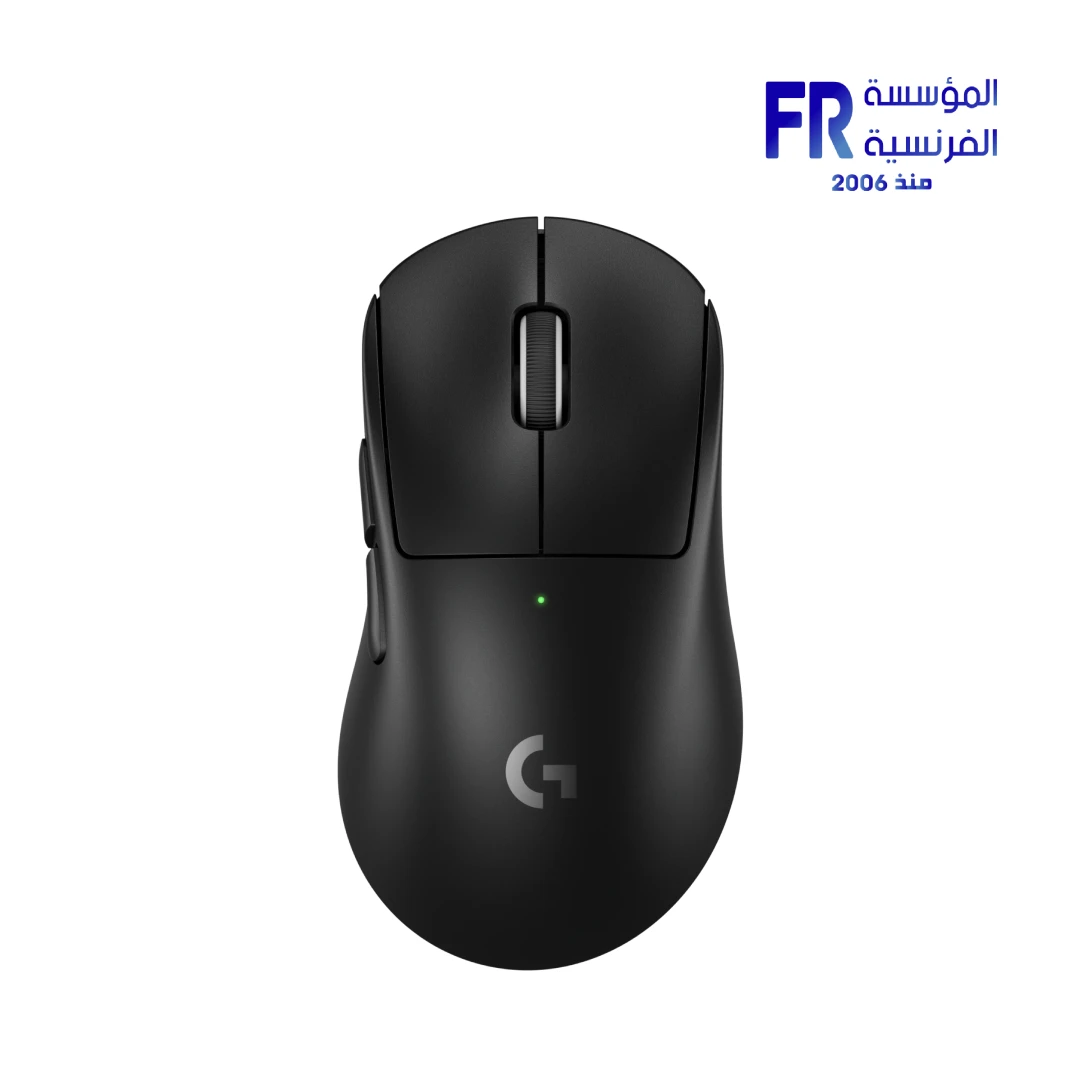


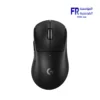
Logitech PRO X SUPERLIGHT 2 DEX LIGHTSPEED Wireless 44000 DPI 8000Hz Black Gaming Mouse
7999 جنيه
- رقم القطعة: 910-007358
- Sensor & Performance: HERO 2 Sensor, 44,000 DPI, 8000Hz LIGHTSPEED Wireless
- Design & Build: 60g Asymmetrical Right-Handed Chassis, LIGHTFORCE Switches
- Battery Life: Up to 95 Hours of Constant Motion
- الاتصال: USB 2.0 Receiver (PC / macOS Compatible)
- الضمان: 2 Years
هل تريد أن يتم إخطارك عندما يتوافر هذا المنتج في المخزون مجددًا؟
✅ Authorized Logitech Partner in Egypt | Official Local Warranty | Expert Gaming Gear Consultation Available
Logitech PRO X SUPERLIGHT 2 DEX LIGHTSPEED Wireless Black Gaming Mouse
Quick Summary: The Logitech PRO X SUPERLIGHT 2 DEX is a 60-gram asymmetric gaming mouse featuring the HERO 2 sensor with up to 44,000 DPI, LIGHTSPEED wireless with an 8000Hz report rate, LIGHTFORCE switches, and up to 95 hours of battery life — designed in collaboration with esports athletes from NAVI, G2, TSM, and Astralis.
Engineered for championship-level performance, the Logitech PRO X SUPERLIGHT 2 DEX gaming mouse features an ergonomic, asymmetrical form crafted for total right-hand control and dexterity. Furthermore, Logitech collaborated for hundreds of hours with athletes from NAVI, G2, TSM, Astralis, and FlyQuest — testing every click, glide, and spin — to create a shape that inspires confidence and unlocks full potential when the win is on the line.
Available now at المؤسسة الفرنسية, the authorized Logitech distributor in Egypt, the PRO X SUPERLIGHT 2 DEX combines a robust 60-gram chassis with the exclusive HERO 2 sensor tracking at over 888 IPS and 88 G. Additionally, with zero smoothing, zero acceleration, and zero filtering, the PRO X SUPERLIGHT 2 DEX gaming mouse delivers the raw, unfiltered accuracy that professional players demand, backed by a 2-year local warranty.
Why Choose the PRO X SUPERLIGHT 2 DEX Gaming Mouse?
Why it matters: The exclusive HERO 2 sensor tracks at over 888 IPS and 88 G with zero smoothing, zero acceleration, and zero filtering. Every movement you make translates 1:1 to the screen with no artificial processing.
Who benefits: FPS players who rely on raw, unfiltered flick accuracy and consistent tracking at any sensitivity.
Why it matters: At 0.25ms report rate, the SUPERLIGHT 2 DEX communicates with your PC four times faster than standard 1000Hz wireless mice, delivering near-instantaneous input response that wired mice struggle to match.
Who benefits: Competitive players where a single millisecond of delay can determine a round outcome.
Why it matters: The right-hand ergonomic shape was refined through hundreds of hours of testing with pro athletes from NAVI, G2, TSM, and Astralis. At 60 grams, it offers the speed and fluidity needed for rapid flicks without sacrificing structural rigidity.
Who benefits: Right-handed players who use palm or claw grip and want a mouse shaped by actual esports champions.
Why it matters: LIGHTFORCE hybrid switches combine the crisp tactile feel of mechanical switches with the speed of optical actuation. Paired with 95 hours of battery life in constant motion, this mouse is built for multi-day tournament runs.
Who benefits: Players who compete in long sessions and need consistent switch feel and no mid-match battery anxiety.
What to Know Before Purchasing
Setup and Compatibility Advice:
- Activate 8000Hz in G HUB: The mouse ships at a default 1000Hz (1ms) report rate. To unlock the full 8000Hz (0.25ms) LIGHTSPEED performance, you must download Logitech G HUB Software and enable the 8000Hz reporting mode. This setting is only available on the wireless connection, not wired.
- Right-hand only design: The DEX shape is asymmetrical and optimized exclusively for right-handed users. If you are left-handed, consider the ambidextrous SUPERLIGHT 2 (non-DEX) variant instead.
- 5-button streamlined layout: This mouse has 5 buttons (left, right, middle click, scroll up, scroll down) with no side buttons. This is intentional for competitive FPS play — it eliminates the risk of accidental side-button presses during intense moments. If you need side buttons for MOBA/MMO keybinds, this may not be the ideal choice.
- USB-C to LIGHTSPEED dongle: The mouse charges via USB-C and connects wirelessly via the included LIGHTSPEED dongle. Ensure your PC has a free USB 2.0 (or higher) port for the dongle. For the best wireless performance, plug the dongle directly into your PC or use the included extension cable to avoid USB 3.0 port interference.
- System requirements: Windows 10 or later, macOS 12 or later. G HUB software requires internet access for download and updates.
- Performance test conditions: Logitech’s 888 IPS, 88 G, and 8000Hz specifications were tested on the Logitech G640 Gaming Mouse Pad. Results may vary on different surfaces.
المواصفات الفنية
| Specification | Details |
|---|---|
| Model Name | PRO X SUPERLIGHT 2 DEX LIGHTSPEED Wireless Gaming Mouse |
| العلامات التجارية | Logitech |
| SKU / MPN | 910-007358 |
| EAN | 5099206128088 |
| UPC | N/A |
| Product Color | Black |
| Number of Buttons | 5 |
| Sensor | HERO 2 |
| Resolution (DPI) | 100 – 44,000 DPI |
| Max. Acceleration | >88 G |
| Max. Speed | >888 IPS |
| Zero Smoothing / Acceleration / Filtering | Yes |
| Max Wired Report Rate | 1000Hz (1ms) |
| Max LIGHTSPEED Report Rate | 8000Hz (0.25ms) |
| Switches | LIGHTFORCE Hybrid Switches |
| Connection | LIGHTSPEED Wireless (USB Dongle) / Wired (USB-C) |
| Battery Life (Constant Motion) | 95 Hours |
| Onboard Memory | Yes (Requires G HUB for advanced configuration) |
| Software | Logitech G HUB |
| Height | 43.9 mm |
| Width | 67.7 mm |
| Length | 125.8 mm |
| Weight | 60 g |
| Shape | Asymmetrical (Right-Hand Only) |
| Compatibility | PC with Windows 10 or later / macOS 12 or later / USB 2.0 port |
| الضمان | 2 Years Local Alfrensia Warranty |
Optimizing Your PRO X SUPERLIGHT 2 DEX Gaming Mouse
💡 Pro Tip: After installing Logitech G HUB, immediately navigate to the report rate setting and switch from the default 1000Hz to 8000Hz — this is the entire reason to choose the SUPERLIGHT 2 DEX over the standard SUPERLIGHT 2. Additionally, use the included USB extension cable to position the LIGHTSPEED dongle close to your mousepad surface, ideally on the same level. As a result, you will minimize any potential wireless interference from USB 3.0 ports or metal desk surfaces, ensuring the 0.25ms response time is consistently achieved.
Frequently Asked Questions
Does the 8000Hz report rate work out of the box?
No. The mouse ships at 1000Hz (1ms) by default. To unlock 8000Hz (0.25ms), you must download Logitech G HUB software, connect the mouse, and manually select the 8000Hz reporting mode. This setting only works over the wireless LIGHTSPEED connection, not when using the USB-C wired cable.
Can left-handed players use the DEX version?
The DEX shape is asymmetric and designed exclusively for right-handed users. Left-handed players should consider the standard PRO X SUPERLIGHT 2 (non-DEX), which features an ambidextrous symmetrical shape suitable for both hands.
Why does this mouse only have 5 buttons with no side buttons?
This is an intentional competitive design choice. In professional FPS esports, side buttons can cause accidental presses during intense moments, leading to unintended ability activations. The 5-button layout eliminates this risk entirely. If you need side buttons for MOBA, MMO, or productivity use, consider the Logitech G PRO X 2 SUPERLIGHT instead.
How does the HERO 2 sensor compare to the original HERO 25K?
The HERO 2 sensor significantly upgrades from the HERO 25K: tracking speed increases from 400+ IPS to 888+ IPS, maximum acceleration doubles from 40 G to 88 G, and DPI range jumps from 25,600 to 44,000. It also maintains zero smoothing, zero acceleration, and zero filtering across the entire range.
Where can I buy the Logitech PRO X SUPERLIGHT 2 DEX in Egypt with a warranty?
You can purchase the original Logitech PRO X SUPERLIGHT 2 DEX black gaming mouse with a 2-year official local warranty and fast Cairo-wide delivery directly from Alfrensia, an authorized Logitech partner.
Finding Your Perfect Grip?
Our gaming gear specialists can help you compare the DEX vs. standard SUPERLIGHT 2 shapes, recommend the ideal DPI settings for your sensitivity, and suggest the best mousepad pairing.
| MODEL | |
|---|---|
| Connection | |
| SENSOR TYPE | |
| DPI | |
| lifecycle | |
| Cable Length | |
| BATTERY LIFE | |
| Wireless Range | |
| Acceleration | |
| Buttons | |
| Color | |
| Part Number | |
| الضمان |
يسمح فقط للزبائن مسجلي الدخول الذين قاموا بشراء هذا المنتج ترك مراجعة.

المراجعات
لا توجد مراجعات بعد.