

ALFRENSIA AI HARDWARE GUIDE · 8 MIN READ
Running AI locally on a PC can mean anything from experimenting with a small language model to generating images or using large models for development work. The model, software runtime, precision, context length and performance target determine the hardware you need.
What does “running AI locally” mean?
Local AI means running a model or inference workload on your own computer rather than sending every request to a remote service. Examples include local language models, image-generation tools, speech recognition, coding assistants, and other inference workloads. Requirements vary widely across these categories.
Running a small quantised language model for personal experimentation is very different from generating high-resolution images, processing long context windows, or fine-tuning a model. This guide focuses on hardware planning and safe, legitimate software use—not on claiming that every PC can run every model.
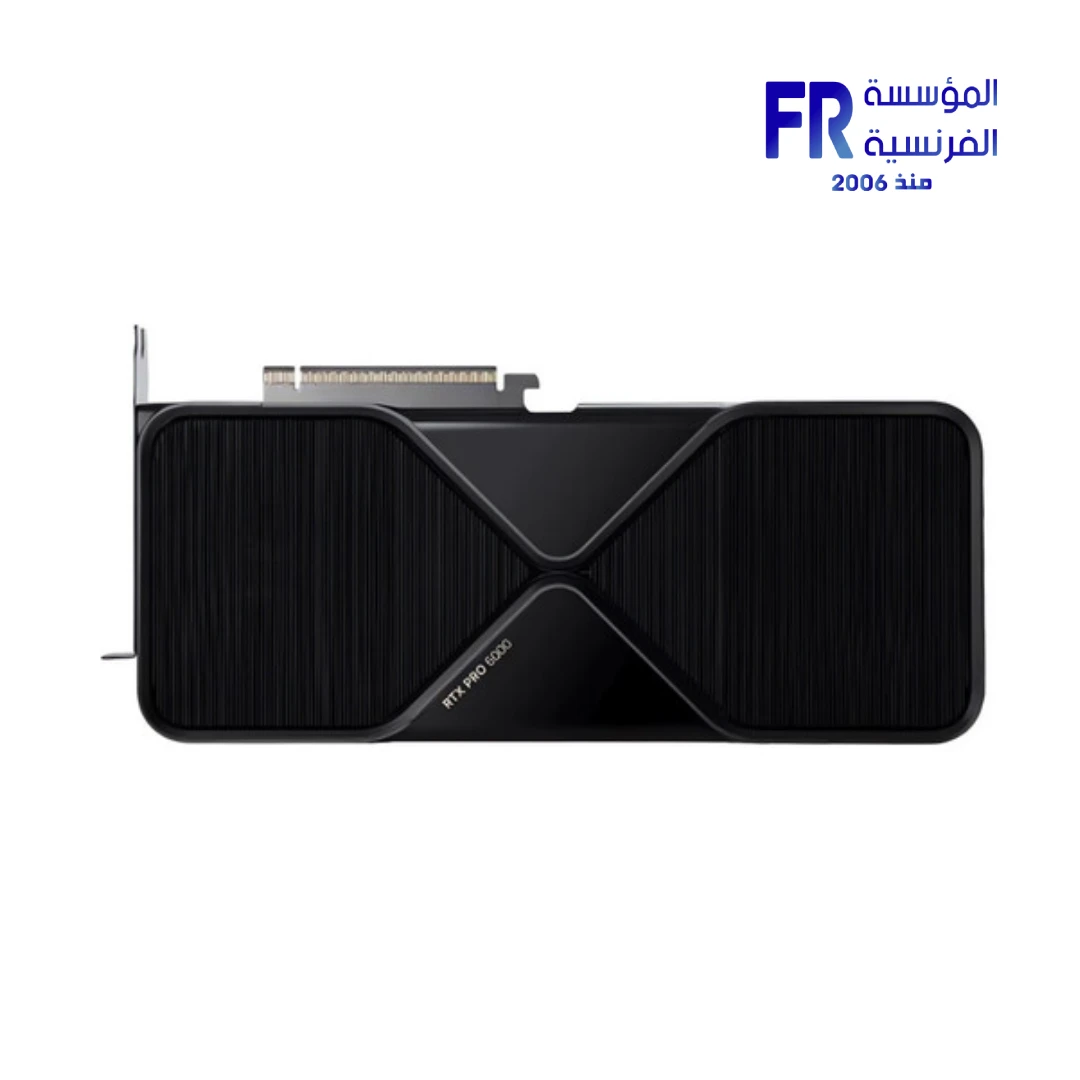
For larger professional workloads, a high-memory workstation GPU such as the NVIDIA RTX PRO 6000 Blackwell with 96GB GDDR7 illustrates the kind of memory capacity available at the workstation end of the market. Smaller models and quantised workloads may have very different requirements.
GPU VRAM: often the first constraint to check
Dedicated GPU memory holds model weights, intermediate data, and other resources used by the GPU workload. If the model and working data do not fit in available VRAM, the software may need to offload work to system memory, use a different configuration, or fail to run. The exact behaviour depends on the runtime and model.
Do not use model parameter count alone as a complete memory estimate. Precision or quantisation, context length, batch size, image resolution, architecture, and runtime overhead all affect memory needs. Consult the model and software documentation, then leave practical headroom rather than planning around a theoretical minimum.
System RAM still matters
System RAM is used by the operating system, applications, CPU-side model processing, and any model data offloaded from the GPU. If the workload exceeds available memory, the system can become slow or fail to allocate resources. Multiple applications running at once also consume RAM.
For a local AI workstation, choose memory based on the model sizes and applications you intend to run. Check the runtime’s current requirements and monitor actual usage during representative tasks. More system RAM does not replace dedicated VRAM when a particular GPU workflow requires it, but insufficient system RAM can also constrain the system.
CPU and GPU: choose for the software and model
Some local AI software can run on a CPU, while GPU acceleration may improve throughput when the runtime supports the GPU architecture. Different frameworks support different hardware, drivers, and operating systems. Confirm that the software supports the GPU you are considering before using theoretical compute numbers to guide the purchase.
Performance also depends on the model, precision, context, batch size, and whether the system can keep the accelerator supplied with data. A faster GPU does not guarantee a proportional speed-up for every model or application.
Storage: model files can be large
Models, checkpoints, caches, datasets, and generated files can use substantial storage. Choose enough capacity for the models and projects you expect to keep, and consider the time needed to load large files. An NVMe SSD can offer high throughput, but capacity and the actual workload still matter.
Keep important project files and model configurations backed up. Do not assume a local model download is the only copy of the data or settings you need.
What about quantisation and context length?
Quantisation can reduce model memory requirements by representing weights with fewer bits, but it can also affect output quality or performance depending on the method and model. Context length influences memory use because the system must manage additional prompt and conversation data; exact requirements vary by architecture and runtime.
Compare model documentation and the runtime’s memory guidance for the specific configuration. A model advertised as fitting in a given amount of VRAM may need additional headroom for context, buffers, and other active software.
Power, cooling, and noise
GPU-intensive inference or image generation can keep a graphics card busy for sustained periods. Check the exact GPU’s power requirement, the PSU’s quality and connectors, case clearance, and airflow. For a workstation used for long sessions, also consider noise and thermal behaviour.
Do not choose a PSU based on the GPU name alone. Verify the manufacturer’s instructions for the exact board-partner model and the rest of the system. Check the case’s dimensions and cooling support before ordering.
Choose hardware by the use case
- Experimenting with smaller local language models: start with the chosen model’s memory requirements and the runtime’s supported hardware.
- Local image generation: check the application’s GPU support, VRAM needs, image resolution, model architecture, and extensions.
- Local coding assistant: consider model size, context length, response speed, and whether other development tools will run simultaneously.
- Speech and transcription: verify supported models, language requirements, audio length, and whether CPU or GPU acceleration is supported.
- Professional or research workload: check framework compatibility, memory headroom, reproducibility, and any data-handling requirements before selecting hardware.
A practical hardware-planning checklist
- Choose the exact model and application you want to run.
- Check official software and model requirements.
- Estimate memory use for weights, context, buffers, and the operating system.
- Confirm GPU architecture, driver, and runtime support.
- Choose enough system RAM for the workload and other applications.
- Plan storage for models, caches, datasets, and output files.
- Verify GPU dimensions, PSU, connectors, cooling, and case fit.
- Test the intended model and configuration before making expensive upgrade decisions.
Privacy and practical limitations
Running a model locally can reduce the need to send prompts to a third-party inference service, but it does not automatically guarantee privacy. Software may still connect to the internet, download updates, or transmit telemetry depending on its configuration. Review the tool’s documentation and settings, and avoid putting sensitive information into software you have not evaluated.
Local models can also produce inaccurate or incomplete results. For professional use, verify important outputs against reliable sources and use appropriate human review.
Frequently asked questions
Is GPU VRAM more important than system RAM?
It depends on the workload. VRAM can be the primary limit for GPU inference, while system RAM is still needed for the operating system, CPU work, offloading, and other applications.
Can a gaming GPU run local AI?
Many supported GPUs can run certain local AI workloads, but the model, runtime, VRAM, drivers, and expected speed determine what is practical.
Does a larger model always give better results?
No. Model quality, training, quantisation, context, task fit, and runtime all affect the outcome. Larger models generally require more resources but are not automatically better for every task.
Should I buy a GPU just for AI?
Choose based on the models and software you will actually use. Check compatibility and memory requirements, and compare realistic benchmarks before committing to a hardware purchase.
Official resources
- PyTorch — local installation and hardware requirements
- NVIDIA — AI computing resources
- llama.cpp — local inference project documentation
Model and software requirements evolve quickly. Check current official documentation for the exact model, runtime, and GPU before buying components.
تشغيل نماذج AI محلياً على الكمبيوتر: VRAM وRAM ومتطلبات العتاد
تشغيل AI محلياً ممكن يعني نموذج لغة صغير، أو توليد صور، أو أدوات تطوير ونماذج أكبر. نوع النموذج والبرنامج والدقة وcontext length والسرعة المطلوبة هي اللي تحدد احتياجات الجهاز.
يعني إيه تشغيل AI محلياً؟
يعني تشغيل النموذج على جهازك بدلاً من إرسال كل الطلبات إلى خدمة سحابية. بعض المهام تحتاج ذاكرة وموارد أكثر بكثير من غيرها.
VRAM: أول حاجة تفحصها غالباً
ذاكرة كارت الشاشة تحدد حجم أجزاء النموذج والبيانات التي يمكن الاحتفاظ بها على GPU. راجع متطلبات البرنامج والنموذج وإعدادات التشغيل؛ اسم الكارت وحده مش كفاية.
RAM النظام مهمة أيضاً
النظام والتطبيقات والبيانات المحمّلة تحتاج ذاكرة RAM. تشغيل النموذج على CPU أو استخدام offloading قد يغيّر الاحتياج والأداء.
اختيار CPU وGPU حسب النموذج
تأكد من دعم البرنامج للعتاد والتسريع المستخدم. بعض المهام تستفيد من GPU قوي، بينما قد تعمل نماذج أصغر على CPU مع أداء أبطأ.
التخزين: ملفات النماذج قد تكون كبيرة
خصص مساحة للنماذج والإصدارات والكاش والبيانات والمخرجات. سرعة التخزين تؤثر على التحميل وبعض مراحل العمل، لكنها لا تعوّض نقص VRAM أثناء الحساب.
Quantisation وContext Length
تقليل الدقة العددية قد يقلل استهلاك الذاكرة مقابل تغييرات محتملة في الجودة. طول السياق والدفعة وحجم النموذج عوامل تؤثر في الذاكرة؛ راجع إعدادات البرنامج الفعلية.
الطاقة والتبريد والضوضاء
الأحمال الطويلة تحتاج تبريداً وتغذية طاقة مناسبين. راقب الحرارة واستهلاك الطاقة أثناء التشغيل الحقيقي.
اختار العتاد حسب الاستخدام
حدد هل الاستخدام chat، أو توليد صور، أو تطوير، أو معالجة بيانات، ثم راجع متطلبات الأدوات المحددة.
قائمة تخطيط العتاد
- حدد النموذج والـruntime.
- راجع متطلبات VRAM وRAM.
- تحقق من توافق GPU والـdrivers.
- خصص مساحة تخزين مناسبة.
- راجع الطاقة والتبريد.
- اختبر نموذجاً فعلياً قبل الترقية.
الخصوصية والقيود العملية
التشغيل المحلي قد يساعد في إبقاء البيانات على جهازك، لكنه لا يضمن الخصوصية تلقائياً؛ راجع سلوك البرنامج والاتصالات والتخزين.
الأسئلة الشائعة
هل VRAM أهم من RAM؟
يعتمد على النموذج وطريقة التشغيل؛ الاتنين ممكن يكونوا قيوداً.
هل كارت ألعاب يقدر يشغّل AI محلياً؟
نعم في مهام كثيرة، بشرط توافق البرنامج وذاكرة كافية للتكوين المطلوب.
هل النموذج الأكبر يعطي نتائج أفضل دائماً؟
ليس بالضرورة؛ الجودة تعتمد على النموذج والمهمة والإعدادات.
هل أشتري GPU للـAI فقط؟
حدد استخدامك الفعلي ومتطلبات البرامج وقارن الفائدة بالتكلفة قبل القرار.
مصادر رسمية موثوقة
- NVIDIA CUDA Documentation للتحقق من متطلبات وتوافق CUDA.
- Ollama Documentation لمعرفة متطلبات تشغيل النماذج محلياً وإعدادات التشغيل.
- LM Studio Documentation لمراجعة إعدادات التشغيل المحلي ومتطلبات البرنامج.
- Hugging Face Transformers Documentation لفهم دعم النماذج والـframeworks.
المتطلبات بتختلف حسب النموذج وإصداره والـruntime وطول الـcontext والـquantization؛ راجع الوثائق الخاصة بإعدادك قبل شراء أي قطعة.
محتاج تختار GPU مناسب لاستخدامك؟
حدد البرنامج والنماذج اللي ناوي تشغلها وميزانيتك، وراجع خيارات كروت الشاشة على موقع المؤسسة الفرنسية للكمبيوتر أو تواصل مع المبيعات على واتساب للاستفسار عن التوافق والتوفر الحالي.