


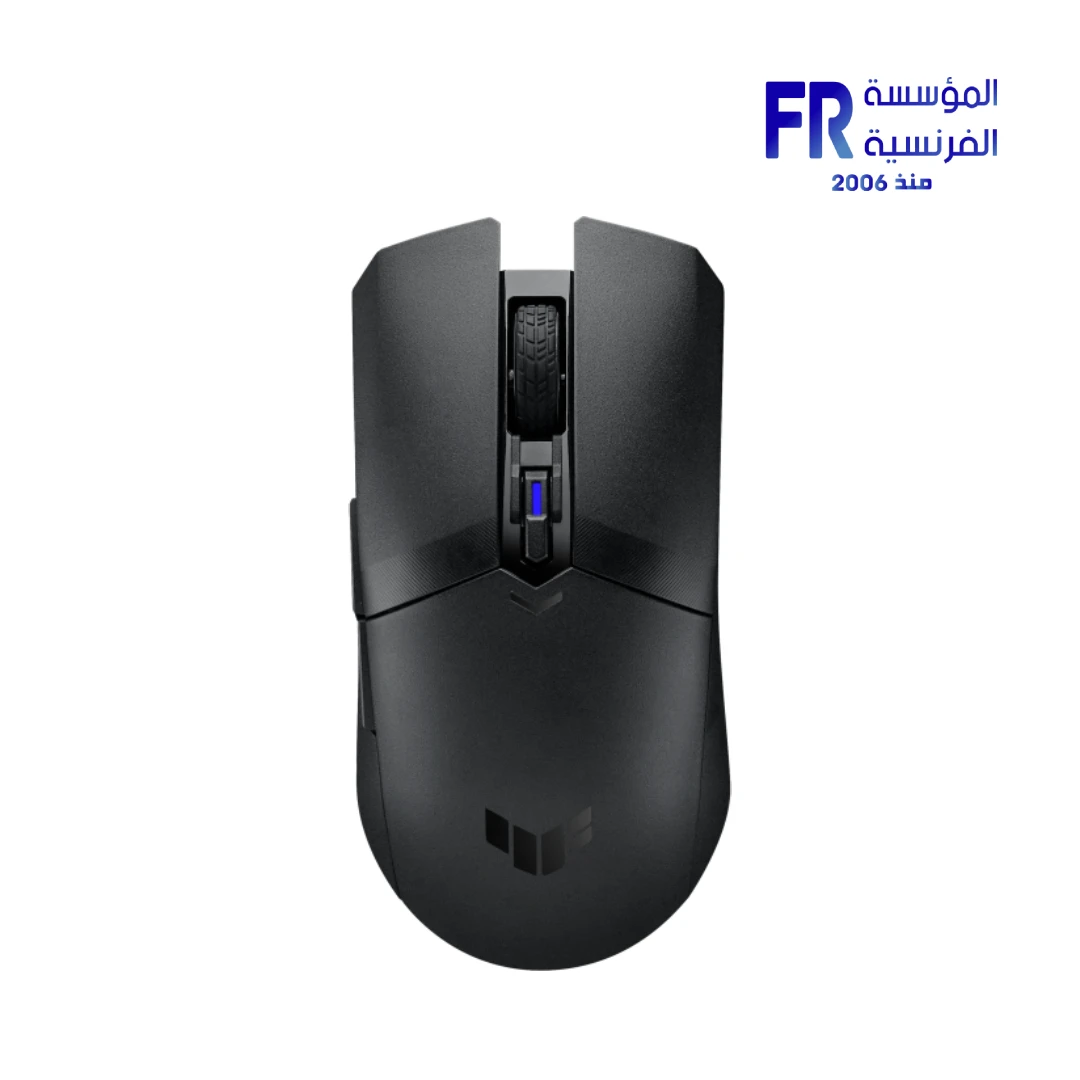
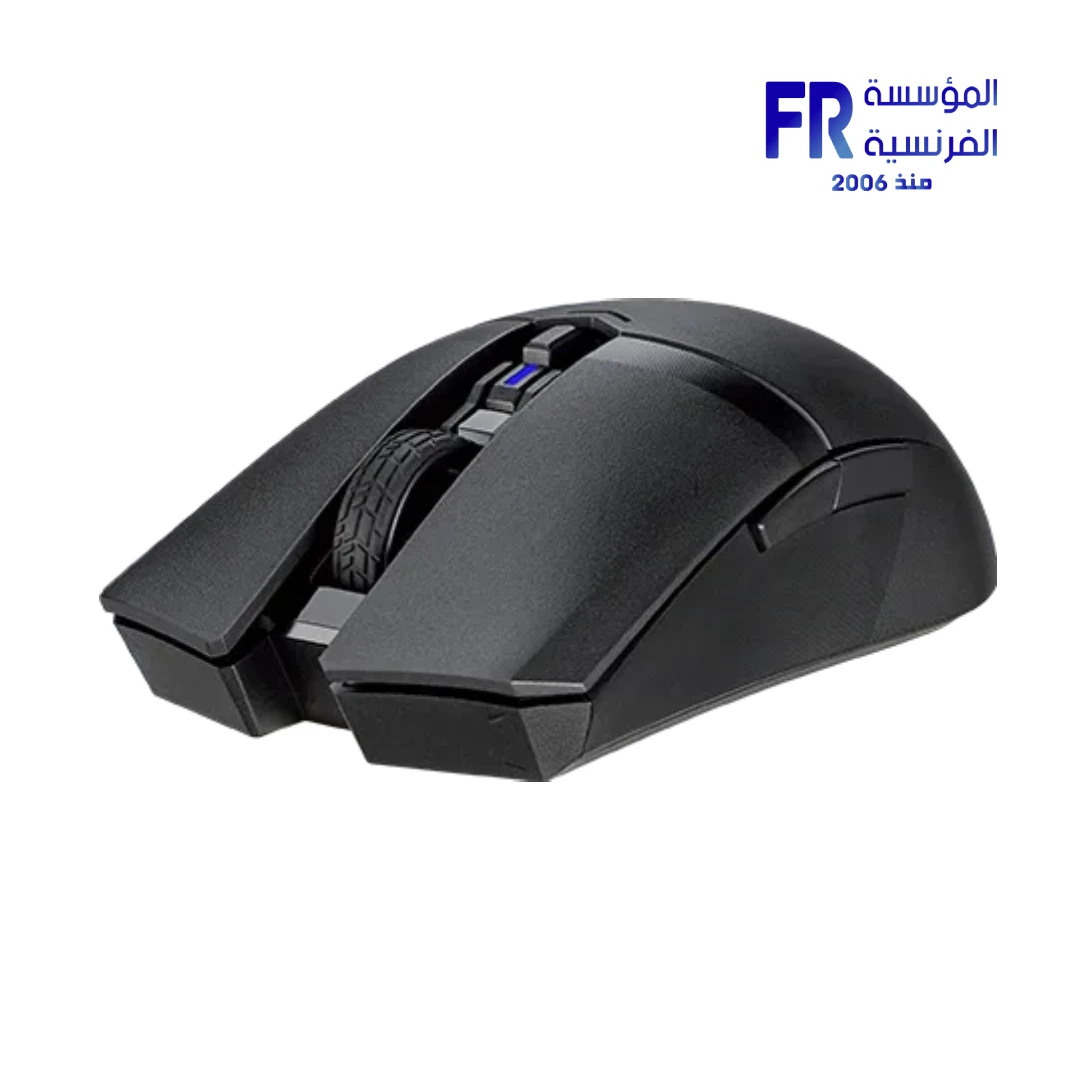
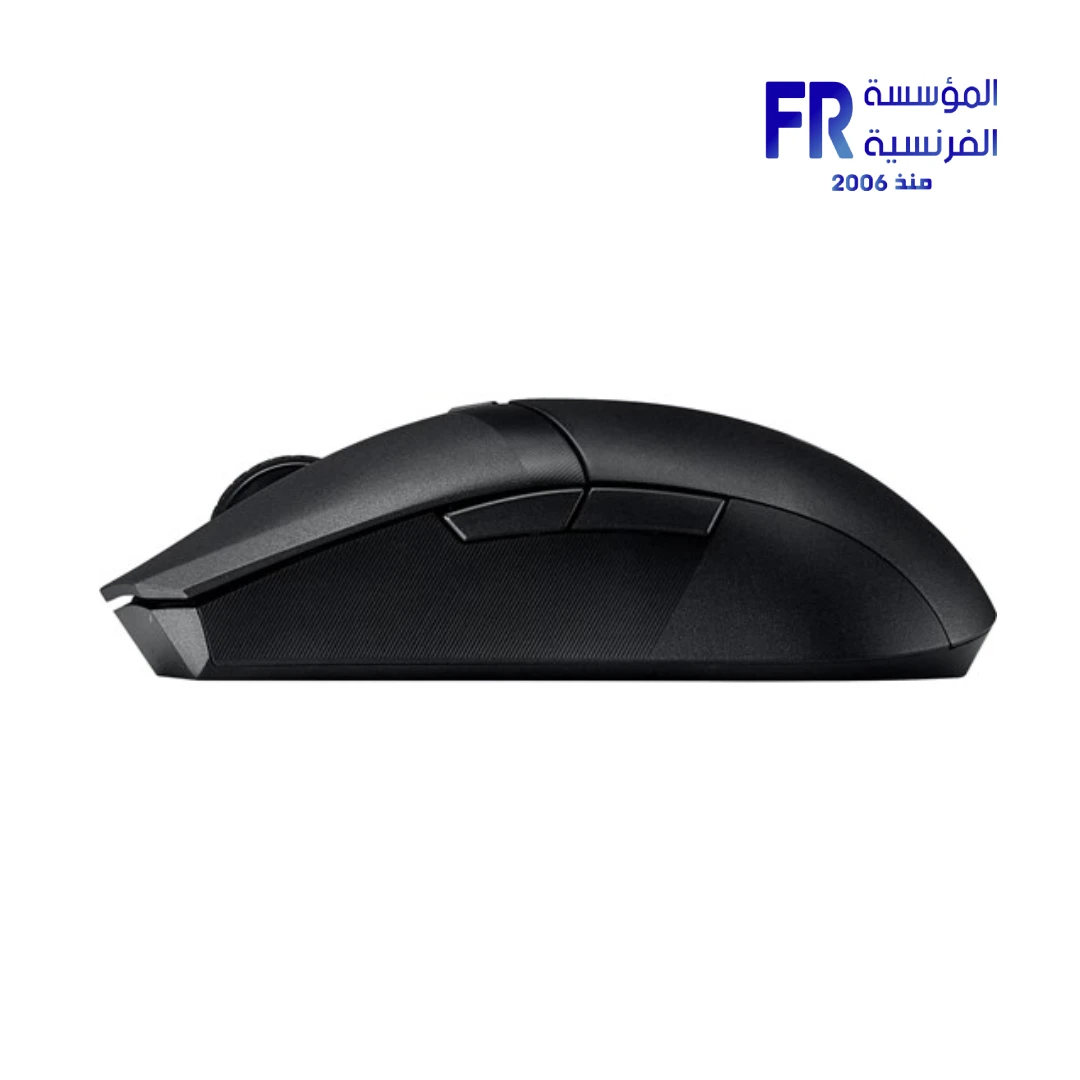
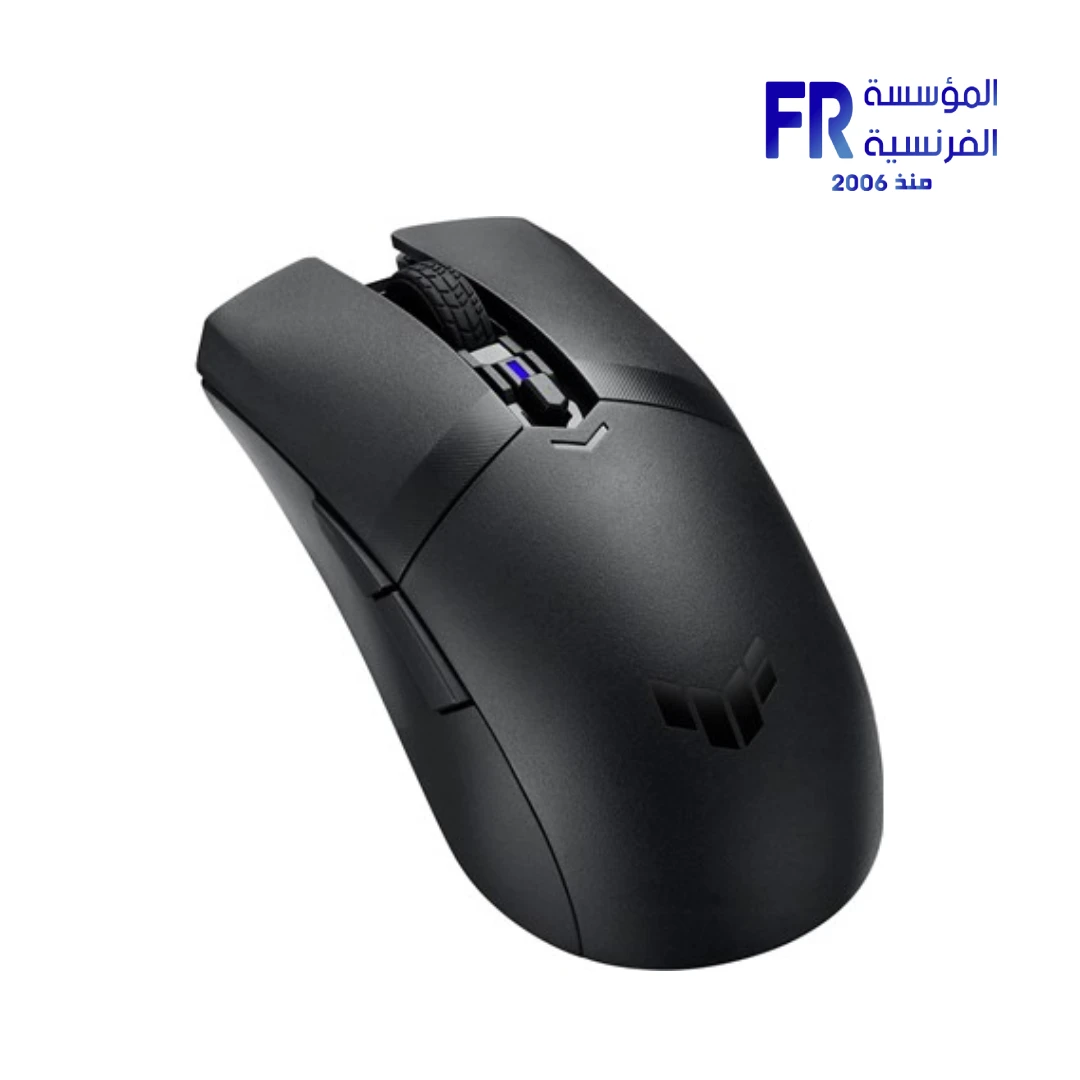
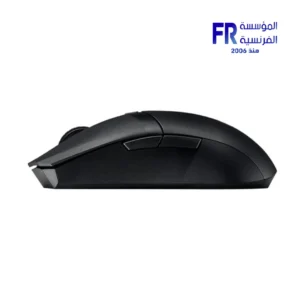
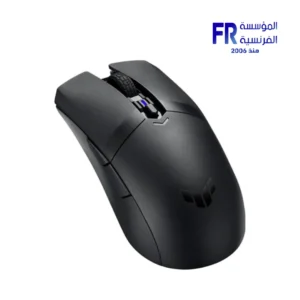


ASUS TUF Gaming M4 Wireless 12000 DPI Dual Mode Bluetooth 2.4GHz Black Gaming Mouse
2499 جنيه
- Model Name: ASUS TUF Gaming M4 Wireless
- Optical sensor; up to 12,000 DPI
- 2.4GHz RF and Bluetooth 5.1; 6 programmable buttons
- AA or AAA battery support; 62g without battery and dongle
- Black PBT top cover and 100% PTFE feet
- الضمان: 1 year — Alfrensia mouse baseline; verify exact coverage
متوفر في المخزون
ضمان مطابقة السعر✅ Authorized ASUS Partner in Egypt | Official 1-Year Warranty | Expert PC Building Consultation Available
ASUS TUF Gaming M4 Wireless 12000 DPI Dual Mode Bluetooth 2.4GHz Black Gaming Mouse
ASUS TUF Gaming M4 Wireless is an ambidextrous wireless gaming mouse with 2.4GHz and Bluetooth LE dual connectivity, a 12000 DPI optical sensor, and six programmable buttons. It has an ASUS Antibacterial Guard PBT top cover, 100% PTFE mouse feet, and a 62g body that runs on AA or AAA batteries. Available at Alfrensia for 2,499 EGP.
⚡ Engineering Highlights at a Glance:
- Dual Wireless Connectivity: 2.4GHz for low-latency gaming, plus Bluetooth LE for laptops and tablets where you don’t want to occupy a USB port.
- 12000 DPI Optical Sensor: Gaming-grade tracking with a DPI button for on-the-fly four-level sensitivity adjustment.
- Ambidextrous 62g Body: Shaped for both left- and right-handed users, and lightweight for quick movements (excluding battery and dongle).
- ASUS Antibacterial Guard: Ionic silver treatment on the surfaces and side buttons inhibits bacterial growth by more than 99% over a 24-hour period.
- PBT Top Cover: Resists wear and shine for a consistent feel, with an alcohol-safe surface that can be cleaned without concern.
- 100% PTFE Feet: Smooth glide across cloth and hard mouse pads.
- Six Programmable Buttons: Onboard memory stores profiles, and Armoury Crate software handles button mapping and performance tuning.
Who is the TUF Gaming M4 Wireless For?
Expert Advice & Build Considerations
Connectivity and Pairing
The mouse supports two connection modes: 2.4GHz via a USB dongle and Bluetooth LE. Use 2.4GHz for gaming because it delivers the lowest latency, and switch to Bluetooth LE for laptops and tablets where you do not want to occupy a USB port. Pairing differs by mode; check the manual for the pairing sequence before first use. The 2.4GHz mode requires the dongle, and the Bluetooth mode does not.
Battery and Weight
The mouse runs on AA or AAA batteries, and both types are included. The bundled AAA-to-AA converter lets you use the smaller AAA battery, which reduces weight by about 10%. The 62g spec excludes battery and dongle, so the actual weight changes depending on which battery you install. If you want the lightest possible setup, use the AAA battery with the converter. Check battery level in Armoury Crate or watch for the DPI indicator behavior before competitive sessions.
Sensor, Buttons, and Surfaces
The 12000 DPI optical sensor supports four-level adjustment through the DPI button, so you can switch sensitivity mid-game without opening software. Install Armoury Crate on Windows to map the six programmable buttons, create profiles, and store them in onboard memory so they carry over to other PCs. The PTFE feet work well on cloth and hard pads; clean them periodically with a microfiber cloth to keep the glide consistent. Because the mouse is ambidextrous and relatively small, players with large hands may prefer a larger ergonomic mouse for extended sessions.
المواصفات الفنية
| Model Name | TUF Gaming M4 Wireless |
| العلامات التجارية | ASUS |
| SKU / MPN | 90MP02F0-BMUA00 |
| EAN / UPC | 195553138376 |
| Product Type | Wireless gaming mouse |
| Sensor | Optical, up to 12000 DPI |
| Connectivity | 2.4GHz wireless | Bluetooth LE |
| Buttons | 6 programmable | DPI switch with indicator | Clickable scroll wheel |
| Weight | 62 g (excluding battery and dongle) |
| Form Factor | Ambidextrous |
| Battery | AA or AAA (both included) | AAA-to-AA converter included | ~10% weight reduction with AAA |
| Top Cover Material | PBT polymer with ASUS Antibacterial Guard (ionic silver) |
| Feet | 100% PTFE |
| Onboard Memory | Yes, for profile storage |
| Software | Armoury Crate (button mapping, profiles, performance settings) |
| Color | Black |
| Included Accessories | 2.4GHz dongle | AA battery | AAA battery | AAA-to-AA converter | Quick start guide |
| الضمان | 1 Year Local Alfrensia Warranty |
Expert Recommendation: Getting the Most from the TUF Gaming M4 Wireless
Decide which battery you want to use before the first session. The AAA battery with the converter cuts about 10% of the weight, which suits fast flick shots; the AA battery lasts longer between swaps. Both batteries come in the box.
Install Armoury Crate on Windows to map the six programmable buttons, create profiles, and store them in onboard memory. Profiles carry over to other PCs without the software, so you can take your settings to tournaments or a friend’s setup.
Use 2.4GHz mode for gaming and Bluetooth LE for laptops and tablets. Pairing differs by mode; follow the manual for each. If the mouse loses connection, check the battery level first, then re-pair the dongle or Bluetooth connection.
Clean the PBT top cover with alcohol wipes as needed; the surface is alcohol-safe and treated with Antibacterial Guard. Clean the PTFE feet with a microfiber cloth to keep the glide consistent. Because the mouse is ambidextrous and relatively small, players with large hands may prefer a larger ergonomic mouse for extended sessions. The 1-year Alfrensia warranty covers manufacturing defects.
Frequently Asked Questions
What connection modes does the TUF Gaming M4 Wireless support?
It supports two wireless modes: 2.4GHz through a USB dongle and Bluetooth LE. Use 2.4GHz for gaming to get the lowest latency, and switch to Bluetooth LE for laptops and tablets where you do not want to occupy a USB port. Pairing differs by mode; check the manual for the pairing sequence.
What battery does the mouse use, and can I reduce its weight?
The mouse runs on AA or AAA batteries, and both types are included. Use the bundled AAA-to-AA converter with the AAA battery for about a 10% weight reduction compared to the AA battery. The 62g spec excludes battery and dongle, so the actual weight changes depending on which battery you install.
What is the ASUS Antibacterial Guard?
Antibacterial Guard is an ionic silver treatment applied to the surfaces and side buttons. Positively charged silver (Ag+) ions bind with the cell walls of negatively charged microbes and bacteria, disrupting their internal functions and preventing further growth. ASUS tested the treatment under ISO 22196 standards and reports more than 99% inhibition over a 24-hour period.
Does the mouse need Armoury Crate to work?
The mouse works out of the box as a basic wireless mouse without Armoury Crate. Install Armoury Crate to map the six programmable buttons, create profiles, adjust performance settings, and store them in onboard memory. Without the software, the mouse runs at its default settings.
Is the mouse suitable for left-handed users?
Yes. The TUF Gaming M4 Wireless uses an ambidextrous form factor, so it fits both left- and right-handed users. Side buttons are placed on the left side for right-handed use, but the overall shape and weight are balanced for either hand. If you need dedicated left-handed side buttons, look for a true left-handed mouse instead.
| MODEL | |
|---|---|
| DPI | |
| Color | |
| الضمان |
| SENSOR | |
|---|---|
| CONNECTIVITY |
يسمح فقط للزبائن مسجلي الدخول الذين قاموا بشراء هذا المنتج ترك مراجعة.
المراجعات
لا توجد مراجعات بعد.