


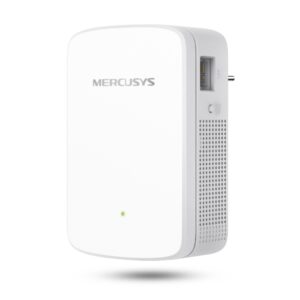
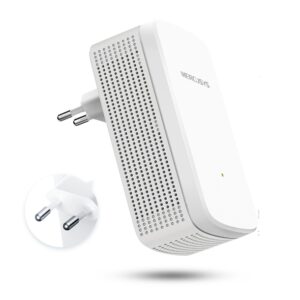

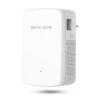
MERCUSYS ME20 AC750 Dual Band Wi-Fi Range Extender
949 جنيه
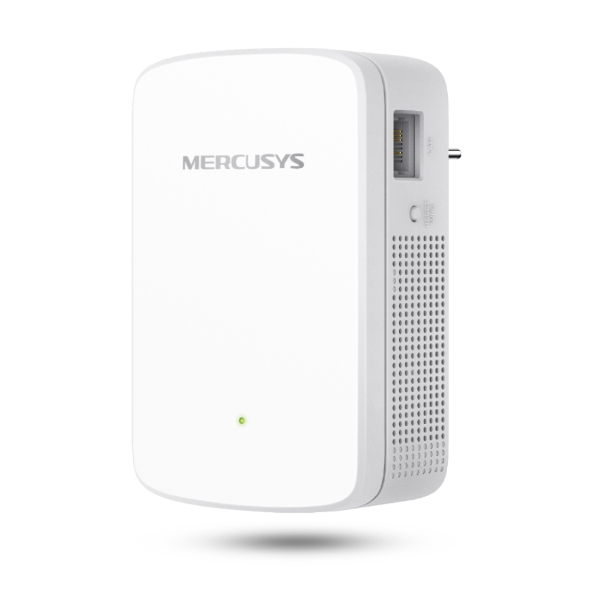
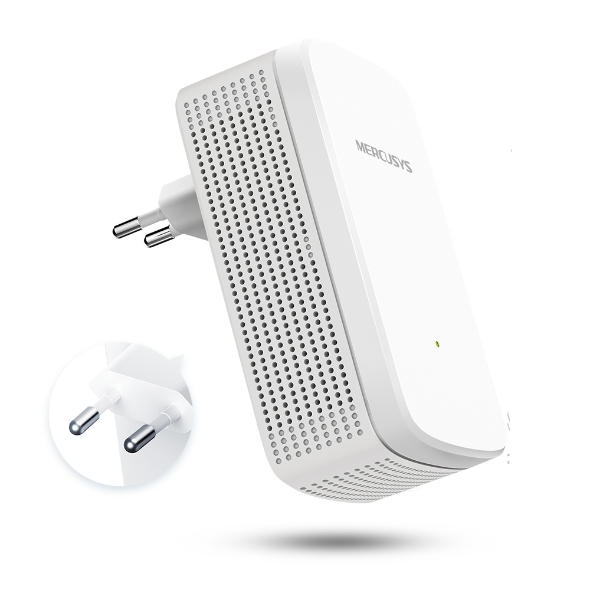
MERCUSYS ME20 is an AC750 dual-band Wi-Fi range extender that helps extend an existing wireless network into weaker-coverage areas.
- Up to 433Mbps on 5GHz + 300Mbps on 2.4GHz
- 1 × 10/100Mbps Fast Ethernet RJ45 port
- WPS setup · signal indicator · Access Point mode
- WPA-PSK / WPA2-PSK security
- Dimensions: 112 × 84.7 × 39mm · EAN: 6957939000318
المتوفر في المخزون 1 فقط
ضمان أفضل سعرMERCUSYS • HOME WI-FI
MERCUSYS ME20 AC750 Dual-Band Wi-Fi Range Extender
Extend an existing wireless network into areas with weaker coverage using dual-band AC750 Wi-Fi, one Fast Ethernet port and simple WPS setup.
Extend your existing Wi-Fi coverage
The ME20 receives the signal from an existing wireless router or access point and rebroadcasts it to help cover areas that are harder to reach. Placement matters: install the extender where it can still receive a good signal from the main router and where the extended signal is needed.
AC750 dual-band wireless
- 5GHz: up to 433Mbps wireless link rate for compatible devices and conditions.
- 2.4GHz: up to 300Mbps wireless link rate for broader compatibility.
- Combined class: AC750 (433Mbps + 300Mbps theoretical maximum link rates).
Actual throughput and coverage vary with router performance, distance, walls, interference, client devices and network conditions. These advertised wireless rates are not guaranteed internet speeds.
Easy setup and wired connection
Press the WPS button on a compatible router and the ME20 to simplify pairing. A multicolour signal indicator helps identify a suitable placement. The 10/100Mbps Ethernet port can connect a wired device such as a PC, IPTV or game console, or be used for Access Point mode when connected to a wired network.
Technical specifications
| Model Name | MERCUSYS ME20 |
|---|---|
| EAN-13 / GTIN | 6957939000318 |
| Product Type | Dual-Band Wi-Fi Range Extender |
| Wi-Fi Class | AC750 |
| Wireless Standards | IEEE 802.11a/n/ac (5GHz); IEEE 802.11b/g/n (2.4GHz) |
| Wireless Speed | Up to 433Mbps (5GHz) + 300Mbps (2.4GHz) |
| Frequency Bands | 2.4GHz and 5GHz |
| Ethernet Port | 1 × 10/100Mbps RJ45 |
| Wireless Security | WPA-PSK / WPA2-PSK |
| Buttons | WPS / Reset |
| Operating Modes | Range Extender / Access Point |
| Antennas | Internal antenna design |
| Dimensions | 112 × 84.7 × 39mm |
| Power Consumption | 7.2W |
| Certifications | NCC, RoHS (regional ME20 specification) |
What’s in the box?
- 1 × MERCUSYS ME20 Wi-Fi Range Extender
- 1 × Quick Installation Guide
Compatibility and placement
The ME20 is designed to work with compatible wireless routers and access points. For best results, place it between the router and the weak-coverage area while keeping a usable connection to the router. Its Ethernet port is Fast Ethernet (10/100Mbps), not Gigabit Ethernet; wired throughput is therefore limited by that port.
Frequently asked questions
What does AC750 mean?
AC750 is the combined theoretical wireless link-rate class: up to 433Mbps on 5GHz plus up to 300Mbps on 2.4GHz. It is not a guaranteed internet speed.
Does the ME20 have a Gigabit Ethernet port?
No. It has one 10/100Mbps Fast Ethernet RJ45 port.
Can it work as an access point?
Yes. In Access Point mode, connect it to a wired network using its Ethernet port to create dual-band Wi-Fi coverage.
How do I set it up?
The extender supports WPS setup with a compatible router. Press the WPS button on the router and then on the ME20, then use the signal indicator to help choose a suitable location.
Manufacturer support
For hardware-version-specific manuals, firmware and support, consult the official MERCUSYS ME20 product page.
| MODEL | |
|---|---|
| Wi-Fi Standard | Wi-Fi 5 (802.11ac) |
| Wi-Fi Speed | AC750: 433Mbps (5GHz) + 300Mbps (2.4GHz) |
| Frequency Band | Dual-band 2.4GHz + 5GHz |
| Antennas | Internal antenna |
| Connectivity | |
| Security | WPA-PSK / WPA2-PSK |
| الضمان |
يسمح فقط للزبائن مسجلي الدخول الذين قاموا بشراء هذا المنتج ترك مراجعة.
الضمان وشروط الشراء
- مدة الضمان للمنتج ده: 2 Years (ضمان الوكيل). التفاصيل
- استبدال فوري بجديد: لو ظهر عيب صناعة في أي وقت خلال فترة الضمان، المنتج بيتغير بجديد من غير صيانة أو تصليح (ما عدا المنتجات اللي محتاجة شغل سوفت وير). ولو البديل مش متوفر، بنرجعلك المبلغ كامل من غير خصم. التفاصيل
- الاسترجاع: لو مش محتاج المنتج، تقدر ترجّعه خلال 30 يوم من تاريخ الشراء، بشرط يكون متبرشم ومتفتحش وبكل مشتملاته. التفاصيل
- فحص الشحنة: قبل ما تستلم، بص على التغليف الخارجي للشحنة. لو الكرتونة متبهدلة (مقطوعة أو مبلولة أو مضغوطة أو اللاصق مفتوح) وباين إن فيه تلف، ارفض الشحنة مع المندوب وكلمنا فورًا على 01021625421. ومتفتحش علبة المنتج قبل ما تستلم. التفاصيل
- بعد الاستلام: لو فتحت ولقيت تلف أو نقص جوه، كلمنا خلال 48 ساعة على 01021625421، واحتفظ بالكرتونة وصور أو فيديو الفتح. التفاصيل
- الضمان لا يشمل: سوء الاستخدام (حرق – كسر – خدش – إزالة ستيكر الضمان)، وأنظمة التشغيل والبرامج والإكسسوارات الـ Generic. التفاصيل
- مهم: حافظ على ستيكر ضمان المؤسسة الفرنسية وعلى كل مشتملات العلبة علشان تستفيد من ضمان الوكيل. التفاصيل
- الدفع والتوصيل: كاش عند الاستلام. القاهرة والجيزة والإسكندرية خلال 2–3 أيام عمل، وباقي المحافظات خلال 3–5 أيام عمل من تأكيد الطلب. التفاصيل
- رد المبلغ: فلوسك ترجعلك خلال يومين عمل من استلامنا للمنتج، على إنستاباي أو محفظتك أو حسابك البنكي. التفاصيل
- حقوقك القانونية: كل حقوقك بقانون حماية المستهلك رقم 181 لسنة 2018 محفوظة، والمميزات اللي فوق إضافة عليها. التفاصيل





المراجعات
لا توجد مراجعات بعد.