


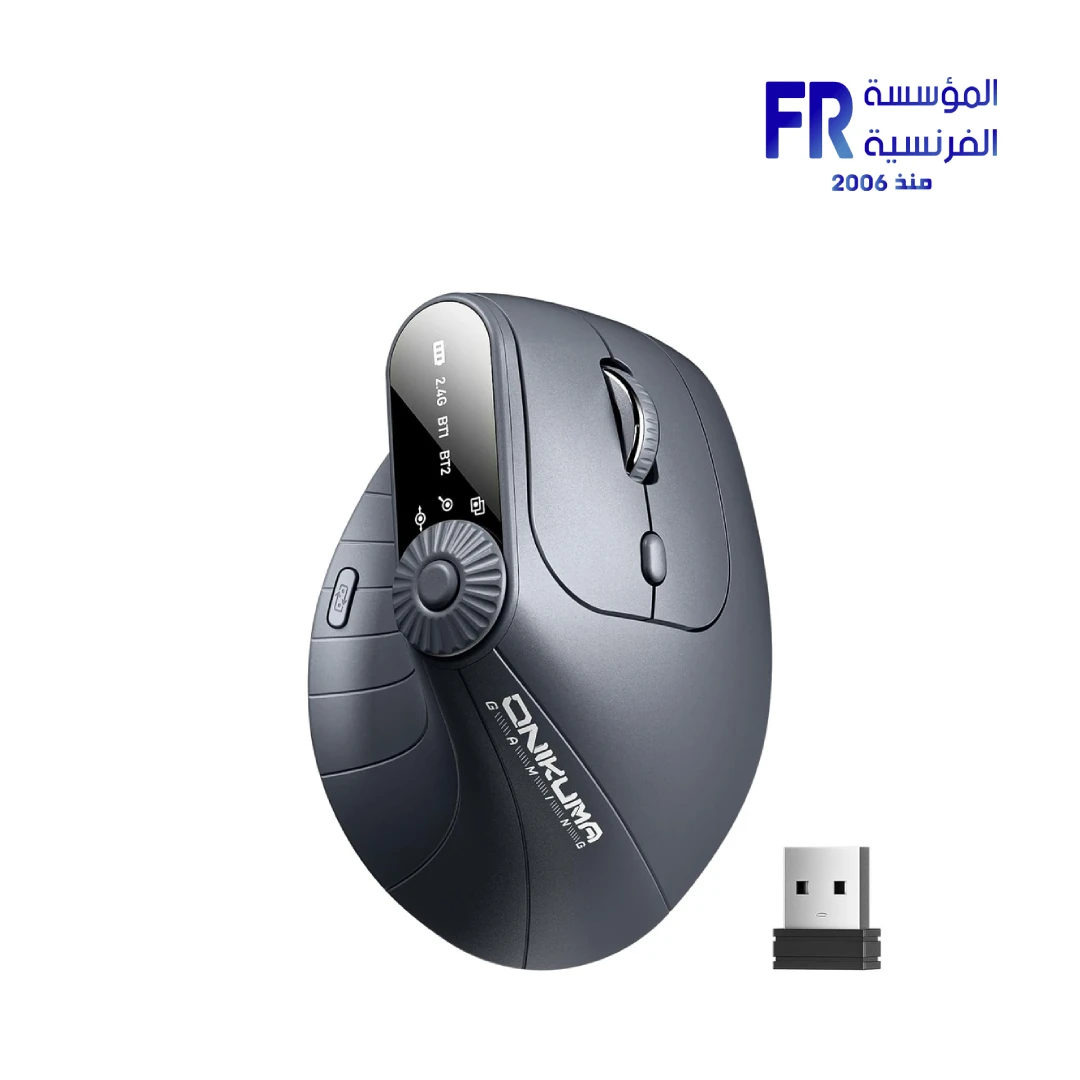


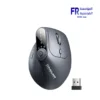
Onikuma CW932 Dual Mode Ergonomic Vertical Wireless Gray Mouse
1638 جنيه
- رقم القطعة: MO-02-09
- الاتصال: Dual-Mode (2.4GHz Wireless / Bluetooth) | Multi-Device Support (Up to 3 Devices)
- Sensor & DPI: Optical Sensor | 4 Adjustable DPI Levels (800/1200/1600/2400)
- Design & Features: Vertical Ergonomic Design | 8 Programmable Buttons | Rechargeable Battery | USB-C Charging
- الضمان: 1 Year
متوفر في المخزون
ضمان مطابقة السعر
Onikuma CW932 Vertical Ergonomic Wireless Mouse
The Onikuma CW932 Vertical Ergonomic Wireless Mouse is designed for comfort and productivity with a natural handshake position that reduces hand and wrist strain during extended use. Featuring dual-mode connectivity (2.4GHz/Bluetooth), 4-level DPI adjustment (800-2400), 8 programmable buttons, and multi-device support for up to 3 devices — it’s the perfect ergonomic solution for professionals and gamers alike.
📡 Dual-Mode
🎯 4-Level DPI
🔋 Rechargeable
🔄 3-Device Switching
المواصفات الفنية
| الموديل | Onikuma CW932 |
| SKU | MO-02-09 |
| Connectivity | Dual-Mode (2.4GHz / Bluetooth 5.0) |
| Device Support | Up to 3 Devices (2.4G + BT1 + BT2) |
| DPI Levels | 800 / 1200 / 1600 / 2400 |
| Number of Buttons | 8 (Programmable) |
| Hand Orientation | Right-Handed (Vertical Ergonomic) |
| Battery | Built-in Rechargeable (USB-C) |
| Weight | 222g |
| Material | Plastic |
| Color | Gray |
| Dimensions | 16.89 x 12.29 x 7.8 cm |
| Compatibility | Windows / Mac / Chrome OS / Android |
| Warranty Status | 1 Year Warranty |
Is the Onikuma CW932 Right For You?
✓ Best For
- ✔ Users experiencing wrist pain from traditional mice
- ✔ Professionals working long hours at computers
- ✔ Multi-device users needing seamless switching
- ✔ Ergonomic-conscious gamers and office workers
- ✔ Users who prefer natural handshake position
✗ Not Ideal For
- ✗ Left-handed users (right-hand orientation only)
- ✗ Those who prefer traditional flat mice
- ✗ Users needing ultra-high DPI for competitive gaming
- ✗ Those who want lightweight mice
Key Features
🖐️ Vertical Ergonomic Design
Promotes a natural handshake position that reduces hand and wrist strain compared to traditional flat mice. Ideal for extended use and preventing repetitive strain injuries.
📡 Dual-Mode & Multi-Device
2.4GHz USB wireless and Bluetooth 5.0 connectivity. Connect up to 3 devices simultaneously with seamless switching between 2.4G, BT1, and BT2 modes.
🎯 8 Buttons & Multi-Function Knob
8 programmable buttons including page forward/back, DPI switch, and mode switch. Multi-function knob for window switching, zoom, and page navigation.
🔋 USB-C Rechargeable
Built-in rechargeable battery with USB-C fast charging. Power-saving mode activates after 30 minutes of inactivity to conserve battery life.
⚡ 4-Level DPI Adjustment
Adjustable DPI levels: 800, 1200, 1600, and 2400. Easily switch sensitivity for different tasks — from precise design work to fast browsing.
Compatibility Matrix
| Platform | Supported | Connection |
|---|---|---|
| Windows PC | ✔ Full | 2.4GHz / Bluetooth |
| Mac OS | ✔ Full | Bluetooth |
| Chrome OS | ✔ Full | 2.4GHz / Bluetooth |
| Android | ✔ Full | Bluetooth |
| iPadOS / iOS | ✔ Limited | Bluetooth |
Pro Tips & Tricks
🖐️ Adjust to Vertical Ergonomic
Give yourself time to adapt to the vertical handshake position. Start with short sessions and gradually increase usage. The natural position reduces wrist strain significantly.
📡 Master Multi-Device Switching
Use 2.4G for your desktop PC, BT1 for laptop, and BT2 for tablet. Press the mode switch button to seamlessly move between devices without re-pairing.
⚡ Optimize DPI for Your Tasks
Use 800 DPI for precise design work, 1200-1600 for general productivity, and 2400 DPI for fast navigation across large screens or presentations.
🔋 Maximize Battery Life
The mouse enters power-saving mode after 30 minutes of inactivity. Charge via USB-C when needed. Use Bluetooth mode for better battery efficiency.
Common Questions About the Onikuma CW932
What connectivity options does the Onikuma CW932 offer?
Dual-mode connectivity. The Onikuma CW932 features dual-mode connectivity with 2.4GHz USB wireless and Bluetooth, allowing connection to up to 3 devices simultaneously.
What DPI levels does the CW932 support?
4 adjustable levels. The CW932 offers 4 adjustable DPI levels: 800, 1200, 1600, and 2400, allowing you to adjust sensitivity for different tasks.
What is the ergonomic benefit of the vertical design?
Natural handshake position. The vertical ergonomic design promotes a natural handshake position, reducing hand and wrist strain during extended use compared to traditional flat mice.
How many devices can the CW932 connect to?
Up to 3 devices. The CW932 supports multi-device connectivity with up to 3 devices simultaneously using 2.4G and two Bluetooth channels (BT1 and BT2).
يسمح فقط للزبائن مسجلي الدخول الذين قاموا بشراء هذا المنتج ترك مراجعة.
المراجعات
لا توجد مراجعات بعد.