

PC case fan placement affects airflow through intake and exhaust direction, fan orientation, dust filters and case restrictions.
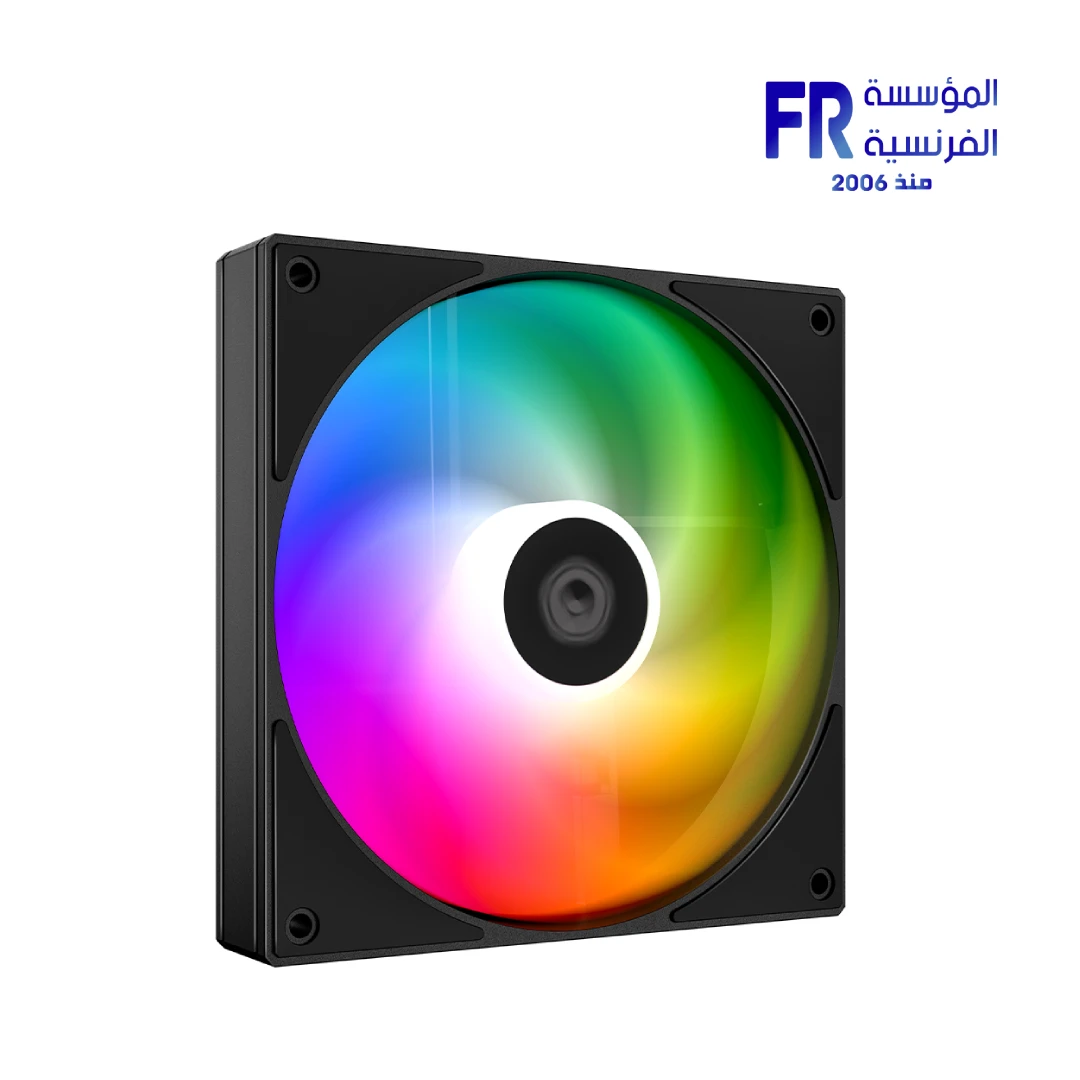
Adding more case fans does not automatically improve temperatures. Fan direction, case openings, dust filters, radiator placement, fan curves and the hardware inside the case all influence airflow. Start with a simple intake-to-exhaust path and measure temperatures before buying more fans.
Understand intake and exhaust
Most case fans have small arrows on the frame indicating blade rotation and airflow direction. Confirm the markings before installation rather than relying on which side looks open. Intake fans draw cooler room air into the case; exhaust fans expel warmed air.
Common fan layouts
In many tower cases, front intake and rear exhaust create a straightforward airflow path. Top exhaust may help remove rising warm air, but placement can interact with CPU coolers and radiators. Bottom intake depends on floor clearance and dust filtering. Always follow the case manual and consider where the GPU draws air.
Airflow balance, filters and noise
More intake than exhaust can create mild positive pressure in some layouts, helping air enter through filtered openings. Actual pressure depends on fan speed, resistance and openings, so fan count alone does not determine it. Clean filters regularly and avoid fan curves that produce unnecessary noise.
How to test changes
- Record baseline CPU and GPU temperatures under a repeatable workload.
- Change one fan position or curve at a time.
- Use the same room conditions and workload for comparison.
- Check that no cable or filter obstructs the blades or intake path.
- Listen for vibration and confirm fans report normal operation.
Frequently asked questions
Are more fans always better?
No. Poor placement, restricted airflow and aggressive fan curves can add noise without meaningful cooling improvements.
Should every top fan be exhaust?
Not universally. The best layout depends on the case, radiator, CPU cooler and GPU airflow path.
Sources
- AMD: Processor handling and cooling guidance
- Alfrensia PC case buying guides
- Alfrensia cooling buying guides
Next step: Check your case’s supported fan positions and compare temperatures before and after a small airflow change.
Explore PC case buying guides.
Compare options before you buy
Check the exact model, compatibility, current availability and warranty terms.
alfrensia.com — Alfrensia, French Establishment for Computers
تعرّف على اتجاه مراوح السحب والطرد، والفلاتر، وتوزيع الهواء، وإزاي تختبر تأثير أي تغيير على حرارة الكمبيوتر.
زيادة عدد مراوح الكيسة مش معناها تلقائياً درجات حرارة أقل. اتجاه الهواء وفتحات الكيسة والفلاتر ومكان الرادياتير ومنحنى المراوح والمكونات كلها بتأثر. ابدأ بمسار هواء بسيط من السحب للطرد، وقِس الحرارة قبل شراء مراوح إضافية.
افهم اتجاه السحب والطرد
معظم مراوح الكيسة عليها أسهم صغيرة على الإطار بتوضح اتجاه دوران الريش واتجاه الهواء. اعتمد على العلامات قبل التركيب بدل التخمين من شكل المروحة. مراوح السحب بتدخل هواء الغرفة، ومراوح الطرد بتخرج الهواء الساخن.
توزيعات شائعة للمراوح
في كثير من الكيسات البرجية، السحب من الأمام والطرد من الخلف بيعملوا مساراً واضحاً. الطرد من الأعلى ممكن يساعد في إخراج الهواء الدافئ، لكن تأثيره بيتغير حسب مكان مبرد المعالج والرادياتير. السحب من الأسفل بيعتمد على ارتفاع الكيسة عن الأرض ووجود فلتر غبار. اتبع دليل الكيسة وراعِ مكان سحب الهواء لكارت الشاشة.
توازن الهواء والفلاتر والضوضاء
زيادة السحب عن الطرد ممكن تعمل ضغطاً موجباً بسيطاً في بعض التجميعات وتساعد على دخول الهواء من فتحات مفلترة. الضغط الفعلي بيعتمد على سرعة المراوح والمقاومة والفتحات، لذلك عدد المراوح وحده لا يحدده. نظف الفلاتر بانتظام وتجنب منحنيات مراوح تسبب ضوضاء بلا فائدة واضحة.
إزاي تختبر النتيجة؟
- سجل درجات حرارة CPU وGPU تحت حمل قابل للتكرار.
- غيّر مكان مروحة واحدة أو منحنى سرعة واحد في كل مرة.
- استخدم ظروف غرفة وحملاً متشابهين للمقارنة.
- تأكد إن الكابلات والفلاتر لا تعيق الريش أو مسار الهواء.
- راقب الاهتزاز وتأكد من ظهور قراءة المراوح بشكل طبيعي.
الأسئلة الشائعة
هل المراوح الأكثر أفضل دائماً؟
لأ. التوزيع السيئ أو تدفق الهواء المحدود أو منحنيات السرعة العالية ممكن تزود الضوضاء من غير تحسن مهم في التبريد.
هل لازم كل مروحة علوية تكون طرد؟
مش في كل الحالات؛ التوزيع الأفضل بيعتمد على الكيسة والرادياتير ومبرد المعالج ومسار هواء كارت الشاشة.
مصادر رسمية والخطوة التالية
- ARCTIC Support لوثائق المراوح والمبردات.
- Noctua Support لمعلومات التبريد والمراوح.
راجع دليل الكيسة والمبرد الفعليين؛ اتجاه المروحة ومساحة الرادياتير ومسار الهواء بيختلفوا حسب التصميم. غيّر إعداداً واحداً في كل مرة وقارن درجات الحرارة والضوضاء.
راجع أدلة شراء الكيسات وأدلة التبريد على موقع المؤسسة الفرنسية للكمبيوتر، أو تواصل مع المبيعات على واتساب للاستفسار عن التوافق والتوفر الحالي.