

Check VESA hole patterns, monitor weight, mounting hardware and desk clearance before buying a monitor arm or wall mount.
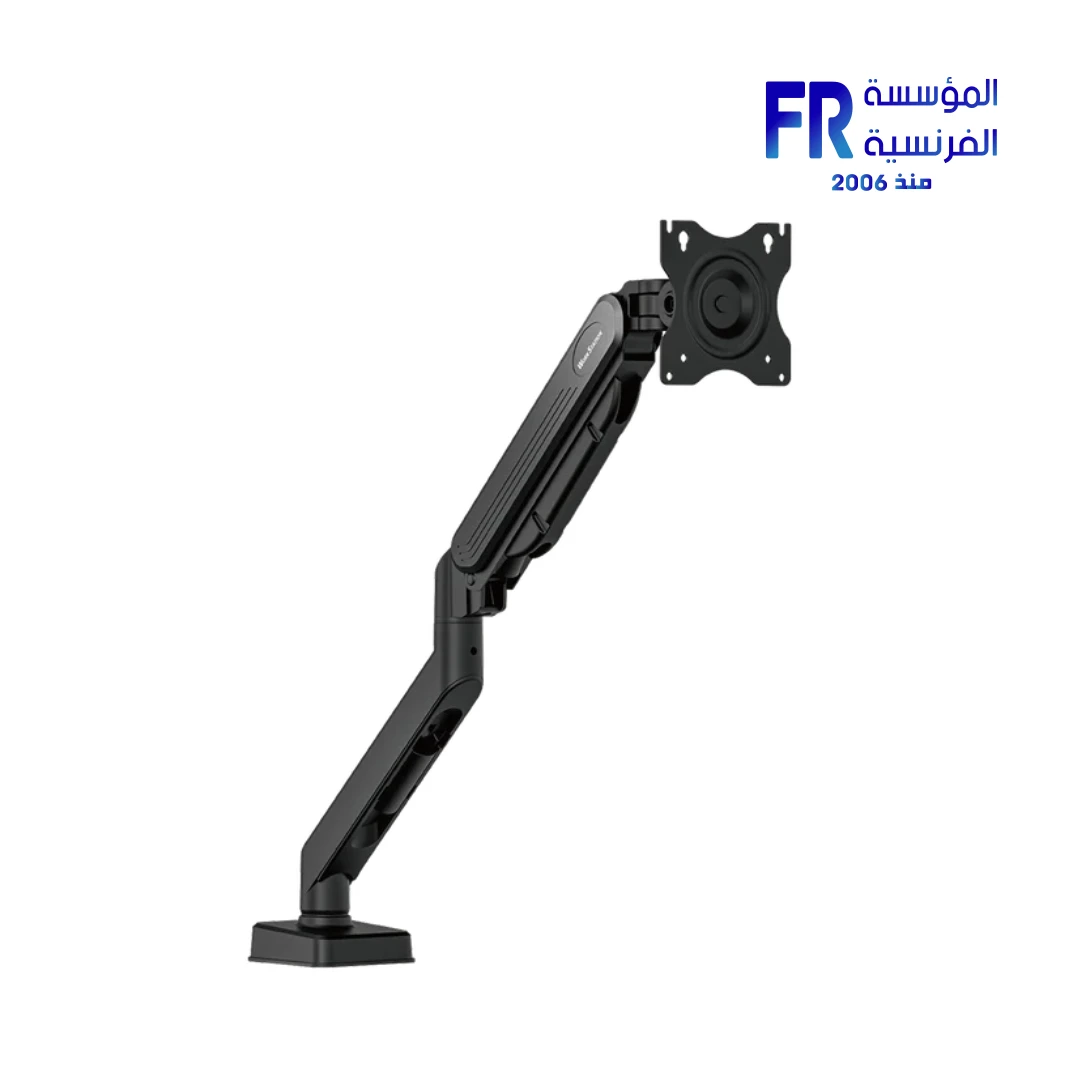
A monitor arm can free desk space and improve screen positioning, but compatibility involves more than screen size. You need to confirm the monitor’s VESA pattern, weight without its original stand, screw requirements, arm capacity and the structure of the desk or wall where it will be mounted.
Understand VESA patterns
VESA mounting specifications describe the spacing of mounting holes on compatible displays. Common patterns include square or rectangular hole arrangements, but not every monitor supports the same pattern. Some slim models require a model-specific adapter or do not support a conventional mount.
Check weight and size limits
Compare the monitor’s weight without the stand with the mount’s supported weight range. Check the manufacturer’s supported screen-size range too, but do not use diagonal size as a substitute for weight or VESA compatibility. Curved or ultrawide monitors can create different leverage on an arm.
Desk, wall and cable clearance
Confirm the desk thickness and material are suitable for the clamp or grommet mount. For wall mounting, use a mounting method and fixings suitable for the wall structure and follow the mount instructions; seek qualified help if uncertain. Leave enough room for the monitor to move without pinching cables or hitting a wall.
Pre-purchase checklist
| Item | Verify |
|---|---|
| VESA pattern | Exact hole spacing and adapter requirement |
| Weight | Monitor weight without stand within mount range |
| Mount | Supported screen size, tilt and extension |
| Desk or wall | Clamp thickness, material and safe fixing method |
| Cables | Enough slack through the full movement range |
Frequently asked questions
Will any 27-inch monitor fit a 27-inch arm?
Not necessarily. VESA pattern, weight, curvature and mounting hardware still need to match.
Can I use longer screws if the included ones do not fit?
Use only the screw size and depth recommended by the monitor and mount manufacturers. Incorrect screws can damage the display.
Sources
- VESA: display mounting standards
- MSI Support: monitor manuals and specifications
- Alfrensia monitor buying guides
Next step: Find the exact monitor manual and confirm the VESA pattern and weight before choosing a mount.
Explore monitor buying guides.
Compare options before you buy
Check the exact model, compatibility, current availability and warranty terms.
alfrensia.com — Alfrensia, French Establishment for Computers
قبل شراء Monitor Arm أو حامل حائط، اتأكد من نمط فتحات VESA ووزن الشاشة ومسامير التثبيت ومساحة المكتب.
ذراع الشاشة ممكن يوفر مساحة ويحسن وضعية العرض، لكن التوافق مش مرتبط بمقاس الشاشة فقط. لازم تتأكد من نمط VESA ووزن الشاشة من غير القاعدة الأصلية، ومسامير التثبيت، ومدى الوزن المدعوم، وطبيعة المكتب أو الحائط.
يعني إيه VESA pattern؟
مواصفات VESA بتحدد المسافة بين فتحات التثبيت في الشاشة. فيه أنماط شائعة مربعة أو مستطيلة، لكن مش كل الشاشات بتستخدم نفس النمط. بعض الموديلات الرفيعة تحتاج adapter خاص أو لا تدعم الحامل التقليدي.
راجع الوزن والمقاس
قارن وزن الشاشة من غير القاعدة مع نطاق الوزن المدعوم من الحامل. راجع كمان نطاق المقاسات المعلن، لكن ما تستخدمش القطر بوصة كبديل عن الوزن أو توافق VESA. الشاشات Curved أو Ultrawide ممكن تعمل ذراعاً أكبر على الحامل بسبب شكلها وتوزيع الوزن.
المكتب أو الحائط
- تأكد إن سُمك المكتب ومادته مناسبين للمشبك أو قاعدة التثبيت.
- اترك مساحة كافية خلف المكتب لحركة الذراع والكابلات.
- لو تثبيت حائطي، تأكد من نوع الحائط وطريقة التثبيت المناسبة، واستعن بفني مؤهل عند الحاجة.
- راجع مدى حركة الذراع وعدم اصطدام الشاشة بالحائط أو الرفوف.
- تحقق من طول كابل الطاقة والصورة بعد تحريك الشاشة.
قائمة مراجعة قبل الشراء
- نمط VESA في دليل الشاشة.
- وزن الشاشة من غير القاعدة.
- الحد الأدنى والأقصى للوزن والمقاس في مواصفات الحامل.
- نوع وطول المسامير أو الـadapter المطلوب.
- سُمك المكتب أو مواصفات الحائط.
- مساحة الحركة وطول الكابلات.
- التوافق مع شكل الشاشة المنحني أو Ultrawide عند وجوده.
الأسئلة الشائعة
هل كل شاشة 27 بوصة تركب على نفس الذراع؟
لأ. لازم يتوافق نمط VESA والوزن ومتطلبات التثبيت للموديلين.
هل ينفع أستخدم حامل وزنه الأقصى أكبر من وزن الشاشة؟
غالباً لازم يقع وزن الشاشة داخل النطاق المعلن للحامل، مش أقل من الحد الأقصى فقط. راجع الحد الأدنى أيضاً.
هل الشاشة Ultrawide تحتاج ذراع مختلف؟
ممكن تحتاج ذراعاً مصمماً للعرض والوزن والرافعة الخاصة بها. تحقق من مواصفات الحامل تحديداً.
قارن قبل الطلب
راجع الموديل الدقيق وVESA والوزن والتوافق والضمان والتوافر الحالي. شوف خيارات الشاشات والإكسسوارات على موقع المؤسسة الفرنسية للكمبيوتر، أو تواصل مع المبيعات على واتساب للاستفسار عن التوافق والتوفر.