


Choosing a PC case is about more than appearance. A case can look spacious and still fail to fit a long graphics card, a tall CPU cooler, a thick radiator or the power supply you already own. This guide gives PC builders a practical checklist for verifying fit, cooling and everyday usability before ordering.
1. Check the motherboard format
Confirm the case supports the exact motherboard form factor—such as ATX, Micro-ATX or Mini-ITX—and check the board’s dimensions when the manufacturer lists them. Form-factor support is only the starting point: cable routing, drive bays, expansion slots and radiator placement can still affect the final layout.
2. Measure graphics-card clearance
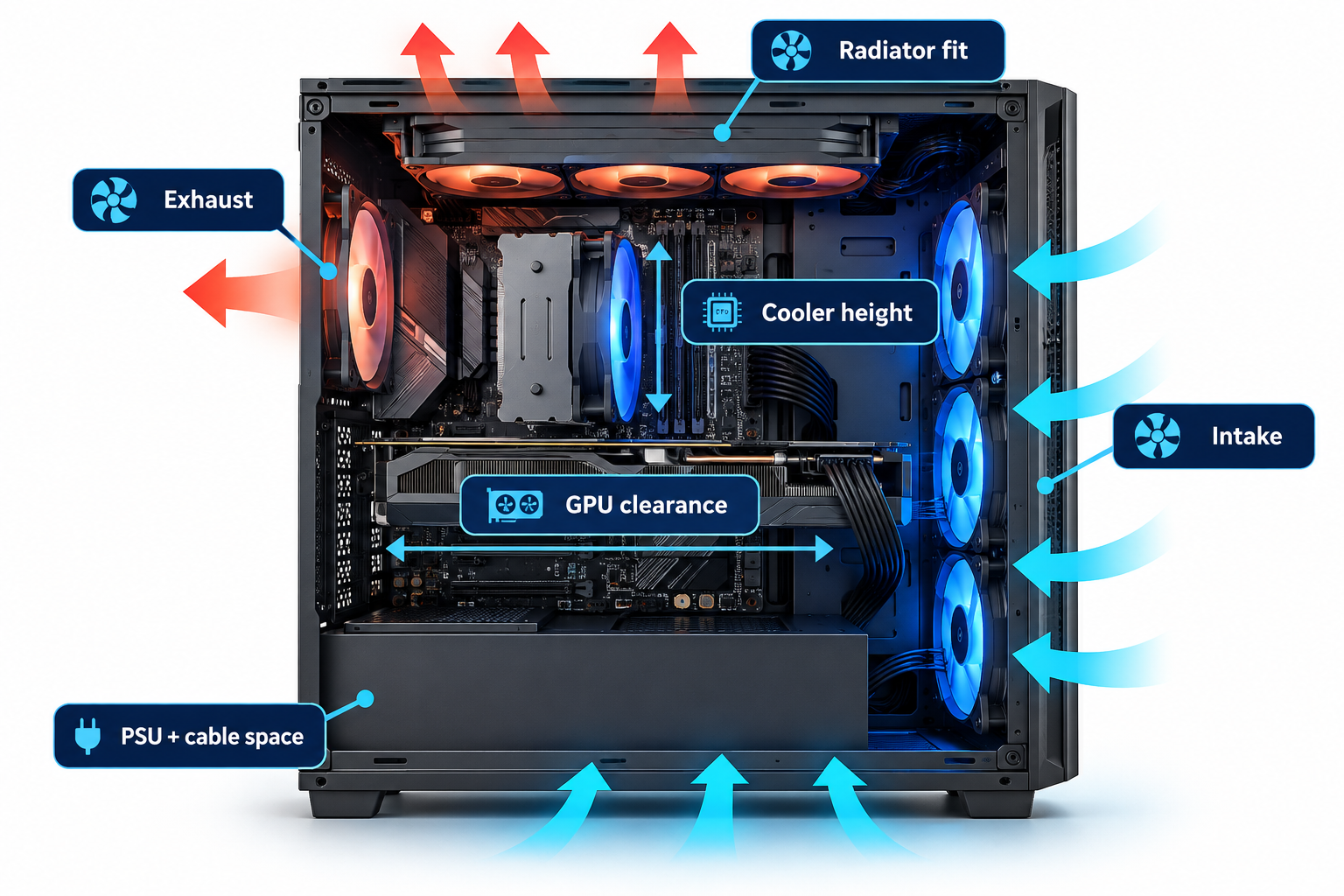
Check the graphics card’s full length, height, thickness and power-connector position against the case’s published limits. A GPU may fit by length but still interfere with a front radiator, side panel or power cable. Leave the bending room required by the connector and cable manufacturer rather than forcing a tight turn.
Use the exact model number from the graphics-card product page, not just the GPU family name. Board-partner cards based on the same GPU can have different coolers and dimensions.
3. Check CPU cooler height and radiator support
For an air cooler, compare its total height with the case’s maximum CPU-cooler clearance. For an AIO liquid cooler, confirm the supported radiator size and thickness, fan thickness, mounting position and likely interference with motherboard heatsinks or memory. “Supports 360mm radiator” does not guarantee every 360mm radiator fits in every position.
4. Plan airflow, not just fan count
Look for a practical intake and exhaust path, suitable mesh or vents, and accessible dust filters. More fans do not automatically mean better cooling: placement, fan quality, restriction, GPU heat and the case’s internal layout all matter. A sensible starting point is cool air entering the case and warm air leaving without major obstructions.
Check whether the case includes fans and whether they are PWM, fixed-speed or RGB/ARGB models if those details matter to your build. Verify fan headers and lighting-controller compatibility on the motherboard or included controller.
5. Verify PSU dimensions and cable space
Confirm the supported PSU format and maximum length, especially if the case includes a drive cage or a compact cable chamber. Modular cables still need room to bend and route. Also check drive mounts, front USB ports, audio connections and whether the case’s front-panel connectors match the headers available on the motherboard.
PC case pre-purchase checklist
| Check | What to verify |
|---|---|
| Motherboard | Exact supported form factor and mounting |
| Graphics card | Length, thickness, height and power-cable clearance |
| CPU cooling | Air-cooler height or radiator dimensions and position |
| Power supply | Format, length and cable routing space |
| Airflow | Intake/exhaust path, included fans and dust filters |
| Connectivity | Front USB, audio and internal header compatibility |
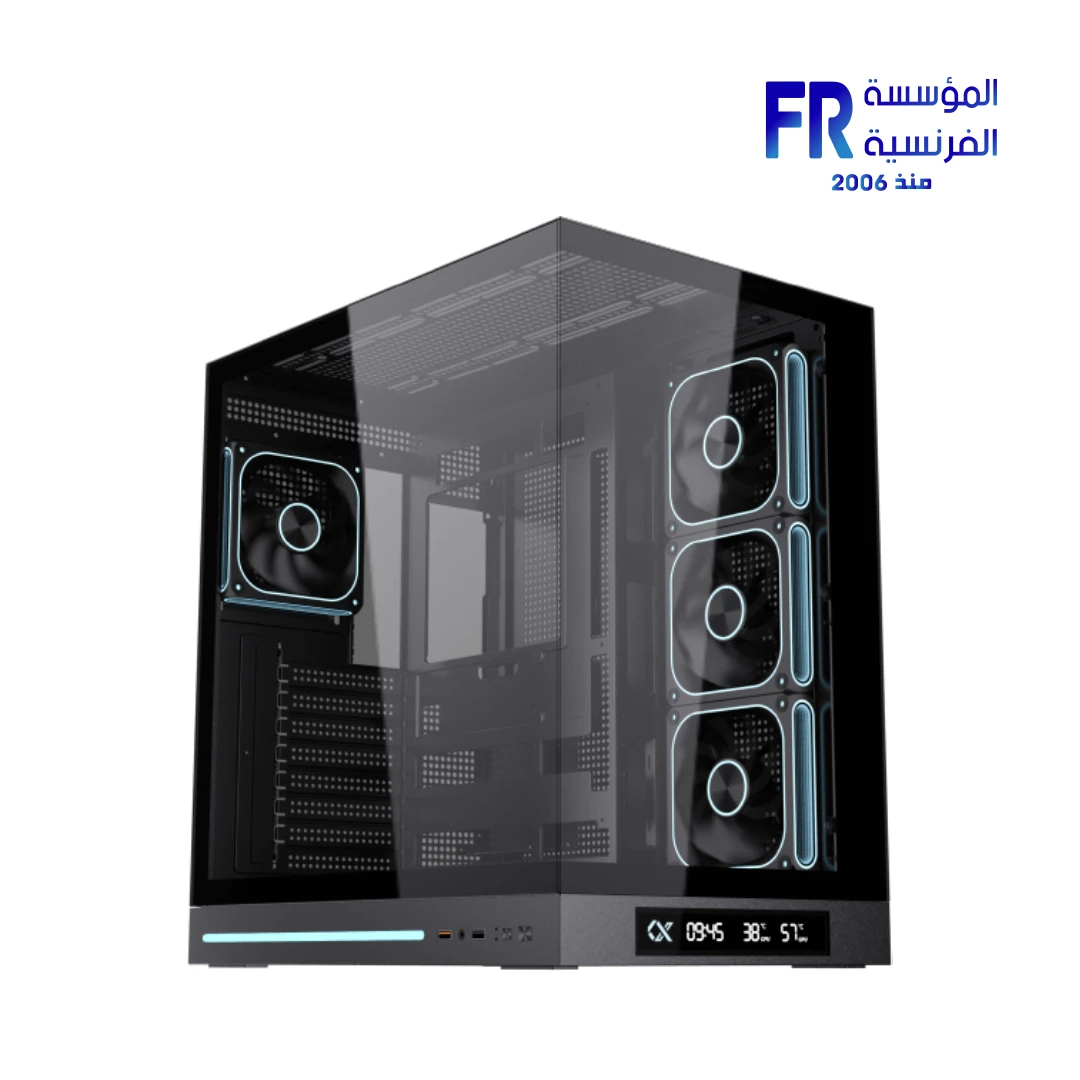
For a real example, check the dimensions and layout of the Xigmatek Cloud DGT mid-tower case. Treat it as one example—not as proof that it fits every component combination.
Frequently asked questions
Does a bigger case always cool better?
No. Internal space can make building easier, but airflow depends on vents, fan placement, component heat and obstructions.
Can every ATX case fit every ATX motherboard?
Not necessarily. Check the manufacturer’s supported board dimensions and layout, plus any clearance restrictions caused by radiators or other components.
Should I buy the case before the GPU?
You can choose either first, but verify both exact models together before ordering. GPU dimensions and connector clearance are common compatibility traps.
Sources
Next step: Gather the exact part numbers for your motherboard, GPU, CPU cooler and PSU, then verify every dimension against the case manufacturer’s specifications before buying.
إزاي تختار PC Case متوافقة مع القطع وتوفر تبريداً جيداً؟
اختيار الكيسة مش شكل فقط؛ لازم تراجع فورمات اللوحة وطول وسمك GPU وارتفاع المبرد ودعم الرادياتير وأبعاد PSU وتدفق الهواء والتوصيلات الأمامية.
1. راجع مقاس اللوحة الأم
تأكد من دعم ATX أو Micro-ATX أو Mini-ITX حسب لوحتك، وراجع أماكن التثبيت والمساحة المتاحة.
2. قِس مساحة كارت الشاشة
قارن طول الكارت وسمكه وعدد الشقوق بالمساحة الفعلية داخل الكيسة، مع مراعاة الرادياتير والمراوح والكابلات.
3. ارتفاع مبرد CPU ودعم الرادياتير
راجع أقصى ارتفاع لمبرد الهواء ومقاسات الرادياتير المدعومة ومكان التركيب وسُمك الرادياتير مع المراوح.
4. خطط لتدفق الهواء مش عدد المراوح فقط
تأكد من مسار دخول وخروج الهواء والفلاتر والعوائق. عدد مراوح أكبر مش بالضرورة يضمن تبريداً أفضل.
5. أبعاد PSU ومساحة الكابلات
تحقق من طول مزود الطاقة والمساحة المتاحة للكابلات والتوصيلات، خاصة مع كروت الشاشة الكبيرة.
قائمة مراجعة الكيسة قبل الشراء
- مقاس اللوحة.
- طول وسمك GPU.
- ارتفاع المبرد أو حجم الرادياتير.
- أبعاد PSU والكابلات.
- تدفق الهواء والفلاتر.
- المنافذ الأمامية والتثبيت.
الأسئلة الشائعة
هل الكيسة الأكبر تبرد أفضل دائماً؟
لأ؛ تصميم تدفق الهواء وترتيب المكونات أهم من الحجم وحده.
هل كل كيسة ATX تقبل أي لوحة ATX؟
راجع مواصفات الموديل والمساحة والتصميم الداخلي قبل الشراء.
أشتري الكيسة قبل GPU؟
ممكن، لكن الأفضل معرفة موديل GPU وأبعاده المستهدفة حتى تتأكد من التوافق.
مصادر رسمية للتحقق من التوافق
- ASUS Support كمثال على صفحات الدعم والمواصفات حسب الموديل.
- NVIDIA GeForce لمواصفات كروت الشاشة.
- Intel Support لمعلومات المعالجات والمنصات.
اعتمد على ورقة مواصفات الكيسة والمبرد وكارت الشاشة الفعليين؛ لا تفترض أن الاسم أو المقاس العام يضمن التوافق.
بتختار كيسة جديدة؟
راجع خيارات الكيسات والتبريد على موقع المؤسسة الفرنسية للكمبيوتر، أو تواصل مع المبيعات على واتساب للاستفسار عن التوافق والتوفر الحالي.