


Check motherboard model, BIOS compatibility, release notes, stable power and recovery options before updating firmware.
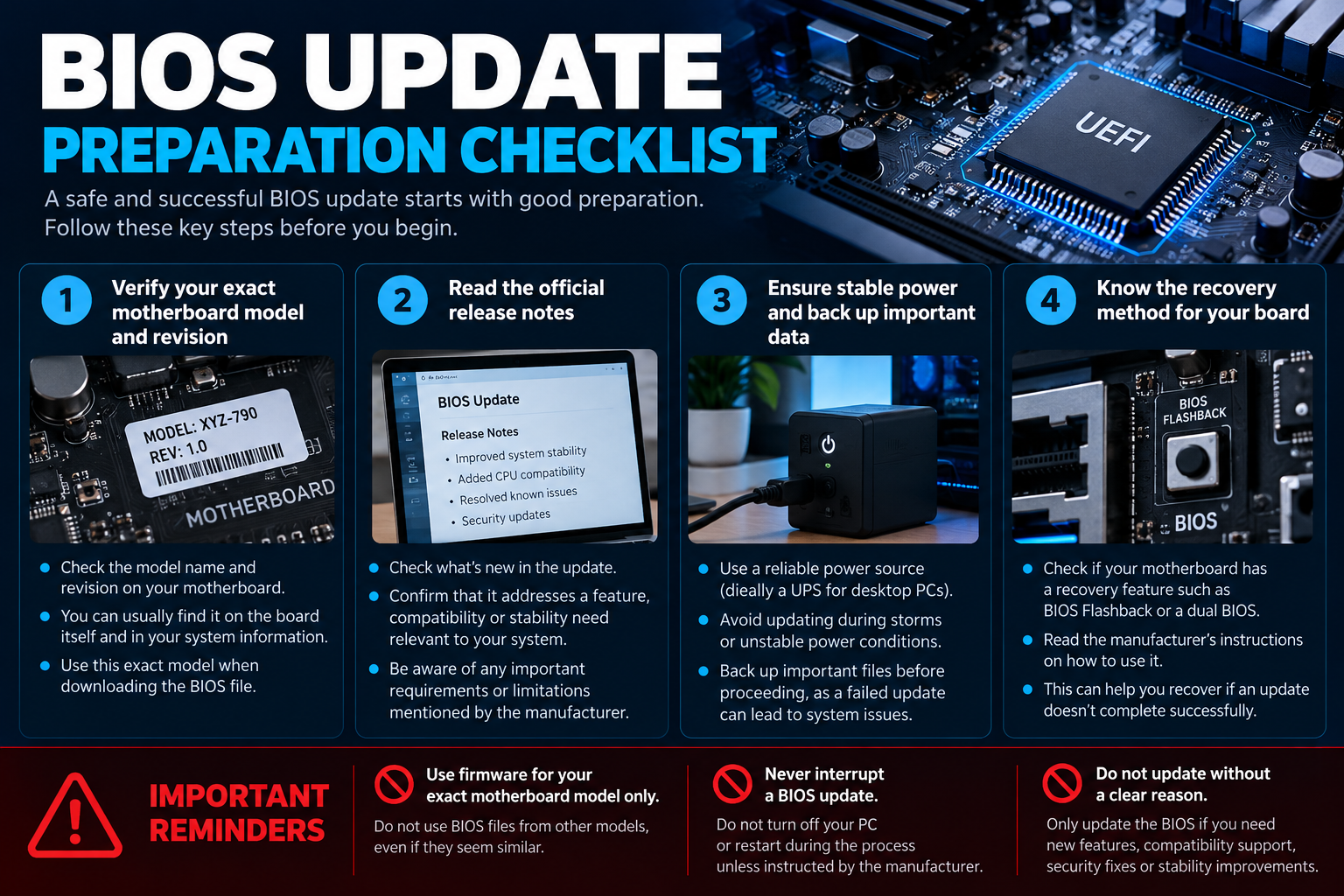
A BIOS/UEFI update can add processor support, fix bugs or address security and compatibility issues, but it should not be treated as a routine performance tweak. The correct firmware must match the exact motherboard model and revision. Follow the board manufacturer’s instructions and update only when there is a clear reason.
Decide whether an update is needed
Read the release notes to see whether the update addresses your CPU support, hardware compatibility, stability or security needs. If the system is stable and the release provides no relevant benefit, avoid updating solely because a newer version exists.
Verify the exact board and firmware
Use the motherboard’s printed model name, revision and current BIOS/UEFI version. Similar product names may have different firmware files. Download only from the manufacturer’s official support page for that exact board and follow any required intermediate update steps.
Prepare the system
- Back up important data and keep recovery information available.
- Use stable power and avoid starting an update during likely outages.
- Read the manufacturer’s exact update procedure and any prerequisites.
- Record custom settings that may reset after updating.
- Do not update while the system is unstable unless the manufacturer’s support process specifically directs you.
Know the documented recovery options
Some motherboards include a BIOS Flashback feature or other recovery mechanism; others do not. Confirm what your exact board supports and how the manufacturer says to use it before starting. If the update fails or the system behaves unexpectedly afterward, consult official support rather than experimenting with firmware from another model.
When to stop and seek official support
Pause if the motherboard model or revision is uncertain, the firmware download does not match the board, the manufacturer lists an intermediate update requirement you do not understand, or the system is unstable. Do not experiment with a similar model’s firmware. Use the official support channel or a qualified technician when the correct procedure is unclear.
A BIOS update may reset configuration settings, so keep a record of settings you rely on and verify them after the system boots successfully. Do not change unrelated tuning settings as part of the update process.
Frequently asked questions
Will a BIOS update increase gaming FPS?
Not necessarily. Updates may improve compatibility or stability, but performance changes depend on the specific release and configuration.
Can I use a BIOS file for a similar motherboard?
No. Use firmware intended for the exact model and revision according to the manufacturer’s documentation.
Sources
- ASUS Support: motherboard BIOS and manuals
- MSI Support: motherboard BIOS and manuals
- GIGABYTE Support: BIOS and motherboard documentation
- Alfrensia PC Basics guides
Next step: Find the exact motherboard support page and read the release notes and recovery instructions before deciding to update.
Explore PC Basics guides.