


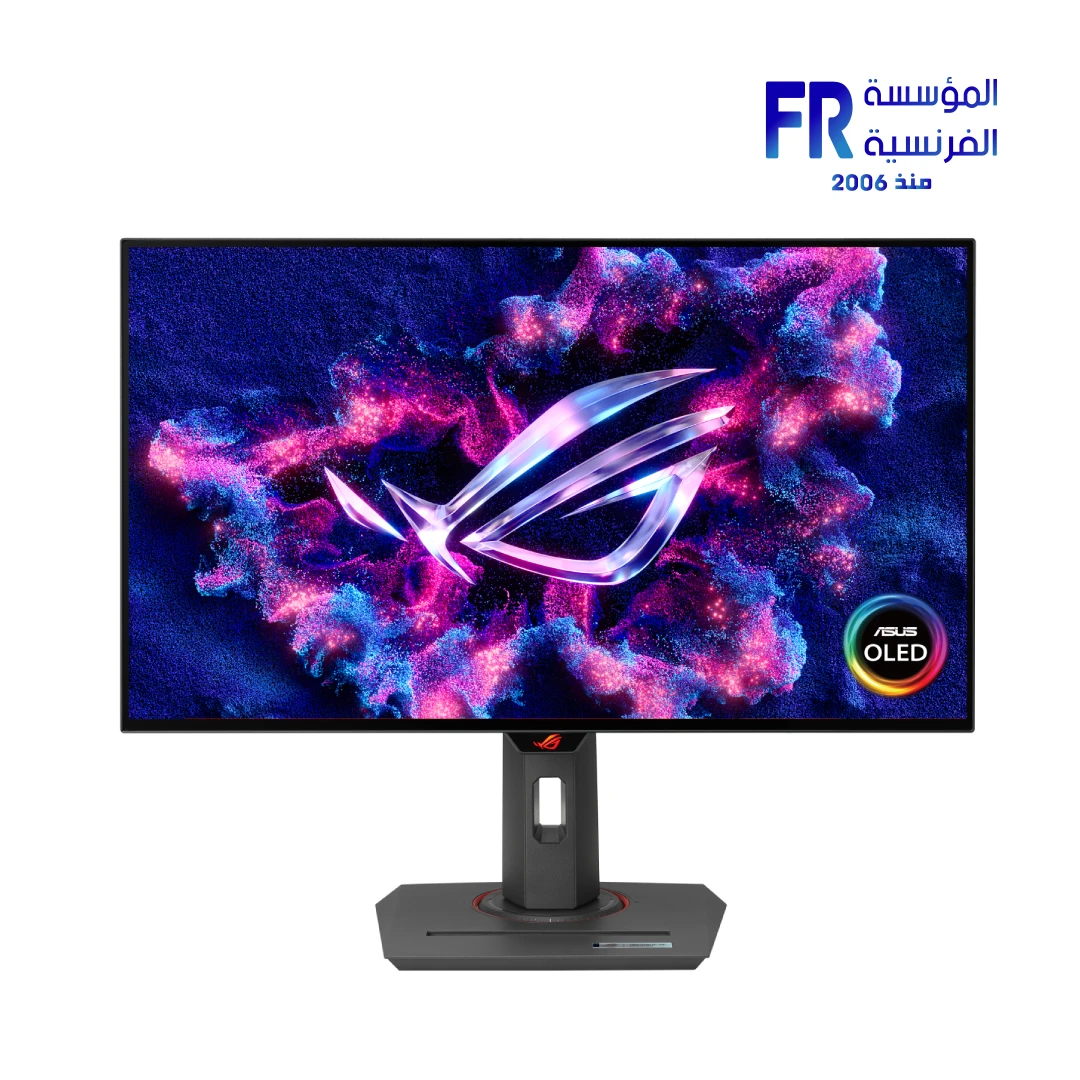





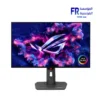
ASUS ROG Strix OLED XG27AQDMG 26.5 Inch 240Hz 0.03ms QHD WOLED G-SYNC Compatible Black Gaming Monitor
27499 EGP
In stock
Price Match Guarantee- Strongest warranty in Egypt: immediate replacement with a new unit
- 30-day return if the product is in the same condition
- Cash on delivery
✅ Authorized ASUS Partner in Egypt | Official 3-Year Warranty (Including Panel Burn-in) | Expert PC Building Consultation Available
ASUS ROG Strix OLED XG27AQDMG 26.5 Inch 240Hz 0.03ms QHD WOLED G-SYNC Compatible Black Gaming Monitor
ASUS ROG Strix OLED XG27AQDMG is a 26.5-inch QHD WOLED gaming monitor with 2560 x 1440 resolution, a 240Hz refresh rate, and 0.03ms GTG response time. It offers 99% DCI-P3 coverage, Delta E < 2 accuracy, a 1,500,000:1 contrast ratio, and VESA DisplayHDR 400 True Black. Check the current price and availability shown on this product page.
⚡ Engineering Highlights at a Glance:
- 26.5″ QHD WOLED Panel: 2560 x 1440 resolution with a glossy finish for sharp text and vivid imagery.
- 240Hz Refresh Rate: Fast enough for competitive shooters and smooth motion in AAA titles.
- 0.03ms GTG Response: Near-instant pixel transitions eliminate visible ghosting, backed by Extreme Low Motion Blur.
- Professional Color Accuracy: 99% DCI-P3, 135% sRGB, true 10-bit color, and Delta E < 2 accuracy.
- 1,500,000:1 Contrast Ratio: Delivers true blacks and HDR highlights up to 1,300 cd/m² in HDR mode, with VESA DisplayHDR 400 True Black certification.
- G-SYNC Compatible and FreeSync Premium: VRR support for tear-free gameplay on both NVIDIA and AMD GPUs.
- ASUS OLED Care: Includes pixel cleaning, screen move, and DisplayWidget Center controls to reduce burn-in risk.
Who is the ROG Strix OLED XG27AQDMG For?
Expert Advice & Build Considerations
GPU and Cable Requirements for 240Hz
To reach 240Hz at 2560 x 1440, the monitor requires DisplayPort 1.4 with Display Stream Compression (DSC) or HDMI 2.0 at 144Hz. Older GPUs without DSC support or HDMI 2.0 will cap at lower refresh rates. Use the included DisplayPort cable for 240Hz and the HDMI cable for 144Hz. Verify your GPU’s output capabilities before purchase if you plan to use the higher refresh mode.
OLED Burn-In Management
The XG27AQDMG ships with ASUS OLED Care, including pixel cleaning and screen move features. Run the pixel cleaning routine regularly when the monitor is off. The included 3-year warranty covers panel burn-in, but consistently displaying static elements like taskbars or HUDs at maximum brightness for extended sessions still accelerates wear. Consider hiding static desktop elements and using lower brightness in Windows for general work. Use DisplayWidget Center to manage OLED Care settings with a mouse instead of the OSD.
Reflections and Ergonomics
The glossy WOLED panel delivers excellent blacks but reflects direct light sources. Position the monitor so that windows and lamps are not directly behind or facing the screen. The stand supports tilt (-5° to +20°), swivel (±45°), pivot (±90°), and 120mm height adjustment, plus a 100x100mm VESA mount for arms. The 6.7 kg weight with stand is manageable for most desks, but confirm your arm’s weight rating if you plan to use a monitor arm.
Technical Specifications
| Model Name | ROG Strix OLED XG27AQDMG |
| Brand | ASUS |
| SKU / MPN | 90LM0AH0-B01A70 |
| EAN / UPC | 197105559660 |
| Panel Size | 26.5 inch |
| Panel Type | WOLED (Glossy) |
| Aspect Ratio | 16:9 |
| Resolution | 2560 x 1440 (QHD) |
| Viewing Area | 590.42 x 333.72 mm |
| Pixel Pitch | 0.229 mm |
| Brightness (HDR Peak) | 1,300 cd/m² |
| Contrast Ratio (Typical) | 1,500,000:1 |
| Color Space | 99% DCI-P3 | 135% sRGB |
| Color Depth | 10-bit (1.07 billion colors) |
| Color Accuracy | Delta E < 2 |
| Refresh Rate | 240Hz |
| Response Time | 0.03ms (GTG) |
| Viewing Angle | 178° / 178° |
| HDR Support | VESA DisplayHDR 400 True Black | HDR10 |
| VRR Technology | AMD FreeSync Premium | NVIDIA G-SYNC Compatible |
| Motion Blur Reduction | Extreme Low Motion Blur (ELMB) |
| OLED Protection | ASUS OLED Care | Pixel Cleaning | Screen Move |
| I/O Ports | 1 x DisplayPort 1.4 (DSC) | 2 x HDMI 2.0 | 2 x USB 3.2 Gen 1 Type-A | 1 x Earphone Jack |
| Speakers | No built-in speakers |
| Power Consumption | <25 W (typical) | <0.5 W (standby) | <0.3 W (off) |
| Stand Adjustment | Tilt +20° to -5° | Swivel ±45° | Pivot ±90° | Height 0-120 mm |
| VESA Mounting | 100 x 100 mm |
| Aura Sync | Yes |
| Dimensions with Stand | 605.0 x 508.0 x 219.0 mm |
| Dimensions without Stand | 605.0 x 368.0 x 50.0 mm |
| Net Weight | 6.7 kg (with stand) | 4.2 kg (without stand) |
| Certifications | TÜV Flicker-free | TÜV Low Blue Light (Hardware Solution) | VESA AdaptiveSync Display 240Hz | VESA DisplayHDR 400 True Black | AMD FreeSync Premium | G-SYNC Compatible |
| Included Accessories | DisplayPort cable | HDMI cable | USB 3.2 cable | Power adapter | Power cord | VESA mount kit | Microfiber cloth | ROG pouch | ROG sticker | Quick start guide | Warranty card |
| Warranty | 3 Years Local Alfrensia Warranty (Including Panel Burn-in) |
Expert Recommendation: Configuring the XG27AQDMG
Connect the monitor via DisplayPort 1.4 with DSC to reach 240Hz at 2560 x 1440. HDMI 2.0 caps at 144Hz on this panel, so use DisplayPort for competitive shooters. Enable G-SYNC or FreeSync Premium in your GPU driver and turn off any in-game frame rate caps below 240Hz to benefit from VRR.
Run the pixel cleaning routine regularly when the monitor is off, and use DisplayWidget Center to adjust OLED Care settings with a mouse. Avoid displaying static taskbars or HUDs at maximum brightness for long sessions. For color-critical work, use the DisplayWidget Center E-report to verify Delta E < 2 accuracy.
Position the monitor so that windows and lamps are not directly behind or facing the screen, because the glossy WOLED panel reflects direct light sources. Use the 120mm height adjustment and pivot to find a comfortable viewing position, or mount on a 100x100mm VESA arm if you need more desk space.
If you plan to use the monitor for photo or video work, note that the rated gamut is DCI-P3 and sRGB; check your specific workflow requirements for Adobe RGB coverage. Also, the monitor has no built-in speakers, so plan to use headphones or external speakers for audio. Enable Aura Sync in Armoury Crate if you want the monitor’s rear lighting to match your other ASUS peripherals.
Frequently Asked Questions
Can the XG27AQDMG reach 240Hz over HDMI?
No. HDMI 2.0 caps at 144Hz on this panel. To reach 240Hz at 2560 x 1440, use DisplayPort 1.4 with Display Stream Compression (DSC). Your GPU must also support DSC over DisplayPort 1.4. Use the included DisplayPort cable for the full 240Hz refresh rate.
Is the OLED panel protected against burn-in?
The monitor includes ASUS OLED Care with pixel cleaning and screen move features to reduce burn-in risk. The 3-year warranty explicitly covers panel burn-in. To further reduce risk, run pixel cleaning regularly, hide static desktop elements like the taskbar when possible, and use lower brightness for general work in Windows.
Does the monitor have built-in speakers?
No. The XG27AQDMG does not include built-in speakers. Audio is available through the 3.5mm earphone jack on the monitor, or directly from your PC or console through separate speakers or headphones. Plan for external audio if you need sound.
Can I use the monitor for professional photo and video editing?
Yes, for workflows that target DCI-P3 or sRGB. The panel covers 99% DCI-P3 and 135% sRGB, supports true 10-bit color, and is calibrated to Delta E < 2. DisplayWidget Center provides a color calibration E-report for verifying panel accuracy. For critical print workflows that require Adobe RGB, verify coverage against your specific requirements, as the rated gamut is DCI-P3 and sRGB.
What is the difference between G-SYNC Compatible and G-SYNC?
G-SYNC Compatible means NVIDIA has validated the monitor to work with adaptive sync under the G-SYNC Compatible program, but the monitor does not include the dedicated G-SYNC hardware module found on native G-SYNC displays. In practice, G-SYNC Compatible monitors still deliver tear-free, low-latency gaming when paired with a compatible NVIDIA GPU and driver. The XG27AQDMG also supports AMD FreeSync Premium for AMD GPUs.
| MODEL | |
|---|---|
| Monitor Type | |
| SCREEN SIZE | |
| Panel Type | |
| RESOLUTION | |
| RESPONSE TIME | |
| REFRESH RATE | |
| ADAPTIVE SYNC | |
| Backlight Technology | |
| Brightness | |
| sRGB | |
| Flicker Free | |
| I/O Ports | 1 x Earphone Jack, 1 x DisplayPort 1.4, 2x HDMI 2.0, 2x USB 3.2 Gen 1 Type-A |
| Included Speaker | |
| Color | |
| Part Number | |
| Warranty |
Only logged in customers who have purchased this product may leave a review.
Warranty & Purchase Terms
- Warranty period: the manufacturer's warranty period, from one month up to 3 years.
- Immediate replacement: if a manufacturing defect appears at any time during the warranty, the product is replaced with a new one, no repair (except products that need software work). If no replacement is available, you get a full refund with no deductions.
- Returns: within 30 days of purchase, if the product is in the same condition with all its contents.
- Receiving your order: check the shipment on delivery; if anything is damaged or missing, contact us within 24 hours and keep the box and photos.
- Not covered: misuse (burning, breaking, scratching, removing the warranty sticker), operating systems, software and generic accessories.
- Important: keep the Alfrensia warranty sticker on the product and all box contents to benefit from the agent's warranty.
- Payment & delivery: cash on delivery. Cairo, Giza & Alexandria within 1–3 business days, other governorates within 3–6 business days after order confirmation.
Reviews
There are no reviews yet.