


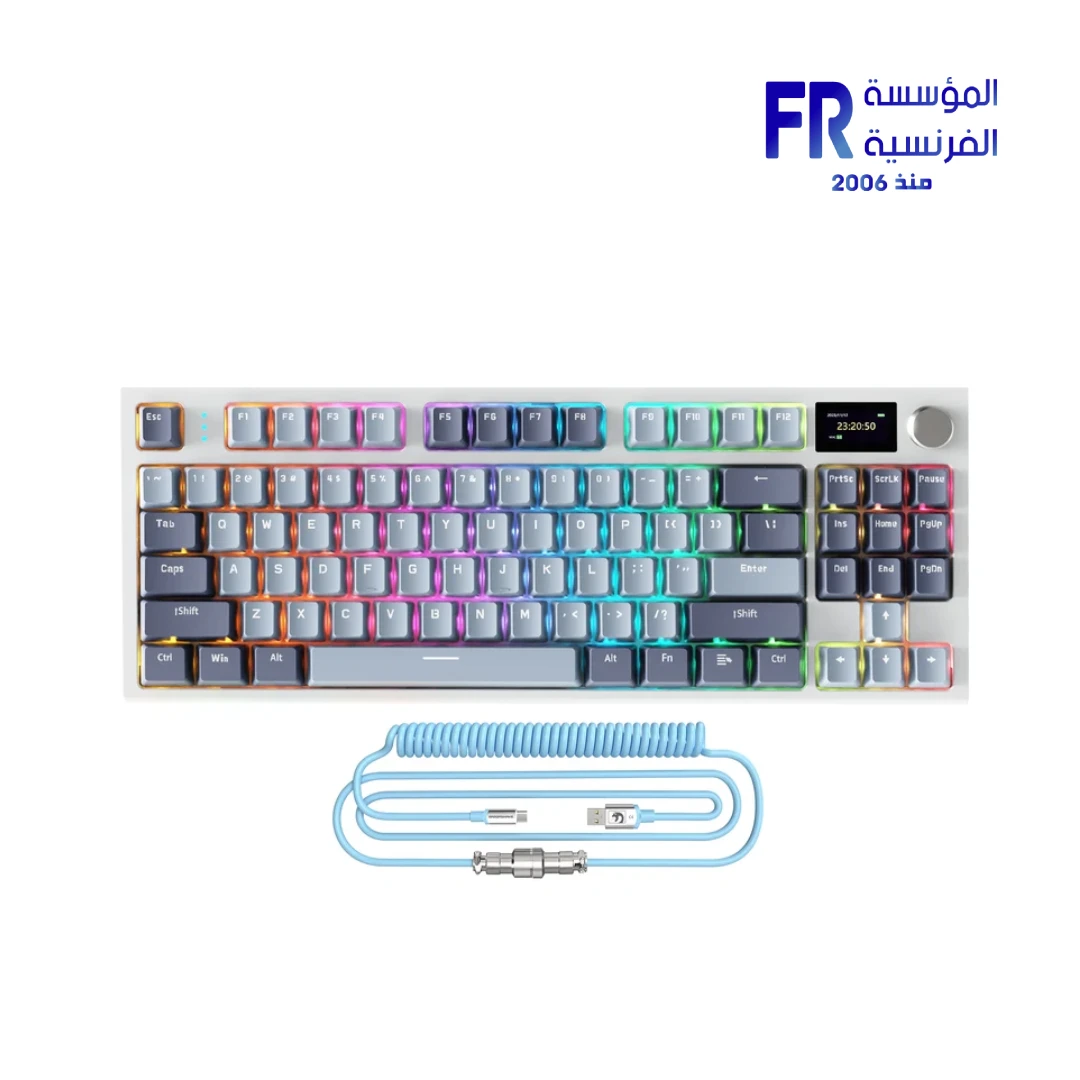


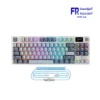
Attack Shark K86 Tri Mode RGB Lavender Blue Whale Gaming Keyboard
3199 EGP
- Part Number: KB-03-40
- Switches & Layout: Blue Whale Linear Switches (42gf) | 75% TKL (86 Keys) | TTC Hot-Swappable (3/5-Pin) | Gasket Mount
- Connectivity: Tri-Mode (Bluetooth 5.0 / 2.4GHz / USB-C Wired) | Up to 3 Devices
- Features: 1.2″ TFT Color Display | CNC Rotary Knob | 4000mAh Battery (Up to 200H) | PBT Double-Shot Keycaps | Coiled USB-C Cable
- Lighting: RGB Backlight (27 Modes) | Side RGB (15 Modes)
- Warranty: 1 Year
In stock
Price Match Guarantee✅ Authorized Attack Shark Partner in Egypt | Official Warranty Coverage | Expert PC Building Consultation Available
Attack Shark K86 Tri Mode RGB Lavender Blue Whale Gaming Keyboard
Attack Shark K86 is a tri-mode mechanical keyboard with an 86-key 75% layout, 1.2-inch TFT color display, CNC metal knob, hot-swappable TTC sockets, and gasket mount with triple sound-absorbing foam. The Lavender Blue variant features linear Blue Whale switches with 42gf actuation and 1.8mm pre-travel, and connects via Bluetooth 5.0, 2.4GHz wireless, or USB-C wired. Available at Alfrensia for 3,199 EGP.
⚡ Engineering Highlights at a Glance:
- Tri-Mode Connectivity: USB-C wired, 2.4GHz wireless, and Bluetooth 5.0 with up to 3 devices via Bluetooth.
- 1.2″ TFT Color Display: Shows connection mode, WIN/MAC status, battery level, date/time, and supports custom GIF images via driver.
- CNC Metal Knob: Controls connection mode, backlight effects/brightness/speed, volume, and language selection.
- TTC Hot-Swap Sockets: Compatible with 3-pin and 5-pin switches, rated for up to 10,000 hot-swap cycles.
- Linear Blue Whale Switches: 42gf actuation force and 1.8mm pre-travel for responsive, consistent keystrokes.
- Gasket Mount + Triple Foam: PC plate, EVA PCB foam, bottom foam, and IXPE switch pad for dampened sound and soft typing feel.
- 4000mAh Battery: Rechargeable lithium battery with up to 200 hours claimed battery life with backlighting off.
Who is the Attack Shark K86 For?
Expert Advice & Build Considerations
Custom GIF Setup Requires Wired Connection
Uploading custom GIF images or animations to the 1.2-inch TFT display requires connecting the keyboard via USB-C and using the Attack Shark driver software. Wireless modes (Bluetooth or 2.4GHz) do not support display customization. The driver is available for download from Attack Shark’s official site.
Knob Functionality Notes
The CNC metal knob controls volume, connection mode, and backlight settings. Some user reports indicate that certain firmware versions have limited knob menu functionality; updating to the latest firmware via the driver is recommended. The knob works out of the box for primary functions like volume and lighting control.
📐 Layout and Keycap Compatibility
The K86 uses an ANSI US layout with 86 keys. PBT double-shot keycaps resist shine and wear. The gasket mount and PC plate provide a softer typing feel than traditional steel plates. If you plan to swap switches, the TTC sockets accept both 3-pin and 5-pin mechanical switches without soldering.
Technical Specifications
| Model | Attack Shark K86 |
| Brand | Attack Shark |
| SKU / MPN | KB-03-40 |
| EAN / UPC | 6972792471181 |
| Layout | 75% (86 Keys) ANSI US |
| Connectivity | USB-C Wired / 2.4GHz Wireless / Bluetooth 5.0 |
| Switch Type | Custom Blue Whale (Linear) |
| Actuation Force | 42gf |
| Pre-Travel | 1.8mm |
| Hot-Swap | Yes, TTC socket, 3-pin / 5-pin compatible |
| Keycaps | Double-shot PBT |
| Display | 1.2-inch TFT Color |
| Knob | CNC Metal, Multi-Function |
| Mount Type | Gasket Mount with Triple Sound-Absorbing Foam |
| Backlight | RGB Backlit (21 modes) + 2-Side RGB (6 modes) |
| Battery | 4000mAh Rechargeable Lithium |
| Supported Devices | PC, Mac, Smartphone, Tablet |
| Included Accessories | Keyboard, Coiled USB-C Cable, 2.4GHz Receiver, Keycap/Switch Puller, Manual |
Expert Recommendation: Getting the Most from Your K86
Start by downloading the Attack Shark driver and connecting via USB-C to update the keyboard’s firmware and set up your preferred TFT display content. For gaming, use the 2.4GHz wireless mode with the included receiver for the lowest latency; reserve Bluetooth for productivity devices like tablets or phones. The gasket mount and linear switches benefit from a lighter touch, so allow yourself a few days to adjust if you are coming from a membrane or clicky keyboard. Use the CNC knob for quick volume and lighting adjustments during use. When swapping switches, confirm they are 3-pin or 5-pin and align the pins carefully to avoid bending. If the knob menus feel limited, check for a firmware update in the driver software.
Frequently Asked Questions
How do I connect the Attack Shark K86 to multiple devices?
The K86 supports up to 3 devices via Bluetooth 5.0 (channels switched with FN+E/R/T), one device via the 2.4GHz receiver, and one via USB-C wired. Use the CNC knob or FN combinations to switch between paired devices.
Can I upload a custom GIF to the TFT display?
Yes, but only when connected via USB-C. Download the Attack Shark driver from the official website, connect the keyboard with the cable, open the driver software, and go to the Screen section to upload your GIF or image. Wireless modes do not support display customization.
What switches are compatible with the K86 hot-swap sockets?
The TTC hot-swap sockets support both 3-pin and 5-pin mechanical switches. They are rated for up to 10,000 hot-swap cycles, so you can change switches without soldering.
How long does the 4000mAh battery last?
Attack Shark claims up to 200 hours of battery life with backlighting turned off. With RGB lighting enabled, battery life will be significantly shorter. The battery level is displayed on the TFT screen and can also be checked with FN+Backspace.
Is the K86 compatible with Mac and Windows?
Yes. The keyboard supports both Windows and Mac modes, switchable via the keyboard settings or the driver software. It also works with Bluetooth-enabled smartphones and tablets.
| MODEL | |
|---|---|
| Connection | |
| Switch Type | |
| Mechanical Switch Type | |
| Keyboard Size | |
| Lighting | |
| Wrist rest | |
| Cable Length | |
| Software | |
| Color | |
| Part Number | |
| Warranty |
Only logged in customers who have purchased this product may leave a review.
Reviews
There are no reviews yet.