

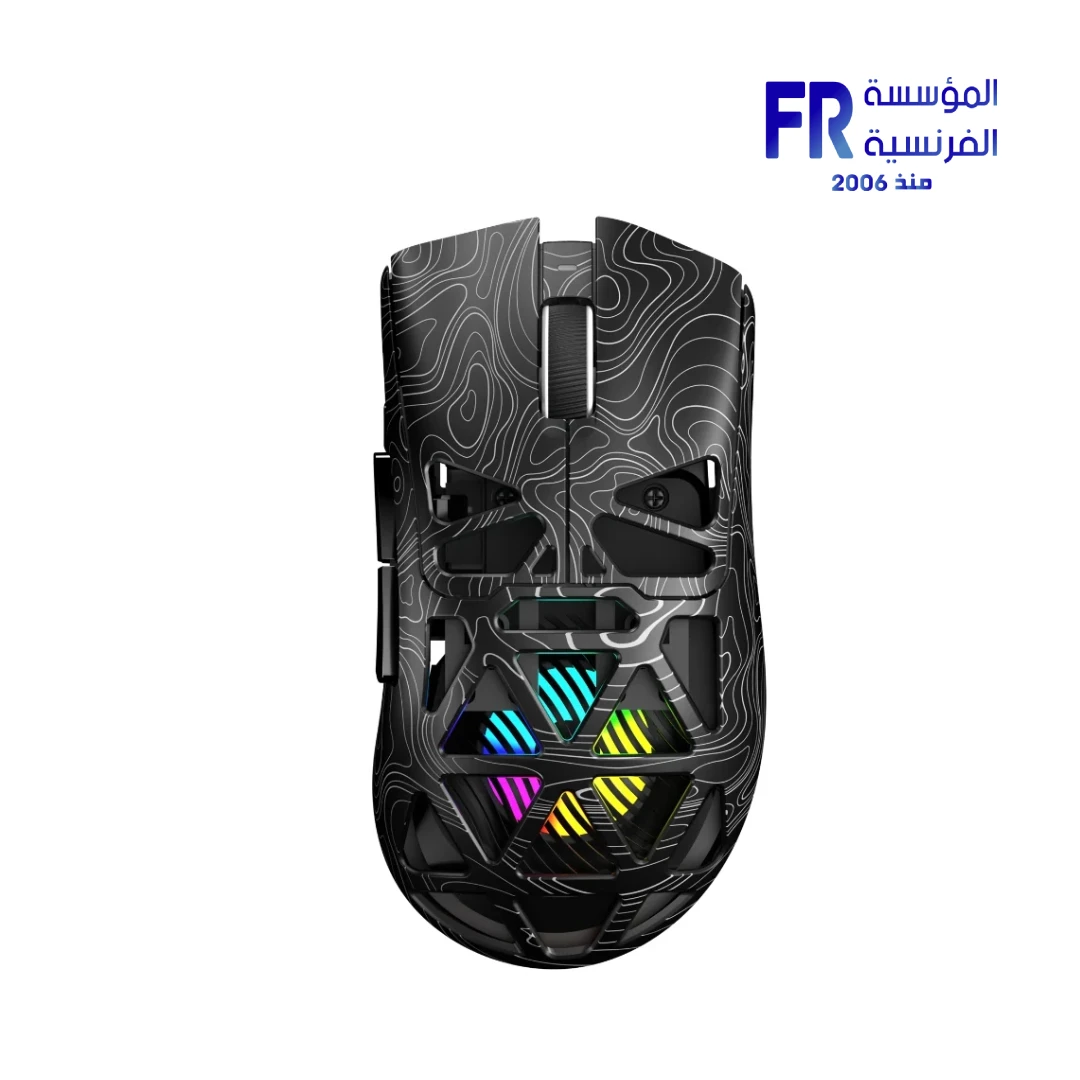


AULA SC620 Bluetooth 2.4GHz USB-C PAW3311 12000 DPI 67g Black Wireless Gaming Mouse
919 EGP
- Model Name: AULA SC620 Tri-Mode Wireless Gaming Mouse (Black Contour)
- Sensor & Performance: PAW3311 Optical Sensor | Up to 12,000 DPI | 1000Hz Polling Rate
- Connectivity: Tri-Mode (Bluetooth / 2.4GHz Wireless / Wired USB-C) | 500mAh Rechargeable Battery
- Switches & Build: 7 Programmable Buttons with Macro Support | Ergonomic Right-Hand Shape | 67g Lightweight Design
- Features: Customizable RGB Lighting
- Warranty: 2 Years
Not available right now, but we have the alternative
Our sales team will match you with an in-stock alternative at the same level or better, at the best price, right on WhatsApp.
Talk to our sales team for an alternativeOut of stock
Want to be notified when this product is back in stock?
In-stock alternatives




✅ Authorized AULA Partner in Egypt | Official 1-Year Warranty | Expert PC Building Consultation Available
AULA SC620 Bluetooth 2.4GHz USB-C PAW3311 12000 DPI 67g Black Wireless Gaming Mouse
AULA SC620 is a tri-mode wireless gaming mouse in Black Contour that connects over Bluetooth, 2.4GHz, or USB-C wired. It uses a PixArt PAW3311 optical sensor with up to 12000 DPI and has seven programmable buttons with macro support. It also offers a 1000Hz polling rate, customizable RGB lighting, and a 500mAh rechargeable battery. Available at Alfrensia for 919 EGP.
⚡ Engineering Highlights at a Glance:
- Tri-Mode Connectivity: Bluetooth, 2.4GHz wireless, and USB-C wired, so one mouse covers desktop, laptop, and tablet use.
- PixArt PAW3311 Optical Sensor: Up to 12000 DPI for precise tracking across FPS and MOBA titles.
- 7 Programmable Buttons: Macro support lets you map commands and shortcuts to suit your play style.
- 1000Hz Polling Rate: Reports position to the PC 1,000 times per second for low-latency tracking.
- Ergonomic Right-Hand Shape: Contoured shell for comfortable grips during long sessions.
- Customizable RGB Lighting: Personalize effects to match the rest of your setup.
- 500mAh Rechargeable Battery: Extended wireless use with USB-C charging.
Who is the AULA SC620 For?
Expert Advice & Build Considerations
Connectivity and Charging
The mouse supports three modes: Bluetooth for laptops and tablets, 2.4GHz via a wireless dongle for gaming, and USB-C wired for charging and low-latency use. The 500mAh rechargeable battery charges through USB-C, so you can plug in the cable during a long session to avoid downtime. Each mode pairs independently; check the manual for the pairing sequence before first use.
Sensor and Macro Setup
The PixArt PAW3311 optical sensor supports up to 12000 DPI and a 1000Hz polling rate. For competitive shooters, most players use 400-1600 DPI with in-game sensitivity to match. The seven programmable buttons support macro mapping, which suits MMO and MOBA players who want quick access to skill rotations or shortcuts. Install the AULA software to map macros, set DPI stages, and customize RGB lighting.
Body, Grip, and Surfaces
The right-hand ergonomic shape and contoured shell suit palm and claw grips. Pair the mouse with a control-oriented cloth pad for best results, especially if you use low DPI for precision. Clean the feet with a microfiber cloth periodically to keep the glide consistent, and avoid dropping the mouse on hard surfaces to protect the switches and sensor.
Technical Specifications
| Model Name | AULA SC620 |
| Brand | AULA |
| EAN / UPC | 6978080505521 |
| Product Type | Wireless gaming mouse |
| Sensor | PixArt PAW3311 Optical, up to 12000 DPI |
| Polling Rate | 1000Hz |
| Buttons | 7 programmable with macro support |
| Connectivity | Bluetooth | 2.4GHz wireless | USB-C wired |
| Battery | 500 mAh rechargeable |
| Lighting | Customizable RGB |
| Form Factor | Ergonomic right-hand design |
| Color | Black Contour |
| Software | AULA software (macro mapping, DPI stages, RGB customization) |
| Warranty | 2 Years Local Alfrensia Warranty |
Expert Recommendation: Getting the Most from the AULA SC620
Use 2.4GHz mode for gaming and switch to Bluetooth for laptops and tablets where you do not want to occupy a USB port. Each mode pairs independently; check the manual for the pairing sequence before first use.
Install the AULA software on first use to map the seven programmable buttons, set DPI stages, and customize RGB lighting. Start at 800 DPI and adjust in-game sensitivity to match your aim, then raise DPI only if you prefer faster cursor movement on high-resolution displays.
Pair the mouse with a control-oriented cloth pad for best results. The right-hand ergonomic shape suits palm and claw grips, and the contoured shell reduces strain during long sessions. Clean the feet with a microfiber cloth periodically to keep the glide consistent.
Charge the 500mAh battery through USB-C when it gets low, and use the wired mode during a long session to avoid downtime. Avoid leaving the battery fully discharged for long periods, and store the mouse in a dry place. The 1-year Alfrensia warranty covers manufacturing defects.
Frequently Asked Questions
What connection modes does the AULA SC620 support?
It supports three modes: Bluetooth, 2.4GHz wireless, and USB-C wired. Use 2.4GHz for gaming to get the lowest latency, switch to Bluetooth for laptops and tablets, and use the USB-C wired mode to charge the battery while keeping the mouse usable.
What is the maximum DPI of the AULA SC620?
The PixArt PAW3311 optical sensor supports up to 12000 DPI, with a 1000Hz polling rate. It tracks precisely across FPS and MOBA titles, and the AULA software lets you set DPI stages and adjust sensitivity to match your play style.
How long does the battery last, and how does it charge?
The 500mAh rechargeable battery delivers long-lasting performance for extended sessions. It charges through USB-C, so you can plug in the cable during a long session to avoid downtime. Exact battery life depends on usage, lighting, and connection mode.
Can I program macros on the AULA SC620?
Yes. The mouse has seven programmable buttons with macro support. Install the AULA software to map commands, create macros, and store profiles. This is useful for MMO and MOBA players who want quick access to skill rotations or shortcuts.
What is included in the box?
The package includes the AULA SC620 wireless mouse, a wireless dongle for 2.4GHz mode, a USB-C charging cable, and a user guide. The mouse carries a 1-year warranty from Alfrensia.
| MODEL | |
|---|---|
| DPI | |
| Net Weight | |
| Color | |
| Warranty |
| SENSOR | |
|---|---|
| CONNECTIVITY | |
| BATTERY | |
| Polling Rate | Up to 1000Hz (wired/2.4GHz); Bluetooth rate varies by mode |
Only logged in customers who have purchased this product may leave a review.
Warranty & Purchase Terms
- Warranty for this product: 2 Years (official agent warranty). Details
- Immediate replacement: if a manufacturing defect appears at any time during the warranty, the product is replaced with a new one, no repair (except products that need software work). If no replacement is available, you get a full refund with no deductions. Details
- Returns: don't need it? Return it within 30 days of purchase, as long as it is sealed, unopened and complete. Details
- Inspecting the shipment: before you accept, look at the outer packaging. If the box is badly damaged (torn, wet, crushed or the tape is open) and shows signs of damage, refuse the shipment with the courier and call us right away on 01021625421. Don't open the product box before accepting. Details
- After delivery: if you open it and find damage or missing parts inside, call us within 48 hours on 01021625421 and keep the box and photos or an unboxing video. Details
- Not covered: misuse (burning, breaking, scratching, removing the warranty sticker), operating systems, software and generic accessories. Details
- Important: keep the Alfrensia warranty sticker on the product and all box contents to benefit from the agent's warranty. Details
- Payment & delivery: cash on delivery. Cairo, Giza & Alexandria within 2–3 business days, other governorates within 3–5 business days after order confirmation. Details
- Refunds: your money is back within 2 business days of receiving the product, by InstaPay, wallet or bank transfer. Details
- Your legal rights: all your rights under Egypt's Consumer Protection Law No. 181 of 2018 stay in full; the benefits above come on top. Details
Reviews
There are no reviews yet.