

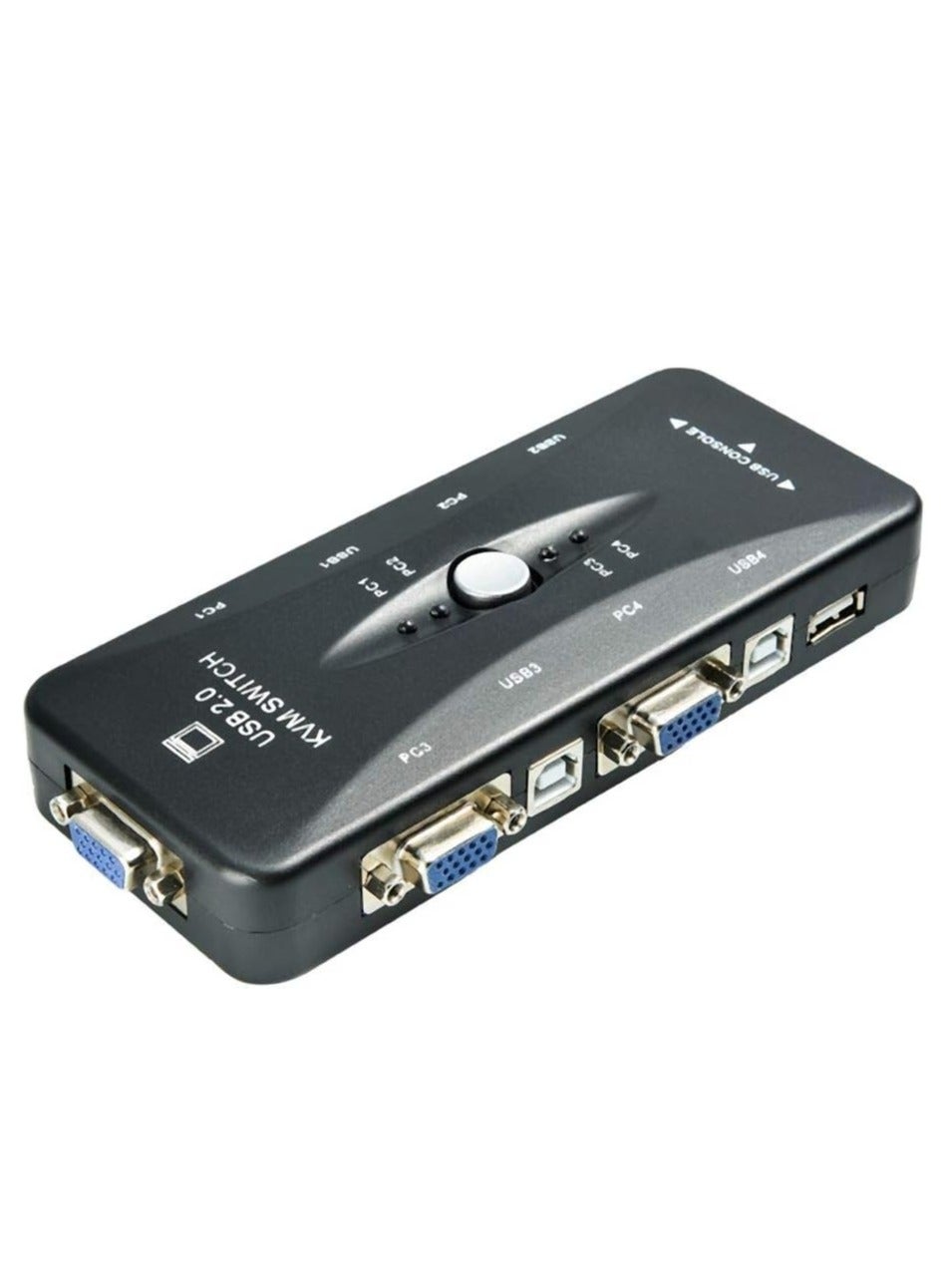
The 4-Port USB KVM Switch is intended to let a user switch shared control peripherals between up to four connected computer systems. A KVM switch can reduce desk clutter by allowing one set of compatible peripherals to serve multiple computers.
Key Features
- Four-computer switching class.
- USB connectivity for supported control peripherals.
- Useful for multi-PC desks, service benches and workstation environments.
- Check the unit’s video interface, switching method and included cables against the computers and display before installation.
Technical Specifications
| Model Name | 4-Port USB KVM Switch |
|---|---|
| Device Type | KVM switch |
| Computer Capacity | Up to 4 systems |
| Connectivity | USB; exact video interface depends on the unit |
| Recommended Use | Shared peripheral control across multiple computers |
| Warranty | 1 Year |
Setup and Compatibility
Connect each computer and the shared peripherals using the correct cables for the switch. Verify the video connector and cable requirements for the specific unit before connecting a monitor.
Frequently Asked Questions
How many computers can it switch between?
The product listing identifies it as a four-port KVM switch for up to four systems.
Are all KVM switches compatible with the same monitor?
No. The video connector and supported display modes must match the switch, monitor and computers.


Reviews
There are no reviews yet.