


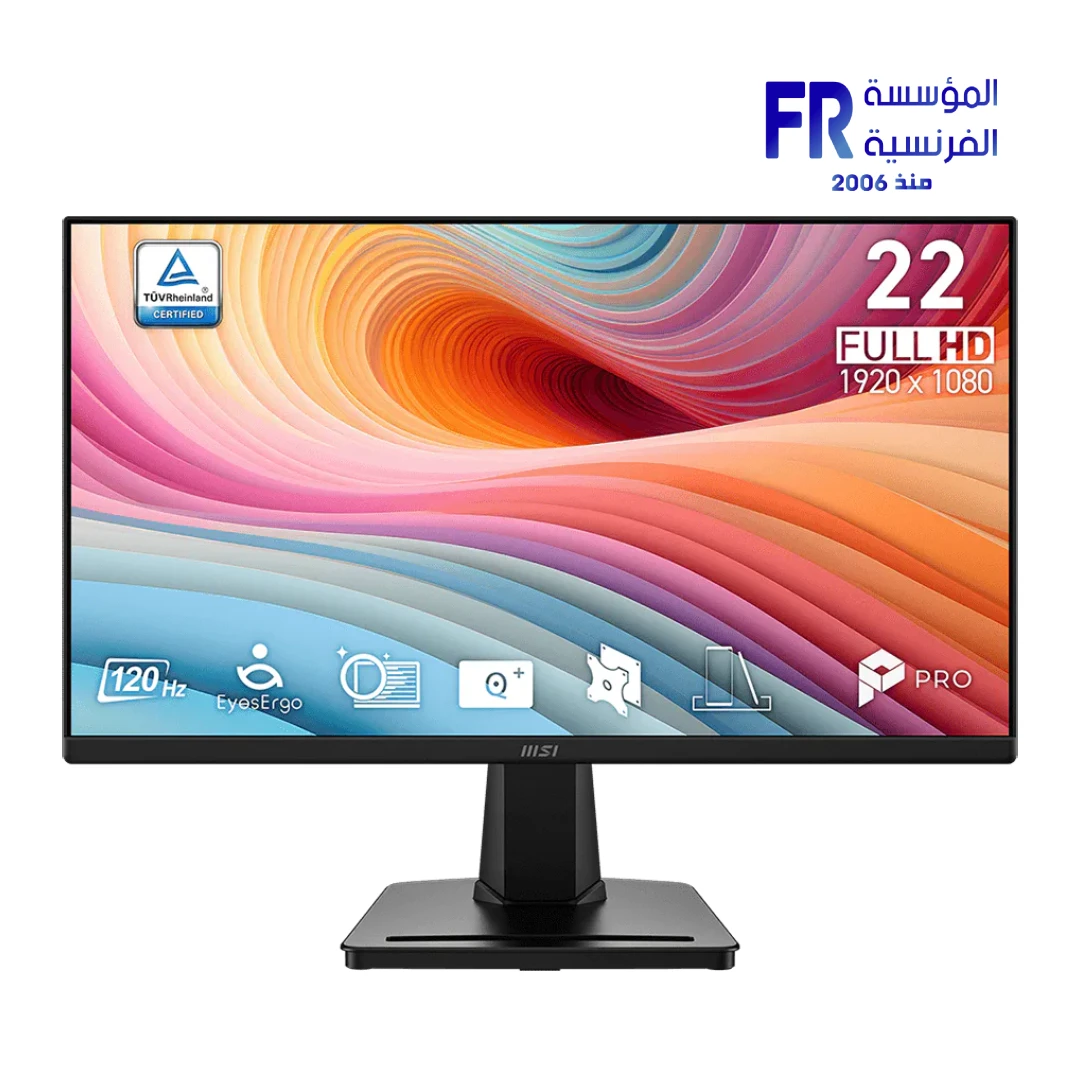


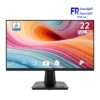
MSI PRO MP225 E12VL 21.45 Inch FHD 120Hz VA Adaptive-Sync Business Monitor
3799 EGP
- Part Number: PRO MP225 E12VL
- Display: 21.45″ FHD VA, 120Hz, 1ms MPRT, 300 Nits, 4000:1 Contrast
- Gaming Features: Adaptive-Sync Support, 100% sRGB
- Design & Connectivity: HDMI 1.4b, D-Sub (VGA), 100x100mm VESA Mount
- Adjustment: -5° ~ 20° Tilt
- Warranty: 2 Years
Want to be notified when this product is back in stock?
✅ Authorized MSI Partner in Egypt | Official Local Warranty | Expert Consultation Available
MSI PRO MP225 E12VL 21.45 Inch FHD 120Hz VA Adaptive-Sync Business Monitor
Quick Summary: The MSI PRO MP225 E12VL is a 21.45-inch business monitor featuring a VA panel with 4000:1 contrast ratio, 1920×1080 FHD resolution, 120Hz refresh rate, 1ms MPRT response time, Adaptive-Sync support, 100% sRGB coverage, and HDMI plus VGA connectivity.
Achieve sharper visuals and smoother workflows with the MSI PRO MP225 E12VL business monitor. The 21.45-inch VA panel delivers an exceptional 4000:1 native contrast ratio — four times higher than typical IPS panels — ensuring deep blacks and vivid detail that bring spreadsheets, presentations, and documents to life with remarkable clarity. Furthermore, the 120Hz refresh rate combined with a 1ms MPRT response time eliminates motion blur during fast scrolling and screen transitions, a feature rarely found at this price point in the business monitor segment.
Available now at Alfrensia, the authorized MSI distributor in Egypt, the PRO MP225 E12VL covers 100% sRGB (CIE 1976) for accurate color reproduction suitable for light creative tasks alongside everyday office work. Additionally, with Adaptive-Sync technology, HDMI 1.4b and D-Sub (VGA) inputs, a 100×100mm VESA mount, and a Kensington lock slot, the MSI PRO MP225 E12VL business monitor is a versatile, secure, and reliable display solution backed by a 3-year local warranty.
Why Choose the MSI PRO MP225 E12VL Business Monitor?
Why it matters: Most business monitors use IPS panels with 1000:1 contrast. This VA panel delivers 4x deeper blacks, making text crisper, dark UI elements more defined, and presentations more visually striking — especially in dimly lit offices.
Who benefits: Office workers who spend long hours reading text, financial analysts working with dark-themed dashboards, and users sensitive to IPS glow.
Why it matters: 120Hz makes scrolling through long documents, web pages, and spreadsheets noticeably smoother compared to standard 60Hz business monitors. It also reduces eye strain during extended reading sessions by minimizing motion blur.
Who benefits: Data entry professionals, accountants, and anyone who scrolls through large datasets daily.
Why it matters: Full sRGB coverage means colors appear accurate and consistent, which matters not only for documents but also for light photo editing, social media content creation, and branding work — all without paying for a professional-grade monitor.
Who benefits: Marketing teams, small business owners, and hybrid workers who do occasional creative tasks.
Why it matters: Adaptive-Sync synchronizes the monitor’s refresh rate with the GPU output, eliminating screen tearing and stuttering. While designed for gaming, it also benefits video playback and animated presentations.
Who benefits: Users who also use their work display for light gaming or video content after hours.
Pros and Cons of the MSI PRO MP225 E12VL
- • Exceptional 4000:1 native contrast ratio for deep blacks
- • 120Hz refresh rate — rare at this price for a business monitor
- • 100% sRGB for accurate color reproduction
- • Adaptive-Sync eliminates screen tearing
- • Dual input: HDMI 1.4b (120Hz) + VGA (60Hz) for legacy compatibility
- • Kensington lock slot for office security
- • 100×100mm VESA mount for arm or wall installation
- • Internal power board — no external power brick
- • No USB-C port — requires separate video and power cables
- • HDMI 1.4b limits 120Hz to FHD only — no support for higher resolutions
- • No built-in speakers
- • No KVM, PIP/PBP, or HDMI CEC support
- • Tilt-only adjustment (−5° to 20°) — no height, swivel, or pivot
- • VA panel may exhibit slight ghosting in very fast motion compared to IPS
Compatibility and Setup Notes
⚠️ Compatibility Check: Please verify the following before purchasing:
- HDMI 1.4b Bandwidth Limit: The HDMI 1.4b port supports 1920×1080 at up to 120Hz. It does not support 1440p or 4K at high refresh rates. If you need higher resolution output, this is not the right monitor — it is strictly an FHD display.
- VGA Limitation: The D-Sub (VGA) port supports 1920×1080 at up to 60Hz only. If you are connecting via VGA (common with older office PCs), you will not get the 120Hz benefit.
- No USB-C: This monitor does not have a USB-C port. If you are a laptop user who wants single-cable docking (video + power + data), you will need a USB-C to HDMI adapter or dock, plus your laptop’s separate charger.
- Adaptive-Sync Requirements: Adaptive-Sync works over the HDMI port. Your GPU must support Adaptive-Sync output over HDMI — most modern AMD and NVIDIA GPUs do, but verify your specific graphics driver settings if the option does not appear.
- VA Panel Viewing Angle: While rated at 178°/178°, VA panels can exhibit slight color shift at extreme off-axis angles compared to IPS. For straight-on desk use this is a non-issue, but avoid mounting it at sharp side angles.
- Unsupported Features: MSI explicitly notes this model does not support HDMI CEC, MSI Power Link, PIP/PBP, KVM, or firmware updates. If you need any of these features, consider a higher-tier MSI model.
Technical Specifications
| Specification | Details |
|---|---|
| Model Name | MSI PRO MP225 E12VL |
| Brand | MSI |
| SKU / MPN | PRO MP225 E12VL |
| EAN | 824142447697 |
| UPC | N/A |
| Panel Size | 21.45″ |
| Panel Resolution | 1920 × 1080 (FHD) |
| Refresh Rate | 120Hz |
| Response Time | 1ms (MPRT) / 4ms (GtG) |
| Panel Type | VA |
| Brightness | 300 cd/m² (Nits) |
| Viewing Angle | 178° (H) / 178° (V) |
| Aspect Ratio | 16:9 |
| Curvature | Flat |
| Contrast Ratio | 4000:1 |
| DCR (Dynamic Contrast Ratio) | 100,000,000:1 |
| Signal Frequency | 52.8~132 KHz (H) / 48~120Hz (V) |
| sRGB | 100% (CIE 1976) |
| Active Display Area | 478.656 (H) × 260.28 (V) mm |
| Pixel Pitch (H × V) | 0.2493 (H) × 0.241 (V) mm |
| Surface Treatment | Anti-Glare |
| Display Colors | 16.7M, 8-bit |
| Video Ports | 1× HDMI™ 1.4b (FHD@120Hz) / 1× D-Sub (VGA) |
| Dynamic Refresh Rate Technology | Adaptive-Sync |
| Kensington Lock | Yes |
| VESA Mounting | 100 × 100mm |
| Power Type | Internal Power Board |
| Power Input | 100~240V, 50/60Hz |
| Adjustment (Tilt) | −5° ~ 20° |
| Dimensions with Stand (W × D × H) | 492.8 × 182.4 × 378.0 mm (19.40 × 7.18 × 14.88 inch) |
| Dimensions without Stand (W × D × H) | 492.8 × 49.9 × 283.1 mm (19.40 × 1.96 × 11.15 inch) |
| Carton Dimensions (W × D × H) | 567 × 120 × 365 mm (22.32 × 4.72 × 14.37 inch) |
| Included Accessories | 1× HDMI Cable (1.4), 1× Power Cord, 1× Quick Guide |
| Warranty | 2 Years Local Alfrensia Warranty |
Getting the Most from Your Business Monitor
💡 Pro Tip: To unlock the 120Hz refresh rate, you must connect via the HDMI 1.4b port — the VGA input is limited to 60Hz. After connecting, open your Windows Display Settings, navigate to Advanced Display, and ensure the refresh rate is set to 120Hz rather than the default 60Hz. Additionally, if you enable Adaptive-Sync in your GPU control panel, make sure to also toggle it on in the monitor’s on-screen menu (OSD) for tear-free operation.
Frequently Asked Questions
Can I get 120Hz over the VGA connection?
No. The D-Sub (VGA) port supports a maximum of 1920×1080 at 60Hz. To achieve 120Hz, you must use the HDMI 1.4b port with a compatible GPU that outputs 1080p at 120Hz over HDMI.
Is this monitor good for photo editing?
It covers 100% sRGB, which is adequate for web-ready photo editing, social media content, and general design work. However, it does not cover DCI-P3 or Adobe RGB, so for professional print work or color-critical workflows, you would need a monitor with wider gamut coverage. The VA panel’s 4000:1 contrast is excellent for dark image detail, though color accuracy at extreme off-axis angles may shift slightly compared to IPS.
Can I use this monitor for gaming?
Yes, casually. The 120Hz refresh rate and Adaptive-Sync support make it capable for light gaming at 1080p. However, the 21.45-inch size, HDMI 1.4b bandwidth limitation (no 1440p), and VA panel response time (4ms GtG) mean it is not optimized for competitive esports. It is primarily a business monitor that happens to have gaming-friendly features.
Does this monitor have speakers?
No. The MSI PRO MP225 E12VL does not have built-in speakers. If you need audio, you will need to use external speakers, headphones, or a monitor with a 3.5mm audio output connected to your PC’s audio jack.
Where can I buy the MSI PRO MP225 E12VL in Egypt with a warranty?
You can purchase the original MSI PRO MP225 E12VL 21.45-inch FHD 120Hz VA business monitor with a 3-year official local warranty and fast Cairo-wide delivery directly from Alfrensia, an authorized MSI partner.
Ready to Upgrade Your Office Display?
Speak with our display specialists for bulk office deployment pricing, monitor arm compatibility, and multi-screen setup advice.
| MODEL | |
|---|---|
| Monitor Type | |
| SCREEN SIZE | |
| Panel Type | |
| RESOLUTION | |
| RESPONSE TIME | |
| REFRESH RATE | |
| ADAPTIVE SYNC | |
| Backlight Technology | |
| Brightness | |
| sRGB | |
| Flicker Free | |
| I/O Ports | |
| Included Speaker | |
| Color | |
| Part Number | |
| Warranty |
Only logged in customers who have purchased this product may leave a review.

Reviews
There are no reviews yet.