


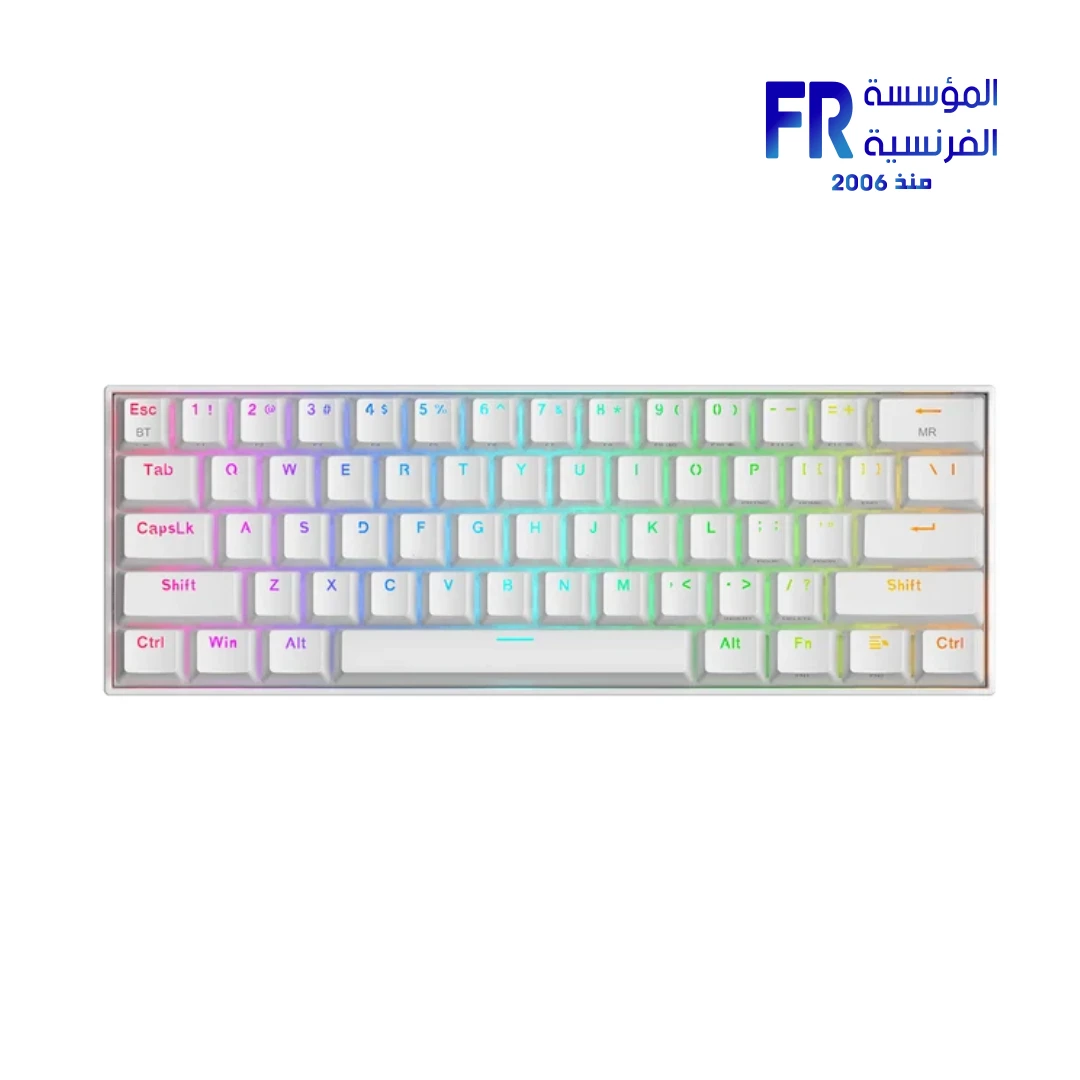


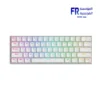
Redragon K530W-RGB-PRO Draconic Pro 60 Percent 61 Keys Orange Switch RGB Tri-Mode Wireless White Blue Mechanical Gaming Keyboard
2039 EGP
- Part Number: K530W-RGB-PRO
- Switches & Layout: Orange Mechanical Switches (Tactile) | 60% Compact (61 Keys) | Hot-Swappable (3/5-Pin)
- Connectivity: Tri-Mode (Bluetooth 3.0/5.0 / 2.4GHz / USB-C Wired) | 3 Devices
- Design & Lighting: White / Blue | RGB Backlight (13 Presets) | Pro Driver Support
- Warranty: 1 Year
Only 1 left in stock
Price Match Guarantee✅ Authorized Redragon Partner in Egypt | Official Warranty Coverage | Expert PC Building Consultation Available
Redragon K530W-RGB-PRO Draconic Pro 60 Percent 61 Keys Orange Switch RGB Tri-Mode Wireless White Blue Mechanical Gaming Keyboard
Redragon K530W-RGB-PRO Draconic Pro is a compact 60% mechanical gaming keyboard with 61 keys, tri-mode connectivity, and full hot-swap sockets. Because it supports Bluetooth 5.0, 2.4GHz wireless, and USB-C wired connections, you can pair it with up to three devices and switch between them using the side switch [citation:2][citation:7]. It features Orange tactile switches, 16.8 million color RGB backlighting, and a 1600mAh rechargeable battery that lasts up to 80 hours with backlighting off [citation:3][citation:9]. Available at Alfrensia for 2,150 EGP.
⚡ Engineering Highlights at a Glance:
- 60% Compact Layout (61 Keys): Removes the numpad, arrow keys, and function row to free up desk space for mouse movement, which suits FPS gaming and portable setups [citation:2][citation:7].
- Tri-Mode Connectivity: Connect via USB-C wired, Bluetooth 5.0, or 2.4GHz wireless. The side switch toggles between 2.4GHz, BT1, and BT2 for multi-device use [citation:2][citation:7].
- 100% Hot-Swap Socket: Compatible with almost all 3-pin and 5-pin MX-style switches, including Gateron and Kailh. The socket design reduces switch wobble and makes installation easier [citation:1][citation:7].
- Orange Tactile Switches: Provide a tactile bump without the loud click of Blue switches, making them suitable for both gaming and office environments [citation:14].
- 1600mAh Battery: Delivers up to 15 hours of use with RGB on and up to 80 hours with RGB off. Charging is handled via the USB-C port [citation:3][citation:9].
- 16.8 Million Color RGB: Features 13 preset illumination modes and reactive typing effects. The lighting can be customized through the Redragon Pro driver [citation:7].
- 2-in-1 USB-C/A Cable: The included detachable cable has both USB-C and USB-A jacks, making wired connections more convenient across different devices [citation:7].
Compact 60% Layout for Gaming and Portability
The K530W-RGB-PRO uses a 61-key layout that removes the numeric keypad, dedicated arrow keys, and function row. Because the keyboard is significantly smaller than a full-size model, it frees up desk space for mouse movement, which is useful in FPS games and on compact desks [citation:2]. The mini size also makes it easy to carry in a laptop bag for travel or use with a tablet. Despite the smaller footprint, the essential keys remain accessible through Fn combinations, including the arrow keys and function row. The keyboard measures 291.7 x 101.7 x 36 mm and weighs 0.8 kg [citation:7].
Tri-Mode Connectivity and Multi-Device Support
The K530W-RGB-PRO supports three connection modes: USB-C wired, Bluetooth 5.0, and 2.4GHz wireless. Because it supports Bluetooth, you can pair it with up to two Bluetooth devices plus one 2.4GHz device, and switch between them using the side switch (2.4Ghz/BT1/BT2) [citation:2][citation:7]. The 2.4GHz mode uses the included USB receiver for a low-latency connection, which is ideal for gaming. The wired mode lets you charge the keyboard while using it. This tri-mode flexibility makes the K530 PRO suitable for users who work across multiple devices, such as a desktop and a laptop [citation:7].
Hot-Swappable Orange Switches
The keyboard ships with Redragon Mechanical Orange switches, which provide a tactile bump without the loud click of Blue switches [citation:14]. Because the switches are tactile, you can feel when the actuation point is reached, which helps with typing accuracy and gaming responsiveness. The PCB supports 100% hot-swap, meaning you can replace the switches with compatible 3-pin or 5-pin switches without soldering [citation:1][citation:7]. The unique socket structure reduces switch wobble and makes installation easier. This allows you to customize the feel of the keyboard to match your preference without buying a new board.
RGB Backlighting and Battery Life
The keyboard features 16.8 million color RGB backlighting with 13 preset illumination modes and reactive typing effects [citation:7]. Because the lighting can be adjusted directly on the keyboard, you do not need software for basic customization. The built-in 1600mAh battery provides approximately 15 hours of use with RGB backlighting on, and up to 80 hours with backlighting off [citation:3][citation:9]. Charging is handled via the included USB-C cable. A charging indicator light shows the battery status, turning off when fully charged [citation:9]. For users who want more control, the Redragon Pro driver is available for Windows and supports macro creation and detailed RGB customization [citation:7].
Who is the Redragon K530W-RGB-PRO Draconic Pro For?
Expert Advice & Build Considerations
Layout Adjustment Period
If you are coming from a full-size keyboard, the 60% layout takes some adjustment. Keys like the arrow keys and function row are accessed through Fn combinations. Review the manual to learn the shortcuts for these keys, especially if you use them frequently in games or productivity tasks.
Software and Macro Programming
Basic functions work as plug-and-play without drivers, and RGB lighting can be controlled directly on the keyboard [citation:7]. However, to program macros or create custom lighting profiles, you need the Redragon Pro driver, which is available from the official Redragon website [citation:10]. The software is Windows-only. On Mac and Linux, the keyboard works for typing and basic media controls, but macro programming is not available.
📐 Charging and Battery Care
Charge the keyboard fully before first use using the included USB-C cable [citation:9]. The 1600mAh battery provides up to 80 hours with RGB off, but battery life drops to around 15 hours with RGB on. To extend battery life, lower the RGB brightness or turn off lighting when running wirelessly. The charging indicator light turns off when the keyboard is fully charged [citation:9].
Technical Specifications
| Model | K530W-RGB-PRO |
| Brand | Redragon |
| Layout | 60% Compact (61 Keys) |
| Connectivity | USB-C Wired / Bluetooth 5.0 / 2.4GHz Wireless |
| Switch Type | Redragon Mechanical Orange (Tactile) |
| Hot-Swap | Yes, 3-pin / 5-pin compatible |
| Backlight | RGB, 16.8 Million Colors, 13 Preset Modes |
| Battery | 1600mAh Rechargeable Lithium |
| Battery Life | ~15 Hours (RGB On) / ~80 Hours (RGB Off) |
| Key Rollover | Full N-Key Rollover / Anti-Ghosting |
| Dimensions | 291.7 x 101.7 x 36 mm |
| Weight | 0.8 kg |
| Cable Length | 1.8 m Detachable USB-C (with USB-A adapter) |
| Compatibility | Windows, Mac OS, Linux (Software Windows-only) |
Expert Recommendation: Getting the Most from Your K530W-RGB-PRO
Charge the K530W-RGB-PRO fully before first use. For gaming, switch to 2.4GHz mode using the included USB receiver for the lowest latency. Use Bluetooth mode for tablets and laptops where the connection is sufficient and battery life is longer. The side switch lets you toggle between 2.4GHz, BT1, and BT2, so you can pair up to three devices [citation:2][citation:7]. To customize DPI, polling rate, or button macros, connect the keyboard via USB-C and use the Redragon Pro driver on a Windows system [citation:7]. The hot-swap sockets accept both 3-pin and 5-pin switches, so you can change the feel of the keyboard without soldering [citation:1]. Because the keyboard is compact, take a few days to adjust to the Fn layer for arrow keys and function keys. Clean the keycaps periodically to prevent dust from affecting switch performance.
Frequently Asked Questions
Does the K530W-RGB-PRO require software to work?
No. The keyboard is plug-and-play for typing and basic RGB control. You can adjust lighting modes directly on the keyboard without software. However, to program macros or create custom lighting profiles, you need the Redragon Pro driver, which is available for Windows systems [citation:7].
What type of switches does this keyboard use?
This variant uses Redragon Mechanical Orange switches, which are tactile switches that provide a bump without a loud click. They are hot-swappable, so you can replace them with compatible 3-pin or 5-pin switches [citation:14].
How do I switch between Bluetooth, 2.4GHz, and wired modes?
Use the switch on the side of the keyboard. Toggle it to 2.4G for the wireless receiver, or to BT1/BT2 for Bluetooth devices. For wired mode, connect the USB-C cable to your PC [citation:2][citation:7].
How long does the 1600mAh battery last?
The battery provides approximately 15 hours of use with RGB backlighting on, and up to 80 hours with backlighting off. Actual battery life depends on usage patterns and brightness settings [citation:3][citation:9].
Is the keyboard compatible with Mac?
Yes, the keyboard works with Mac OS for basic typing and media controls. However, the macro programming software is Windows-only, and some multimedia function keys may not be compatible with Mac [citation:7][citation:11].
| MODEL | |
|---|---|
| Connection | |
| Switch Type | |
| Mechanical Switch Type | |
| Keyboard Size | |
| Lighting | |
| Color | |
| Part Number | |
| Warranty |
Only logged in customers who have purchased this product may leave a review.
Reviews
There are no reviews yet.