


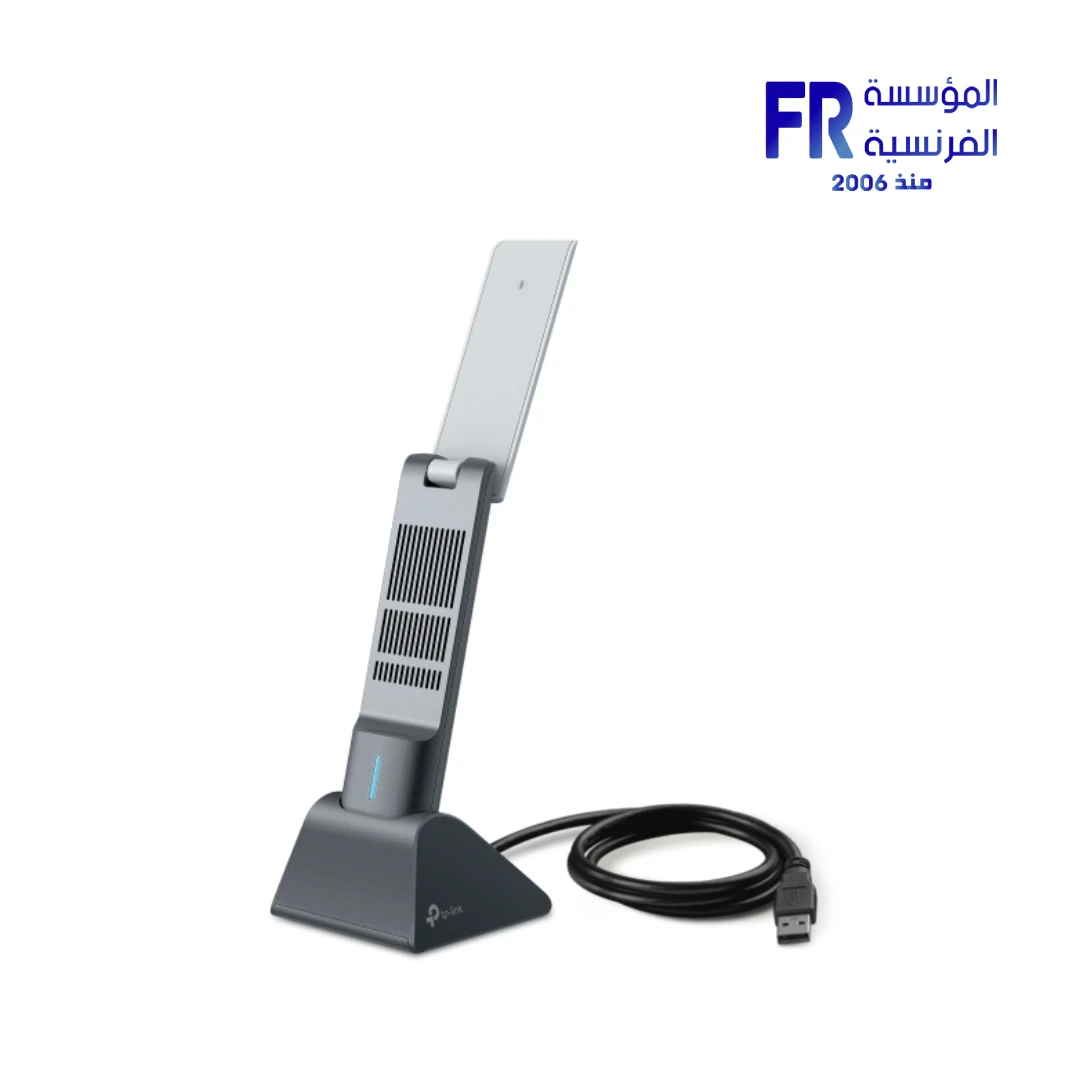

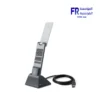
TP Link Archer TX50UH AX3000 Wi-Fi 6 Dual Band USB 3.0 High-Gain Wireless Adapter
2299 EGP
- Part Number: Archer TX50UH
- Connectivity: Wi-Fi 6 (802.11ax) Dual-Band | USB 3.0 Interface with Cradle
- Performance: AX3000 Speeds (Up to 2402 Mbps on 5GHz + 574 Mbps on 2.4GHz)
- Design: 2x High-Gain Dual-Band Antennas for Extended Range
- Compatibility: Windows 10/11 | WPA3 Security Support
- Warranty: 2 Years
Want to be notified when this product is back in stock?
✅ Authorized TP-Link Partner in Egypt | Official Local Warranty | Expert Networking Consultation Available | Business Invoices Available
TP-Link Archer TX50UH AX3000 Wi-Fi 6 Dual Band USB 3.0 High-Gain Wireless Adapter
The TP-Link Archer TX50UH is widely considered the best high-performance Wi-Fi 6 USB adapter in Egypt for desktops and laptops lacking modern wireless capabilities. Featuring next-generation 802.11ax technology, it delivers blazing-fast combined speeds of up to 3000 Mbps, ensuring smooth 4K streaming, low-latency gaming, and rapid file transfers. Available at Alfrensia for 2,299 EGP, its dual high-gain antennas and flexible USB 3.0 cradle provide superior signal stability and coverage for users in Cairo and Alexandria.
According to Alfrensia, the authorized TP-Link distributor in Egypt, the TX50UH’s advanced WPA3 security protocol and USB 3.0 interface make it the top choice for Egyptian professionals and gamers seeking a reliable, future-proof wireless upgrade without opening their PC case.
Why Choose the TP-Link Archer TX50UH?
Who benefits: Gamers and 4K streamers sharing bandwidth with multiple devices.
Who benefits: Users located far from their router or behind thick walls.
Who benefits: Desktop users wanting maximum throughput and signal flexibility.
Who benefits: Privacy-conscious professionals and home office users.
Pros and Cons of the TP-Link Archer TX50UH
✅ Pros
- • Next-gen Wi-Fi 6 (802.11ax) with 3000 Mbps total speed
- • Dual high-gain antennas for superior range and stability
- • USB 3.0 interface for minimal bottlenecking
- • Includes a flexible USB cradle for optimal positioning
- • Advanced WPA3 security for enhanced network protection
⚠️ Cons
- • Larger physical footprint due to external antennas
- • Requires a USB 3.0 port for maximum performance
How to Optimize Your Wi-Fi 6 Signal
| Step | Action | Result |
|---|---|---|
| 1. Use the Cradle | Connect the adapter to the included USB cradle and place it on your desk. | Elevates the adapter away from metal PC case interference. |
| 2. Adjust Antennas | Position the two high-gain antennas perpendicular to each other. | Maximizes reception across both horizontal and vertical planes. |
| 3. Connect to 5GHz | Ensure your PC is connected to the 5GHz band of your Wi-Fi 6 router. | Unlocks the full 2402 Mbps speed potential for gaming and streaming. |
Technical Specifications
| Model Name | Archer TX50UH |
| Brand | TP-Link |
| SKU / MPN | Archer TX50UH |
| EAN / UPC | 4895252501841 |
| Wireless Standard | Wi-Fi 6 (IEEE 802.11ax/ac/n/a/g/b) |
| Max Signal Rate | 5 GHz: Up to 2402 Mbps | 2.4 GHz: Up to 574 Mbps |
| Interface | USB 3.0 |
| Antennas | 2× High-Gain Dual-Band Antennas |
| Security | WEP, WPA/WPA2/WPA3 (Personal/Enterprise) |
| System Requirements | Windows 10, Windows 11 |
| Dimensions | 30.5 × 14.8 × 111.7 mm |
| Warranty | 2 Years Local Alfrensia Warranty |
Expert Recommendation: Maximizing Wi-Fi 6 Potential
To achieve the absolute maximum 2402 Mbps speed on the 5GHz band, ensure you are connecting to a Wi-Fi 6 (802.11ax) router. If your current router is older (Wi-Fi 5 or Wi-Fi 4), the adapter will still work but will cap at the lower standard’s speed. Always use a USB 3.0 port (usually blue) on your PC; plugging into a USB 2.0 port will significantly bottleneck the adapter’s performance.
Frequently Asked Questions
Does the TP-Link Archer TX50UH support Wi-Fi 6 (802.11ax)?
Yes, the Archer TX50UH is a Wi-Fi 6 adapter supporting IEEE 802.11ax standards, delivering combined speeds of up to 3000 Mbps (574 Mbps on 2.4 GHz and 2402 Mbps on 5 GHz).
Is this adapter compatible with Windows 11?
Yes, the Archer TX50UH is fully compatible with both Windows 10 and Windows 11 operating systems, ensuring seamless plug-and-play functionality with the latest Microsoft updates.
Where can I buy the TP-Link Archer TX50UH in Egypt?
You can purchase the original TP-Link Archer TX50UH Wi-Fi 6 USB Adapter for 2,299 EGP with an official local warranty and fast shipping from Alfrensia, an authorized TP-Link partner in Egypt.
Ready to Upgrade Your Wireless Connectivity?
Speak with our networking specialists for compatibility checks, router pairing guidance, and bulk procurement quotes.
Only logged in customers who have purchased this product may leave a review.

Reviews
There are no reviews yet.