


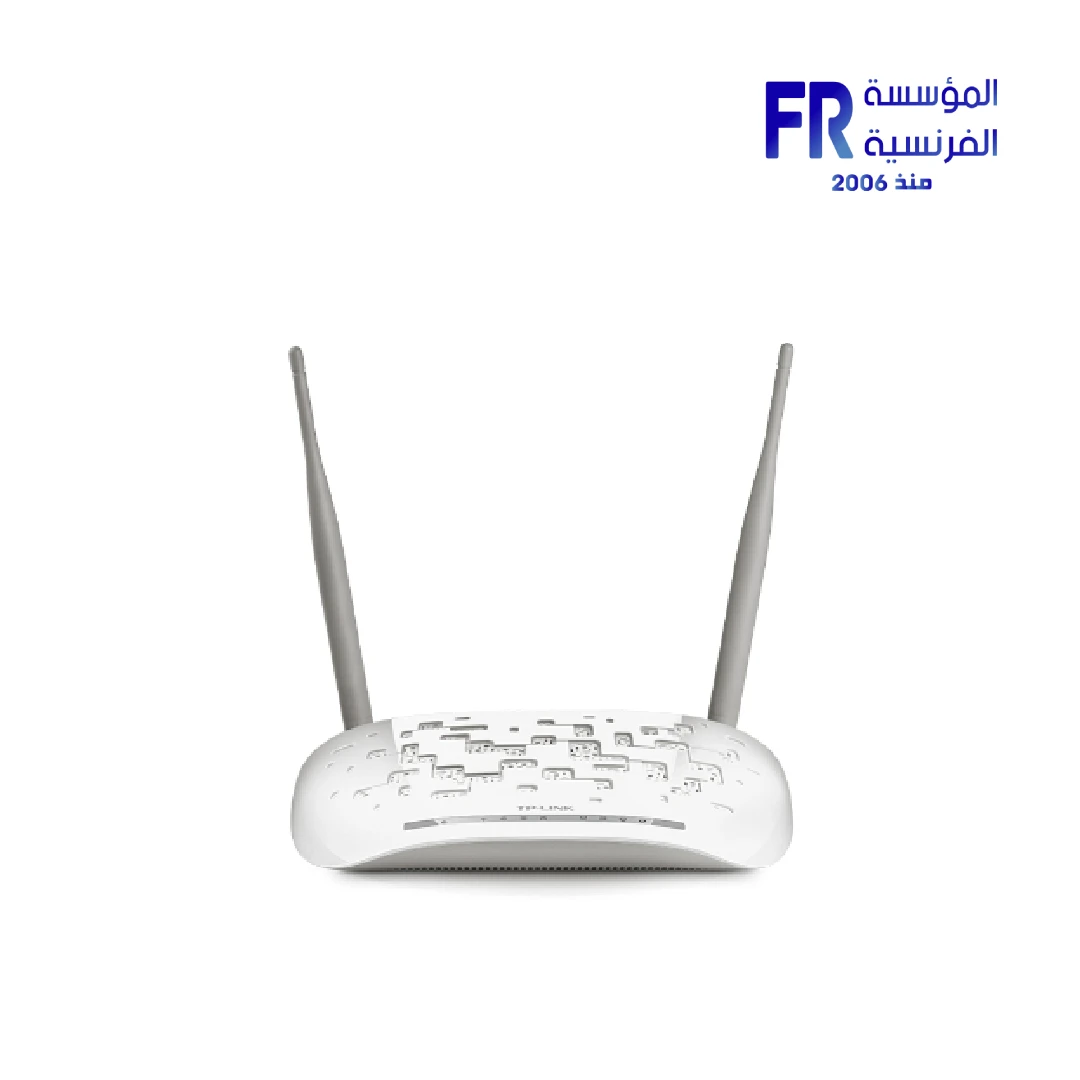
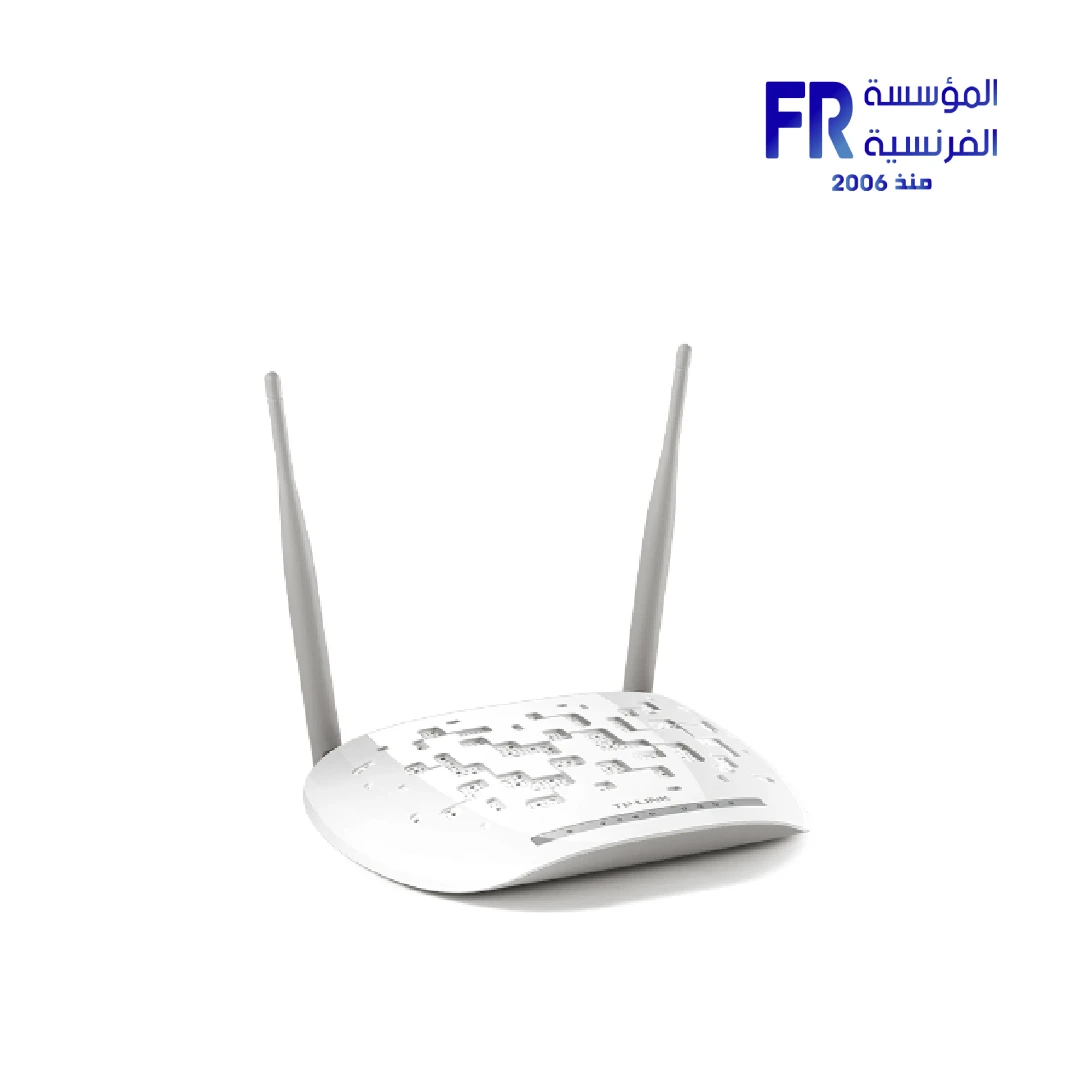
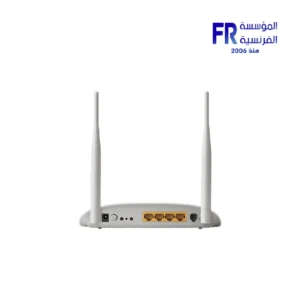
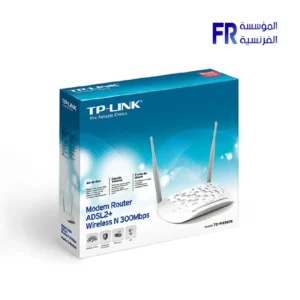


Tplink Td W8961N 300Mbps Wireless N Adsl2 Modem Router
390 EGP
- Part Number: TD-W8961N
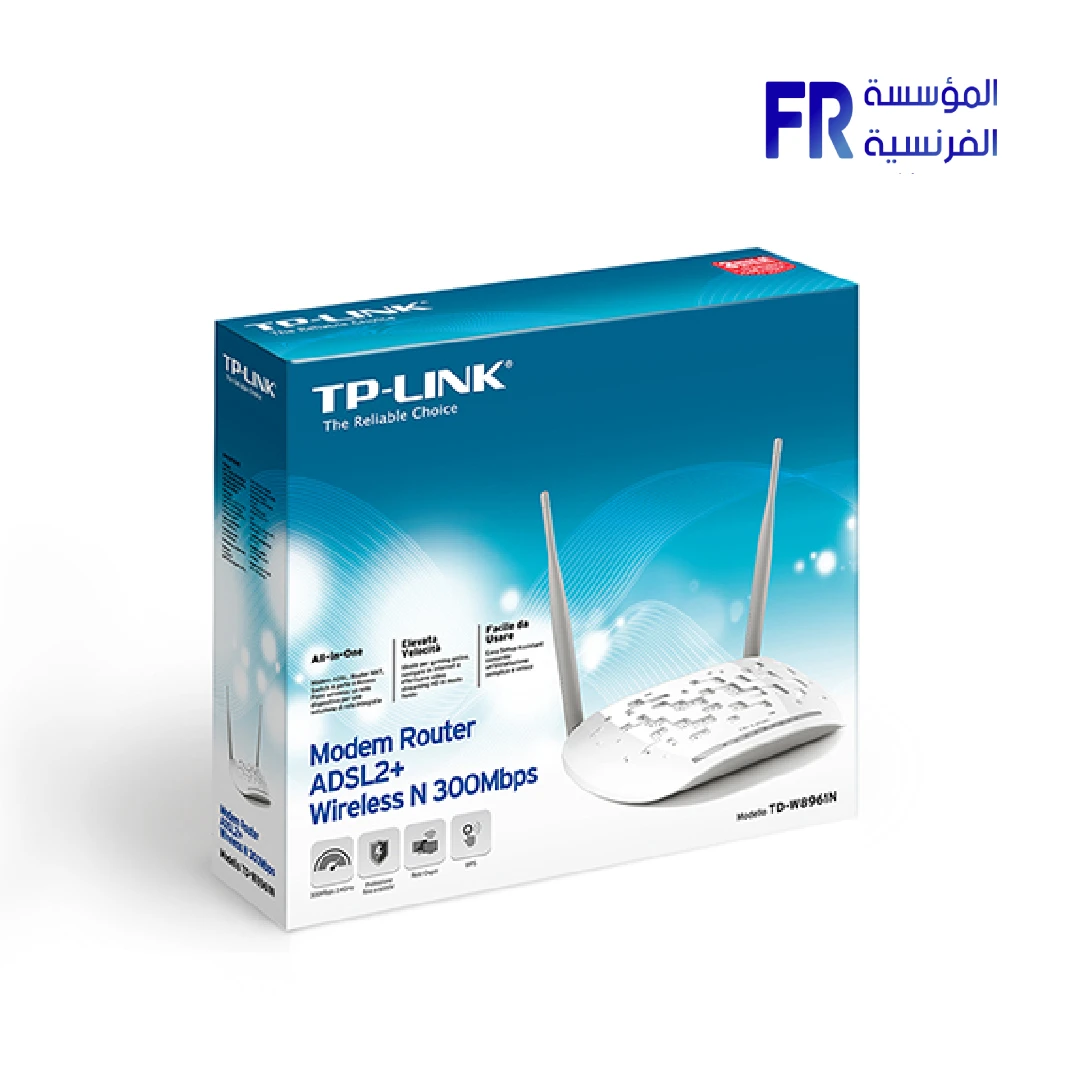
- Type & Standards: ADSL2+ Modem Router | ANSI T1.413 / G.992.1 / G.992.3 / G.992.5 | IEEE 802.11b/g/n (N300)
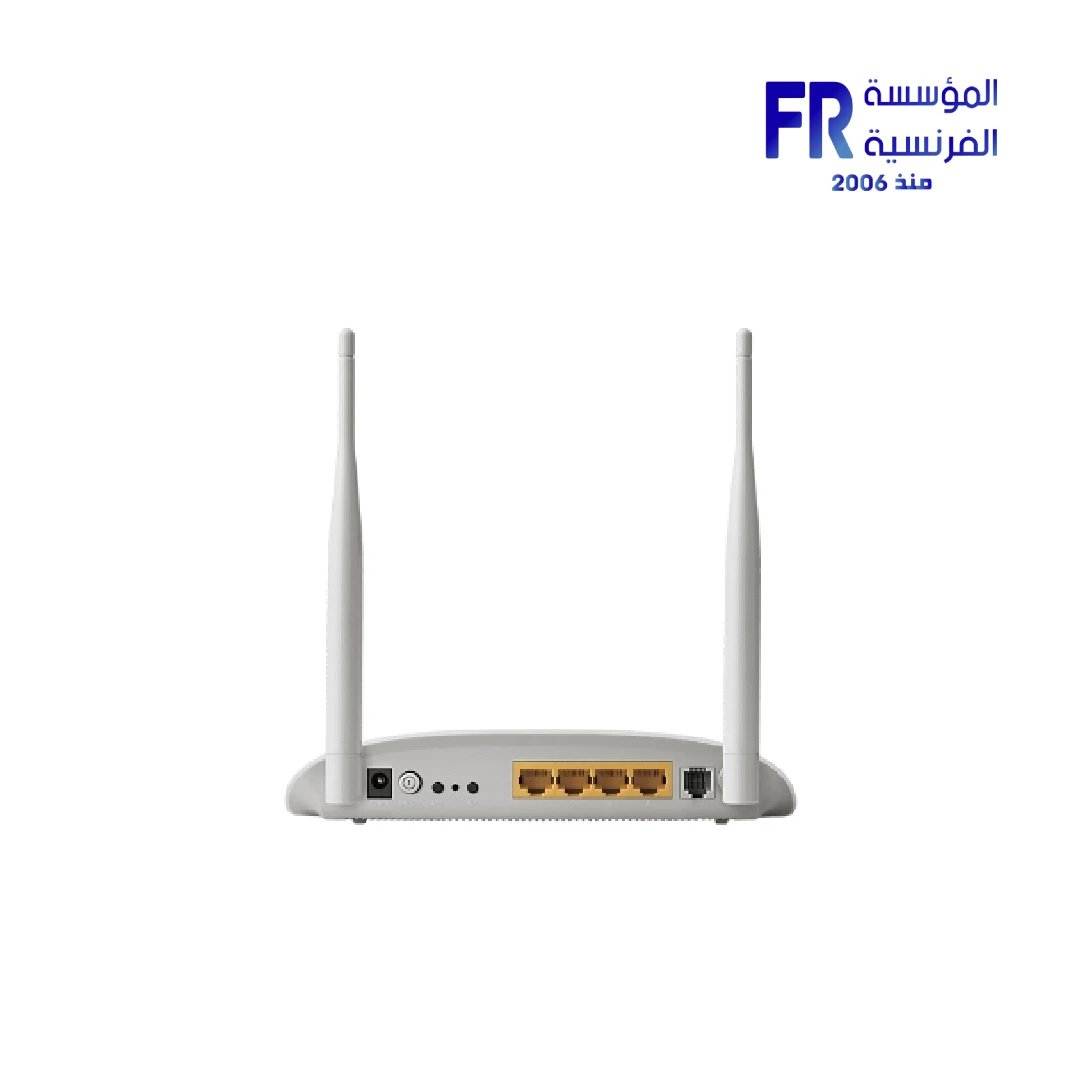
- Ports & Wireless: 4x 10/100Mbps LAN | 1x RJ11 | 2x 5dBi Fixed Antennas | 2.4GHz
- Features: NAT/SPI Firewall | QoS | DHCP | VPN Pass-Through (PPTP/L2TP/IPSec) | TR-069 | WPS & Wi-Fi On/Off
- Package Contents: Modem Router | Splitter | RJ-11 + RJ-45 Cables | Power Adapter | Quick Install Guide
- Warranty: 1 Year
Want to be notified when this product is back in stock?
✅ Authorized TP-Link Partner in Egypt | Official Warranty Coverage | Expert Networking Consultation Available
Tplink Td W8961N 300Mbps Wireless N Adsl2 Modem Router
TP-Link TD-W8961N is an ADSL2+ modem router with 300Mbps wireless N speeds on the 2.4GHz band. Because it combines a DSL modem and a wireless router in one unit, it replaces the separate modem and router that many ISPs provide. In addition, it includes 4x 10/100Mbps LAN ports, 1x RJ11 DSL port, and 2x 5dBi fixed antennas. Available at Alfrensia for 390 EGP.
⚡ Engineering Highlights at a Glance:
- ADSL2+ Support: Works with ADSL2+ and legacy ADSL lines, making it compatible with most DSL internet connections in Egypt.
- N300 Wireless Speeds: Up to 300Mbps on the 2.4GHz band, which is sufficient for browsing, streaming, and everyday home use.
- 2x 5dBi Fixed Antennas: Omni-directional antennas provide wider coverage across a typical apartment or small office.
- 4x LAN Ports: Wired connections for desktops, smart TVs, and consoles. A Wi-Fi On/Off button lets you disable wireless when not needed.
- QoS and VLAN Support: Prioritize voice or gaming traffic with IPP/ToS, DSCP, and 802.1p tagging, plus VLAN and PVC mapping.
- VPN Pass-Through: Supports PPTP, L2TP, and IPSec pass-through for users connecting to a work network.
- TR-069 Remote Management: Allows ISPs to manage the router remotely, which simplifies support and firmware updates.
Combined ADSL Modem and Router
The TD-W8961N combines an ADSL modem and a wireless router into a single device. Because it supports ADSL2+ and legacy ADSL standards, it works with standard phone-line DSL connections. When used with an Egyptian ISP that provides an ADSL line, the TD-W8961N replaces the ISP-supplied modem and adds wireless networking, eliminating the need for two separate boxes and extra power cables. The router supports up to 8 PVCs and Ethernet port mapping, which allows multiple virtual connections over the same phone line.
N300 Wireless and Wired Connectivity
The TD-W8961N provides N300 wireless speeds on the 2.4GHz band, reaching up to 300Mbps. Because the 2.4GHz band has better range and wall penetration than 5GHz, it suits apartments and offices with multiple rooms. The router includes 4x 10/100Mbps LAN ports for wired connections to desktops, smart TVs, or consoles. Wireless security covers WPA-PSK/WPA2-PSK encryption, and Wireless MAC Filtering lets you block unknown devices. A dedicated Wi-Fi On/Off button lets you disable wireless quickly without logging into the router’s interface.
Security and Management Features
The TD-W8961N includes a NAT firewall, SPI firewall, MAC/IP/packet/application/URL filtering, DoS protection, SYN flooding protection, and Ping of Death protection. Because these features work together, you can block specific websites, restrict access by device, and protect the network from common attacks. The router also supports VPN pass-through for PPTP, L2TP, and IPSec, which is useful for users connecting to a work network. Management options include web-based configuration, remote management, Telnet, SNMP v1/2c, TR-069, and a command-line interface. These options make the router suitable for both home users and small business networks that require central management.
Who is the TP-Link TD-W8961N For?
Expert Advice & Setup Considerations
Confirm Your ISP Connection Type
Before purchasing, confirm whether your ISP uses ADSL or ADSL2+. The TD-W8961N has an RJ11 port for DSL connections and is designed for phone-line DSL lines. If your ISP uses VDSL or fiber with a separate ONT, this model is not suitable. Contact your ISP if you are unsure which connection type you have.
Using the Splitter and Filters
The package includes an external DSL splitter. Because a phone line carries both voice and data, the splitter separates the two signals so that voice calls do not interfere with the DSL connection. Connect the splitter to the wall jack, then connect the modem to the DSL port and any phones to the phone port. If you have multiple phone jacks, you may also need a DSL filter on each extension.
📐 Setup and Placement
Place the router in a central location away from thick walls, metal objects, and other electronics, which can interfere with the 2.4GHz wireless signal. Use the web-based configuration to set the Wi-Fi name and password. Change the default admin password, and enable WPA2 encryption if it is not already on. For wired devices, connect them to the LAN ports for the most stable connection. If you need to restart the router, use the power switch or unplug the adapter rather than the reset button, since a full reset erases your configuration.
Technical Specifications
| Model | TD-W8961N |
| Brand | TP-Link |
| SKU / MPN | TD-W8961N |
| EAN | 6935364061166 |
| Wireless Standard | IEEE 802.11b/g/n (N300) |
| Frequency | 2.400-2.4835 GHz |
| Interface | 4x 10/100Mbps LAN, 1x RJ11 DSL |
| Button | Power On/Off, WPS, Wi-Fi On/Off |
| External Power Supply | 9VDC / 0.6A |
| ADSL Standards | ANSI T1.413, ITU-T G.992.1, G.992.2, G.994.1, G.995.1 |
| ADSL2/2+ Standards | ITU-T G.992.3, G.992.4, G.992.5 |
| Antenna | 2x 5dBi Omni-Directional Fixed |
| Security | NAT Firewall, SPI Firewall, MAC/IP/Packet/Application/URL Filtering, DoS Protection |
| Wireless Security | 64/128-bit WEP, WPA-PSK/WPA2-PSK, Wireless MAC Filtering |
| VPN Pass-Through | PPTP, L2TP, IPSec |
| QoS | IPP/ToS, DSCP, 802.1p Remarking; ATM QoS Traffic Shaping |
| Management | Web, Remote, Telnet, SNMP, TR-069, CLI |
| Dimensions | 195 x 130 x 35 mm |
| Package Contents | TD-W8961N, External Splitter, RJ-11 Telephone Cable, RJ-45 Ethernet Cable, Quick Installation Guide, Power Adapter |
Expert Recommendation: Getting the Most from Your TD-W8961N
The TP-Link TD-W8961N is a practical choice for ADSL internet users in Egypt who want an all-in-one modem and router. Before setting it up, confirm that your ISP uses an ADSL or ADSL2+ phone-line connection. If your ISP uses VDSL or fiber with an ONT, this model is not the right fit. Use the included DSL splitter to separate voice and data signals if you also have a landline phone on the same line. Set the Wi-Fi password to WPA2 and change the router’s admin password to prevent unauthorized access. If you have gaming or streaming devices, enable QoS and prioritize those devices for smoother performance. The Wi-Fi On/Off button lets you disable wireless when you only need wired connections, which can reduce power consumption and interference. For best wireless coverage, place the router in a central location and avoid thick walls or metal objects between the router and your devices.
Frequently Asked Questions
Does the TD-W8961N work with both ADSL and ADSL2+ connections?
Yes. The router supports ADSL2+, ADSL2, and legacy ADSL standards, so it works with most phone-line DSL connections. It is not compatible with VDSL or fiber connections.
Does the router include a modem?
Yes. The TD-W8961N is a modem router, meaning it includes both an ADSL modem and a wireless router in one unit. It replaces the separate modem and router that many ISPs provide, reducing the number of devices and cables on your desk.
How many wired devices can I connect?
The router has 4x 10/100Mbps LAN ports. You can connect up to four wired devices directly, such as desktops, smart TVs, or consoles. Additional devices can connect over Wi-Fi.
Does the router support VPN?
Yes. The TD-W8961N supports VPN pass-through for PPTP, L2TP, and IPSec. This lets you connect to a work VPN from a device on your home network, though the router itself does not host a VPN server.
Does the router support parental controls?
Yes. The TD-W8961N includes URL filtering, MAC/IP filtering, and access control features. You can restrict access to specific websites or devices, which supports parental control needs.
Only logged in customers who have purchased this product may leave a review.
Reviews
There are no reviews yet.