


A USB hub expands a computer’s available connections, while a docking station often combines several functions such as displays, networking, USB peripherals and charging. The labels are not perfectly standardised, so compare the actual ports and capabilities rather than relying on the product category name.

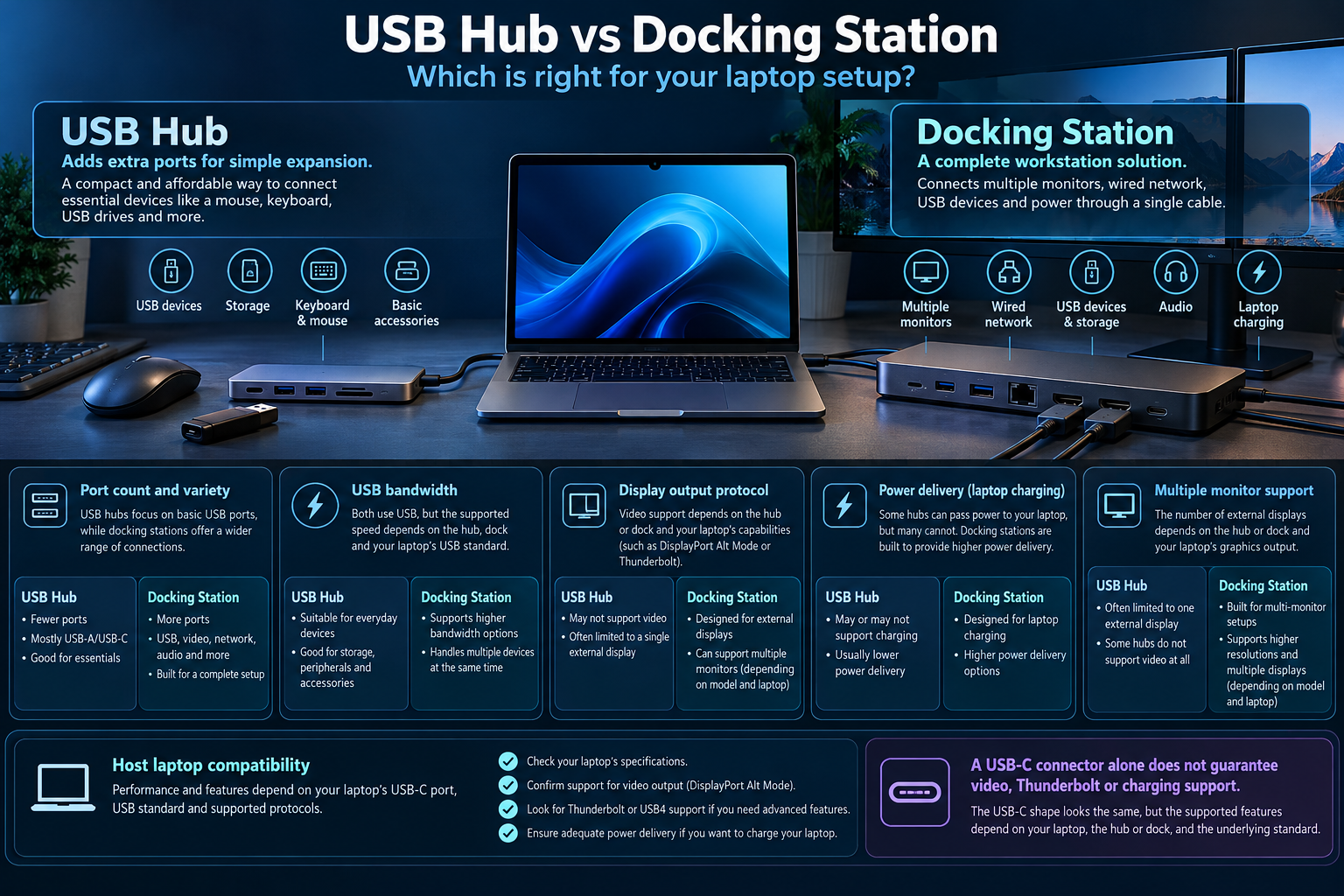
What a USB hub does
A basic hub expands a single host connection into multiple peripheral ports. Depending on the model, it may provide USB data, card readers, Ethernet or display outputs. Not every USB-C hub supports video output or laptop charging.
What a docking station can add
A dock may offer more ports, multiple display outputs, wired networking and power delivery, sometimes using Thunderbolt or USB4. Supported display count, resolution and refresh rate depend on the host laptop, dock chipset, operating system and the connection used.
| Feature | USB hub | Docking station |
|---|---|---|
| Typical purpose | Expand common peripheral ports | Consolidate several workstation connections |
| Display output | Only on models and host ports that support it | Depends on dock technology and host graphics support |
| Laptop charging | May be absent or limited | Often available; verify supported wattage |
| Networking and card readers | Model-dependent | Often included, but still model-dependent |
Check the laptop before buying
A USB-C connector does not guarantee Thunderbolt, USB4, DisplayPort Alt Mode or high-wattage charging. Check the laptop’s official specifications and the dock’s compatibility list. If you need multiple displays, verify the exact monitor arrangement and supported refresh rates.
Buying checklist
| Need | Verify |
|---|---|
| Displays | Supported number, resolution, refresh rate and display protocol |
| Charging | Power delivery wattage and laptop requirement |
| Data | USB speed and shared bandwidth limitations |
| Networking | Ethernet speed and operating-system support |
| Compatibility | Host port capability and vendor support list |
When is a hub enough?
A simple hub is usually the more straightforward choice when you need a few extra USB ports for a mouse, keyboard, flash drive or other peripherals. A dock becomes more useful when you need a one-cable desk setup, wired networking, laptop charging or several external displays. Compare the exact features and total cost instead of assuming every dock supports every display arrangement.
Also check the cable supplied with the device. A cable or adapter that supports only a lower data rate can limit the connection even when the laptop and dock support a faster mode.
Frequently asked questions
Will any USB-C dock work with any USB-C laptop?
No. Some features depend on protocols and power support that may not be present on every USB-C port.
Can a dock drive two 4K monitors?
It depends on the dock, host port, graphics support, operating system and the refresh rates required. Check the exact specifications.
Sources
Next step: List the displays and peripherals you need, then match every requirement to the laptop and dock specifications.
Explore laptop buying guides.