


ASUS XG Core RX 9060 XT LP 16GB: What This USB4 External GPU Actually Does
ASUS XG Core RX 9060 XT LP 16GB: كارت شاشة خارجي USB4 للابتوب والأجهزة الصغيرة
A clear look at ASUS’s compact external graphics dock: 16GB Radeon graphics, 40Gbps USB4, supported devices, local AI workflows, official specifications and the compatibility checks to make before you buy.
شرح عملي لجهاز ASUS XG Core الجديد: كارت Radeon بذاكرة 16GB داخل وحدة رسومات خارجية صغيرة، اتصال USB4 بسرعة 40Gbps، التوافق مع اللابتوبات والأجهزة المحمولة، واستخدامات الألعاب وصناعة المحتوى والذكاء الاصطناعي المحلي.
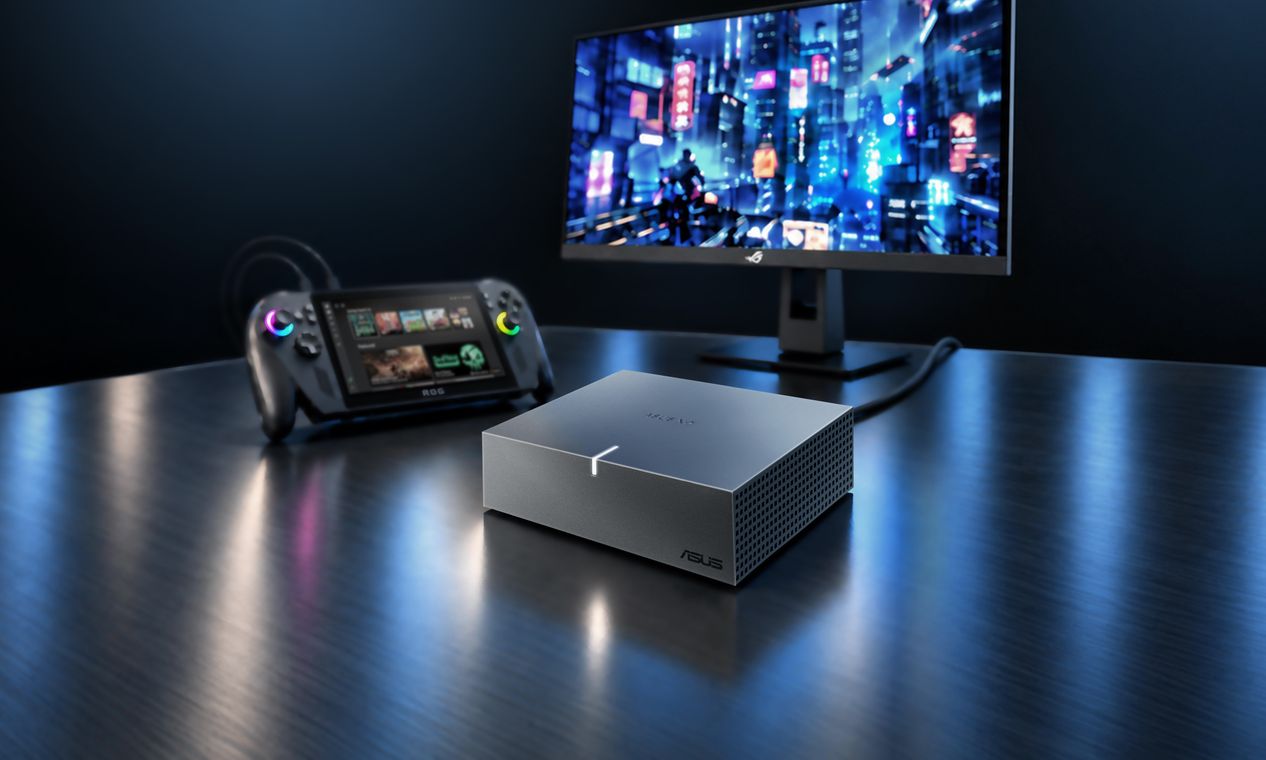
Desktop-style graphics, without opening your laptop
The ASUS XG Core Radeon RX 9060 XT LP 16GB GDDR6 is an external graphics solution, often called an eGPU. Instead of installing a graphics card inside a desktop case, the GPU sits in a compact enclosure and connects to a compatible laptop, mini PC or gaming handheld over USB4.
The goal is straightforward: keep a portable computer for everyday use, then connect a dedicated GPU when you need more graphics capability at a desk. ASUS says compatible Thunderbolt 3 systems are also supported. That does not mean every USB-C port will work: the host must support the required USB4 or Thunderbolt graphics connection and the relevant external-GPU features.
This is not a universal upgrade for every laptop. It is most relevant to owners of compatible thin laptops, handhelds and mini PCs whose integrated graphics are limiting a specific game, creative application or local AI workflow.
قوة رسومية إضافية من غير ما تفتح اللابتوب
جهاز ASUS XG Core Radeon RX 9060 XT LP 16GB GDDR6 هو حل رسومات خارجي، أو eGPU. بدل تركيب كارت شاشة داخل صندوق الكمبيوتر، الكارت موجود داخل وحدة خارجية صغيرة تتوصل بلابتوب أو Mini PC أو جهاز ألعاب محمول متوافق عن طريق USB4.
الفكرة إنك تحتفظ بجهازك المحمول للاستخدام اليومي، ولما تحتاج قوة رسومية أعلى على المكتب توصل وحدة XG Core. ASUS بتذكر كمان التوافق مع بعض أجهزة Thunderbolt 3. لكن وجود منفذ USB-C فقط مش معناه إن الجهاز متوافق؛ لازم منفذ الجهاز المضيف يدعم اتصال USB4 أو Thunderbolt المطلوب وخصائص تشغيل كارت شاشة خارجي.
الحل ده مش مناسب لكل لابتوب. هو موجه أكثر لأصحاب الأجهزة الرفيعة أو المحمولة أو Mini PC المتوافقة، واللي محتاجين أداء رسومي إضافي في لعبة أو برنامج تصميم أو تطبيق ذكاء اصطناعي محلي.
What is inside the XG Core?إيه الموجود داخل XG Core؟
Radeon RX 9060 XT LPمعالج رسومي Radeon RX 9060 XT LP
Based on AMD RDNA 4, with 2,048 stream processors. The LP name identifies ASUS’s low-power external implementation; it should not be treated as identical to every desktop RX 9060 XT card.يعتمد على معمارية AMD RDNA 4 ويضم 2,048 Stream Processors. إصدار LP هنا خاص بتصميم ASUS الخارجي منخفض استهلاك الطاقة، ومش بالضرورة مطابق لكل كروت RX 9060 XT المكتبية.
16GB GDDR6ذاكرة 16GB GDDR6
The official spec lists 20Gbps memory speed and a 128-bit memory interface. Memory capacity is useful for larger assets and compatible AI workloads, but does not alone determine performance.المواصفات الرسمية بتذكر سرعة ذاكرة 20Gbps وواجهة 128-bit. سعة الذاكرة مهمة مع الملفات الكبيرة وبعض تطبيقات AI، لكنها لوحدها مش مقياس كافي للأداء.
USB4 up to 40Gbpsاتصال USB4 حتى 40Gbps
This is the advertised data-link rate, not a promise of desktop PCIe bandwidth or a direct frame-rate comparison. Real results depend on the host, connection, drivers and workload.ده معدل نقل البيانات المعلن للاتصال، مش معناه إنك هتحصل على نفس عرض نطاق PCIe في جهاز مكتبي أو نفس الفريمات. النتيجة بتعتمد على الجهاز المضيف والتوصيل والتعريفات وطبيعة الاستخدام.
Compact enclosureحجم صغير وسهل النقل
The enclosure measures 144 × 117 × 39mm. It is designed to add graphics capability without opening or modifying the host device.أبعاد الوحدة 144 × 117 × 39 مم. التصميم هدفه إضافة كارت شاشة خارجي من غير فتح الجهاز المضيف أو تعديل مكوناته الداخلية.
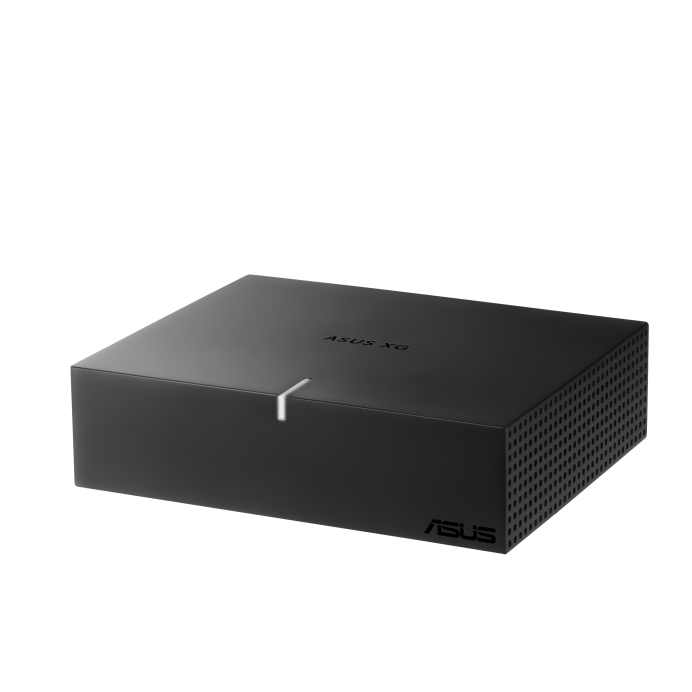
ASUS XG Core RX 9060 XT LP 16GB specsجدول مواصفات ASUS XG Core
| Model | XG-CORE-RX9060XT-LP-16G |
|---|---|
| Graphics engine | AMD Radeon RX 9060 XT LP · RDNA 4 |
| Stream processors | 2,048 |
| Video memory | 16GB GDDR6 · 20Gbps · 128-bit |
| AI performance | 406.3 AI TOPS (INT4 Matrix Sparsity) |
| Boost / Game clock | Default: up to 1600 / 1010 MHz. OC mode via GPU Tweak III: up to 1620 / 1030 MHz. |
| Host connection | USB4, up to 40Gbps; ASUS also lists compatible Thunderbolt 3 systems |
| Display outputs | 1 × HDMI 2.1b, 1 × DisplayPort 2.1a; supports up to 2 displays |
| Other ports | 1 × USB-C data (40Gbps), 1 × USB-C power |
| Maximum resolution | 3840 × 2160 (digital maximum) |
| Dimensions | 144 × 117 × 39mm |
| الموديل | XG-CORE-RX9060XT-LP-16G |
|---|---|
| المعالج الرسومي | AMD Radeon RX 9060 XT LP · معمارية RDNA 4 |
| Stream Processors | 2,048 |
| الذاكرة | 16GB GDDR6 · سرعة 20Gbps · واجهة 128-bit |
| أداء AI المعلن | 406.3 AI TOPS (INT4 Matrix Sparsity) |
| Boost / Game Clock | الوضع الافتراضي: حتى 1600 / 1010MHz. وضع OC عبر GPU Tweak III: حتى 1620 / 1030MHz. |
| اتصال الجهاز | USB4 حتى 40Gbps، وASUS بتذكر دعم أجهزة Thunderbolt 3 المتوافقة. |
| مخارج الشاشة | 1 × HDMI 2.1b و1 × DisplayPort 2.1a، ودعم حتى شاشتين. |
| منافذ أخرى | 1 × USB-C للبيانات (40Gbps)، و1 × USB-C للطاقة. |
| أقصى دقة رقمية | 3840 × 2160 |
| الأبعاد | 144 × 117 × 39 مم |
Three practical use cases
1. Laptop users who need more GPU power at a desk
If your compatible laptop is portable but its integrated graphics are not enough for a supported game, 3D viewport or GPU-accelerated editing workflow, an eGPU can add a separate graphics processor for desk use. Check the laptop’s exact USB4/Thunderbolt implementation first.
2. Handheld and mini-PC owners
ASUS names compatible ROG Ally X and ROG Xbox Ally X devices, as well as compatible mini PCs. Compatibility is model-specific: confirm the exact device, firmware, operating-system support and required connection before purchasing.
3. Creators and local-AI experimenters
ASUS lists ComfyUI, LM Studio and Ollama as examples of compatible local AI software. This can make the unit interesting for image-generation and LLM inference experiments, but model size, quantization, software backend, VRAM use and host compatibility all affect what will run. It is not a promise that every model fits or runs at a particular speed.
3 استخدامات عملية
1. مستخدم اللابتوب اللي محتاج GPU أقوى على المكتب
لو اللابتوب بتاعك خفيف وسهل الحركة لكن كارت الشاشة المدمج مش كفاية للعبة أو برنامج 3D أو مونتاج بيستفيد من GPU، ممكن eGPU يضيف معالج رسومي منفصل أثناء استخدام الجهاز على المكتب. أهم خطوة: تتأكد من إصدار USB4 أو Thunderbolt في موديل اللابتوب نفسه.
2. أصحاب أجهزة Handheld وMini PC
ASUS بتذكر أجهزة ROG Ally X وROG Xbox Ally X المتوافقة، بالإضافة إلى أجهزة Mini PC المتوافقة. التوافق حسب الموديل؛ راجع الجهاز بالتحديد والـFirmware ونظام التشغيل ونوع الاتصال قبل الشراء.
3. صناع المحتوى وتجارب AI المحلي
ASUS بتذكر أمثلة لبرامج متوافقة زي ComfyUI وLM Studio وOllama. ده يخلي الجهاز مثير للاهتمام لتوليد الصور وتشغيل نماذج اللغة محليًا، لكن حجم الموديل ودرجة الضغط واستهلاك VRAM ودعم البرنامج وتوافق الجهاز كلها عوامل بتحدد اللي ممكن يشتغل. ده مش ضمان إن كل موديل هيشتغل أو بسرعة معينة.
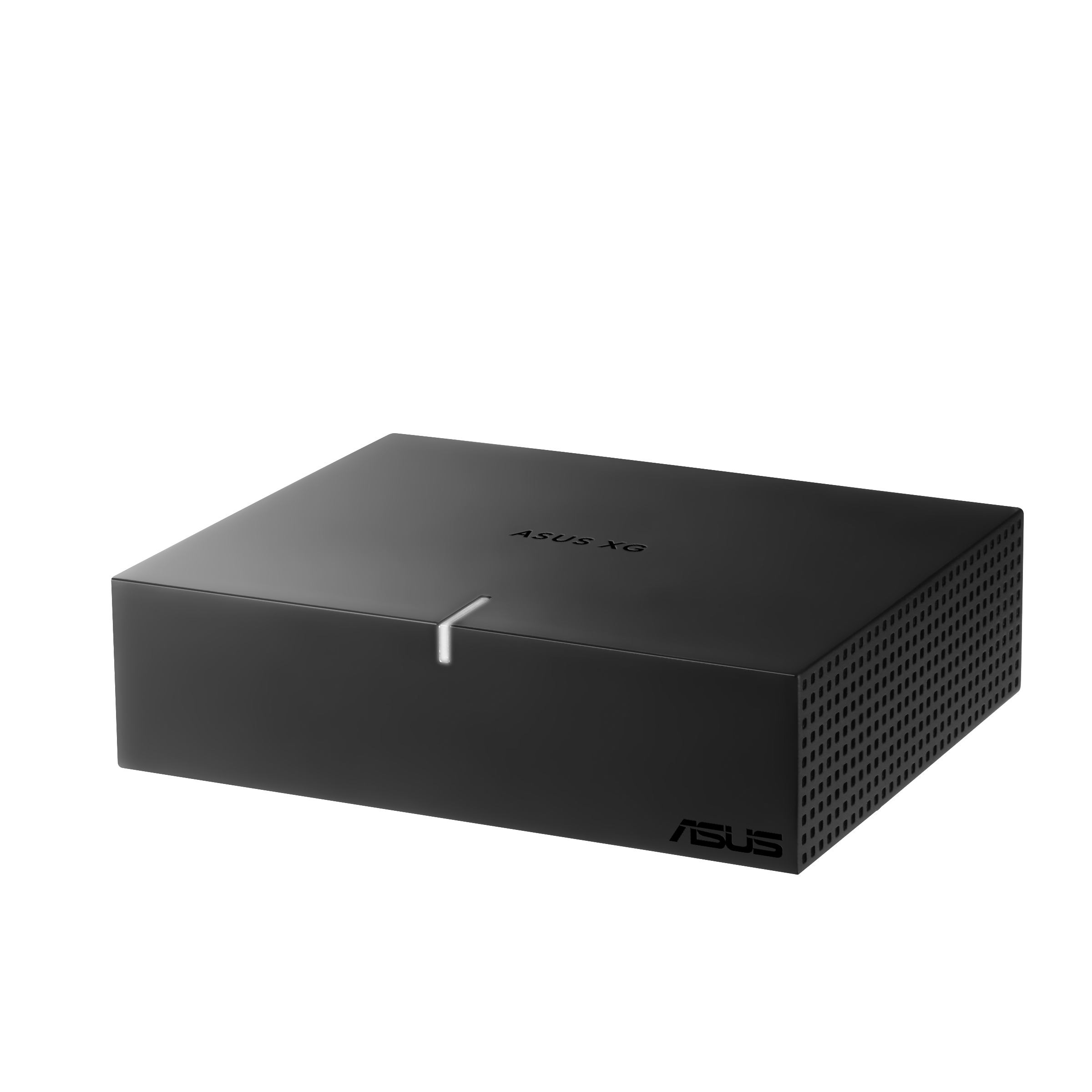
Compatibility checklist before buying
Confirm the exact host model supports USB4 or Thunderbolt 3 external graphics; verify its port capabilities rather than relying on the USB-C connector shape; check operating-system and driver support; confirm the included cables and power requirements; and consider where the unit will sit on your desk.
راجع التوافق قبل الشراء
اتأكد إن موديل الجهاز نفسه بيدعم تشغيل كارت شاشة خارجي عبر USB4 أو Thunderbolt 3؛ راجع إمكانيات المنفذ مش شكل USB-C بس؛ اتأكد من دعم نظام التشغيل والتعريفات؛ راجع الكابلات والطاقة المطلوبة؛ وحدد مكان الوحدة على المكتب.
What USB4 bandwidth does not tell you
40Gbps is the link’s advertised data rate. It does not directly tell you the GPU’s real-world frame rate, application performance or equivalence to an internal desktop PCIe slot. Independent testing on the exact host and workload is needed for meaningful comparisons.
إيه اللي رقم 40Gbps مش بيقوله؟
رقم 40Gbps هو معدل البيانات المعلن للاتصال. مش بيحدد لوحده عدد الفريمات أو أداء البرامج أو إن الأداء مساوي لكارت راكب داخل PCIe في جهاز مكتبي. المقارنة الدقيقة محتاجة اختبارات فعلية على نفس الجهاز ونفس الاستخدام.
ASUS XG Core: quick answers
Is ASUS XG Core a normal desktop graphics card?
No. It is an external graphics unit with its own enclosure and connection to a compatible host device.
Will it work with any laptop that has USB-C?
No. USB-C describes the connector shape. The laptop must support the required USB4 or Thunderbolt external-GPU connection and software stack.
Can it run local AI tools?
ASUS names ComfyUI, LM Studio and Ollama as examples. Actual support and performance depend on the model, software backend, drivers, host system and memory requirements.
Has ASUS announced an Egypt price?
The ASUS announcement and specifications reviewed for this article do not provide an Egypt retail price or confirmed local availability. Check with the local supplier before making a purchase decision.
إجابات سريعة عن ASUS XG Core
هل ASUS XG Core كارت شاشة مكتبي عادي؟
لأ. دي وحدة رسومات خارجية داخل صندوق مستقل، وبتتصل بجهاز مضيف متوافق.
هل هيشتغل مع أي لابتوب فيه USB-C؟
لأ. USB-C هو شكل المنفذ فقط. لازم اللابتوب يدعم اتصال USB4 أو Thunderbolt المطلوب لتشغيل GPU خارجي، وكمان يكون النظام والبرامج متوافقة.
هل يقدر يشغل أدوات الذكاء الاصطناعي المحلي؟
ASUS بتذكر ComfyUI وLM Studio وOllama كأمثلة. التشغيل والأداء الفعلي بيعتمدوا على الموديل والبرنامج والتعريفات والجهاز المضيف واستهلاك الذاكرة.
هل ASUS أعلنت عن سعر في مصر؟
الإعلان والمواصفات الرسمية اللي راجعناها للمقال مش بيحددوا سعر بيع في مصر أو توافر محلي مؤكد. راجع المورد المحلي قبل اتخاذ قرار الشراء.
Official references
Use manufacturer sources for specifications and independent coverage for added context. News reports are not a substitute for hands-on benchmark testing.
- ASUS Pressroom announcement · November 6, 2026
- ASUS Egypt official technical specifications
- ASUS Egypt product overview
- AMD official Radeon RX 9060 XT desktop specifications
- USB-IF: USB4 architecture and bandwidth overview
For related hardware research, see our GPU for local AI and VRAM guide and browse the Radeon RX 9060 XT graphics-card category. These are related graphics resources, not a statement that the XG Core unit itself is currently in stock.
For a deeper comparison, read our ASUS ROG XG Station 3 and Thunderbolt 5 eGPU guide, our PC upgrade or full rebuild guide, and browse the RX 9060 XT cards in Alfrensia’s category.
Independent reporting · Notebookcheck
Coverage of the reported 75W power limit and lower operating clocks, useful context when comparing this compact eGPU with a desktop RX 9060 XT. Read Notebookcheck’s report.
GPU news · VideoCardz
Additional coverage of ASUS’s clock specifications, compact design and the difference from desktop graphics cards. Read VideoCardz coverage.
المراجع الرسمية
اعتمد على مصادر الشركات المصنعة للمواصفات، وعلى التغطيات التقنية المستقلة لإضافة سياق. التقارير الإخبارية لا تغني عن اختبارات الأداء الفعلية.
- إعلان ASUS Pressroom بتاريخ 6 نوفمبر 2026
- المواصفات الفنية الرسمية من ASUS مصر
- صفحة المنتج الرسمية من ASUS مصر
- مواصفات AMD الرسمية لكارت Radeon RX 9060 XT المكتبي
- USB-IF: شرح معيار USB4 وعرض النطاق
لمعلومات مرتبطة، راجع دليل اختيار كارت شاشة للذكاء الاصطناعي المحلي وVRAM، وتصفح قسم كروت Radeon RX 9060 XT. الروابط دي لموارد كروت الشاشة المرتبطة، ومش معناها إن وحدة XG Core نفسها متاحة في المخزون حاليًا.
للمقارنة بشكل أوسع، اقرأ دليل ASUS ROG XG Station 3 وThunderbolt 5 eGPU، ودليل ترقية الكمبيوتر أو تجميع جهاز جديد، وتصفح قسم كروت RX 9060 XT في المؤسسة الفرنسية للكمبيوتر.
تغطية تقنية مستقلة · Notebookcheck
تقرير عن حد الطاقة المذكور 75W وترددات التشغيل الأقل، وهي معلومات مهمة عند مقارنة الوحدة بكارت RX 9060 XT مكتبي. اقرأ تقرير Notebookcheck.
أخبار كروت الشاشة · VideoCardz
تغطية إضافية لترددات ASUS والتصميم المدمج والفروق عن كروت الشاشة المكتبية. اقرأ تغطية VideoCardz.
Need help checking graphics compatibility?
محتاج مساعدة في التأكد من توافق كارت الشاشة؟
The right eGPU setup starts with the exact laptop or mini-PC model. Contact Alfrensia for guidance on graphics hardware and compatible PC components.
اختيار eGPU مناسب بيبدأ من معرفة موديل اللابتوب أو الـMini PC بالتحديد. تواصل مع المؤسسة الفرنسية للكمبيوتر للاستفسار عن مكونات الكمبيوتر وحلول الرسوميات.
Contact Alfrensiaتواصل مع المؤسسة الفرنسية للكمبيوتر Explore RX 9060 XT GPUsتصفح كروت RX 9060 XT