

Blender Workstation PC Build in Egypt: Ryzen 9 9900X + RTX 5070 Ti 16GB
A creator-focused AM5 workstation for Blender, 3D modelling, rendering and heavy multitasking, with a high-memory configuration and an upgrade-friendly platform.
12-core Ryzen 9RTX 5070 Ti 16GB64GB DDR5360mm AIOA Blender workstation should be designed around the scenes you create, not a single headline benchmark. CPU cores matter for CPU rendering and multitasking; GPU capability and VRAM matter for GPU rendering and larger scenes; system memory helps keep complex projects and other applications available. This Alfrensia configuration pairs a 12-core Ryzen 9 with an RTX 5070 Ti 16GB and 64GB of DDR5 memory.
Who should consider this configuration?
3D artists
For modelling, look development, animation and mixed CPU/GPU workflows.
Blender users
For projects that benefit from an NVIDIA GPU workflow and more than entry-level system memory.
Hybrid creators
For people who also game, edit video, run multiple creative apps or work with large assets.
Recommended workstation parts
Prices and inventory were checked against Alfrensia’s live catalogue on 7 November 2026. Stock is limited on a few parts, so treat this as a snapshot and confirm availability before ordering.

AMD Ryzen 9 9900X Tray Processor

Palit GeForce RTX 5070 Ti GamingPro S OC 16GB GDDR7
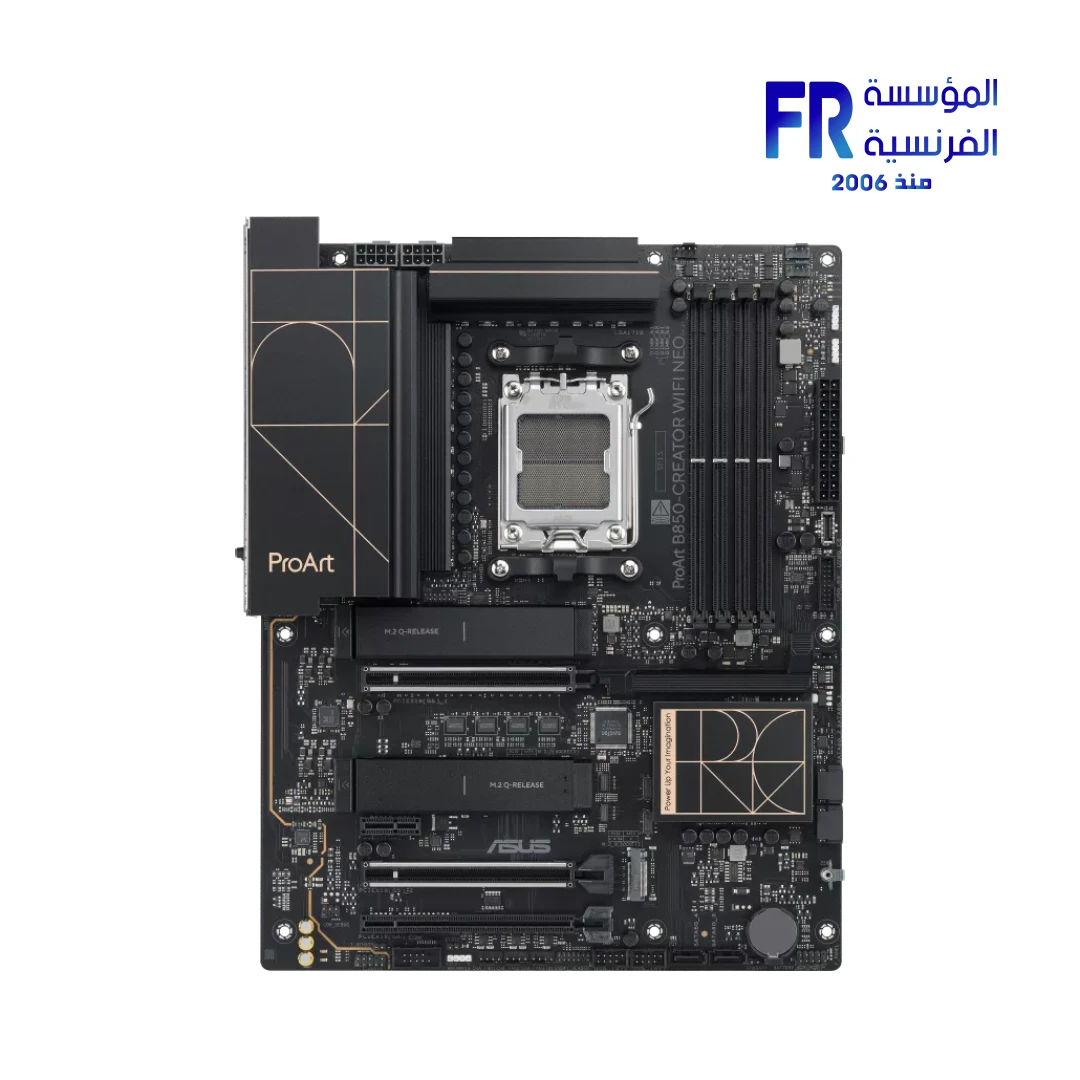
ASUS ProArt B850-CREATOR WIFI NEO

Corsair Vengeance 64GB (2x32GB) DDR5-6000 CL40 EXPO/XMP

WD Blue SN5100 1TB PCIe Gen4 NVMe SSD
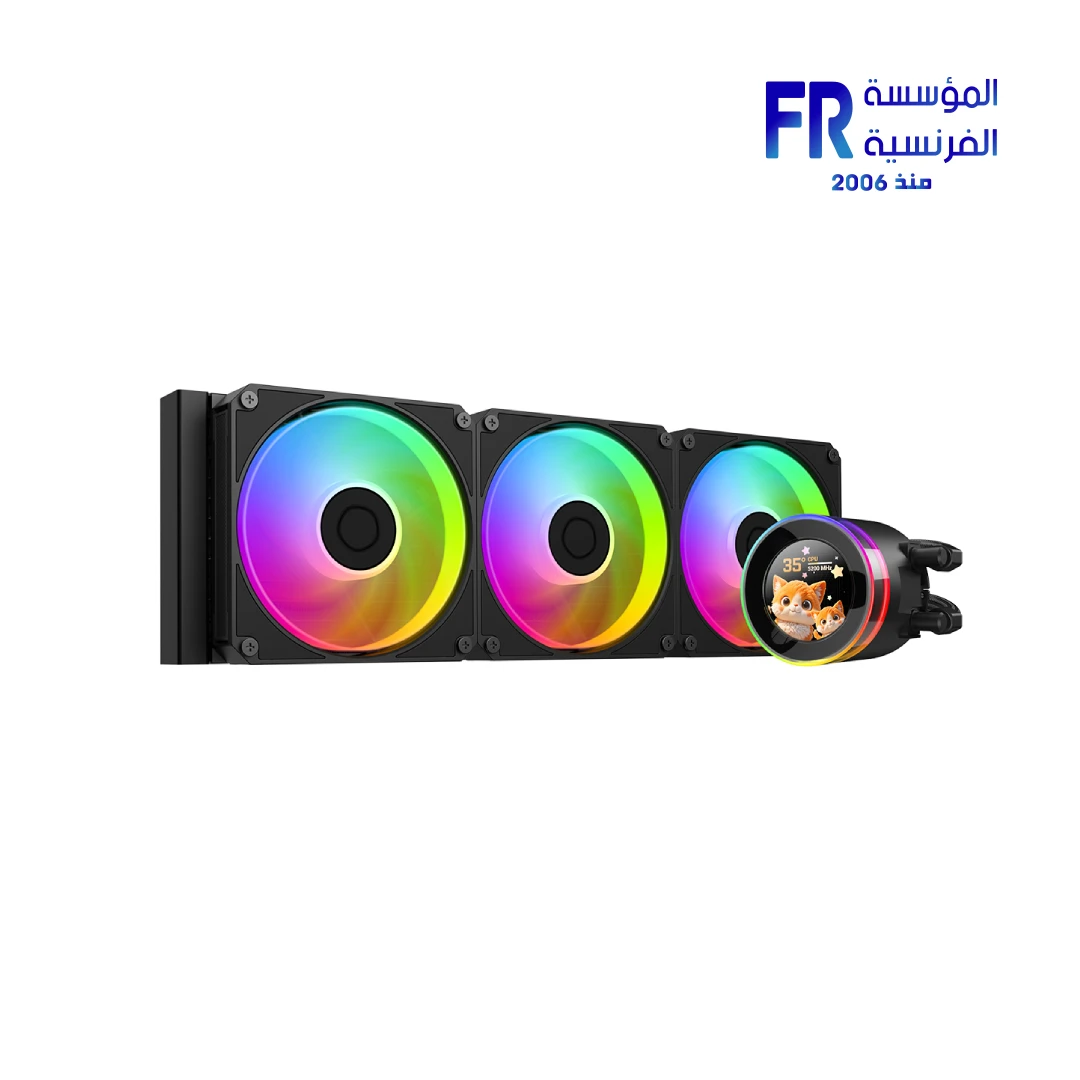
ID-COOLING SL360 V2 360mm AIO Liquid Cooler
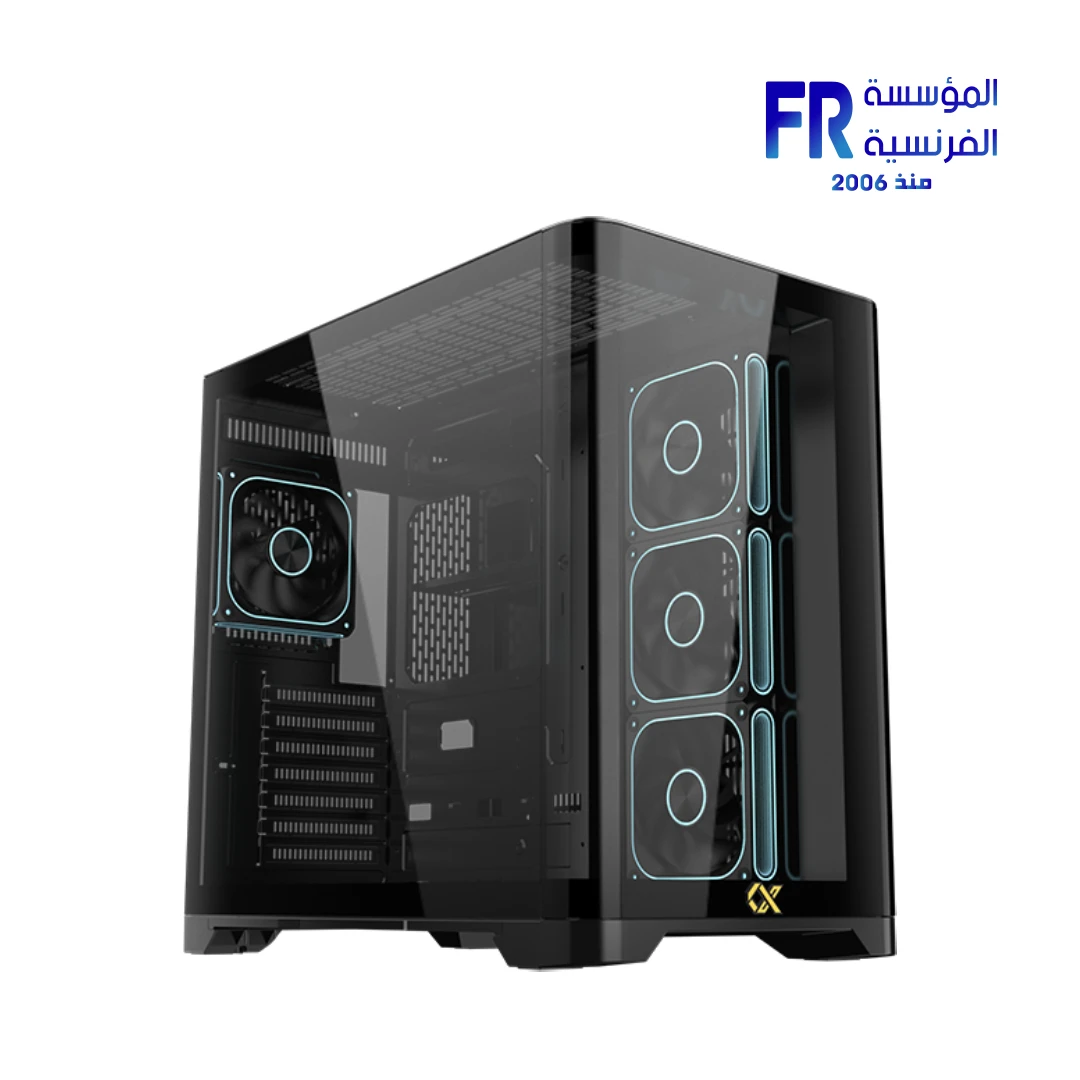
Xigmatek Crystal Storm V2 + Valkyrie 850W 80+ Bronze PSU Combo
Includes the seven listed components only. It excludes operating-system licensing, displays, peripherals, assembly and delivery unless separately shown at checkout.
Why this workstation is configured this way
1. Ryzen 9 9900X: 12 cores and 24 threads
The Ryzen 9 9900X is a Zen 5 desktop processor with 12 cores, 24 threads, boost clocks up to 5.6GHz and a 120W default TDP. It uses AM5 and supports DDR5. The tray CPU does not include a boxed cooler; AMD recommends liquid cooling for optimal performance, which is why this parts list includes a 360mm AIO.
2. RTX 5070 Ti 16GB for GPU rendering workflows
The Palit GamingPro S OC card uses 16GB GDDR7 on a 256-bit interface. Blender’s official requirements list 8GB VRAM and 32GB system RAM as recommended for Windows and Linux; this build exceeds those published baseline recommendations. That is not a promise that every scene will fit: high-resolution textures, geometry, simulations and render settings can require substantially more VRAM and memory.
3. 64GB DDR5 for larger projects
The Corsair kit is a matched 2×32GB DDR5-6000 kit with both AMD EXPO and Intel XMP profiles. It gives more headroom than a 32GB baseline for larger scenes, multitasking and other creative applications. The tested 6000MT/s profile is an overclocked memory setting; actual achievable speed depends on the CPU memory controller, BIOS and board validation. Check the motherboard QVL and stability after enabling EXPO.
4. ProArt B850-Creator motherboard
The ASUS ProArt B850-Creator WiFi NEO uses the AM5 socket and B850 chipset. ASUS lists three M.2 slots, two PCIe 5.0 M.2 connections for Ryzen 9000/7000 CPUs, dual 5Gb Ethernet and Wi-Fi 7. That gives the workstation a practical storage and networking foundation for large project files and fast local transfers. The product is currently listed with only one unit in stock.
5. Cooling, storage, case and PSU
The ID-COOLING SL360 V2 supports AM5 and uses a 360mm radiator. Xigmatek’s Crystal Storm V2 supports a 360mm radiator, GPUs up to 420mm and ATX motherboards; the Alfrensia combo listing includes an 850W 80 Plus Bronze ATX 3.1 PSU. Palit’s RTX 5070 Ti partner specification calls for a 750W or greater ATX 3.X power supply, so the included 850W unit exceeds that stated minimum. The 1TB WD Blue SN5100 is a fast starting drive, but a serious production workflow may need additional SSD capacity for cache, project files and footage.
Blender setup and workflow advice
- Install the current stable NVIDIA Studio or Game Ready driver appropriate for your workflow, and keep Blender updated.
- In Blender preferences, select the supported GPU backend and device for your NVIDIA card; verify the actual render device before starting a long job.
- Use the system SSD for applications and active project files, and plan a second drive or backup destination for large assets and rendered output.
- Monitor VRAM and system RAM usage on a representative scene before committing to a production deadline.
- For CPU rendering, test your own scenes; a core-count comparison alone cannot predict render time for every project.
Compatibility checklist
- CPU and board: Ryzen 9 9900X is AM5; ProArt B850-Creator WiFi NEO is an AM5 B850 ATX board.
- Memory: 2×32GB DDR5 UDIMM, AMD EXPO profile available; check the current QVL and BIOS.
- GPU clearance: Palit card length is 331.9mm; Xigmatek case supports up to 420mm.
- Radiator: the 360mm AIO is supported by the case’s top radiator position; verify installation orientation and clearance with the motherboard and memory.
- Power: RTX 5070 Ti specification calls for 750W or greater ATX 3.X; the case combo includes an 850W ATX 3.1 PSU.
When should you choose a different workstation?
If your work is almost entirely CPU rendering, simulation or compiling, compare processors by your actual software benchmarks and consider a higher-core-count CPU. If your scenes routinely exceed 16GB of GPU memory, a graphics card with more VRAM may matter more than a faster gaming GPU. If you mainly work with smaller scenes, the full 64GB/RTX 5070 Ti configuration may be more than you need. Our GPU workload comparison can help frame that decision. You can also compare this creator-focused configuration with our gaming and streaming build or AMD gaming build.
Frequently asked questions
Is 64GB RAM enough for Blender?
It is a useful step above Blender’s published 32GB recommended baseline and suits many mid-to-large projects, but very large scenes, high-resolution textures and simulations can need more.
Is the RTX 5070 Ti suitable for Blender?
It is an NVIDIA RTX GPU with 16GB GDDR7, and Blender supports NVIDIA GPUs through its supported rendering backends. Project performance and memory fit depend on the scene and settings.
Can I add more storage later?
Yes. The ProArt B850 board provides three M.2 slots. Check the CPU-specific lane configuration and the motherboard manual when populating multiple M.2 devices and expansion slots.
Official references
- AMD Ryzen 9 9900X specifications
- NVIDIA GeForce RTX 5070 family specifications
- Blender official hardware requirements
- ASUS ProArt B850-Creator WiFi NEO specifications
- ID-COOLING SL360 V2 specifications
- Xigmatek Crystal Storm V2 (Egypt market) specifications
- Corsair Vengeance 64GB DDR5-6000 memory specifications
تجميعة Blender Workstation في مصر: Ryzen 9 9900X مع RTX 5070 Ti 16GB
محطة عمل AM5 للموديلينج والرندر وBlender وتعدد المهام، مع 64GB DDR5 ومنصة قابلة للتطوير.
Ryzen 9 12-CoreRTX 5070 Ti 16GB64GB DDR5360mm AIOتجميعة Blender Workstation لازم تتبني على طبيعة المشروعات اللي بتشتغل عليها، مش على رقم Benchmark واحد. عدد أنوية المعالج مهم في CPU Rendering وتعدد المهام، وقوة كارت الشاشة وسعة الـ VRAM مهمة في GPU Rendering والمشاهد الكبيرة، والرامات بتساعدك تحتفظ بالمشروعات والبرامج المفتوحة في نفس الوقت. التكوين ده من المؤسسة الفرنسية للكمبيوتر بيجمع Ryzen 9 بـ 12 نواة مع RTX 5070 Ti 16GB وذاكرة DDR5 بسعة 64GB.
التجميعة مناسبة لمين؟
3D Artists
للموديلينج والـ Look Development والأنيميشن وسير العمل المختلط بين CPU وGPU.
Blender Users
للمشروعات اللي تستفيد من NVIDIA GPU ومن سعة رامات أعلى من المستوى الأساسي.
Hybrid Creators
للي بيجمع بين التصميم والألعاب والمونتاج وتشغيل أكثر من برنامج إبداعي وملفات كبيرة.
قائمة مكونات Workstation المقترحة
الأسعار والمخزون تم مراجعتهما من كتالوج المؤسسة الفرنسية للكمبيوتر يوم 7 نوفمبر 2026. بعض القطع كميتها محدودة، فاعتبرها لقطة وقت إعداد المقال وتأكد من التوفر قبل الطلب.
AMD Ryzen 9 9900X Tray Processor
Palit GeForce RTX 5070 Ti GamingPro S OC 16GB GDDR7
ASUS ProArt B850-CREATOR WIFI NEO
Corsair Vengeance 64GB (2x32GB) DDR5-6000 CL40 EXPO/XMP
WD Blue SN5100 1TB PCIe Gen4 NVMe SSD
ID-COOLING SL360 V2 360mm AIO Liquid Cooler
Xigmatek Crystal Storm V2 + Valkyrie 850W 80+ Bronze PSU Combo
يشمل المكونات السبعة فقط. لا يشمل ترخيص نظام التشغيل أو الشاشات أو الملحقات أو التجميع أو الشحن إلا إذا ظهر بشكل منفصل عند إتمام الطلب.
ليه اخترنا التكوين ده؟
1. Ryzen 9 9900X: عدد 12 نواة و24 Thread
معالج Ryzen 9 9900X بمعمارية Zen 5، وبيضم 12 نواة و24 Thread، وبيوصل لحد 5.6GHz Boost مع Default TDP قدره 120W. بيستخدم Socket AM5 ويدعم DDR5. نسخة Tray لا تأتي بمبرد Boxed، وAMD بتوصي بالتبريد المائي للحصول على الأداء الأمثل؛ علشان كده أضفنا مبرد AIO مقاس 360mm.
2. RTX 5070 Ti 16GB لسير عمل GPU Rendering
كارت Palit GamingPro S OC بيستخدم ذاكرة 16GB GDDR7 على واجهة 256-bit. متطلبات Blender الرسمية بتذكر 8GB VRAM و32GB RAM كتوصية على Windows وLinux؛ وبالتالي التجميعة دي بتتجاوز مستوى التوصية الأساسي المنشور. ده مش ضمان إن أي Scene هتشتغل من غير حدود؛ الخامات عالية الدقة والـ Geometry والـ Simulations وإعدادات الرندر ممكن تحتاج VRAM ورامات أكبر بكتير.
3. رامات 64GB DDR5 للمشروعات الأكبر
طقم Corsair المختار عبارة عن 2×32GB DDR5-6000 ويدعم AMD EXPO وIntel XMP. السعة الأكبر بتدي مساحة أوسع للمشاهد الكبيرة وتعدد المهام والبرامج الإبداعية. سرعة 6000MT/s هي سرعة اختبار مع بروفايل Overclocking؛ السرعة الفعلية بتعتمد على Memory Controller في المعالج وإصدار BIOS واعتماد اللوحة. راجع QVL واختبر الاستقرار بعد تفعيل EXPO.
4. لوحة ProArt B850-Creator
لوحة ASUS ProArt B850-Creator WiFi NEO بتستخدم Socket AM5 وChipset B850. ASUS بتذكر وجود 3 منافذ M.2، ومنفذين PCIe 5.0 M.2 مع معالجات Ryzen 9000/7000، بالإضافة إلى Dual 5Gb Ethernet وWi-Fi 7. ده بيوفر أساس عملي للتخزين ونقل ملفات المشروعات الكبيرة. المنتج حالياً ظاهر في الكتالوج بكمية وحدة واحدة.
5. التبريد والتخزين والكيسة والباور
مبرد ID-COOLING SL360 V2 بيدعم AM5 وبيستخدم Radiator مقاس 360mm. كيسة Xigmatek Crystal Storm V2 بتدعم Radiator 360mm وكروت شاشة حتى 420mm ولوحات ATX؛ والـ Combo المعروض على الموقع شامل باور 850W 80 Plus Bronze ATX 3.1. مواصفات Palit لكارت RTX 5070 Ti بتوصي بباور 750W أو أعلى من فئة ATX 3.X، فالباور المرفق 850W أعلى من الحد المذكور. وحدة WD Blue SN5100 بسعة 1TB بداية سريعة للنظام والبرامج، لكن شغل الإنتاج الاحترافي ممكن يحتاج SSD إضافي للـ Cache وملفات المشروعات والفيديو.
نصائح إعداد Blender وسير العمل
- ثبت إصدار NVIDIA Driver مناسب لسير عملك، سواء Studio أو Game Ready، وحافظ على تحديث Blender.
- من Blender Preferences اختار GPU Backend والجهاز المناسب لكارت NVIDIA، وتأكد إن الرندر فعلاً بيستخدم الكارت قبل تشغيل مشروع طويل.
- استخدم SSD النظام للتطبيقات والمشروعات النشطة، وخطط لوحدة ثانية أو مكان Backup للملفات الكبيرة.
- راقب استهلاك VRAM وSystem RAM على Scene ممثل لشغلك قبل الاعتماد عليه في موعد تسليم.
- لو بتستخدم CPU Rendering، اختبر مشروعاتك الفعلية؛ عدد الأنوية وحده مش كفاية للتنبؤ بزمن الرندر لكل مشروع.
قائمة مراجعة التوافق
- المعالج واللوحة: Ryzen 9 9900X Socket AM5 ولوحة ProArt B850-Creator WiFi NEO AM5 B850 ATX.
- الرامات: 2×32GB DDR5 UDIMM مع AMD EXPO؛ راجع QVL وإصدار BIOS.
- مساحة كارت الشاشة: طول كارت Palit حوالي 331.9mm، والكيسة بتدعم حتى 420mm.
- الرادياتير: مبرد 360mm مدعوم في موضع الرادياتير العلوي بالكيسة؛ راجع اتجاه التركيب والمساحات مع اللوحة والرامات.
- الباور: مواصفات RTX 5070 Ti بتطلب 750W أو أعلى ATX 3.X، والـ Combo شامل باور 850W ATX 3.1.
إمتى تختار Workstation مختلفة؟
لو شغلك معظمه CPU Rendering أو Simulation أو Compiling، قارن المعالجات بناءً على اختبارات البرامج اللي بتستخدمها وفكر في معالج بعدد أنوية أكبر. لو المشاهد عندك بتتجاوز 16GB VRAM باستمرار، كارت بسعة ذاكرة أكبر ممكن يكون أهم من كارت Gaming أسرع. ولو مشروعاتك صغيرة، التكوين الكامل 64GB/RTX 5070 Ti ممكن يكون أعلى من احتياجك. راجع مقارنة كروت الشاشة حسب طبيعة الاستخدام.
أسئلة شائعة
هل 64GB RAM كفاية لبرنامج Blender؟
دي خطوة أعلى من توصية Blender المنشورة البالغة 32GB، ومناسبة لعدد كبير من المشروعات المتوسطة والكبيرة. لكن المشاهد الضخمة والخامات عالية الدقة والـ Simulations ممكن تحتاج سعة أكبر.
هل RTX 5070 Ti مناسب لـ Blender؟
هو كارت NVIDIA RTX بذاكرة 16GB GDDR7، وBlender بيدعم كروت NVIDIA من خلال مسارات الرندر المدعومة. الأداء وحجم المشروع اللي يقدر يتسع في الذاكرة بيعتمدوا على الـ Scene والإعدادات.
هل أقدر أزود التخزين بعدين؟
أيوه. لوحة ProArt B850 فيها 3 منافذ M.2. راجع توزيع الـ Lanes حسب المعالج ودليل اللوحة عند تركيب أكثر من وحدة M.2 أو كروت توسعة.