


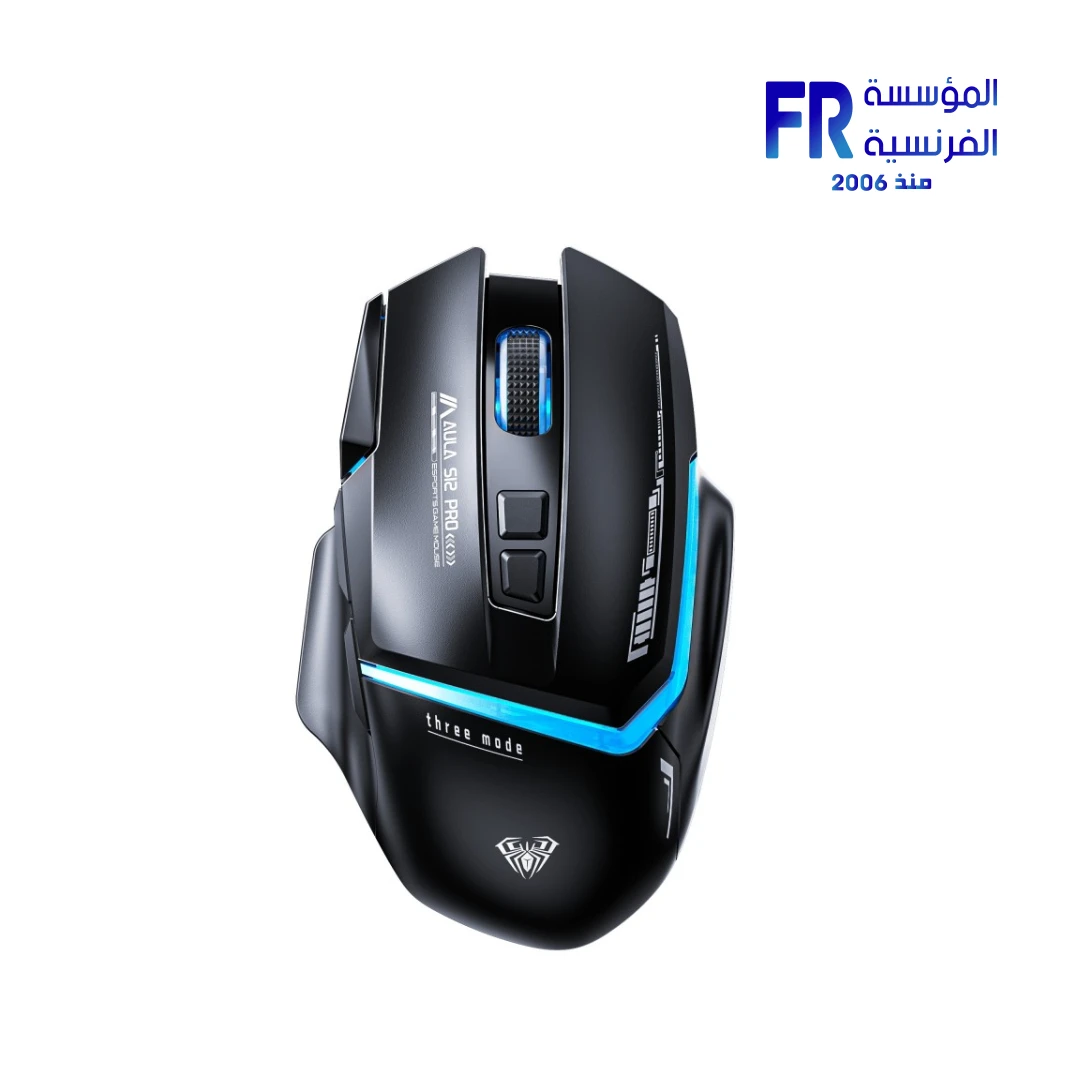


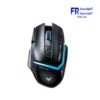
Aula S12 Pro RGB Wired Gaming Mouse
449 EGP
- Part Number: MO-09-12
- Sensor & Performance: High-End Optical Engine | Up to 12,800 DPI (6-Speed Adjustment) | 1000Hz Polling Rate
- Design & Connectivity: Ergonomic Wired USB | Type-C Interface
- Lighting: RGB Cool Ambient Lighting Effects
- Warranty: 1 Year
In stock
Price Match Guarantee✅ Authorized AULA Partner in Egypt | Official Warranty Coverage | Expert PC Building Consultation Available
Aula S12 Pro RGB Wired Gaming Mouse
AULA S12 Pro is a wired gaming mouse with a 12800 DPI adjustable optical sensor, 8 programmable buttons, 13 RGB lighting effects, and a 1000Hz polling rate. It features an ergonomic right-handed shape with thumb rest and a 1.6-meter braided USB cable. Available at Alfrensia for 425 EGP.
⚡ Engineering Highlights at a Glance:
- 12800 DPI Optical Sensor: Instant A825 sensor with 6 adjustable DPI levels (1200 / 1600 / 2400 / 4800 / 7200 / 12800) for precision across different game types.
- 1000Hz Polling Rate: Reports position to the PC 1000 times per second for responsive cursor movement and reduced input lag.
- 8 Programmable Buttons: Includes left/right click, scroll wheel, DPI +/-, forward, back, and a dedicated side firepower button for rapid click sequences.
- 13 RGB Lighting Effects: Cycle through dynamic lighting modes or turn lighting off entirely. Hold DPI button for 3 seconds to change effects.
- 20G Acceleration & 60 IPS: Handles fast flick movements without tracking loss during high-speed gaming.
- Ergonomic Right-Handed Design: Thumb rest and curved contour support palm, claw, and fingertip grip styles for extended comfort.
- 1.6m Braided Cable: Durable braided USB cable with anti-interference ring for stable connection.
High-DPI Sensor with Adjustable Levels
The S12 Pro uses an Instant A825 optical sensor with a maximum resolution of 12800 DPI. Because the sensor supports six DPI levels, you can switch between 1200, 1600, 2400, 4800, 7200, and 12800 DPI depending on the task. Lower settings suit precise aiming in FPS games, while higher settings help with fast navigation across large displays. The polling rate is fixed at 1000Hz, which means the mouse reports its position to the PC every 1 millisecond. This reduces input lag and provides smoother cursor movement than standard 125Hz office mice.
Programmable Buttons and Software
The S12 Pro includes eight programmable buttons: left click, right click, scroll wheel, DPI up, DPI down, forward, back, and a dedicated side firepower button. Because the buttons are programmable, you can assign macros or custom functions through the AULA software. The side firepower button is positioned for thumb access and can be mapped to rapid-click sequences, which is useful for semi-automatic weapons in FPS games. The software also lets you save profiles directly to the mouse, so you can carry your settings between different systems without reinstalling the software.
RGB Lighting and Build Quality
The mouse features 13 RGB lighting effects that cycle through colors and patterns. Because the lighting can be turned off, you can use the mouse in a professional setting without distracting glow. The ergonomic right-handed shape includes a thumb rest and a curved contour that supports palm, claw, and fingertip grip styles. The braided 1.6-meter USB cable resists tangling and wear, and the anti-interference ring helps maintain a stable connection. At 20G acceleration and 60 IPS tracking speed, the sensor handles fast movements without skipping.
Who is the AULA S12 Pro For?
Expert Advice & Build Considerations
Software Unlocks Full Functionality
The S12 Pro works as a plug-and-play mouse for basic use, but the 8 programmable buttons, macro recording, and profile saving require the AULA software. Download it from AULA’s official site to remap buttons, assign macros to the side firepower key, and create Office/Game/Multimedia profiles. Without software, DPI and lighting can still be adjusted via onboard buttons.
DPI Level Selection
Six DPI levels are available: 1200, 1600, 2400, 4800, 7200, and 12800. For desktop work, 1200–1600 DPI is usually comfortable. For gaming, 2400–4800 DPI suits most players, while 7200–12800 DPI is for high-sensitivity players or large displays. Cycling through levels with the DPI button lets you find the right feel quickly.
📐 Cable and Connection
The 1.6-meter braided cable connects via USB 2.0. It is fixed, not detachable, and there is no wireless mode. The braided jacket resists tangling and wear. If your PC is far from your mouse position, a USB extension cable may be needed to avoid tension on the connector.
Technical Specifications
| Model | Aula S12 Pro |
| Brand | AULA |
| SKU / MPN | MO-09-12 |
| EAN / UPC | 6948391214269 |
| Connectivity | Wired USB 2.0 |
| Sensor Type | Optical (Instant A825) |
| Max Resolution | 12800 DPI |
| DPI Levels | 1200 / 1600 / 2400 / 4800 / 7200 / 12800 |
| Polling Rate | 1000 Hz |
| Number of Buttons | 8 (Programmable) |
| Lighting | 13 RGB Lighting Effects |
| Acceleration | 20 G |
| Tracking Speed | 60 IPS |
| Frame Rate | 7000 FPS |
| Cable Length | 1.6 m (Braided) |
| Material | ABS |
| Hand Orientation | Right-Handed |
| Software Required | Optional (for macros and profiles) |
| Compatibility | Windows, Mac, Linux, PS4/PS5, Xbox |
| Switch Durability | 20 Million Clicks |
Expert Recommendation: Getting the Most from Your S12 Pro
Download the AULA software to unlock the full potential of the 8 programmable buttons. Map the side firepower button to a rapid-click macro for semi-auto weapons in FPS games, or assign it to a keyboard shortcut for productivity. Set your DPI to 1600 for general desktop use, then switch to 2400–4800 for gaming. Use the software’s profile feature to save separate Office, Game, and Multimedia configurations and switch between them quickly. If you prefer a cleaner look, hold the DPI button for 3 seconds to cycle lighting modes until you reach the off setting. The 1000Hz polling rate provides responsive tracking, but requires the USB 2.0 connection to be stable; avoid using unpowered USB hubs. Keep the sensor surface clean and use a quality mousepad for consistent tracking.
Frequently Asked Questions
Does the Aula S12 Pro require software to use?
No. The S12 Pro is plug-and-play for basic use. However, the AULA software is required to program macros, remap buttons, and save custom profiles. DPI and RGB lighting can be adjusted using onboard buttons without software.
How do I change the DPI levels?
Press the DPI button to cycle through the six sensitivity levels: 1200, 1600, 2400, 4800, 7200, and 12800 DPI. The current level is indicated by the mouse’s lighting or software interface.
How do I control the RGB lighting?
Press and hold the DPI button for 3 seconds to cycle through the 13 RGB lighting effects, including the option to turn lighting off. You can also use the AULA software for more granular control over colors and effects.
What is the side firepower button for?
The side firepower button is a dedicated programmable button positioned for thumb access. It can be mapped via software to execute rapid click sequences, macros, or any custom function. This is particularly useful for semi-automatic weapons in FPS games.
What is the polling rate and why does it matter?
The S12 Pro has a 1000Hz polling rate, meaning it reports its position to the PC 1000 times per second (every 1 millisecond). A higher polling rate reduces input lag and provides smoother cursor movement compared to standard 125Hz office mice.
Only logged in customers who have purchased this product may leave a review.

Reviews
There are no reviews yet.