


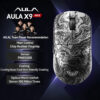
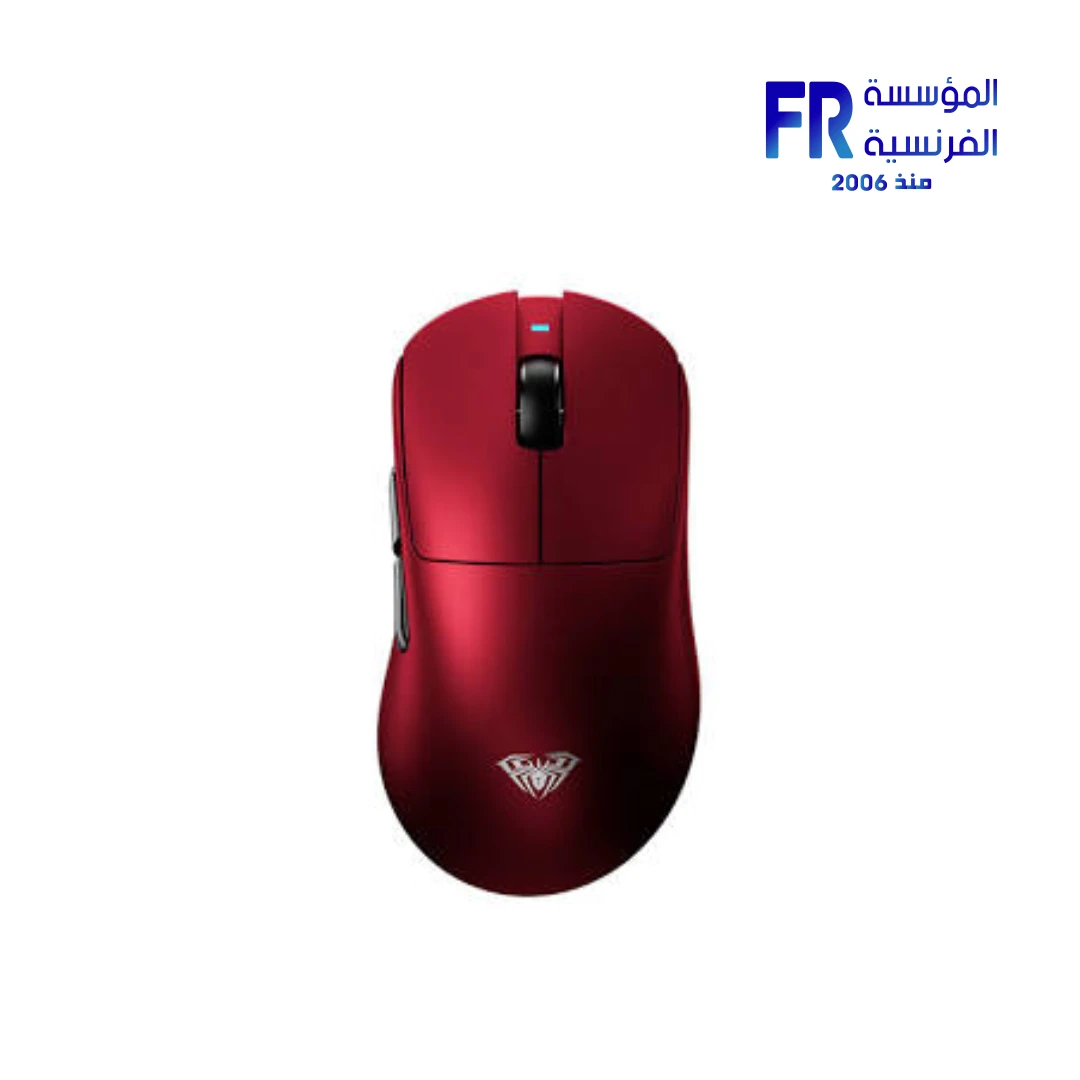


AULA X9 MAX Liquid Bluetooth 2.4GHz USB-C PAW3395 26000 DPI 49g 8000Hz Red Wireless Gaming Mouse
2549 EGP
- Model Name: AULA X9 MAX Wireless Gaming Mouse
- Sensor & Performance: PAW3395 Optical Sensor | 26,000 DPI | Native 8,000Hz Polling Rate | AULA Proprietary High-Performance MCU
- Connectivity: Tri-Mode (Wired USB-C / 2.4GHz Wireless / Bluetooth) | 500mAh Battery | Up to 70 Hours Use
- Switches & Build: Omron 100M Click Optical Switches | 49g Ultra-Lightweight | Nano Ice-Touch Coating | Esports-Grade PTFE Feet
- Design & Features: Ergonomic Palm-Fit Shell | Hydra-Fusion RGB Flowing Light | In-House Driver with Esports Mode | Star Wars Red Colorway
- Warranty: 1 year
Only 2 left in stock
Price Match Guarantee✅ Authorized AULA Partner in Egypt | Official 1-Year Warranty | Expert PC Building Consultation Available
AULA X9 MAX Liquid Bluetooth 2.4GHz USB-C PAW3395 26000 DPI 49g 8000Hz Red Wireless Gaming Mouse
AULA X9 MAX Liquid is a tri-mode wireless gaming mouse that connects over wired USB-C, 2.4GHz, or Bluetooth. It uses a PAW3395 optical sensor with up to 26000 DPI, runs an 8000Hz polling rate, and weighs approximately 49g. It also includes Omron 100M click optical switches and a 500mAh battery rated for up to 70 hours of use. Available at Alfrensia for 2,549 EGP.
⚡ Engineering Highlights at a Glance:
- Tri-Mode Connectivity: Wired USB-C, 2.4GHz wireless, and Bluetooth, so one mouse covers gaming, work, and everyday use.
- PAW3950/3395 Optical Sensor: Flagship sensor with up to 26000 DPI for precise tracking across competitive titles.
- 8000Hz Polling Rate: Runs up to eight times faster than standard 1000Hz polling for smoother cursor movement and lower input latency.
- Approximately 49g Shell: Lightweight design reduces movement inertia for faster stops and more accurate aiming.
- Omron 100M Click Optical Switches: 100-million-click lifespan for consistent, low-latency clicks.
- 500mAh Battery: Up to 70 hours of continuous use between charges.
- Nano Ice-Touch Coating: Smooth skin-like finish with fingerprint and scratch resistance, plus esports-grade PTFE feet for a fast glide.
Who is the AULA X9 MAX Liquid For?
Expert Advice & Build Considerations
Connectivity and Pairing
The mouse supports three connection modes: wired USB-C, 2.4GHz via a USB dongle, and Bluetooth. Use 2.4GHz for gaming because it delivers the lowest latency, and switch to Bluetooth for laptops and tablets where you do not want to occupy a USB port. The wired USB-C mode charges the battery while keeping the mouse usable, so you can keep playing during a recharge. Each mode pairs independently; check the manual for the pairing sequence before first use.
Polling Rate and Sensor Settings
The mouse supports an 8000Hz polling rate, but the CPU cost of 8000Hz is significantly higher than 1000Hz, so on older systems check whether your CPU can sustain it without frame drops. Use the in-house AULA driver to set DPI stages, polling rate, and button mapping. For competitive shooters, most players use 400-1600 DPI with in-game sensitivity to match. Enable Esports Mode in the driver to unlock the full PAW3950/3395 sensor capabilities.
Battery, Weight, and Surfaces
The 500mAh battery delivers up to 70 hours of continuous use, but heavy 8000Hz polling reduces runtime compared to standard 1000Hz. Recharge with the USB-C cable when the battery gets low, and consider using 1000Hz during non-competitive sessions to extend battery life. At around 49g the mouse is light enough for long sessions, but the low weight means you should pair it with a control-oriented mouse pad to avoid overshooting. The PTFE feet work well on cloth and hard pads; clean them periodically with a microfiber cloth to keep the glide consistent.
Technical Specifications
| Model Name | AULA X9 MAX Liquid |
| Brand | AULA |
| EAN / UPC | 6948391206325 |
| Product Type | Wireless gaming mouse |
| Sensor | PAW3950/3395 optical, up to 26000 DPI |
| Connectivity | Wired USB-C | 2.4GHz wireless | Bluetooth |
| Polling Rate | 8000Hz |
| Weight | Approximately 49 g |
| Switches | Omron Optical, 100 million clicks |
| Battery | 500 mAh, up to 70 hours |
| Coating | Nano Ice-Touch skin-like coating |
| Feet | Esports-grade PTFE |
| Lighting | Hydra-Fusion flowing light design |
| Software | AULA in-house driver (DPI, polling rate, button mapping, Esports Mode) |
| Color | Red |
| Warranty | 1 Year Local Alfrensia Warranty |
Expert Recommendation: Getting the Most from the AULA X9 MAX Liquid
Install the AULA in-house driver on first use to set DPI stages, polling rate, and button mapping. For competitive play, start at 800 DPI and adjust in-game sensitivity to match your aim. Enable Esports Mode in the driver to unlock the full PAW3950/3395 sensor capabilities.
Use 2.4GHz mode for gaming and switch to Bluetooth for laptops and tablets so you do not occupy a USB port. The wired USB-C mode charges the battery while keeping the mouse usable, so plug it in during a recharge to avoid downtime.
Pair the mouse with a control-oriented cloth pad for best results. The 49g shell is fast and easy to flick, so a pad with some stopping power helps avoid overshooting. Clean the PTFE feet with a microfiber cloth periodically to keep the glide consistent.
Because 8000Hz polling draws more CPU resources and battery than 1000Hz, use it during competitive sessions and switch back to 1000Hz for general use to extend battery life. Charge the 500mAh battery with the included USB-C cable when it gets low, and avoid leaving the battery fully discharged for long periods. The 1-year Alfrensia warranty covers manufacturing defects.
Frequently Asked Questions
What connection modes does the AULA X9 MAX Liquid support?
It supports three modes: wired USB-C, 2.4GHz wireless through a USB dongle, and Bluetooth. Use 2.4GHz for gaming to get the lowest latency, switch to Bluetooth for laptops and tablets, and use the wired USB-C mode to charge the battery while keeping the mouse usable.
What is the maximum DPI of the AULA X9 MAX Liquid?
The PAW3950/3395 optical sensor supports up to 26000 DPI. Use the AULA in-house driver to set DPI stages, and most competitive players use 400-1600 DPI with in-game sensitivity to match. Enable Esports Mode in the driver to unlock the full sensor capabilities.
How long does the 500mAh battery last?
The 500mAh battery is rated for up to 70 hours of continuous use, though 8000Hz polling reduces runtime compared to 1000Hz. Switch to 1000Hz for non-competitive sessions to extend battery life, and recharge with the included USB-C cable.
What is the 8000Hz polling rate, and should I use it?
8000Hz polling means the mouse reports its position to the PC up to 8,000 times per second, eight times faster than standard 1000Hz. It reduces input latency and smooths cursor movement in competitive games, but it also draws more CPU resources and battery than 1000Hz. Use it during competitive sessions and switch to 1000Hz for general use.
Does the AULA X9 MAX Liquid need software to work?
The mouse works out of the box as a basic pointing device without software. Install the AULA in-house driver to access DPI stages, polling rate, button mapping, Esports Mode, and lighting controls. Without the driver, the mouse runs at its default settings.
| MODEL | |
|---|---|
| Connection | |
| SENSOR TYPE | |
| DPI | |
| lifecycle | |
| Cable Length | |
| BATTERY LIFE | |
| Wireless Range | |
| Acceleration | |
| Buttons | |
| On-board Memory | |
| Color | |
| Part Number | |
| Warranty |
| Polling Rate | Up to 8000Hz (title-listed; exact mode should be verified) |
|---|
Only logged in customers who have purchased this product may leave a review.

Reviews
There are no reviews yet.