



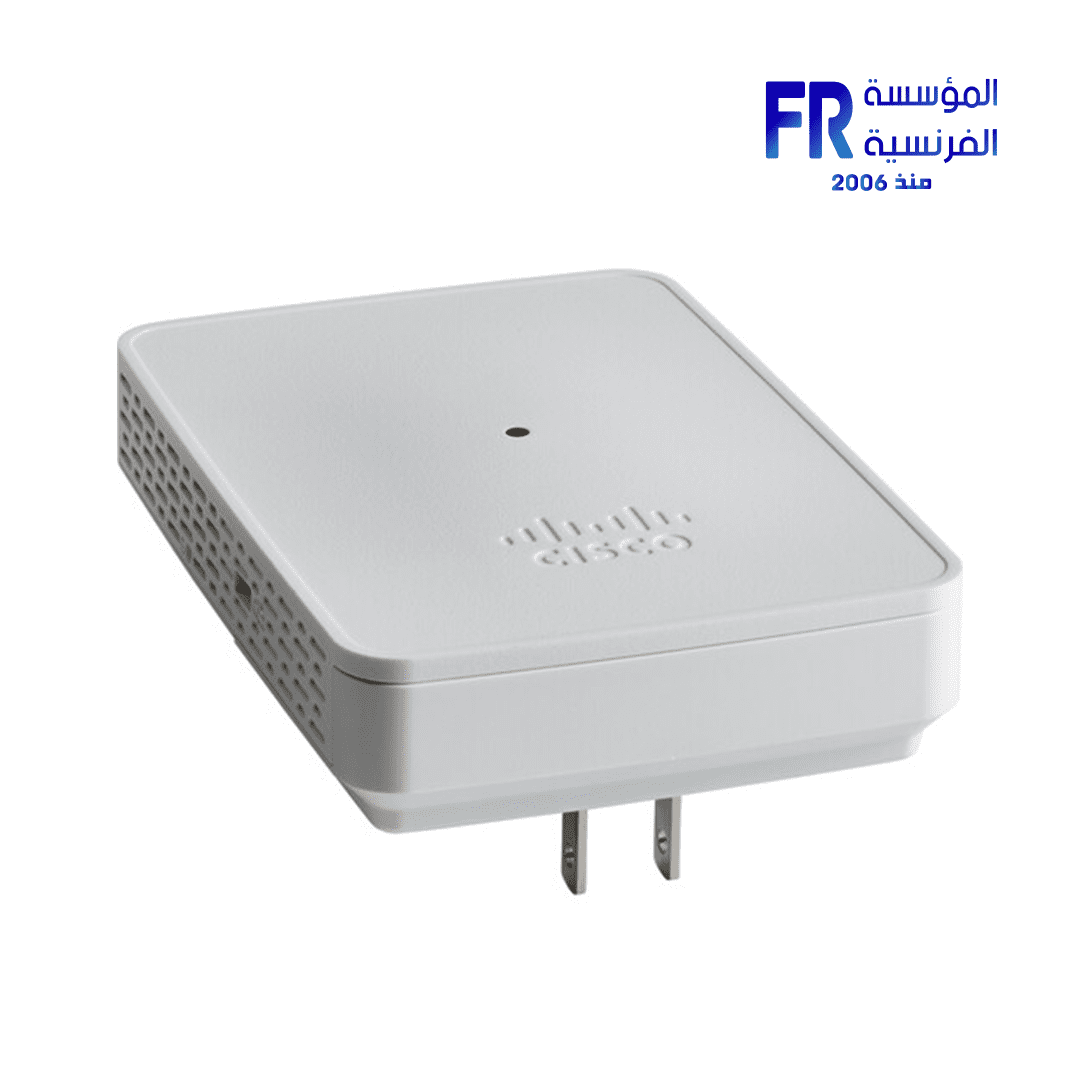


Cisco Business 142ACM Mesh Extender
0 EGP
- Throughput: 1011 Mb/s Total (5 GHz: 867 Mb/s, 2.4 GHz: 144 Mb/s)
- Transmit Power: 20 dBm
- Bluetooth: No
- Ports: No
- Guest Network Support: Yes
- Wireless Security: WPA2, WPA3
- Operation Modes: Mesh
- Virtual Assistant Support: No
Cisco Business 142ACM Mesh Extender
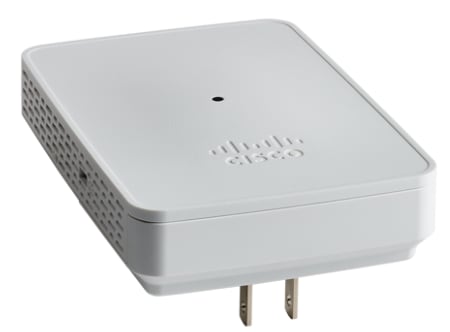
The Cisco Business 142ACM Dual-Band Mesh Wi-Fi Extender optimizes your wireless network coverage and eliminates dead spots by adding to your 802.11ac Wave 2 mesh Wi-Fi system. Designed to work with Cisco Business access points, the 142ACM plugs directly into an AC wall outlet to expand the Wi-Fi coverage of your small business or office with a transfer rate of up to 1011 Mb/s over the 2.4 GHz and 5 GHz frequency bands while continuing to use a single unified network ID (SSID) for seamless roaming.
Key Features
With its powerful internal antennas and support for 2×2 MU-MIMO technology, the Cisco Business 142ACM Mesh Extender can communicate with multiple devices simultaneously, transferring up to 867 Mb/s over the 5 GHz frequency and 144 Mb/s on the 2.4 GHz band. Each device can handle up to 400 clients.
Your wireless network is protected by WPA2 and WPA3 encryption. Other security features include RADIUS authentication and guest network access. With the Cisco Business mobile app for Android and iOS, you can quickly expand your network by using Quick Response (QR) codes to add new mesh extenders and devices.
Explore compatible Mesh Extenders or check Cisco Products for other options. Find full details on the official Cisco Business 142ACM Dual-Band Mesh Wi-Fi Extender product page.
Specifications
- Throughput: 1011 Mb/s Total (5 GHz: 867 Mb/s, 2.4 GHz: 144 Mb/s)
- Transmit Power: 20 dBm
- Bluetooth: No
- Ports: No
- Guest Network Support: Yes
- Wireless Security: WPA2, WPA3
- Operation Modes: Mesh
- Virtual Assistant Support: No
- Hardware: RAM: 512 MB, Flash Memory: 128 MB, Built-In Microphones: No, Speakers: No, Supported IEEE Standards: 802.11a, 802.11ac, 802.11b, 802.11d, 802.11g, 802.11h, 802.11i, 802.11n, 802.1x, 802.3af
- Electrical: Power Consumption: 8.5 W
- General: Dimensions: 3.2 x 4.5 x 0.7″ / 82.5 x 114.0 x 19.0 mm, Weight: 9.9 oz / 280 g
General CBW Mesh Extender Details
- Multiuser (MU) Multiple-Input Multiple-Output (MU-MIMO) – allows simultaneous data transmission to multiple 802.11ac Wave 2 capable clients to improve the client experience.
- Managing the Network – You can configure and manage the network using a mobile application or through a standard web browser.
- Authentication and Security – Wi-Fi Protected Access 2 and 3 (WPA2), 802.1X, RADIUS authentication, authorization, and accounting (AAA), 802.11r and 802.11i
- Maximum number of associated wireless clients – 200 per Wi-Fi radio, for a total of 400 clients per access point
- 802.11ac – 2×2 MU-MIMO with two spatial streams, up to 867 Mbps, 20-, 40-, and 80-MHz channels, and Dynamic Frequency Selection
- Data Rates Supported
- 802.11a: 6, 9, 12, 18, 24, 36, 48, and 54 Mbps
- 802.11b/g: 1, 2, 5.5, 6, 9, 11, 12, 18, 24, 36, 48, 5 and 4 Mbps
- 802.11n data rates on 2.4 GHz: 6.5 to 144 Mbps (MCS0-MCS15)
- 802.11ac data rates on 5 GHz: 6.5 to 867 Mbps (MCS0-MCS9)
- Available Transmit Power Settings
- 2.4 GHz up to 20 dBm
- 5 GHz up to 20 dBm
- Integrated Antennas
- 2.4 GHz, gain 2 dBi
- 5 GHz, gain 3 dBi
- Indicators – Status LED indicates boot loader status, association status, operating status, boot loader warnings, and boot loader errors
Prerequisites Before Adding a Mesh Extender
- An active internet connection (cable or DSL)
- Download the Cisco Business App or access to https\://ciscobusiness.cisco
- A Cisco small business PoE switch or PoE injector (802.3af PoE injector)
- A PoE-powered, mounted access point
- A Cisco small business router (to act as your DHCP server)
- A CBW Primary Access Point that is configured and functional
Environmental Considerations
To ensure the best RF coverage for your access point, place your access point in an area as close to the wireless clients as possible and practical to do so.
Areas to avoid or places that may result in reduced range or performance are as follows:
- In a basement of a multi-story home or office, as the signals must penetrate many walls.
- Near large obstructions that can block the radio signals. Avoid areas like metal cabinets or refrigerators.
- On the floor under a metal desk or other dense or conductive objects.
What’s in the 142ACM Box:
- Cisco Business Wireless Mesh 142AC Mesh Extender
- Quick Start Guide
- Technical Support Contact List
- Pointer Card China RoHS
- Compliance Information (for EU SKU only)
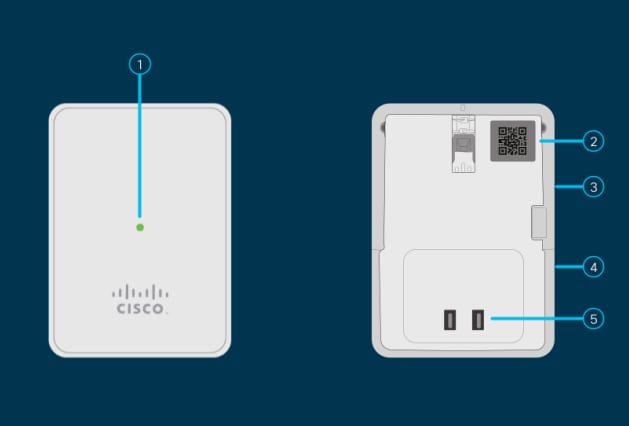
142ACM Product Features
- Status LED
- QR Code
- Mode Button (on side)
- Kensington Lock (on side)
- AC Plug (Will vary by country)
Unique Features of the 142ACM
The 142ACM is the only mesh extender that is plugged into an AC outlet. It does not have an extra Ethernet port.
Only logged in customers who have purchased this product may leave a review.
Related products




Reviews
There are no reviews yet.