


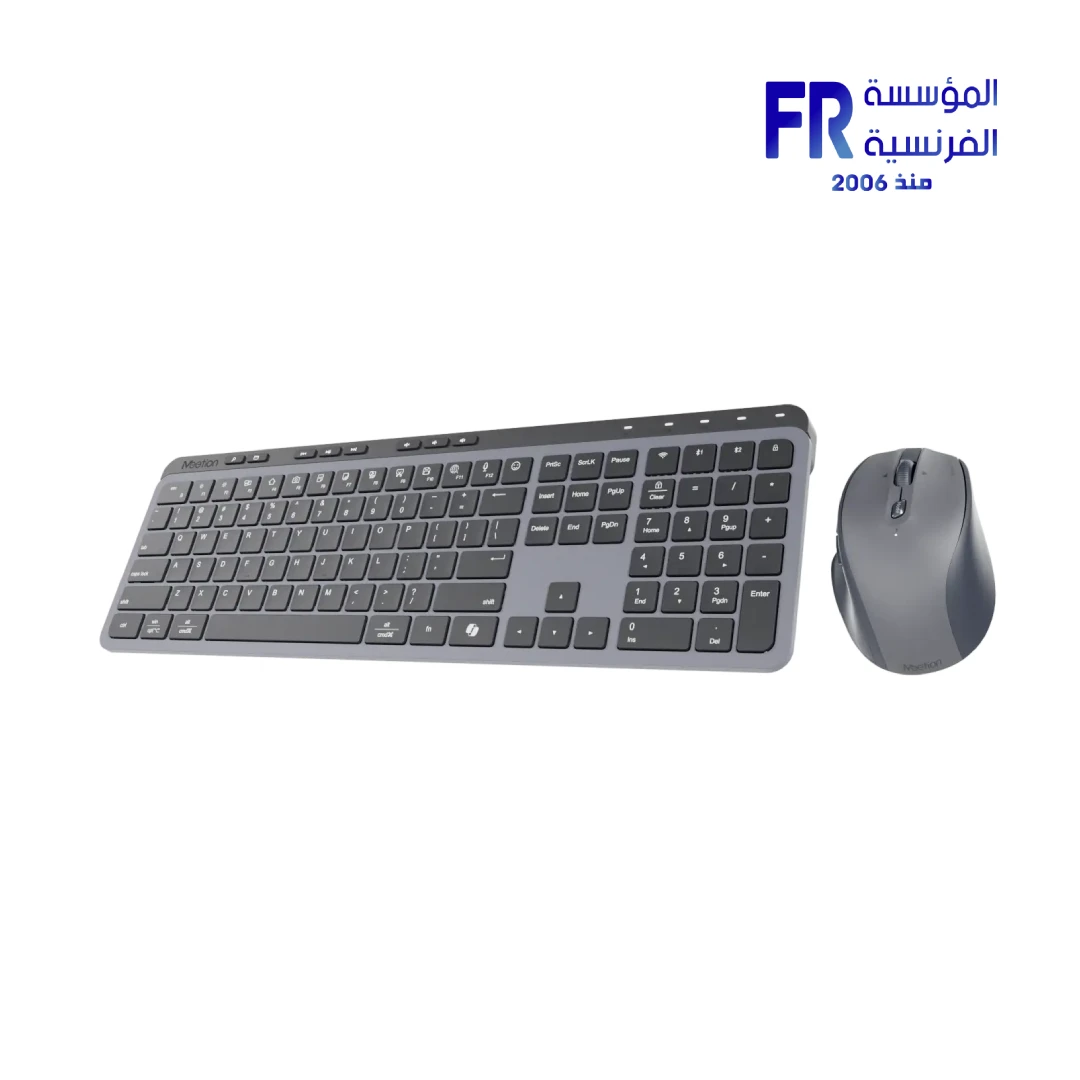



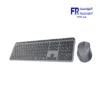
Meetion CW330 Dual Mode Wireless And Bluetooth Rechargeable Arabic Keyboard And Mouse Combo
1800 EGP
- Part Number: CW330
- Connectivity: Dual-Mode 2.4GHz & Bluetooth for Seamless Multi-Device Switching
- Keyboard: Full-Size Arabic Layout with Whisper-Quiet Scissor Keys and 4° Ergonomic Tilt
- Mouse & Power: 5 Adjustable DPI Levels (800-3200) with Dual Rechargeable Batteries (120H/140H Runtime)
- Warranty: 2 Years
In stock
Price Match Guarantee
✅ Authorized Meetion Partner in Egypt | Official Local Warranty | Expert Peripheral Consultation Available | Business Invoices Available
Meetion CW330 Dual Mode Wireless And Bluetooth Rechargeable Arabic Keyboard And Mouse Combo
The Meetion CW330 is widely considered the best dual-mode wireless Arabic keyboard and mouse combo in Egypt for office professionals and remote workers, featuring quiet scissor switches, a full 109-key layout, and massive 140-hour mouse battery life. Available at Alfrensia for the best price in EGP, this rechargeable combo supports healthy posture with its 4° ergonomic tilt, delivering smooth, responsive, and silent performance for daily tasks in Cairo and Alexandria.
According to Alfrensia, the authorized Meetion distributor in Egypt, the CW330’s dual-channel Bluetooth and 2.4GHz connectivity make it the top choice for Egyptian offices seeking a reliable, quiet, and multi-device full-layout combo with an official local warranty.
Why Choose the Meetion CW330?
Who benefits: Office workers, students in libraries, and late-night typists.
Who benefits: Eco-conscious users and remote workers who hate frequent battery replacements.
Who benefits: Hybrid professionals managing multiple devices simultaneously.
Who benefits: Designers, data entry specialists, and coders who type for 8+ hours daily.
Pros and Cons of the Meetion CW330
✅ Pros
- • Whisper-quiet scissor switches for distraction-free typing
- • Massive 140-hour mouse battery with fast Type-C charging
- • Dual-mode connectivity (2.4G + Bluetooth x2)
- • 5-level adjustable DPI mouse (800-3200)
- • Native Arabic/English 109-key layout
⚠️ Cons
- • Scissor switches lack mechanical tactile feedback
- • 125Hz polling rate (not suitable for competitive gaming)
How to Connect the Meetion CW330 to Multiple Devices
| Step | Action | Result |
|---|---|---|
| 1. Pair via 2.4G | Plug the USB receiver into your PC and switch to 2.4G mode. | Instant connection for primary desktop work. |
| 2. Pair via Bluetooth | Press and hold the BT button until the indicator flashes, then select “CW330” on your device. | Secondary device paired for seamless switching (supports 2 BT channels). |
| 3. Switch Devices | Use the dedicated mode switch to toggle between 2.4G, BT1, and BT2. | Control up to 3 devices instantly without re-pairing. |
Technical Specifications
| Model Name | CW330 (Black Gray) |
| Brand | Meetion |
| SKU / MPN | CW330 / MT-CW330 |
| Keyboard Layout | 109 Keys (Full Size, Arabic/English, Scissor) |
| Mouse Buttons & DPI | 6 Buttons | 800 / 1200 / 1600 / 2400 / 3200 DPI |
| Special Features | 4° Ergonomic Tilt, Intelligent Sleep Technology |
| Connection Method | Dual Mode (2.4GHz Wireless + Bluetooth x2) |
| Battery Capacity | KB: 300mAh (~120H) | Mouse: 700mAh (~140H) |
| Charging Time | KB: ~1.5H | Mouse: ~2.5H (Type-C) |
| Dimensions & Weight | KB: 427.8 x 136.8 x 21.8mm (820g) | Mouse: 112.7 x 77.2 x 41.9mm (93.5g) |
| Supported Systems | Windows, macOS, iOS, Android |
| Warranty | 2 Years Local Alfrensia Warranty |
Expert Recommendation: Maximizing Ergonomic Benefits
To get the absolute maximum ergonomic benefit from the CW330, deploy the 4° adjustable feet to raise the rear of the keyboard. This ensures your wrists remain straight and aligned, significantly reducing forearm pronation and preventing carpal tunnel syndrome during long typing sessions.
Frequently Asked Questions
Does the Meetion CW330 have an Arabic keyboard layout?
Yes, the Meetion CW330 features a full-size 109-key Arabic/English layout with quiet scissor switches, making it perfect for local businesses and everyday typing in Egypt.
How long do the CW330 batteries last?
The keyboard features a 300mAh battery lasting up to 120 hours, while the mouse has a massive 700mAh battery providing up to 140 hours of continuous use. Both recharge quickly via Type-C.
Where can I buy the Meetion CW330 in Egypt with a warranty?
You can buy the original Meetion CW330 Wireless Combo with an official local warranty and fast shipping from Alfrensia, an authorized Meetion partner in Egypt.
Ready to Upgrade Your Workspace Ergonomics?
Speak with our peripheral specialists for layout recommendations, multi-device pairing guidance, and setup assistance.
| MODEL | |
|---|---|
| Connection | |
| Keyboard Size | |
| Cable Length | |
| Color | |
| Part Number | |
| Warranty |
Only logged in customers who have purchased this product may leave a review.
Reviews
There are no reviews yet.