

ALFRENSIA PC BASICS · 7 MIN READ
When deciding whether to upgrade an existing PC or build a new one, compare the current platform’s limits, compatibility and total cost. An upgrade can be more economical, but only if the platform can support the performance you need. Compare measured limitations, compatibility and the complete cost of each path before making a decision.
Start by identifying what is actually limiting you
Write down what feels slow or fails to meet your target: low frame rates, stuttering, long exports, slow project loading, insufficient memory, limited storage, or application incompatibility. These symptoms can have different causes, and buying a new component without diagnosing the problem may not solve it.
For gaming, check performance in the games and settings you use. Monitor GPU utilisation, CPU behaviour, RAM use, temperatures, and frame-time consistency during repeatable tests. For creative applications, test representative projects and inspect the software’s performance and memory indicators. A single utilisation percentage is not enough to identify every bottleneck.
When an upgrade is usually sensible
- Storage is full or slow: adding a compatible SSD can improve capacity and load times without replacing the whole PC.
- Memory is insufficient: a RAM upgrade can help when applications are genuinely constrained by available memory, provided the motherboard and CPU support the memory type and capacity.
- The GPU is the main limit: a graphics-card upgrade may be effective if the CPU, PSU, case, and display can support the new target.
- Cooling or airflow is inadequate: a suitable cooler or case-fan improvement may help if testing shows thermal limits.
- The platform still meets your needs: if the motherboard, CPU, and memory provide the features and performance you need, keeping them can preserve budget for the limiting part.
When a new build may make more sense
A new build becomes more attractive when the motherboard, CPU, RAM generation, PSU, case, and storage all need major changes, or when the current platform lacks important features. It may also be the cleaner option when you need a substantial performance jump for a new workload and the current system has several independent limits.
Do not assume a new build is automatically better value. Reusing a suitable case, storage drive, or other compatible parts can reduce cost, while an old PSU or unsuitable case may not be worth carrying forward. Compare the complete system and account for any required replacements.
Make a compatibility inventory before pricing parts
- Record the exact CPU and motherboard model, including the motherboard revision if relevant.
- Check the motherboard CPU support list and the BIOS version required by the target processor.
- Confirm whether the system uses DDR4 or DDR5 and what capacity and configuration the board supports.
- Identify the exact PSU model, available power connectors, and manufacturer recommendations for the target GPU.
- Measure case clearance for the graphics card, CPU cooler, and radiator.
- Check storage slots, SATA ports, expansion slots, and any lane-sharing limitations in the motherboard manual.
- Confirm operating-system, application, and peripheral compatibility for the intended workload.
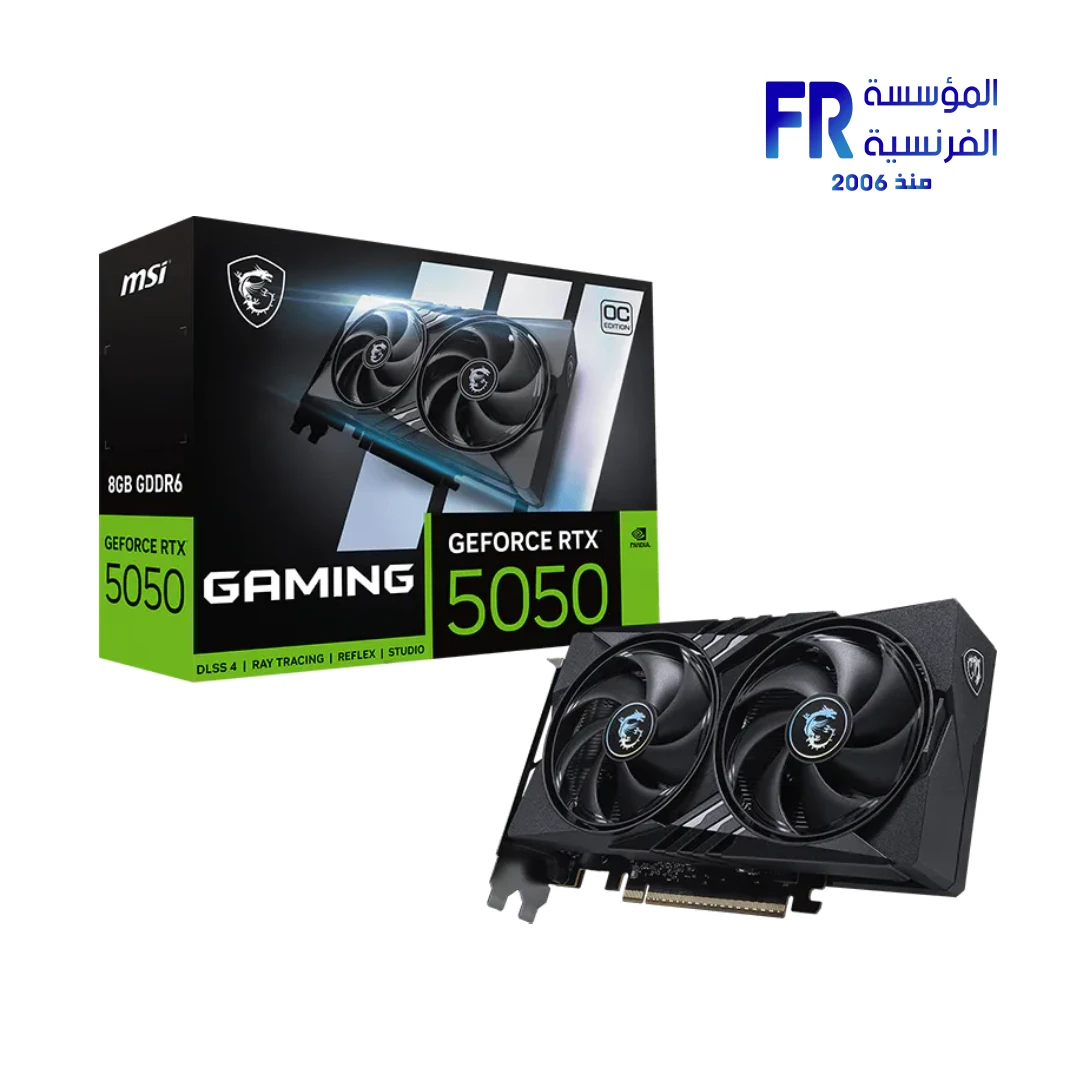
For example, if the planned upgrade is a graphics card, verify the exact model, power requirements and case clearance before comparing it with a full rebuild. Browse a current graphics card example as a reference point, not as a universal recommendation.
Compare the total cost, not just the upgrade price
Create two lists: the minimum parts needed to upgrade and the components required for a new or substantially rebuilt system. Include any PSU, motherboard, RAM, cooling, case, monitor, and storage changes that each path requires. Also consider installation, data migration, downtime, and warranty coverage.
Use current local prices for the exact models. A graphics card may appear to be the only purchase needed, but the total changes if the PSU lacks the required connector or the case cannot fit it. A CPU upgrade can also require a BIOS update or a platform change.
What about future upgrades?
Think about your likely next step, not every hypothetical future. If a platform supports a realistic future CPU upgrade and the motherboard has the features you need, that can be useful. But future compatibility is never guaranteed by a socket name alone; consult the manufacturer’s support list and firmware notes.
Likewise, buying a more expensive motherboard for features you will never use may be poor value. Choose the platform for confirmed support, connectivity, expansion, memory, and power requirements rather than a promise that it will remain current forever.
Decision matrix
- One clear limitation, low total cost: upgrade the specific part.
- Several limits but reusable core components: price a staged upgrade and compare it with a new build.
- Platform lacks required features or support: consider replacing the motherboard, CPU, and memory as a group.
- PSU or case cannot support the target hardware: include those replacements in the upgrade total before deciding.
- Current performance already meets your real needs: keep the system and save the budget until there is a measurable reason to change it.
Common mistakes to avoid
- Upgrading the GPU without checking CPU limits, PSU connectors, or physical clearance.
- Buying a CPU that the motherboard does not support with the current BIOS.
- Mixing incompatible memory generations or assuming all RAM kits behave identically.
- Replacing a whole PC because it is old, without measuring actual performance or identifying the problem.
- Continuing to upgrade a platform when several expensive parts must be replaced at once.
- Ignoring data backups and the time needed to reinstall or configure software.
Frequently asked questions
Is a five-year-old PC worth upgrading?
It can be, but age alone is not decisive. The exact CPU, motherboard, PSU, memory, workload, and desired performance determine whether a targeted upgrade is practical.
Should I upgrade my GPU or CPU first?
Test the workload and identify the limiting component. The answer can change by game, resolution, settings, and application; do not assume the same component is always the bottleneck.
Can I reuse my old SSD and case?
Often, if they are compatible and in good condition. Check drive interfaces, case dimensions, airflow, front-panel connectors, and whether the existing storage has enough capacity and acceptable health.
Official resources
- Intel Support — processor and platform documentation
- AMD Support — processor and platform support
- NVIDIA — graphics card specifications
- Corsair — PSU planning and compatibility
Always verify compatibility against the support page and manual for your exact hardware models before buying or installing parts.
ترقّي الكمبيوتر الحالي ولا تبني جهاز جديد؟
الترقية ممكن تكون أوفر، لكن بشرط إن المنصة الحالية تقدر تحقق الأداء المطلوب. قارن المشكلة المقاسة والتوافق والتكلفة الكاملة لكل اختيار.
حدد الأول إيه اللي مقيّد الأداء
اختبر الاستخدام الحقيقي وراجع CPU وGPU والرام والتخزين والحرارة قبل ما تقرر شراء قطعة.
إمتى الترقية تكون منطقية؟
لما يكون سبب البطء واضحاً، والقطعة الجديدة متوافقة وتقدم تحسناً ملحوظاً من غير تغيير أجزاء كثيرة.
إمتى تجميعة جديدة تكون أنسب؟
لو المنصة قديمة أو التوافق محدود أو تكلفة تحديث عدة قطع قريبة من تكلفة نظام جديد متوازن، قارن الخيارين بالكامل.
اعمل قائمة توافق قبل حساب الأسعار
سجّل موديل المعالج واللوحة والـBIOS والرام والـPSU والكيسة والتخزين والمنافذ المتاحة.
قارن التكلفة الإجمالية
احسب القطعة الجديدة وأي PSU أو مبرد أو لوحة أو رام أو كيسة إضافية مطلوبة، مع تكلفة نقل البيانات أو إعادة تركيب النظام إذا لزم.
ماذا عن الترقيات المستقبلية؟
خطط لمنصة تدعم احتياجاتك الواقعية، لكن لا تدفع زيادة كبيرة لمزايا مستقبلية غير مؤكدة.
مصفوفة قرار
- رقّي: المشكلة محددة والقطعة متوافقة وتكلفتها أقل بوضوح.
- ابنِ جهازاً جديداً: تحتاج تغيير عدة أجزاء أساسية أو المنصة الحالية تقيدك.
- أجّل الشراء: المشكلة قد تكون إعدادات أو حرارة أو برامج أو سعة غير مستغلة.
أخطاء تجنبها
ما تشتريش قطعة قبل فحص التوافق، وما تقارنش سعر ترقية واحدة بتكلفة جهاز جديد من غير حساب كل المكونات.
الأسئلة الشائعة
هل جهاز عمره خمس سنين يستاهل الترقية؟
يعتمد على المنصة والحالة والاستخدام والتكلفة المطلوبة.
أرقّي GPU ولا CPU الأول؟
حدد أيهما يحدّ أداء استخدامك بالقياس، ثم راجع التوافق.
هل أقدر أحتفظ بالـSSD والكيسة القديمة؟
ممكن إذا كانت متوافقة وسليمة وتناسب احتياجاتك الجديدة.
مصادر رسمية للتحقق من التوافق
- Intel Support لمراجعة دعم المعالج والمنصة.
- AMD Support لمواصفات ودعم المعالجات.
- NVIDIA — مواصفات كروت الشاشة للتحقق من متطلبات كارت الشاشة.
- Corsair PSU resources لمراجعة متطلبات الطاقة.
اتأكد من موديل اللوحة وإصدار BIOS والتوافق مع المعالج والرام، وأبعاد الكيسة وتوصيلات PSU قبل شراء أي قطعة. قارن تكلفة الترقية الكاملة بتكلفة التجميعة الجديدة، مش بس سعر المكوّن الأساسي.
محتاج تخطط لترقية؟
راجع الخيارات المتاحة على موقع المؤسسة الفرنسية للكمبيوتر، أو تواصل مع المبيعات على واتساب للاستفسار عن التوافق والتوفر الحالي.