


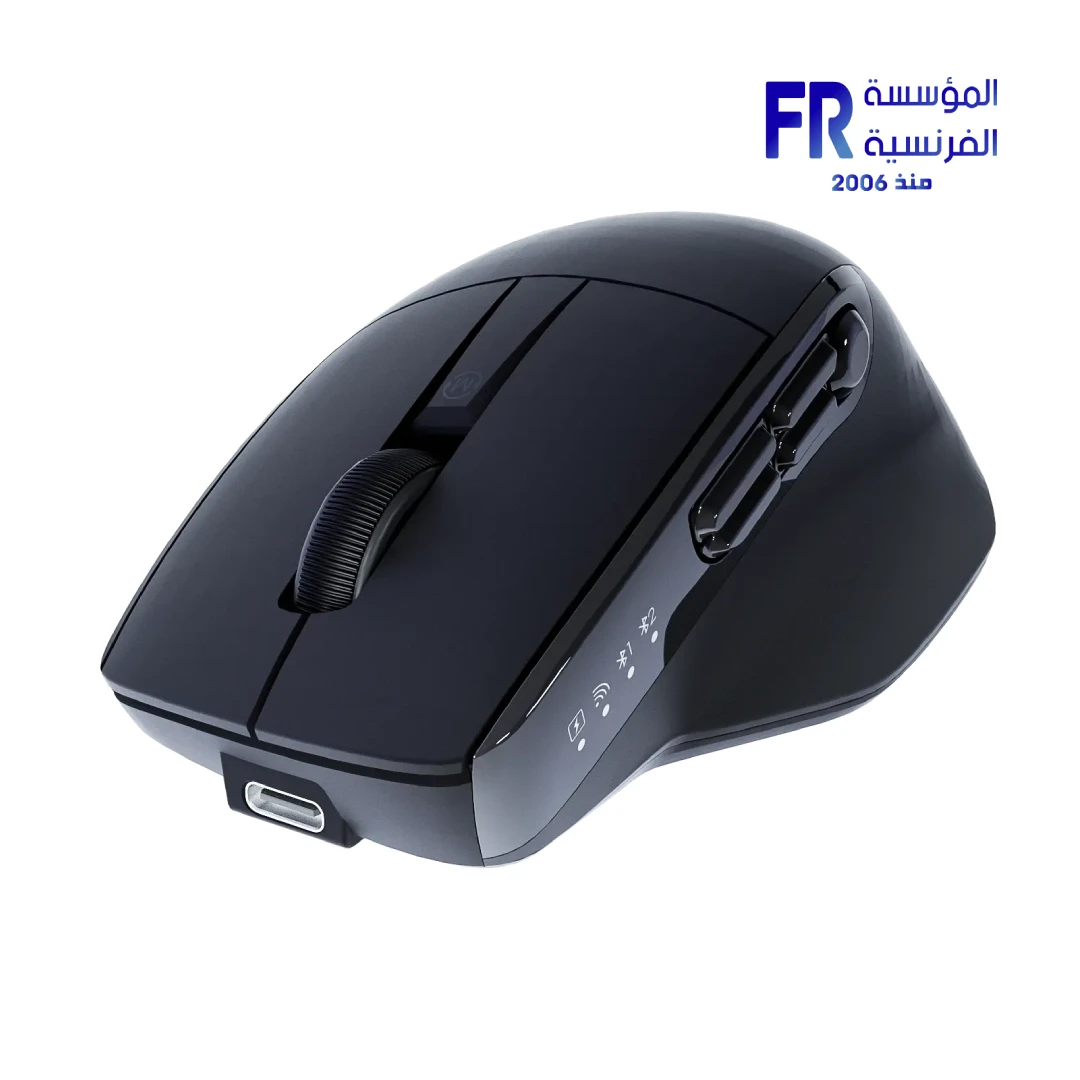



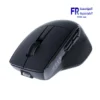
Meetion Anywher 3 Triple Mode Rechargeable Wireless And Bluetooth Mouse
950 EGP
- Model Name: Meetion Anywhere 3
- Part Number: Anywhere3
- Connectivity: Tri-Mode (Wired, 2.4GHz Wireless, Bluetooth)
- Sensor & DPI: 6 Adjustable DPI Levels (800 to 6000), 125Hz – 1000Hz Polling Rate
- Buttons & Switch: 9 Programmable Buttons, Silent Clicks, 100 Million Click Lifespan
- Battery & Design: 700mAh Rechargeable Battery (140h runtime), Type-C Charging, Works on Any Surface (including glass), 98g Weight
- Compatibility: Windows, macOS
- Warranty: 2 Years
In stock
Price Match Guarantee✅ Authorized Meetion Partner in Egypt | Official Local Warranty | Expert Peripheral Consultation Available | Business Invoices Available
Meetion Anywhere3 Tri-Mode Rechargeable Wireless & Bluetooth Mouse
Experience effortless control and multi-device productivity with the Meetion Anywhere3. Engineered with an advanced sensor that tracks flawlessly on virtually any surface—including glass—this mouse eliminates the need for a traditional mousepad. Featuring tri-mode connectivity (Wired, 2.4GHz, and dual-channel Bluetooth), it allows you to seamlessly switch between your laptop, desktop, and tablet with the press of a button.
Designed for focused workflows, the Meetion Anywhere3 combines whisper-quiet silent clicks, 9 programmable buttons, and a built-in 700mAh rechargeable battery that delivers up to 140 hours of continuous use, making it the ultimate tool for professionals, creatives, and digital nomads.
Why Choose the Meetion Anywhere3?
The advanced optical sensor maintains precise tracking on glass tables, polished wood, and fabric, giving you the freedom to work anywhere without a mousepad.
Connect via USB-C wired, 2.4GHz wireless dongle, or Bluetooth. Switch between up to three devices instantly, maintaining a stable 10-meter connection range.
Cycle through 6 DPI settings (800 to 6000) for pinpoint accuracy across high-resolution monitors, supported by a dynamic 125Hz-1000Hz polling rate.
Silent switches reduce click noise by over 90% for a distraction-free environment. The 700mAh battery provides 140 hours of use and recharges fully in just 2.3 hours via Type-C.
Ideal For Your Workflow
- 💼 Remote Workers & Digital Nomads: Work comfortably from cafes, co-working spaces, or glass-top tables without worrying about sensor tracking issues.
- 💻 Multi-Device Power Users: Seamlessly control your Windows PC, MacBook, and iPad simultaneously using the dedicated device-switching buttons.
- 📚 Students & Library Users: The whisper-quiet silent click design ensures you won’t disturb others in shared, quiet study environments.
- 🎨 Creatives & Programmers: Utilize the 9 programmable buttons to assign custom macros, shortcuts, and workflow commands for faster editing and coding.
Meetion Anywhere3 vs. Standard Wireless Mice
| Feature | Meetion Anywhere3 (Tri-Mode) | Standard Office Wireless Mouse |
|---|---|---|
| Surface Tracking | Any Surface (Including Glass) | Requires Mousepad / Opaque Desk |
| Connectivity | Wired + 2.4GHz + Bluetooth (Multi-Device) | Single 2.4GHz USB Dongle |
| Power Source | 700mAh Rechargeable (Type-C) | Disposable AA/AAA Batteries |
| Acoustic Profile | Whisper-Quiet Silent Switches | Standard Loud Clicks |
Technical Specifications
| Model Name | Anywhere3 (MT-Anywhere3) |
| Number of Buttons | 9 Programmable Buttons |
| DPI Settings | 6 Levels (800 / 1200 / 1600 / 2400 / 3200 / 6000) |
| Polling Rate | 125Hz – 1000Hz |
| Connectivity | Tri-Mode (Wired Type-C + 2.4GHz Wireless + Bluetooth) |
| Transmission Distance | Up to 10 Meters |
| Battery | 700mAh Built-in Rechargeable |
| Battery Life & Charging | ~140 Hours Working Time | ~2.3 Hours Charge Time (Type-C) |
| Switch Lifespan | 100 Million Clicks (Silent) |
| Dimensions | 117 x 74 x 43.5 mm |
| Weight | 98g |
| System Compatibility | Windows (XP/7/8/10/11, Vista), MacOS |
| Warranty | 2 Years Local Warranty |
💡 Pro Tip: Maximizing Multi-Device Workflow
The Anywhere3 supports simultaneous connections via Bluetooth and the 2.4GHz dongle. You can map Button 1 to your Windows desktop (via 2.4GHz), Button 2 to your MacBook (via Bluetooth 1), and Button 3 to your iPad (via Bluetooth 2). Use the dedicated smart light indicators on the mouse to instantly verify which device channel is currently active before clicking.
Frequently Asked Questions
Does this mouse really work on glass surfaces?
Yes, the Meetion Anywhere3 is equipped with an advanced high-precision sensor specifically designed to track on transparent and reflective surfaces, including glass tables up to 4mm thick, without requiring a mousepad.
Are the clicks completely silent?
The primary left and right buttons feature whisper-quiet silent switches that reduce click noise by over 90% compared to standard mechanical switches, making it ideal for quiet offices, libraries, and late-night work sessions.
Can I use the mouse while it is charging?
Yes, the Anywhere3 supports pass-through wired usage. When you plug in the Type-C cable to charge the 700mAh battery, the mouse automatically switches to wired mode, allowing you to continue working without interruption.
Need help optimizing your workspace peripherals?
Speak with our hardware specialists for multi-device pairing guidance, ergonomic recommendations, and productivity setup advice.
| MODEL | |
|---|---|
| Connection | |
| SENSOR TYPE | |
| DPI | |
| lifecycle | |
| Cable Length | |
| BATTERY LIFE | |
| Wireless Range | |
| Acceleration | |
| Buttons | |
| Color | |
| Part Number | |
| Warranty |
Only logged in customers who have purchased this product may leave a review.
Reviews
There are no reviews yet.